
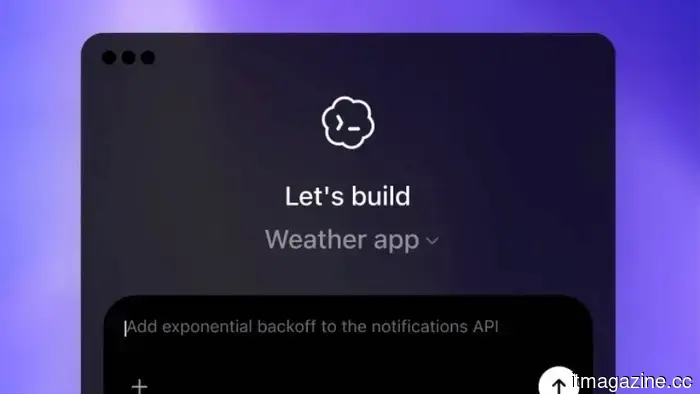
OpenAI Codex Chronicle records your Mac screen to create AI context, utilizing cloud processing without encryption.
Summary: OpenAI’s Codex for Mac has introduced Chronicle, a research preview feature that periodically takes screenshots, transmits them to OpenAI’s servers for analysis, and saves text summaries as local unencrypted Markdown files to provide context to the AI assistant regarding user activities. This feature is not accessible in the EU, UK, and Switzerland, requires a Pro subscription of $100+/month and Apple Silicon, and signifies OpenAI’s initial foray into ambient screen-aware AI on desktop, opting for cloud processing over the local-first privacy approach employed by competitors such as Screenpipe and the now-defunct Rewind AI.
OpenAI’s Codex desktop application for Mac has rolled out a feature called Chronicle that automatically captures your screen at intervals, processes the content into text summaries, and stores these summaries as memory files on your local machine, providing the AI assistant with context about your recent tasks. Released as a research preview, this allows Codex to comprehend your recent actions without needing you to elaborate. However, it involves sending screenshots of your desktop to OpenAI’s servers for processing, which contrasts with the growing trend in the industry toward prioritizing user privacy.
Chronicle is part of a larger update that enhances Codex from a coding assistant to a comprehensive AI workspace. The release on April 16, titled “Codex for (almost) everything,” introduced features enabling Codex to control Mac apps using its own cursor, an in-app browser, image generation, persistent memory, and over 90 plugins. More than one million developers have engaged with Codex, with usage doubling after the introduction of the GPT-5.2-Codex model in December.
How Chronicle operates
Chronicle employs background agents that capture screenshots of your display at regular intervals. These screenshots are sent to OpenAI’s servers, where they undergo OCR and visual analysis to create text summaries. These summaries are preserved as Markdown files in a designated local directory. When you later query Codex, the memory files are incorporated into its context window, enabling it to comprehend the applications you used, documents you read, code you wrote, and conversations you had without requiring any reiteration on your part.
The original screen captures are temporarily stored in a system temp directory and are automatically deleted after six hours. OpenAI asserts that screenshots aren't kept on its servers post-processing and are not utilized for training purposes. However, the generated memories persist indefinitely as unencrypted plain text files on your device.
Greg Brockman, OpenAI’s president, described the feature as an "experimental capability" allowing Codex to "see and have recent memory of what you see, automatically giving it full context on what you're doing. It feels surprisingly magical to use."
The privacy architecture
Chronicle necessitates macOS Screen Recording and Accessibility permissions. It is exclusive to Apple Silicon Macs running macOS 14 or later and is accessible only to ChatGPT Pro subscribers paying $100 or more each month. Its unavailability in the EU, UK, or Switzerland heavily indicates OpenAI’s awareness of the feature’s misalignment with GDPR’s data minimization and purpose limitation principles.
Comparing it to Microsoft Recall is insightful. Recall, which was launched on Windows Copilot+ PCs, captures screenshots every few seconds and stores them in an encrypted local database, with all processing conducted by a neural processing unit locally. No screenshot data leaves the device. In contrast, Chronicle processes data in the cloud while retaining only text summaries locally. Recall encrypts data and requires biometric authentication via Windows Hello, whereas Chronicle maintains its memories as unencrypted Markdown files accessible to any process on the computer.
OpenAI's documentation openly acknowledges the associated risks. Chronicle "increases the risk of prompt injection" since harmful content from websites you visit could be captured in screenshots and misinterpreted as commands by the AI. The memories directory may include sensitive information, and the feature also "quickly uses rate limits," potentially restricting Codex usage for Pro subscribers due to Chronicle’s background activities.
OpenAI advises pausing Chronicle during meetings or when viewing sensitive information. Users have the ability to pause and resume this functionality via the Codex menu bar icon. This recommendation indicates that the feature may capture inappropriate content and places the responsibility for managing that risk on users.
The category and its challenges
Screen-aware AI assistants have faced a turbulent history. Rewind AI, an early leader in the field, rebranded to Limitless before being acquired by Meta in December 2025, resulting in the shutdown of the Mac app and the disabling of screen capture. Microsoft’s Copilot has seen a 39% decline in subscribers over six months due to trust issues that also affect Recall. A security researcher illustrated in early 2026 that Recall's encrypted database could still be vulnerable, reinforcing longstanding concerns regarding the feature since its inception.
The open-source alternative Screenpipe adopts a local-first model: continuous screen and audio capture processed entirely on the device, offered with a $400 lifetime license and no ongoing cloud reliance. Perplexity
Other articles
 The LG 77-inch C5 OLED is now priced at $1,999, and no other option at this screen size and price offers comparable picture quality.
The LG C5 has earned its status as the OLED standard for a valid reason, and the 77-inch model is currently priced at $1,999.99, reflecting a $1,700 discount from its comparison value of $3,699.99. With that size and price, this television transforms the aesthetic and ambiance of a living room, and the OLED evo panel beneath...
The LG 77-inch C5 OLED is now priced at $1,999, and no other option at this screen size and price offers comparable picture quality.
The LG C5 has earned its status as the OLED standard for a valid reason, and the 77-inch model is currently priced at $1,999.99, reflecting a $1,700 discount from its comparison value of $3,699.99. With that size and price, this television transforms the aesthetic and ambiance of a living room, and the OLED evo panel beneath...
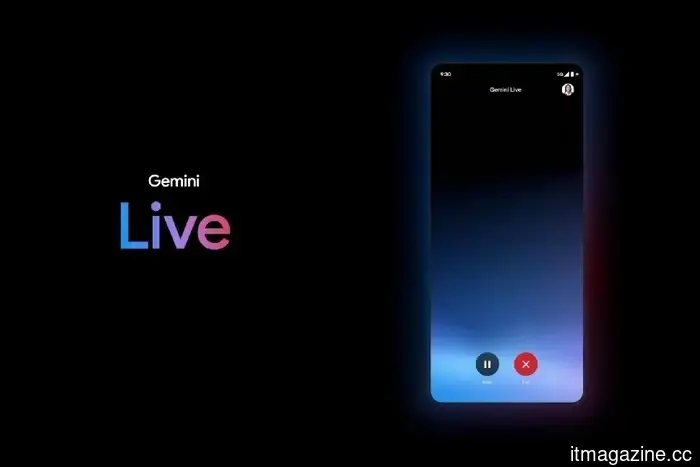 Gemini Live has undergone a minimalist app redesign, allowing for increased functionality.
Google has revamped Gemini Live with a more streamlined interface, enhancing the fluidity of AI conversations and simplifying access within the main application.
Gemini Live has undergone a minimalist app redesign, allowing for increased functionality.
Google has revamped Gemini Live with a more streamlined interface, enhancing the fluidity of AI conversations and simplifying access within the main application.
 Intel's confidential handheld processors could potentially challenge AMD's position in the market.
Two Intel chips designed for handheld gaming consoles have surfaced online, and they might be exactly what the handheld gaming industry has been anticipating.
Intel's confidential handheld processors could potentially challenge AMD's position in the market.
Two Intel chips designed for handheld gaming consoles have surfaced online, and they might be exactly what the handheld gaming industry has been anticipating.
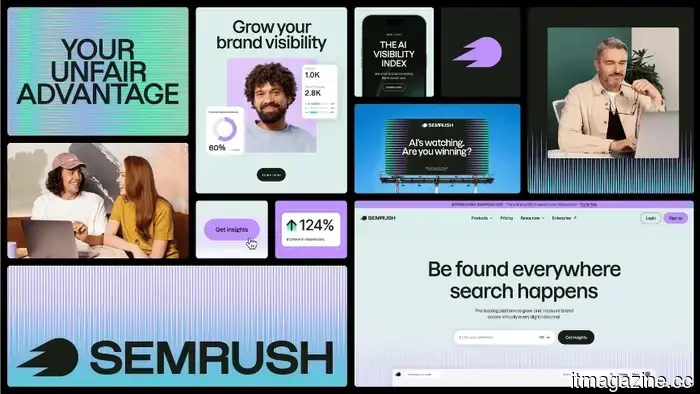 The Semrush Brand Visibility Framework is introduced at the Adobe Summit as AI search alters the rules of discovery.
Semrush's latest framework presents Agentic Search Optimisation and utilizes 213 million LLM prompts to gauge brand visibility in AI search, following a 61% decline in organic CTR.
The Semrush Brand Visibility Framework is introduced at the Adobe Summit as AI search alters the rules of discovery.
Semrush's latest framework presents Agentic Search Optimisation and utilizes 213 million LLM prompts to gauge brand visibility in AI search, following a 61% decline in organic CTR.
 Google forms a four-partner chip supply chain with Broadcom, MediaTek, and Marvell to compete with Nvidia in inference.
Google's custom chip initiative involves four design partners and a dual-track TPU v8 roadmap at TSMC's 2nm process, making its inference silicon a significant competitor to Nvidia.
Google forms a four-partner chip supply chain with Broadcom, MediaTek, and Marvell to compete with Nvidia in inference.
Google's custom chip initiative involves four design partners and a dual-track TPU v8 roadmap at TSMC's 2nm process, making its inference silicon a significant competitor to Nvidia.
 How to locate archived emails in Gmail and restore them to your inbox.
Gmail does not have a specific archive folder, but locating archived emails and returning them to your inbox is a simple process that can be completed in just a few steps.
How to locate archived emails in Gmail and restore them to your inbox.
Gmail does not have a specific archive folder, but locating archived emails and returning them to your inbox is a simple process that can be completed in just a few steps.
OpenAI Codex Chronicle records your Mac screen to create AI context, utilizing cloud processing without encryption.
Codex's Chronicle function takes screenshots on Mac, processes them on OpenAI's servers, and keeps unencrypted text memories stored locally. It is not available in the EU.