
Google's new desktop mode clearly demonstrates that Samsung DeX was ahead of its time.
I've been eager for Android to embrace desktop mode seriously for years. In 2019, I purchased a OnePlus 7 Pro and spent an embarrassing amount of time trying to make its rudimentary desktop mode functional.
The concept made perfect sense to me back then. Smartphones were already incredibly powerful, and the idea of carrying a genuine computer in my pocket felt less like science fiction and more like common sense that was long overdue.
What wore me down wasn't the idea itself; it was the waiting. Devices like the Steam Deck demonstrated that connecting a compact device to a functional desktop setup could actually work, while Google seemed to lose interest in advancing Android in the same direction.
On the other hand, Samsung continuously refined DeX in public view. For years, I followed r/SamsungDex, observing users showcasing desktop setups powered by their phones, while feeling frustrated that the version I desired most appeared to be confined to an ecosystem I never wanted to join.
So, when Android 16 finally introduced a connected-display desktop mode for supported Pixel phones, it felt like a breakthrough. Desktop mode had lingered for too long as a strange experiment—part promise, part hobby.
Now, it’s finally being recognized as a legitimate aspect of Android.
Stock Android matures
Android 16’s desktop mode is now integrated into supported Pixel phones, representing a significant moment for stock Android.
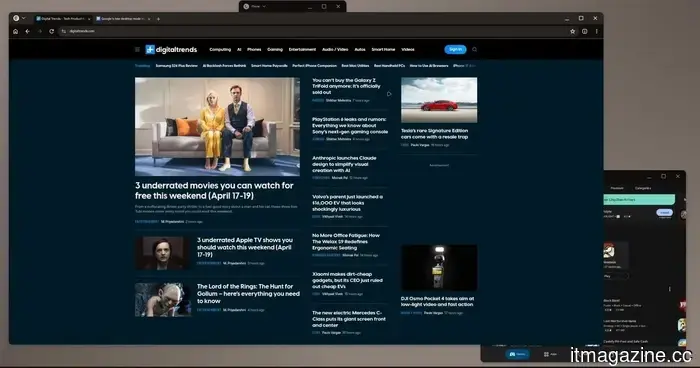
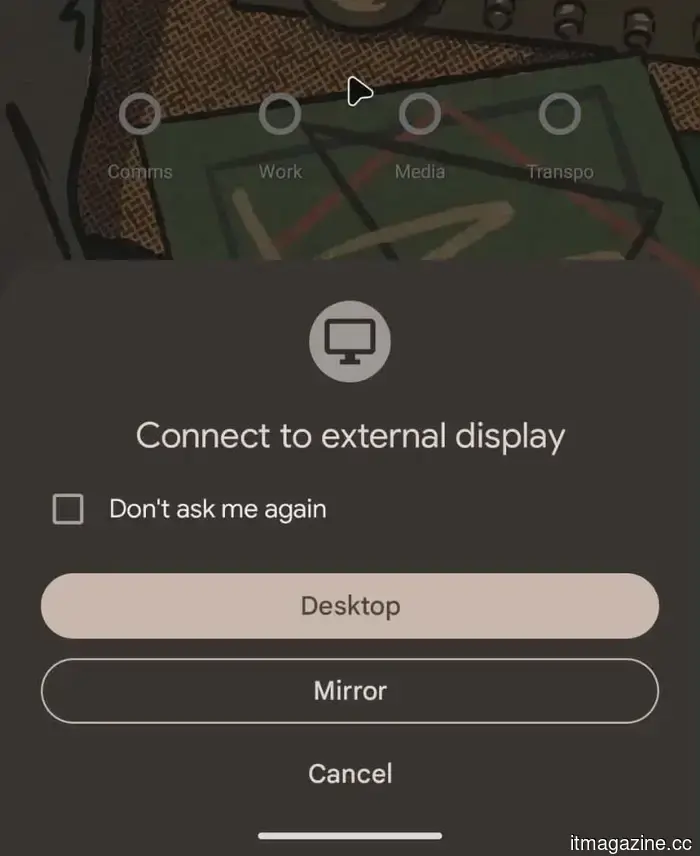
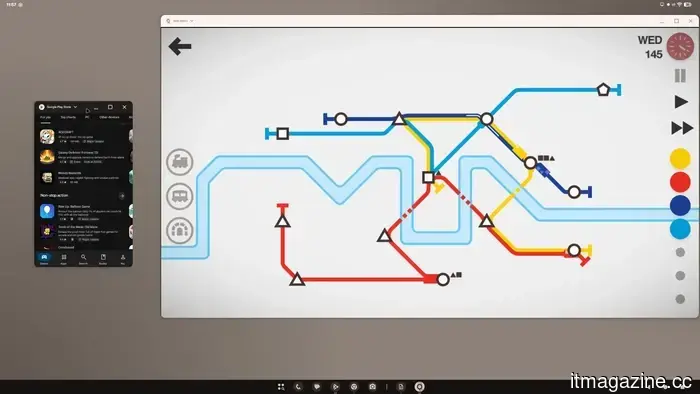
When you connect a Pixel 8 or newer to an external display, it creates a desktop-style environment featuring a taskbar, resizable windows, app snapping, and keyboard shortcuts instead of merely mirroring the phone's screen.
This clearly indicates that Google is aiming for Android to serve a purpose beyond just functioning as a mobile operating system when the hardware has greater potential.
That should be a victory. Mostly, it is. However, it comes with an uncomfortable truth: Samsung has been executing this concept for years, and with much more certainty.
Samsung DeX isn’t just an extended version of Android on a monitor; it feels like an independent desktop layer, better optimized with conveniences that become essential once the novelty fades.
Samsung also offers features that Google still does not, such as allowing the phone to function as a touchpad.
Therein lies the issue. The idea is finally official, but it appears that Samsung grasped the assignment first.
The gap between shipping and refinement
This becomes apparent once the initial excitement wears off. Google’s desktop mode has the appropriate visual elements, but it still feels too connected to the phone in ways that DeX resolved long ago.
It comes across as Android merely donning a desktop facade, rather than a fully realized desktop environment.
DeX is harder to overlook because Samsung has consistently developed around the less glamorous aspects of using a phone as a computer, providing a more self-contained experience.
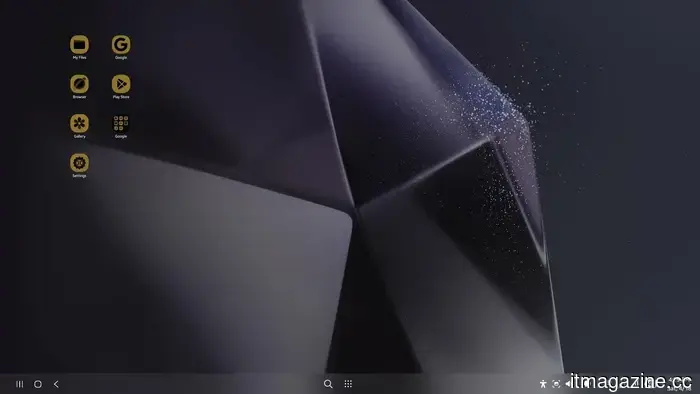
The Samsung DeX home screen maintains its desktop settings separately from the phone, ensuring that customizations remain specific to each mode.
Google’s version still exhibits first-generation limitations. The reliance on the phone display, limited customization, and the perception that the desktop borrows too much from the phone create a feeling that it resembles an early version that just happened to be released.
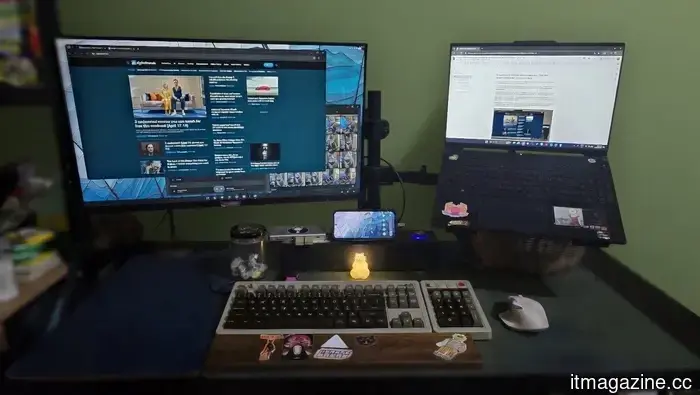
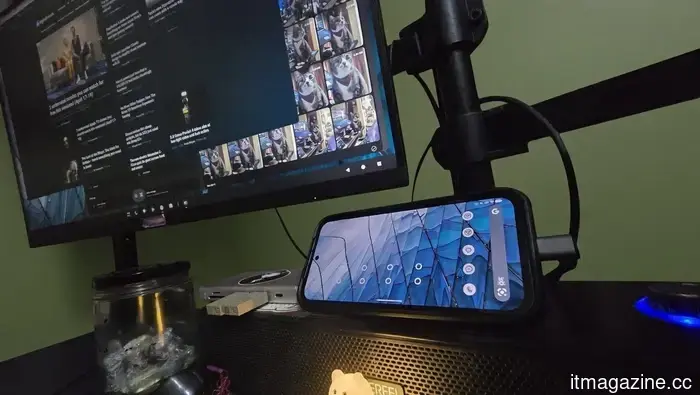
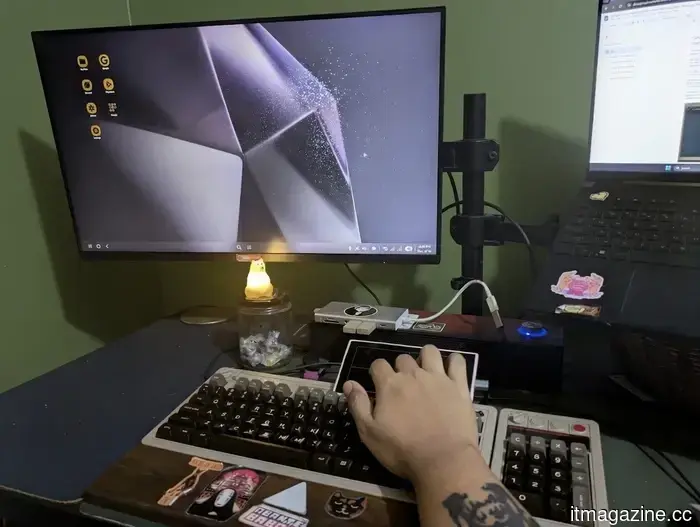
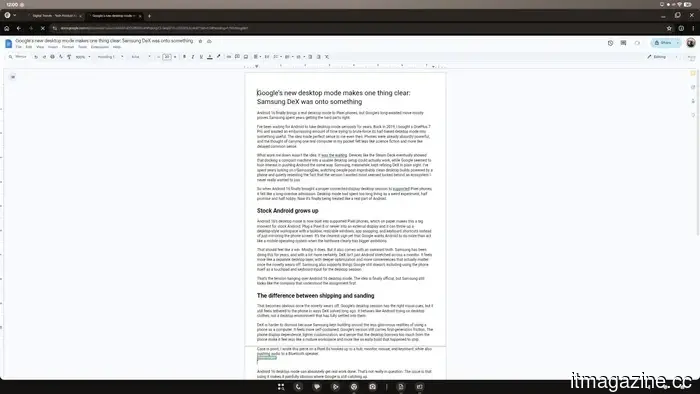
For instance, I wrote this article on a Pixel 8a connected to a hub, monitor, mouse, and keyboard while also streaming audio to a Bluetooth speaker.
Android 16's desktop mode definitely facilitates productive work. That’s not in question. The problem is that using it starkly reveals the areas where Google is still playing catch-up.
Where the flaws become evident
Android 16’s desktop mode shows its flaws the moment you try to personalize the setup. Without a desktop-only settings layer, even simple adjustments affect the phone as well.
If you alter the DPI for better text readability on a monitor, it also changes on the phone. You can't change the desktop wallpaper without altering the one on the phone, which might seem trivial until the whole desktop begins to feel less like a workspace and more like a projection.
Some of the rougher edges are also hard to ignore. Games run smoothly, confirming that the concept can handle demands, but other areas still seem incomplete.
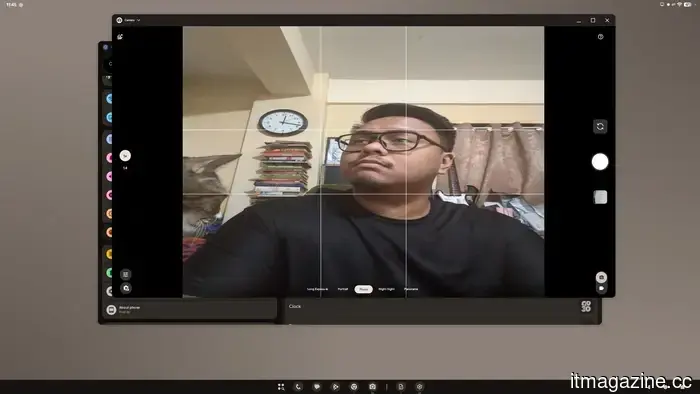
For example, the camera preview's aspect ratio is incorrect, and small issues like that continually disrupt the experience.
While the camera preview may be skewed, the pictures taken are fine.
In contrast, DeX contains enough features to solidify its status as a daily utility. Its additional functionalities don't feel superfluous; they serve to reduce the friction involved in transforming a phone into a desktop experience. With DeX, the phone feels like the engine running the desktop.
In Google’s version, the phone remains the primary focus. The desktop is present, but it doesn’t quite detach from the handset.
Even so, both still carry an air of novelty. This is an aspect of this category that remains unresolved.
Living in a future should feel seamless, not like a series of minor compromises connected by a USB-C hub. The technology exists; the simplicity doesn’t.
Why
Other articles
.jpg) Three overlooked Apple TV shows worth watching this weekend (April 17-19)
From changing realities to a completely audio-based show, these three overlooked Apple TV+ series warrant much more recognition than they receive. Here’s what to check out this weekend.
Three overlooked Apple TV shows worth watching this weekend (April 17-19)
From changing realities to a completely audio-based show, these three overlooked Apple TV+ series warrant much more recognition than they receive. Here’s what to check out this weekend.
.jpg) 3 overlooked films you can enjoy for free this weekend (April 17-19)
From a tense dinner party thriller to an uplifting tale about a man and his cat, these three complimentary Tubi films cater to every mood you might desire this weekend.
3 overlooked films you can enjoy for free this weekend (April 17-19)
From a tense dinner party thriller to an uplifting tale about a man and his cat, these three complimentary Tubi films cater to every mood you might desire this weekend.
 The MacBook Neo highlighted for me that Apple still hasn't figured out how to create a genuinely excellent affordable iPhone.
The MacBook Neo demonstrates that Apple is capable of creating an excellent entry-level product, which only heightens the frustration with the iPhone 17e.
The MacBook Neo highlighted for me that Apple still hasn't figured out how to create a genuinely excellent affordable iPhone.
The MacBook Neo demonstrates that Apple is capable of creating an excellent entry-level product, which only heightens the frustration with the iPhone 17e.
 The Galaxy Z TriFold is no longer available for purchase: It has officially sold out.
The Galaxy Z TriFold demonstrated that Samsung is capable of creating future technology. It also showed that the future can sell out alarmingly quickly when only 30,000 units are produced.
The Galaxy Z TriFold is no longer available for purchase: It has officially sold out.
The Galaxy Z TriFold demonstrated that Samsung is capable of creating future technology. It also showed that the future can sell out alarmingly quickly when only 30,000 units are produced.
 AirPods Pro 3 might enable you to communicate with Siri without the need to speak aloud.
The AirPods Pro 3 may offer more than just music playback: featuring IR cameras and Q.ai's micro-facial-movement technology, Apple's upcoming earbuds might enable users to control Siri without any sound.
AirPods Pro 3 might enable you to communicate with Siri without the need to speak aloud.
The AirPods Pro 3 may offer more than just music playback: featuring IR cameras and Q.ai's micro-facial-movement technology, Apple's upcoming earbuds might enable users to control Siri without any sound.
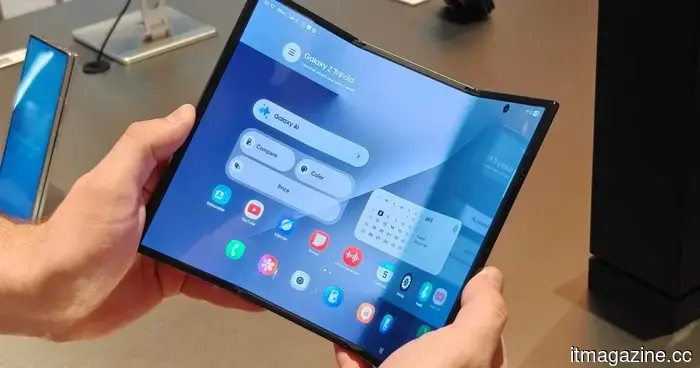 Samsung is already re-evaluating the TriFold, and this time, they're beginning with the hinge.
Only a few months after removing the original TriFold from the market, Samsung is in the process of redesigning it from the hinge up, with sources in the supply chain indicating a slimmer and lighter triple-fold device.
Samsung is already re-evaluating the TriFold, and this time, they're beginning with the hinge.
Only a few months after removing the original TriFold from the market, Samsung is in the process of redesigning it from the hinge up, with sources in the supply chain indicating a slimmer and lighter triple-fold device.
Google's new desktop mode clearly demonstrates that Samsung DeX was ahead of its time.
Android 16's desktop mode finally offers Pixel users an authentic desktop experience, but the comparison with Samsung DeX highlights how much more refined Samsung’s approach remains.