
Canva can now automate repetitive tasks and assist you in creating interactive experiences without the need for coding.
New automation tools are capable of managing repetitive tasks in the background, while enhanced no-code features enable users to create and modify interactive projects with simple prompts.
Canva
The AI 2.0 update from Canva goes beyond its new conversational design processes and app integrations. It also brings in automation and upgraded coding tools that aim to simplify repetitive tasks and facilitate the creation of more sophisticated experiences without needing technical knowledge.
Automate recurring tasks in the background
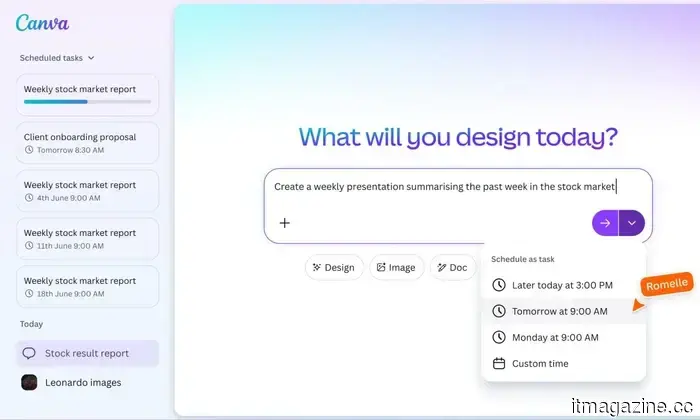
With Canva’s new scheduling system, users can establish tasks that operate automatically, even while offline. This includes generating batches of social media posts tailored for various platforms, preparing daily meeting summaries from emails and calendar appointments, or translating content into several languages.
Users can also schedule more intricate workflows, such as producing weekly content or summarizing incoming information regularly. These tasks run unobtrusively and are ready upon the user’s return, effectively condensing hours of manual work into a few automated processes.
For instance, a marketing team might schedule campaign assets across channels weekly, while a manager could receive automatically generated summaries of upcoming meetings each morning. These automated workflows minimize the need for continuous manual input and help ensure that routine tasks are completed punctually.
Create and modify interactive projects without coding
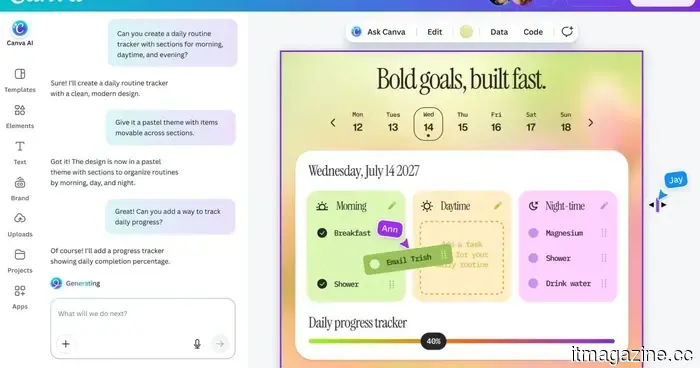
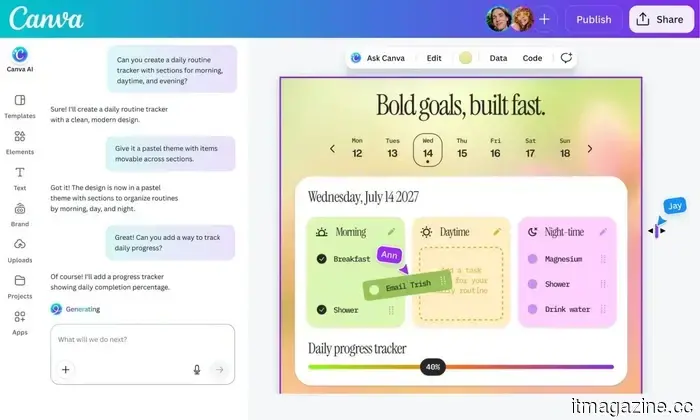
The platform is also enhancing its no-code capabilities with Canva Code 2.0, which allows users to create interactive, responsive experiences using simple prompts instead of coding. This includes elements like forms, interactive features, and embeddable content suitable for presentations and websites.
A new HTML import feature expands this functionality by enabling users to bring in existing or AI-generated projects and edit them visually within Canva. Rather than regenerating code for each modification, users can refine specific components directly in the editor, streamlining the iteration process and increasing flexibility.
This method is akin to emerging AI-powered coding tools like Rplit or Cursor, which create functional apps from prompts. However, Canva emphasizes making these outputs easier to modify, customize, and publish through a visual interface, thus lowering the entry barrier for users without technical expertise.
Pranob is an experienced technology journalist with over eight years of experience focused on consumer technology.
AI triggered a RAMmageddon so severe that Apple appears to be the rational choice
In 2026, laptop prices skyrocketed to such absurd levels that Apple emerged as the value leader.
I really hesitated to accept it, but here we are. Apple now seems like the rational choice for laptops, no longer the cool underdog or the budget-friendly alternative. In 2026, the reason is not that the company has suddenly become generous, but rather that the competition has become so irrational that a MacBook lineup starting at $599 feels surprisingly reasonable.
Apple's MacBook Neo starts at $599, while Microsoft's 13-inch Surface Laptop now begins at $1,199 after recent price increases. This is a significant gap that cannot be overlooked. Meanwhile, Apple's MacBook Air with M5 starts at $1,099 with 16GB of RAM and 512GB of storage, appearing to be one of the few premium laptops still reasonably priced.
Read more
AI mode in Chrome receives a significant upgrade to minimize tab switching
Chrome has made tab switching a relic of the past with its updated AI Mode, and it's genuinely practical.
If you have ever found yourself deep in online research, you know how it goes. You open one tab, click a link, open another, and before you know it, you have 14 tabs open with no clear answers. This was one of the reasons I switched to the Arc Browser, which offered better vertical tab management—a feature Google Chrome also implemented recently. However, Google is not halting there and is enhancing AI Mode in Chrome to address this challenge.
This beanie translates your thoughts into text and is the least intrusive wearable I've encountered in years
You might soon be able to type messages just by thinking.
A new wearable device resembling a simple beanie could revolutionize how people interact with computers. Developed by Silicon Valley startup Sabi, the prototype employs brain-computer interface (BCI) technology to convert a user’s internal dialogue into text, effectively enabling them to “type” with their thoughts. As reported by WIRED, the device is designed to be one of the least intrusive brain-tech wearables to date, avoiding the bulky and futuristic appearance typical of many experimental headsets. Instead, it blends seamlessly with everyday clothing, making it more practical for regular use.
Read more




Other articles
 The AI feature in Chrome receives a significant enhancement to reduce the need for switching between tabs.
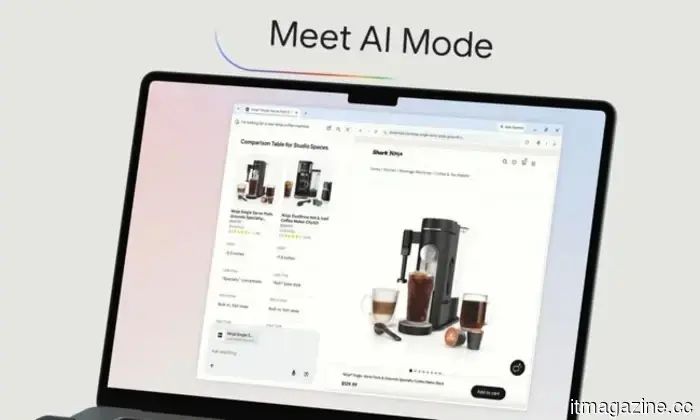
The AI Mode upgrade for Google Chrome allows you to browse websites and conduct searches simultaneously, enabling you to ask follow-up questions without having to lose your spot or open an additional tab.
The AI feature in Chrome receives a significant enhancement to reduce the need for switching between tabs.
The AI Mode upgrade for Google Chrome allows you to browse websites and conduct searches simultaneously, enabling you to ask follow-up questions without having to lose your spot or open an additional tab.
 The Intel Core Series 3 processors have arrived, offering greater performance at a reduced cost.
Intel's latest Core Series 3 processors are designed for budget-friendly laptops, yet they still feature hybrid architecture, AI-capable performance, Wi-Fi 7, and unexpectedly modern specifications.
The Intel Core Series 3 processors have arrived, offering greater performance at a reduced cost.
Intel's latest Core Series 3 processors are designed for budget-friendly laptops, yet they still feature hybrid architecture, AI-capable performance, Wi-Fi 7, and unexpectedly modern specifications.
 The upcoming Pixel phone may feature a luminous back, based on insights from Android 17’s code.
Google is developing a new feature named Pixel Glow that utilizes soft lights on the back of your device to alert you without illuminating the screen.
The upcoming Pixel phone may feature a luminous back, based on insights from Android 17’s code.
Google is developing a new feature named Pixel Glow that utilizes soft lights on the back of your device to alert you without illuminating the screen.
 A $400 discount on the Samsung Galaxy Z Fold7 makes the most daring Android phone of 2025 significantly more accessible.
The Samsung Galaxy Z Fold7 is now available for $1,719.99 in a limited-time offer, which is a $400 discount from its original price of $2,119.99. This is the 512GB variant that is definitely worth considering. Foldable phones have significantly developed over the past two generations, and the Z Fold7 strongly demonstrates that the form factor has […]
A $400 discount on the Samsung Galaxy Z Fold7 makes the most daring Android phone of 2025 significantly more accessible.
The Samsung Galaxy Z Fold7 is now available for $1,719.99 in a limited-time offer, which is a $400 discount from its original price of $2,119.99. This is the 512GB variant that is definitely worth considering. Foldable phones have significantly developed over the past two generations, and the Z Fold7 strongly demonstrates that the form factor has […]
 The AI feature in Chrome receives a significant enhancement to reduce the need for switching between tabs.
The upgrade to Google's AI Mode for Chrome allows you to navigate websites while searching simultaneously, enabling you to pose follow-up questions without losing your spot or needing to open an additional tab.
The AI feature in Chrome receives a significant enhancement to reduce the need for switching between tabs.
The upgrade to Google's AI Mode for Chrome allows you to navigate websites while searching simultaneously, enabling you to pose follow-up questions without losing your spot or needing to open an additional tab.
 This AI enables self-driving cars to "remember" previous journeys in order to determine safer routes.
A new planning approach named KEPT enables self-driving vehicles to compare their current observations with similar past traffic scenarios, which helps reduce prediction errors and minimizes the likelihood of collisions.
This AI enables self-driving cars to "remember" previous journeys in order to determine safer routes.
A new planning approach named KEPT enables self-driving vehicles to compare their current observations with similar past traffic scenarios, which helps reduce prediction errors and minimizes the likelihood of collisions.
Canva can now automate repetitive tasks and assist you in creating interactive experiences without the need for coding.
Canva is launching automation features that enable users to schedule tasks such as weekly content creation and meeting briefings to operate automatically. Furthermore, its enhanced no-code tools permit users to create and improve interactive experiences using straightforward prompts.