
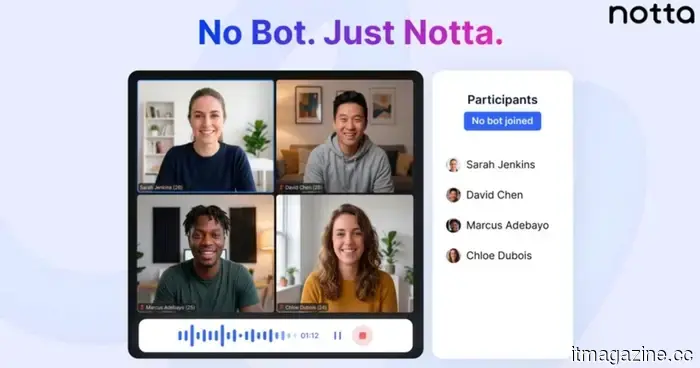
Notta Introduces Meeting Recording Without Bots for Mac and Windows
Notta’s new Bot-Free mode is transforming the way professionals record and transcribe meetings – with no interruptions, waiting, or awkward “who invited that?” situations.
If you've used an AI meeting assistant, you know how it typically unfolds. You're in the middle of a conversation, the discussion is finally picking up steam, and suddenly a bot joins the call. The conversation halts. Someone inquires about the recorder's presence. The flow is interrupted. Although the bot serves a purpose, its presence can often disrupt the meetings these tools are designed to enhance.
With its new update, Notta presents a fresh alternative for desktop users. Bot-Free mode removes the necessity for a virtual participant, allowing meetings to continue seamlessly.
No Presence, Maximum Concentration
Most AI transcription solutions depend on bots that participate in meetings. While this approach ensures compatibility across various platforms like browsers and mobile apps, it has its drawbacks. Bots require time to join, permissions to be granted, and acknowledgment from attendees. In sensitive discussions, even a minor disruption can hinder engagement.
Bot-Free mode takes a completely different approach. Rather than joining the meeting, Notta Desktop records audio directly from the operating system. It simultaneously captures both microphone input and system audio using the native APIs available in macOS and Windows.
The outcome is instant. Recording commences as soon as you click, without any visible presence in the meeting. There’s no additional participant, no lag, and no distraction. The focus remains on those present in the room.
How It Operates Behind The Scenes
On macOS 14.4 and later, Notta utilizes Apple’s ProcessTap API to access system audio streams without needing screen recording permissions. On earlier versions of macOS, it relies on ScreenCaptureKit. For Windows systems (Windows 10 and above, x64 architecture), it implements the WASAPI Loopback, a native solution for capturing system audio without the need for extra permissions.
A crucial technical feature is its dual-channel audio configuration. The user’s microphone input is captured on one channel, while system audio – voices from the meeting – is recorded on another. This separation allows for more precise speaker identification, aiding the transcription engine in distinguishing between the user and other attendees.
Before the audio is processed, it is routed through WebRTC’s audio stack, which includes echo cancellation and noise suppression. These processes operate in the background, ensuring cleaner input without requiring extra hardware or setup.
Intelligent Detection And Seamless Start
Bot-Free mode is designed to be proactive. Rather than depending on users to start recording manually, Notta Desktop can identify when a meeting begins. It then sends a simple notification to the user, allowing transcription to commence with a single click.
This significantly reduces the chances of overlooking important moments at the beginning of a call. There’s no need to sift through menus or adjust settings during the meeting. The system is designed to respond in real time.
Instant, Compatible, And Secure
Three practical benefits characterize the Bot-Free experience. The first is speed. Without the need for a bot to join, authenticate, and seek access, recording starts instantly.
The second is compatibility. Since the system operates at the operating system level rather than through specific platform integrations, it works seamlessly across nearly all meeting software. Whether it’s Zoom, Google Meet, Microsoft Teams, Webex, Slack, Discord, or a browser-based call, the system functions as long as the device can capture audio.
The third is privacy. In Bot-Free mode, audio is not routed through a third-party bot server. Instead, it is sent directly from the user’s device to Notta’s transcription service via an encrypted connection. This is particularly important in industries where confidentiality is crucial – such as legal, medical, financial, or executive contexts.
The Subtle Upgrade
What makes Bot-Free stand out is not merely the introduction of transcription – it’s the elimination of friction. AI meeting tools have been around for years, but their visibility often causes hesitation. By removing the need for a bot, Notta eliminates one of the final barriers to adoption. Meetings proceed uninterrupted, participants remain engaged, and transcription occurs quietly in the background.
In an age where significant conversations can easily be forgotten, Bot-Free enables capturing them without altering how those discussions unfold. It’s not louder or more complex. It simply goes unnoticed – and that is precisely the objective.
Other articles
 The EU announces that its age verification application is prepared.
The EU has introduced an open-source age verification application that utilizes zero-knowledge proof to protect children from harmful online content.
The EU announces that its age verification application is prepared.
The EU has introduced an open-source age verification application that utilizes zero-knowledge proof to protect children from harmful online content.
 U.S. utility companies intend to invest $1.4 trillion by 2030 to support the growth of artificial intelligence.
U.S. utility companies intend to invest $1.4 trillion in electricity infrastructure, propelled by AI data centers. Residential customers might shoulder almost 50% of the expenses.
U.S. utility companies intend to invest $1.4 trillion by 2030 to support the growth of artificial intelligence.
U.S. utility companies intend to invest $1.4 trillion in electricity infrastructure, propelled by AI data centers. Residential customers might shoulder almost 50% of the expenses.
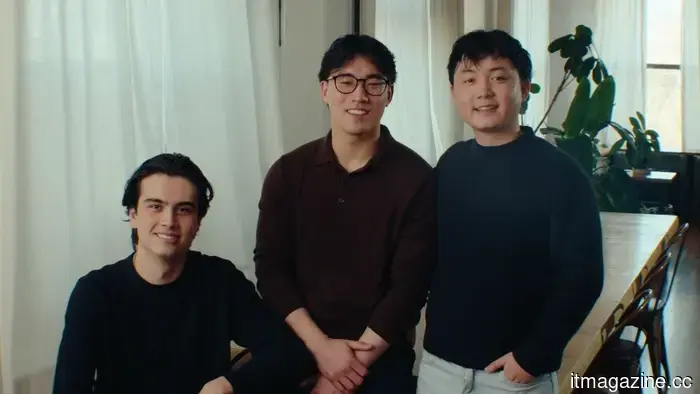 Auctor has come out of stealth mode with $20 million in funding, led by Sequoia.
Auctor has come out of stealth mode, securing $20 million in funding led by Sequoia Capital, with the aim of improving enterprise software implementation, a sector where 50% of projects fail to meet deadlines.
Auctor has come out of stealth mode with $20 million in funding, led by Sequoia.
Auctor has come out of stealth mode, securing $20 million in funding led by Sequoia Capital, with the aim of improving enterprise software implementation, a sector where 50% of projects fail to meet deadlines.
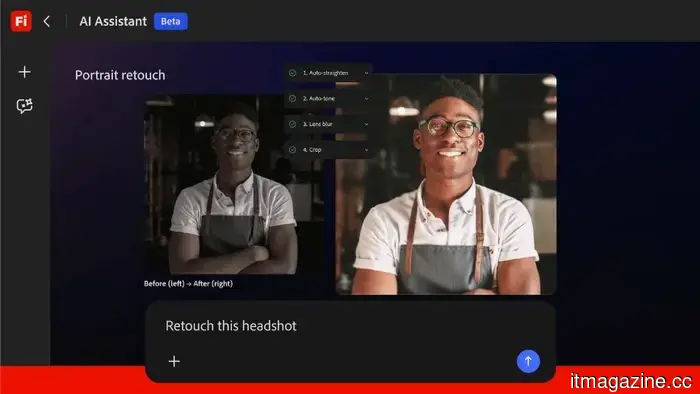 Adobe introduces the Firefly AI Assistant to manage tasks throughout Creative Cloud.
Adobe's Firefly AI Assistant employs natural language to coordinate activities across Photoshop, Premiere, Lightroom, and Illustrator. It will soon be available in public beta and includes integration with Anthropic Claude.
Adobe introduces the Firefly AI Assistant to manage tasks throughout Creative Cloud.
Adobe's Firefly AI Assistant employs natural language to coordinate activities across Photoshop, Premiere, Lightroom, and Illustrator. It will soon be available in public beta and includes integration with Anthropic Claude.
 This $8,000 Chinese electric vehicle takes inspiration from the Mini Cooper and offers a commendable electric range.
Wuling's refreshed Hongguang Mini EV features a design reminiscent of the Mini Cooper, offers a range of 301 km, and has a starting price of under $6,500.
This $8,000 Chinese electric vehicle takes inspiration from the Mini Cooper and offers a commendable electric range.
Wuling's refreshed Hongguang Mini EV features a design reminiscent of the Mini Cooper, offers a range of 301 km, and has a starting price of under $6,500.
 Microsoft implements new safety measures to protect users from remote desktop attacks.
Protect yourself before it's too late.
Microsoft implements new safety measures to protect users from remote desktop attacks.
Protect yourself before it's too late.
Notta Introduces Meeting Recording Without Bots for Mac and Windows
Notta’s latest Bot-Free mode is transforming the way professionals capture and transcribe meetings—eliminating interruptions, waiting times, and those uncomfortable moments of “who invited that person?” If you've ever utilized an AI meeting assistant, you're familiar with the scenario. You're engaged in a conversation, the dialogue is starting to pick up speed, and suddenly, a bot enters the call. Everything comes to a halt. […]