
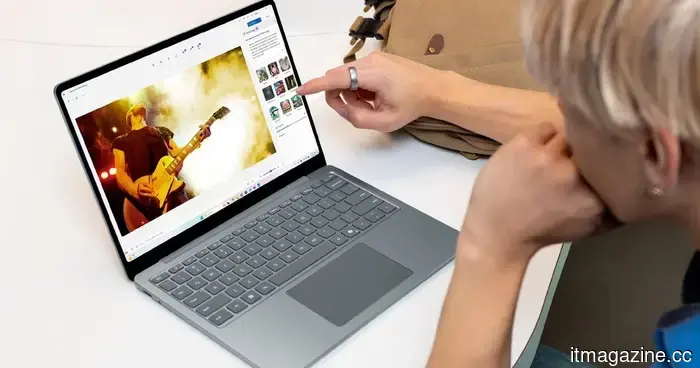
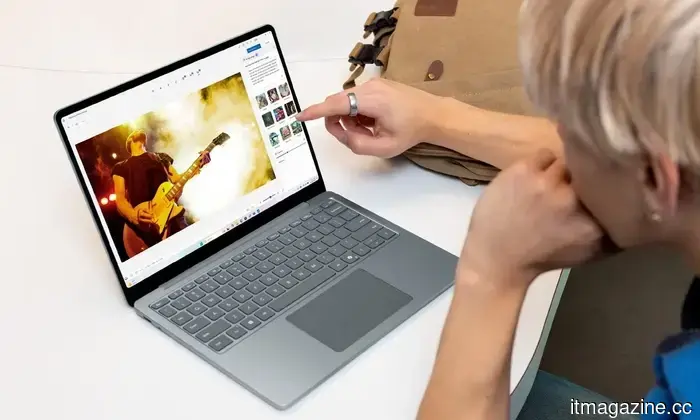
Windows 11 is set to provide haptic feedback for numerous tasks.
Your PC may soon be capable of providing more than just visual feedback.
Microsoft
Windows PCs are set to become more interactive. Microsoft is currently testing a new feature in Windows 11 that not only displays what's occurring on the screen but also enables users to physically experience it.
Microsoft
In the latest Insider build, the update incorporates haptic feedback for various common actions. This feature is subtle, optional, and, if executed well, could make Windows feel significantly more responsive.
What changes are occurring in Windows 11 with haptic feedback?
With the Windows 11 Insider Preview Build 26300.8155, Microsoft is implementing haptic feedback effects for compatible devices, such as advanced trackpads and possibly some mice. The concept is straightforward: certain actions within the operating system will now elicit a small physical reaction, resembling a tap or vibration.
Microsoft
These feedback responses are not arbitrary. The system is designed to react to specific interactions, such as snapping windows into position, resizing them, aligning items in applications like PowerPoint, or even hovering over the close button. Users can manage this feature in the input settings, where they can enable or disable it and customize its behavior. Importantly, it will only function on hardware that supports haptic feedback, meaning this will not be available on every older laptop.
In addition to the prominent haptics feature, this build also includes some smaller but valuable enhancements. The Xbox full-screen mode has been renamed to Xbox mode, featuring a smoother initial setup to create a more seamless experience for gamers. There are also back-end improvements, including quicker startup app launches, resolutions for recent sign-in issues in some applications, and a fix for a printing-related crash that affected certain Insider users.
Why does Windows want you to “feel” your actions now?
Haptic feedback has long been a standard feature on smartphones, providing subtle vibrations to confirm taps and gestures, while Windows has mainly depended on visual and auditory signals. Now, Microsoft is introducing that same tactile experience to PCs, particularly as more devices embrace haptic trackpads and designs suitable for styluses. The objective is clear: lessen the reliance on on-screen confirmations by allowing users to physically sense their actions.
This also indicates a broader change in the evolution of Windows, aiming for a more immersive experience that combines sight, sound, and touch. If implemented successfully, it could make everyday interactions feel more intuitive and responsive—though achieving the right balance is crucial. Excessive feedback could become irritating, but if Microsoft perfects it, this might develop into one of those features that users find indispensable over time.



Other articles
 Anthropic prevents OpenClaw from subscribing to Claude in a cost-reduction effort | TNW
Anthropic has prohibited Claude Pro and Max subscribers from utilizing OpenClaw and other third-party agents on flat plans. Users are now confronted with expenses that could be as much as 50 times greater under pay-as-you-go billing.
Anthropic prevents OpenClaw from subscribing to Claude in a cost-reduction effort | TNW
Anthropic has prohibited Claude Pro and Max subscribers from utilizing OpenClaw and other third-party agents on flat plans. Users are now confronted with expenses that could be as much as 50 times greater under pay-as-you-go billing.
 The shocking revelations from Perplexity's privacy lawsuit will cause you to reconsider using the AI tool.
Perplexity is being sued for allegedly sharing user data with Google and Meta while in incognito mode, which raises significant issues regarding the privacy of AI chat interactions.
The shocking revelations from Perplexity's privacy lawsuit will cause you to reconsider using the AI tool.
Perplexity is being sued for allegedly sharing user data with Google and Meta while in incognito mode, which raises significant issues regarding the privacy of AI chat interactions.
 Apple has removed this AI app… and now it has unexpectedly returned.
Apple has restored the Anything AI app after initially removing it due to policy violations, in response to backlash and an innovative iMessage workaround created by the developers.
Apple has removed this AI app… and now it has unexpectedly returned.
Apple has restored the Anything AI app after initially removing it due to policy violations, in response to backlash and an innovative iMessage workaround created by the developers.
 Meta halts its AI data operations following a breach that jeopardized its training secrets.
Meta has put its collaboration with the $10B AI data startup Mercor on hold indefinitely following a LiteLLM supply chain attack that revealed the training methods employed by Meta, OpenAI, and Anthropic.
Meta halts its AI data operations following a breach that jeopardized its training secrets.
Meta has put its collaboration with the $10B AI data startup Mercor on hold indefinitely following a LiteLLM supply chain attack that revealed the training methods employed by Meta, OpenAI, and Anthropic.
 Claude AI is now capable of accessing emails, files, and can even perform tasks on your computer.
Two announcements, one clear goal: Anthropic aims for Claude to be integrated into your workflow. Microsoft 365 connectors are now available on all plans, and Windows users will finally experience computer use this week.
Claude AI is now capable of accessing emails, files, and can even perform tasks on your computer.
Two announcements, one clear goal: Anthropic aims for Claude to be integrated into your workflow. Microsoft 365 connectors are now available on all plans, and Windows users will finally experience computer use this week.
 Claude AI can now access emails, files, and perform tasks on your computer.
Two announcements, one clear goal: Anthropic aims to integrate Claude into your workflow. Microsoft 365 connectors are now available on all plans, and Windows users will finally see computer use this week.
Claude AI can now access emails, files, and perform tasks on your computer.
Two announcements, one clear goal: Anthropic aims to integrate Claude into your workflow. Microsoft 365 connectors are now available on all plans, and Windows users will finally see computer use this week.
Windows 11 is set to provide haptic feedback for numerous tasks.
Windows 11 is introducing haptic feedback for tasks such as snapping and resizing windows, providing tactile responses for compatible trackpads and input devices.