

Google Vids receives a significant boost from AI to simplify video creation with some exciting new features.
Google
Google Workspace's AI-driven video tool, Vids, has recently received a substantial upgrade and seems eager to take on more tasks for you. With smarter editing capabilities, enhanced automation, and a keener eye for detail, creating a professional-looking video now appears almost suspiciously effortless.
What’s new in Vids?
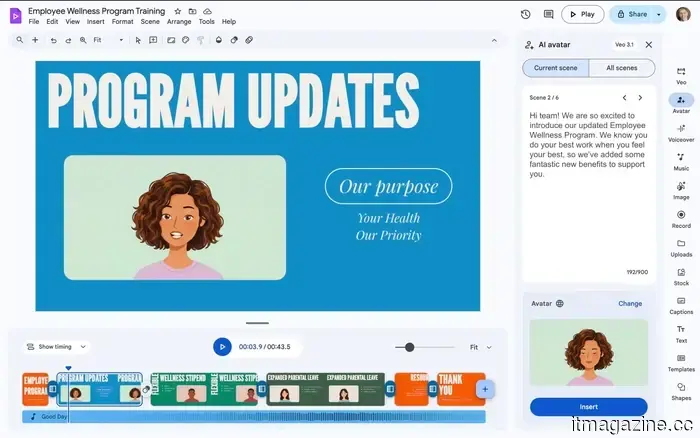
Directable Avatars: You can now incorporate avatars into your scenes and instruct them on what actions to perform. Want a presenter to answer a phone call, point to a sales graph, or walk someone through a product demonstration? Simply type your instructions. The best part is that their facial expressions and voice remain consistent throughout, preventing your video from resembling a chaotic mix of disjointed clips. It feels cohesive, intentional, and, dare I say, almost too easy.
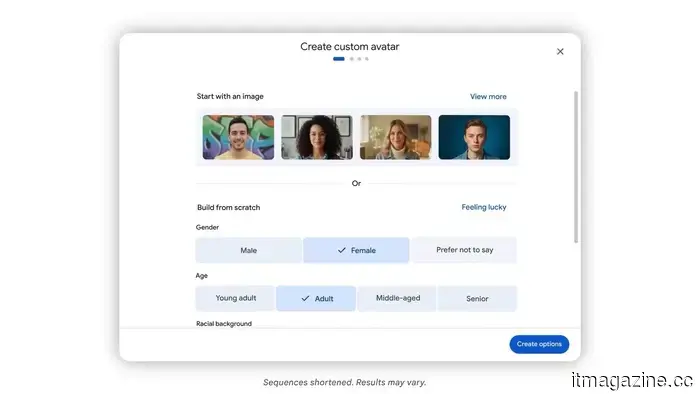
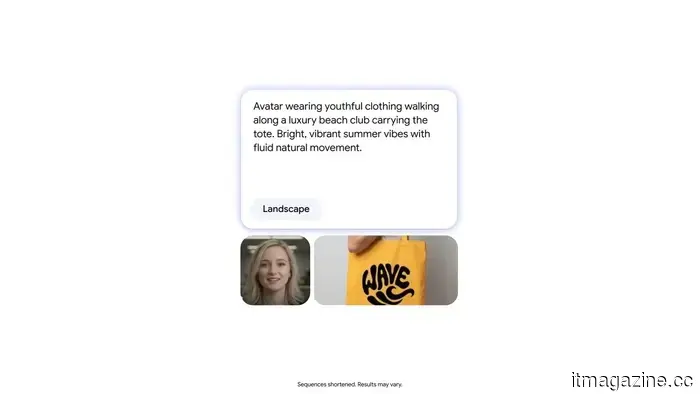
Custom Avatars: If the built-in avatars aren't quite to your liking, you can create your own from scratch. Customize their appearance, change outfits, adjust backgrounds, and overall set the desired tone. For example, you could have the same avatar present quarterly results in a formal office context, then seamlessly transition to a lively, vibrant background for a product walkthrough, all while maintaining their identity.
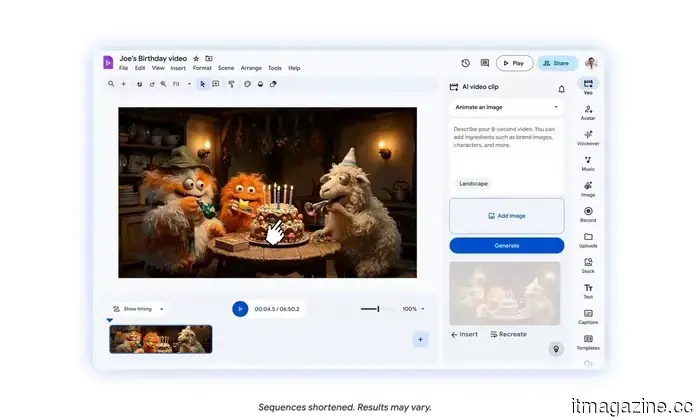
Veo 3.1 Integration: This feature is genuinely enjoyable. You can produce short video clips within Vids just by entering a prompt or uploading an image. Something like “a cinematic drone shot of a beach at sunset” transforms into an actual video clip in seconds. Each month, you get 10 free 8-second generations, which may seem sufficient until you begin experimenting and find yourself wishing for more.
Direct Export to YouTube: After finalizing your video, you can directly upload it to YouTube from within Vids. It’s quick, seamless, and eliminates one of those minor yet genuine nuisances in the process.
Screen Recording via Chrome Extension: Vids also includes a built-in screen recorder accessible through a Chrome extension. You can capture your screen along with your voice or even video, making it perfect for brief tutorials, demonstrations, or walkthroughs. For instance, while explaining a feature or guiding someone through a tool, you can record it instantly without needing additional software. It’s straightforward and, more importantly, it works flawlessly when you need it.
My thoughts on these new features
Google has a solid track record with AI, rarely releasing anything that feels half-finished, and the same approach is evident with Vids. These features alleviate some of the challenges associated with video creation. Tasks that typically require multiple tools, numerous attempts, and a fair amount of patience now seem much more streamlined. On the surface, everything sounds quite promising. From clip generation to avatar direction and final output refinement, much of the labor-intensive, repetitive work appears to be done for you.
That said, I would still want to spend some quality time with it to identify its strengths and weaknesses, as that’s often where the true story lies. For now, however, it does seem as though Google is steering Vids in a positive direction. If this trend continues, we can anticipate a much more effective and useful video tool, rather than just another impressive-sounding AI feature that fades into the background with regular use.
Shimul is a contributor at Digital Trends, bringing over five years of experience in the tech industry.
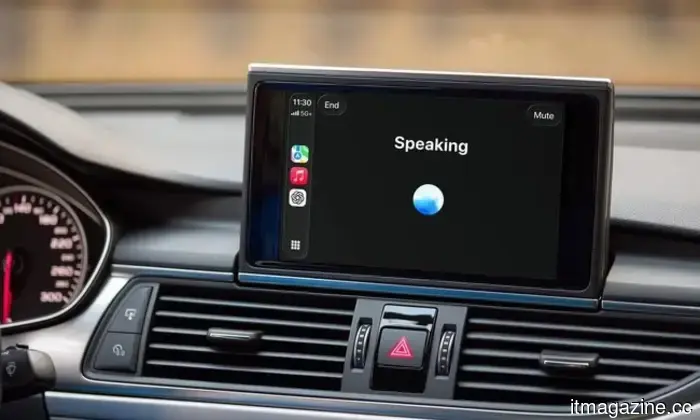
Now you can talk to ChatGPT from your car, thanks to CarPlay
No typing, no distractions; just voice.
As it started to seem that AI had quietly settled into phones and laptops, it's now making its way into your car's dashboard too. In a development that feels both inevitable and somewhat surreal, ChatGPT is officially being integrated into Apple CarPlay.
I’m tired of the chaotic internet, but I finally found a cleanup tool that renders it readable
No ads, no clutter, just pure text.
Let’s be honest; the modern web is a mess. With pop-ups, autoplay videos, cookie banners, and ads everywhere, sometimes it feels like simply reading something online is the toughest part. That’s where Textise comes in. Think of it as a “strip everything away” button for the web. Textise is a straightforward tool that converts any webpage into a clean, text-only format by eliminating ads, images, scripts, and all excess clutter. What remains is just the content: no distractions, no loading delays, no nonsense. It’s quick, lightweight, and genuinely feels like a return to a simpler internet experience.
AI has a different kind of bias problem, but it’s a frequently repeated one
Women are lagging behind in adopting AI, which could have long-term consequences.
AI bias is typically discussed in terms of algorithms: skewed datasets, flawed outputs, and stereotypes embedded into models. However, new research indicates there's another, subtler issue regarding who gets to utilize AI from the start. A recent report by Lean In shows that women are less likely than men to use AI tools at work, and when they do, they are



Other articles
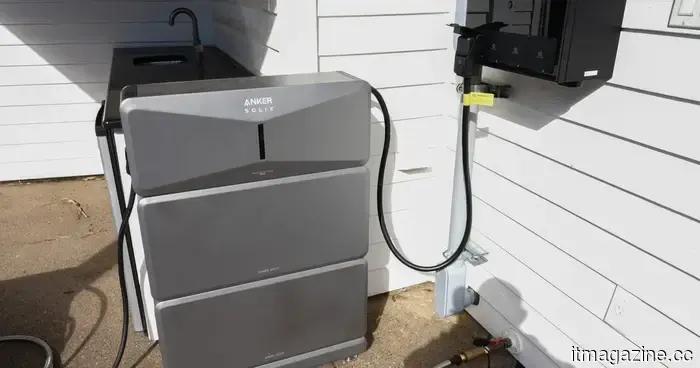 Anker Solix E10 Whole-Home Backup System Review: Energy Solutions That Seamlessly Integrate into Your Lifestyle
Following extensive testing, I can assert that the Anker Solix E10 effectively addresses essential household needs with ease, while also excelling in practicality and convenience.
Anker Solix E10 Whole-Home Backup System Review: Energy Solutions That Seamlessly Integrate into Your Lifestyle
Following extensive testing, I can assert that the Anker Solix E10 effectively addresses essential household needs with ease, while also excelling in practicality and convenience.
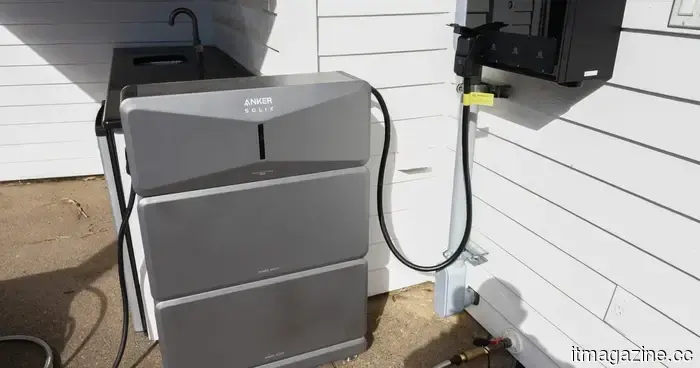 Review of the Anker Solix E10 Whole-Home Backup System: Energy Solutions That Seamlessly Integrate into Your Lifestyle
After thorough testing, I can confidently assert that the Anker Solix E10 handles essential household needs effortlessly, while excelling in practicality and ease of use.
Review of the Anker Solix E10 Whole-Home Backup System: Energy Solutions That Seamlessly Integrate into Your Lifestyle
After thorough testing, I can confidently assert that the Anker Solix E10 handles essential household needs effortlessly, while excelling in practicality and ease of use.
 This novel AI attack extracts models without interacting with the system.
AI models might no longer be secure within protected environments, as researchers demonstrate that signals from GPUs can disclose their internal architecture without the need for hacking, utilizing a small antenna and side-channel analysis from a distance of several meters.
This novel AI attack extracts models without interacting with the system.
AI models might no longer be secure within protected environments, as researchers demonstrate that signals from GPUs can disclose their internal architecture without the need for hacking, utilizing a small antenna and side-channel analysis from a distance of several meters.
 Samsung is finally introducing much-awaited Google Cast support to its older television models.
Samsung is finally responding to a long-awaited demand from its users: Google Cast support is being introduced not only to its new TVs but also to certain older models. This highly sought-after feature will be available for selected 2023 and 2024 models. It may also be extended to Smart Monitors and other recently released Tizen OS devices. The rollout has begun [...]
Samsung is finally introducing much-awaited Google Cast support to its older television models.
Samsung is finally responding to a long-awaited demand from its users: Google Cast support is being introduced not only to its new TVs but also to certain older models. This highly sought-after feature will be available for selected 2023 and 2024 models. It may also be extended to Smart Monitors and other recently released Tizen OS devices. The rollout has begun [...]
 This novel AI attack takes models without needing to access the system directly.
AI models might not be secure behind barriers anymore, as researchers demonstrate that signals emitted by GPUs can disclose their internal architecture without the need for hacking, utilizing a small antenna and side-channel analysis from a distance of several meters.
This novel AI attack takes models without needing to access the system directly.
AI models might not be secure behind barriers anymore, as researchers demonstrate that signals emitted by GPUs can disclose their internal architecture without the need for hacking, utilizing a small antenna and side-channel analysis from a distance of several meters.
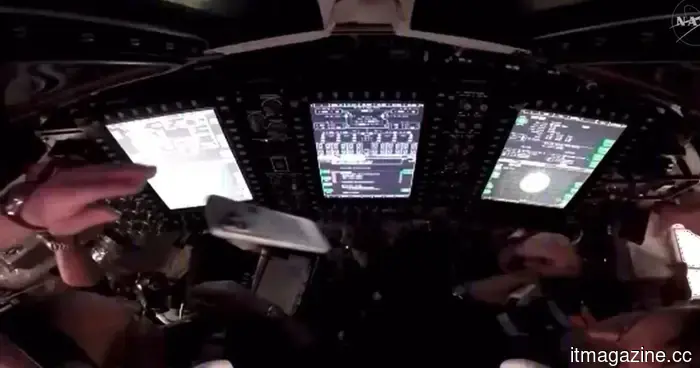 Videos featuring the Artemis II crew display astronauts having fun with an iPhone in space.
New videos from Artemis II reveal astronauts casually using an iPhone in space, making NASA’s first crewed lunar mission in more than 50 years seem surprisingly relatable.
Videos featuring the Artemis II crew display astronauts having fun with an iPhone in space.
New videos from Artemis II reveal astronauts casually using an iPhone in space, making NASA’s first crewed lunar mission in more than 50 years seem surprisingly relatable.
Google Vids receives a significant boost from AI to simplify video creation with some exciting new features.
AI is everywhere, but it is functioning appropriately.