
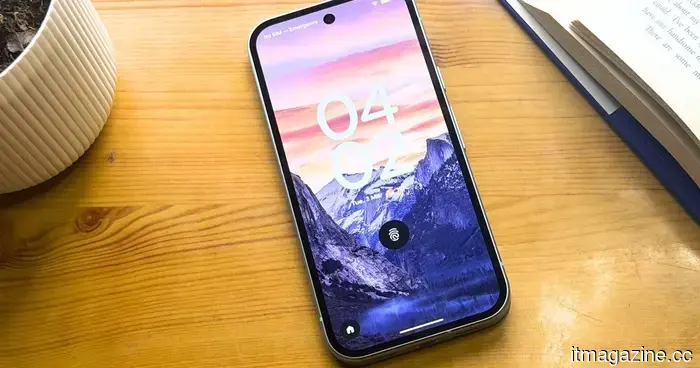
Your Pixel can now enter transit mode automatically without any manual input.
Your Pixel is improving its ability to manage your daily commute independently. A new Transit mode is being introduced that modifies essential settings while you’re on a train, helping to minimize distractions without requiring manual adjustments.
This update is part of Google’s latest Pixel feature release and works alongside other modes like Do Not Disturb and Driving. What makes this mode unique is its automatic activation. After you set it up, Transit mode can turn on by itself, offering a more effortless option for frequent commuters.
It integrates notification management, sound settings, and connectivity adjustments into a single system. Additionally, it represents a broader shift towards context-aware functionality that adapts to your activities in real-time.
How Transit mode operates
At first glance, Transit mode may seem familiar, but its automation alters its role in everyday use. Once you enable it in the Modes menu, your phone can detect when you are on a train and activate the mode automatically.
You still control the adjustments. Notification filters allow you to determine which contacts, applications, or alarms can get through, and display and alert settings are similar to those in Do Not Disturb. A specific sound option also lets you select between full audio, vibration, or silence based on your preference.
Bluetooth can also activate automatically, making it simpler to connect to wireless headphones at the start of your journey. Once configured, everything works seamlessly, so you won’t need to keep fiddling with your phone during your trip.
The drawback of setup
Maximizing the benefits of Transit mode requires some initial setup. This process relies on Google Maps data, meaning you'll need to confirm your home and work addresses, enable location history, and grant precise background access for Maps.
This level of access may not appeal to everyone, and it introduces more complexity compared to other modes. Even after setup is complete, you won’t see immediate results. Google notes that it may take two to three weeks for the system to learn your travel habits before live commute notifications start showing up.
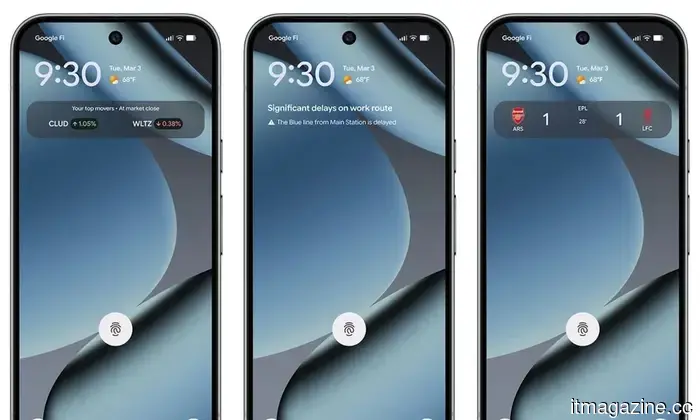
These notifications appear in the At a Glance widget, providing information like departure times, delays, and alternate routes on both your lockscreen and homescreen. The wait might feel slow, but it reflects the system’s reliance on learned behaviors rather than fixed parameters.
Where it is being rolled out
Transit mode is now expanding to supported Pixel devices with the latest software. It is becoming available on phones running Android 16 QPR3 from the March 2026 update, as well as those on the Android 17 beta.
Availability still varies. The rollout includes the Pixel 7 and newer models and is anticipated to reach most regions worldwide, with the exception of some areas in Europe and the UK.
If your device is compatible, it’s advisable to set it up sooner rather than later. Since the system needs time to adapt to your routine, starting early ensures it will be ready to provide helpful updates when you need them.
Other articles
 The Hbada X7 introduces AI-powered lumbar support for your office environment.
For anyone who spends six to eight hours sitting, experiencing ergonomic discomfort is unavoidable. If not addressed properly, this discomfort can escalate into persistent pain. I disregarded it and ended up with a painful lesson, resulting in prolonged back and neck strain for several years. It required a lot of […]
The Hbada X7 introduces AI-powered lumbar support for your office environment.
For anyone who spends six to eight hours sitting, experiencing ergonomic discomfort is unavoidable. If not addressed properly, this discomfort can escalate into persistent pain. I disregarded it and ended up with a painful lesson, resulting in prolonged back and neck strain for several years. It required a lot of […]
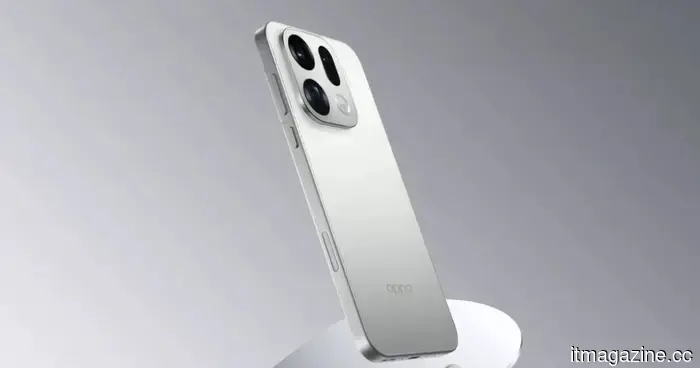 The next version of one of the top camera phones of 2025 now has an official launch date.
Oppo's upcoming Ultra-tier flagship, the Find X9 Ultra, is expected to be launched worldwide at the end of next month, showcasing a remarkable quad-camera setup that includes dual 200MP sensors and a 10x optical zoom lens.
The next version of one of the top camera phones of 2025 now has an official launch date.
Oppo's upcoming Ultra-tier flagship, the Find X9 Ultra, is expected to be launched worldwide at the end of next month, showcasing a remarkable quad-camera setup that includes dual 200MP sensors and a 10x optical zoom lens.
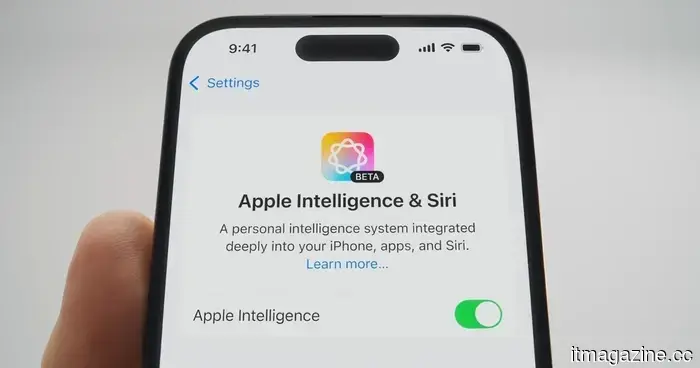 Apple's intelligence presence emerges in China quickly, but is promptly halted.
Apple Intelligence made a short-lived appearance on iPhones in China before disappearing, highlighting how advanced Apple is in software, while also indicating the distance it still needs to cover in terms of regulatory approval.
Apple's intelligence presence emerges in China quickly, but is promptly halted.
Apple Intelligence made a short-lived appearance on iPhones in China before disappearing, highlighting how advanced Apple is in software, while also indicating the distance it still needs to cover in terms of regulatory approval.
 myStoria secures $1.6 million in seed funding, with Graphite Ventures leading the round.
myStoria has secured $1.625 million in seed funding to develop a platform that combines AI and human care coordination, focusing on fertility, PCOS, endometriosis, and perimenopause.
myStoria secures $1.6 million in seed funding, with Graphite Ventures leading the round.
myStoria has secured $1.625 million in seed funding to develop a platform that combines AI and human care coordination, focusing on fertility, PCOS, endometriosis, and perimenopause.
 myStoria secures $1.6 million in seed funding, with Graphite Ventures leading the round.
myStoria has secured $1.625 million in seed funding to develop a platform that integrates AI with human care coordination for fertility, PCOS, endometriosis, and perimenopause.
myStoria secures $1.6 million in seed funding, with Graphite Ventures leading the round.
myStoria has secured $1.625 million in seed funding to develop a platform that integrates AI with human care coordination for fertility, PCOS, endometriosis, and perimenopause.
 Standing Ovation secures €30 million in a Series B funding round.
Standing Ovation has secured €30 million in a Series B funding round to advance the commercialization of its precision-fermentation casein derived from dairy waste.
Standing Ovation secures €30 million in a Series B funding round.
Standing Ovation has secured €30 million in a Series B funding round to advance the commercialization of its precision-fermentation casein derived from dairy waste.
Your Pixel can now enter transit mode automatically without any manual input.
Google's new Pixel Transit mode automatically adjusts your phone while you're on train rides, but it requires time and access to data before it can be genuinely beneficial for your daily travel.