
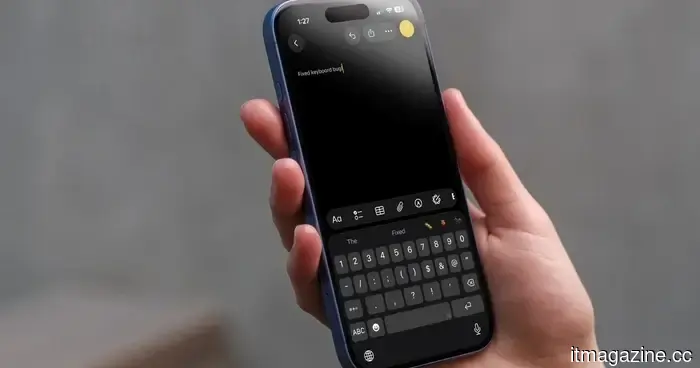
Apple has resolved the iPhone's keyboard issues, but it’s time to move on to a superior alternative.
Apple has finally tackled one of the most frustrating typing problems on the iPhone. With iOS 26.4, they resolved a bug that led to missed keystrokes during fast typing, which diminished the reliability of autocorrect.
This update is aimed at users who type quickly and experienced letters not appearing, which disrupted entire words and led to erroneous predictions. Testing indicates a reduction in garbled phrases and a more reliable input experience, particularly at higher speeds.
However, the overall user experience has not fully improved. The iPhone keyboard still makes peculiar substitutions, adapts poorly to user habits, and lacks features that have been fine-tuned by rival keyboards for years. While Apple has addressed the most prominent issue, the everyday challenges remain.
What Apple actually fixed
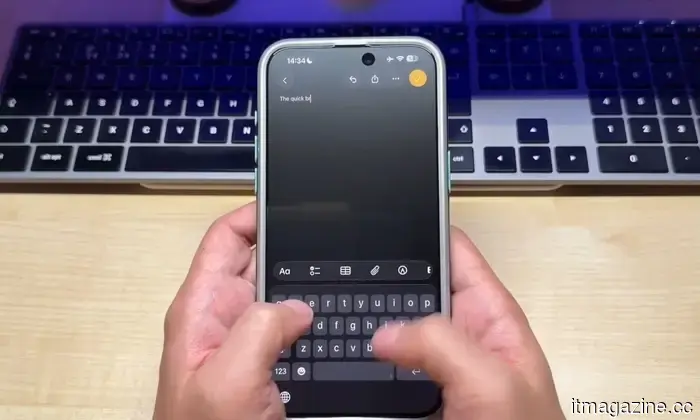
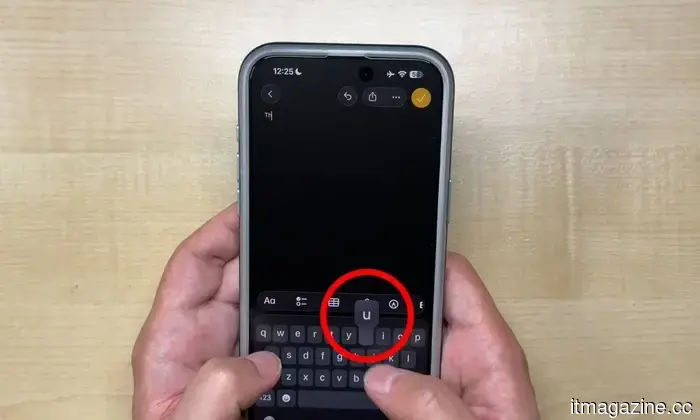
The problem was related to missing characters when typing quickly. Touches could register on the screen without generating a letter, leaving autocorrect to make guesses based on flawed input.
Resolving this issue provides the system with a better starting point. Words now align more closely with your intended input, resulting in more accurate predictions. Side-by-side testing reveals fewer jumbled phrases and steadier outcomes, though the enhancement isn't uniform for every word.
However, mistakes are still present. Single-word errors may still occur, and some taps still yield incorrect characters, a separate issue not addressed by this update.
Where the keyboard still struggles
The more significant limitation lies in how Apple's keyboard learns. It continues to depend on the same system established earlier, meaning ongoing quirks persist.
Autocorrect can reinforce poor habits rather than correct them. If a wrong suggestion is accepted once, it may repeatedly appear later. Over time, your personal dictionary can drift from your actual writing style, making corrections feel less predictable.
This is where third-party keyboards like Gboard and Microsoft SwiftKey excel. They place greater emphasis on prediction, manage multiple languages more effectively, and provide swipe typing that tends to be more accurate in everyday use.
These alternatives also offer you greater control over suggestion behavior. You can adjust inputs and avoid being stuck with recurring errors, while Apple's keyboard still feels relatively inflexible.
Why alternatives feel better
Upgrading to iOS 26.4 is worthwhile if you've been experiencing dropped letters or incomplete words. It eliminates a genuine source of annoyance, especially for fast typers who frequently encounter this issue.
However, your daily typing experience may not feel significantly different. You will still find yourself correcting words, double-checking messages, and navigating quirks that disrupt your flow.
Switching to a different keyboard is currently the more significant upgrade. Applications like Gboard and Microsoft SwiftKey provide enhanced predictions and greater flexibility with minimal setup.
You don’t have to make a long-term commitment. Try one of these apps for a few days and see how it accommodates your typing habits. This quick trial will clearly show what your iPhone keyboard is still lacking.
Other articles
 Meta begins testing the Instagram Plus subscription, offering exclusive benefits.
A month free on the house, just enough to entice you.
Meta begins testing the Instagram Plus subscription, offering exclusive benefits.
A month free on the house, just enough to entice you.
 The judge has dismissed X's antitrust lawsuit against the advertisers with prejudice.
A US judge determined that X did not present a legitimate antitrust claim against advertisers such as Mars, Unilever, and Nestlé, preventing the company from re-filing the case.
The judge has dismissed X's antitrust lawsuit against the advertisers with prejudice.
A US judge determined that X did not present a legitimate antitrust claim against advertisers such as Mars, Unilever, and Nestlé, preventing the company from re-filing the case.
 Some individuals are utilizing AI to enhance their real-life experiences, and you should learn from these lessons as well.
Certain individuals are utilizing AI to reduce everyday chores at home, allowing them to have more time for exercise, hobbies, rest, and personal connections.
Some individuals are utilizing AI to enhance their real-life experiences, and you should learn from these lessons as well.
Certain individuals are utilizing AI to reduce everyday chores at home, allowing them to have more time for exercise, hobbies, rest, and personal connections.
 Some individuals are utilizing AI to enhance their real-life experiences, and you should also learn from these insights.
Certain individuals are utilizing AI to reduce daily chores at home, allowing them more time for exercise, hobbies, rest, and personal connections.
Some individuals are utilizing AI to enhance their real-life experiences, and you should also learn from these insights.
Certain individuals are utilizing AI to reduce daily chores at home, allowing them more time for exercise, hobbies, rest, and personal connections.
 Restrictions on social media for minors are gaining momentum in an increasing number of countries.
Young people likely didn’t require social media at such an early stage, and it is now becoming evident.
Restrictions on social media for minors are gaining momentum in an increasing number of countries.
Young people likely didn’t require social media at such an early stage, and it is now becoming evident.
 The judge has dismissed X's antitrust lawsuit against advertisers with prejudice.
A US judge determined that X did not present a valid antitrust claim against advertisers such as Mars, Unilever, and Nestlé, preventing the company from refiling.
The judge has dismissed X's antitrust lawsuit against advertisers with prejudice.
A US judge determined that X did not present a valid antitrust claim against advertisers such as Mars, Unilever, and Nestlé, preventing the company from refiling.
Apple has resolved the iPhone's keyboard issues, but it’s time to move on to a superior alternative.
Apple addressed a significant typing issue on the iPhone in iOS 26.4, yet the keyboard still trails behind competitors like Gboard and SwiftKey in terms of accuracy, features, and customization, making third-party alternatives a more intelligent option.