

The tab stacks in the Vivaldi browser are a fantastic feature that I wish were available in Chrome and Safari.
While most Chromium-based browsers consider tab management to be a secondary feature, Vivaldi adopts a more thoughtful strategy. Its recent iOS update emphasizes one of its standout features: two-level tab stacks. Although not a brand-new feature, it's one of the few that effectively helps manage multiple tabs on a phone without feeling overwhelming.
A small yet genuinely useful functionality
Rather than concealing grouped tabs within a menu or requiring a switch to a separate page, Vivaldi keeps everything within easy reach, allowing for quick and intuitive navigation between related tabs. The browser showcases your main tabs in a row at the top and reveals a second row beneath when you're in a stack.
For those frequently shifting between research, work, and casual reading, this enhancement is significant. Picture planning a trip while comparing flights, accommodations, and reviews on different websites. Vivaldi enables you to group those tabs easily and transition between them instantly, maintaining your workflow.
This solution is also beneficial for heavy users who depend on their phones for professional tasks. Whether you are cross-referencing sources, tracking various stories, or handling research-intensive assignments, keeping related tabs organized and visible can save a surprising amount of time.
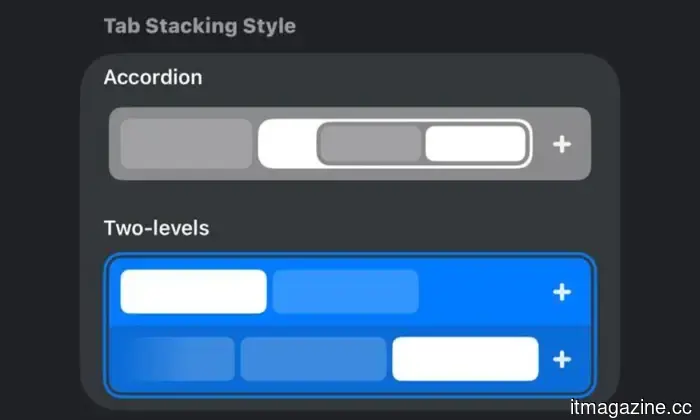
To utilize this feature, simply long-press the New Tab button and select “New Tab Stack.” The browser provides two methods of tab stacking: Two-level and Accordion, which can be adjusted in Settings > Tabs > Tab Stacking Style.
Chrome accomplishes the task but lacks intuitiveness
Google Chrome on mobile features tab groups, but they exist within its grid-style tab switcher. After grouping tabs, the group is represented as a single tab in the main switcher, making it easy to lose track of among numerous other open tabs. Accessing them necessitates opening the tab switcher and scrolling through all open tabs or shifting into the dedicated group view, which introduces additional steps.
Google’s system functions but isn’t seamless. Transitions between tabs in a group aren’t straightforward either, as you must tap the Tab button in the bottom bar to go back to group view and select another tab, which can accumulate in time if you’re frequently switching.
Safari values simplicity over convenience
Safari on iPhones takes an opposite approach. Its tab groups are straightforward, yet they operate more like folders than active browsing environments. Swiping on the bottom bar for quick navigation between tab groups is quite user-friendly, but switching between different tabs within a group proves to be less efficient.
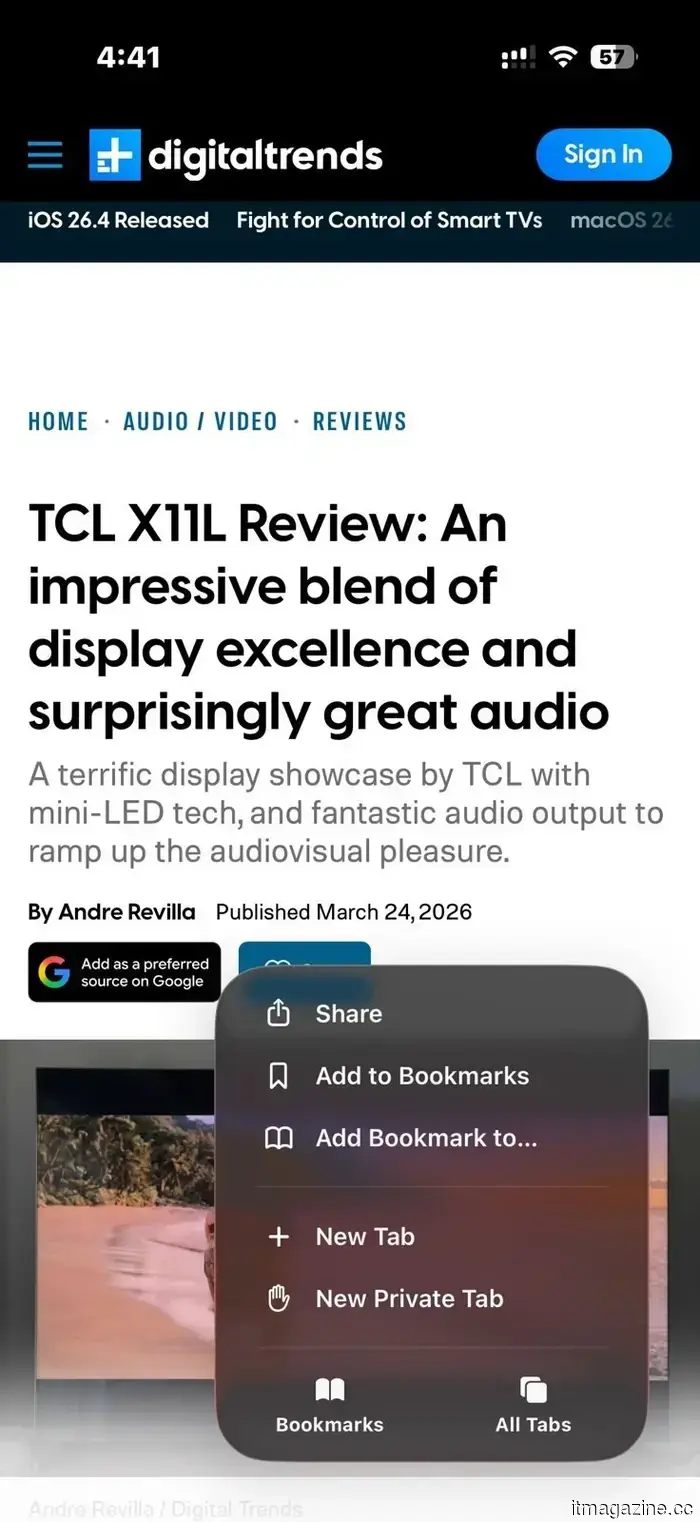
When you open a group and select a tab, returning to the tab switcher is necessary to choose another. There’s no quick method for moving between tabs within a group; tapping the three-dot menu and selecting All Tabs is required for accessing the tab group grid view each time you want to select a different tab.
There’s a clear trade-off with Vivaldi’s method
Vivaldi’s two-level tab stacks enhance the ease of switching between tabs, but this approach comes with a drawback. Displaying stacked tabs in a second row occupies additional screen space, resulting in less visible page content than a single row would provide.
The accordion-style stacking in Vivaldi mitigates this by consolidating tabs into a single line, yet it isn't as fluid as the two-level arrangement. However, since the second row only appears when a stack is in use, it doesn’t clutter the interface permanently. For those who frequently manage numerous tabs, the increased visibility seems a reasonable compromise for sacrificing some screen space at times.
A more practical approach to managing tabs
Vivaldi’s implementation may not be flawless, but it demonstrates how much potential exists to enhance tab management on mobile devices. Rather than burying tab groups, the browser ensures they are more accessible.
This distinctiveness sets it apart and highlights the limitations still present in tab management on Chrome and Safari. Hopefully, Google and Apple will take notice and incorporate similar features in their browsers soon.






Other articles
 The Mac Pro is no longer in production at Apple, and I will miss the cheese-grater powerhouse.
Apple has announced that the Mac Pro has been discontinued and there are no plans for a new version.
The Mac Pro is no longer in production at Apple, and I will miss the cheese-grater powerhouse.
Apple has announced that the Mac Pro has been discontinued and there are no plans for a new version.
 SATELLAI Collar is advancing dog safety and health care through PetSense AI.
Uncover the future of pet safety with SATELLAI. Featuring 5-way GNSS satellite tracking and PetSense AI health analysis, these intelligent collars provide accuracy and reassurance for every dog and environment.
SATELLAI Collar is advancing dog safety and health care through PetSense AI.
Uncover the future of pet safety with SATELLAI. Featuring 5-way GNSS satellite tracking and PetSense AI health analysis, these intelligent collars provide accuracy and reassurance for every dog and environment.
 Laigo Bio secures €17 million in seed funding to develop SureTACs.
Laigo Bio has successfully completed a €17M seed funding round aimed at advancing its SureTACs platform, which targets and degrades membrane proteins responsible for driving cancer, rather than merely inhibiting them.
Laigo Bio secures €17 million in seed funding to develop SureTACs.
Laigo Bio has successfully completed a €17M seed funding round aimed at advancing its SureTACs platform, which targets and degrades membrane proteins responsible for driving cancer, rather than merely inhibiting them.
 Artemis II team prepares for lunar orbit – and Orion’s space toilet
Four astronauts are preparing for a landmark journey that will circle the moon in a spacecraft roughly the size of a large camper van. As part of the Artemis II mission, NASA astronauts Reid Wiseman, Victor Glover, and Christina Koch, along with Jeremy Hansen from the Canadian Space Agency, will spend 10 days aboard the […]
Artemis II team prepares for lunar orbit – and Orion’s space toilet
Four astronauts are preparing for a landmark journey that will circle the moon in a spacecraft roughly the size of a large camper van. As part of the Artemis II mission, NASA astronauts Reid Wiseman, Victor Glover, and Christina Koch, along with Jeremy Hansen from the Canadian Space Agency, will spend 10 days aboard the […]
 Even Realities G2's most significant software update introduces an app store and a meeting preparation tool that transforms your work processes.
Even Realities has just provided a significant update to its G2 smart glasses. The Prep Notes feature allows you to enter any discussion well-prepared, while the new Even Hub introduces compatibility with third-party applications.
Even Realities G2's most significant software update introduces an app store and a meeting preparation tool that transforms your work processes.
Even Realities has just provided a significant update to its G2 smart glasses. The Prep Notes feature allows you to enter any discussion well-prepared, while the new Even Hub introduces compatibility with third-party applications.
 Even Reality's G2 has introduced its most significant software update to date, featuring an app store and a meeting preparation tool that transforms your workflow.
Even Realities has recently provided a significant upgrade to its G2 smart glasses. The Prep Notes feature allows you to enter any discussion fully ready, while the new Even Hub offers support for third-party applications.
Even Reality's G2 has introduced its most significant software update to date, featuring an app store and a meeting preparation tool that transforms your workflow.
Even Realities has recently provided a significant upgrade to its G2 smart glasses. The Prep Notes feature allows you to enter any discussion fully ready, while the new Even Hub offers support for third-party applications.
The tab stacks in the Vivaldi browser are a fantastic feature that I wish were available in Chrome and Safari.
Vivaldi's two-tier tab stacks offer a more user-friendly method for handling tabs on mobile devices, ensuring easy access, unlike Chrome and Safari, which continue to depend on less straightforward options.