
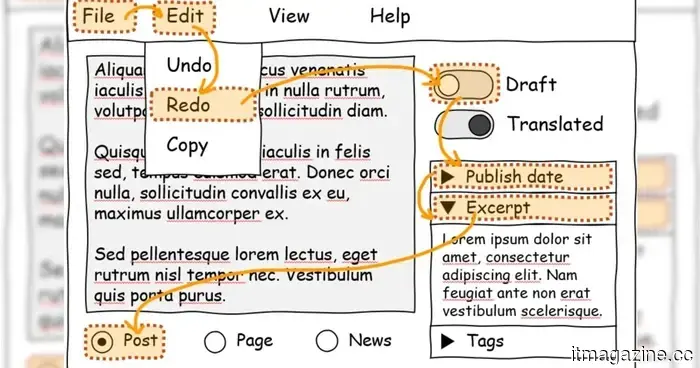
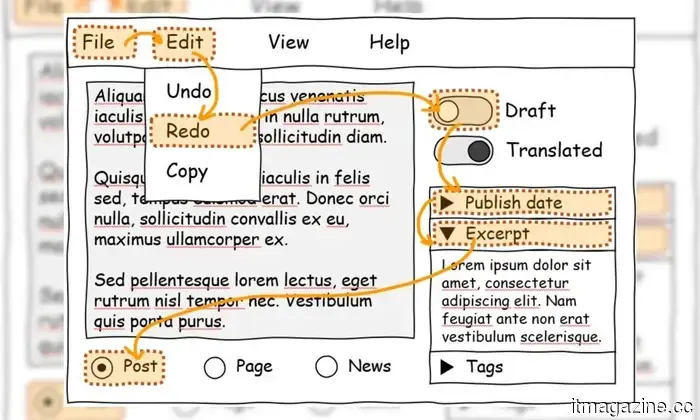
Microsoft's latest browser feature will enhance the keyboard accessibility of websites.
Navigating a malfunctioning website using just the keyboard is hardly enjoyable. Microsoft's focusgroup tool finally offers developers an easy solution to a longstanding issue.
If you've ever attempted to browse a website without a mouse—perhaps your trackpad failed during a presentation, or you simply prefer using your keyboard—you understand the frustration. Much of the page is inaccessible. Buttons remain unresponsive. Menus seem to tease you from afar.
You're not alone in this struggle; approximately 50% of websites completely ignore tabindex, which is essential for enabling keyboard navigation. Microsoft aims to address this problem without waiting for developers to resolve it independently.
A more straightforward way to create keyboard-friendly websites
The Edge team has introduced focusgroup, a new HTML attribute designed to significantly simplify keyboard-accessible web design. Developers need to add just one attribute to their HTML, allowing the browser to handle everything else—no complex tabindex configurations and no additional third-party libraries cluttering your code.
With this enhancement, the arrow keys function as users would expect, hidden or disabled elements are smoothly bypassed, and it even operates within shadow DOM without issues.
This problem has silently troubled developers for years. Creating a fully keyboard-accessible website—one equipped with menus, submenus, toolbars, and tab groups—can be quite complex. It requires considerable time, specialized knowledge, and a substantial amount of JavaScript, which users must download each time they visit.
More code leads to slower loading times, and longer load times result in frustrated users.
Less code, quicker pages, improved accessibility
Microsoft initially outlined focusgroup back in 2021 and subsequently presented it to the OpenUI community group in 2022, so this is not a last-minute endeavor. It has been in development for years, benefiting from feedback across the browser landscape.
The advantages are far-reaching: individuals with motor disabilities, power users, enterprise employees navigating intricate dashboards—essentially anyone who has ever pressed Tab and wished for better functionality.
Currently, it's available for early testing in Edge, and Microsoft has contributed the code to the Chromium project, meaning that Chrome and its various derivatives could adopt it as well. If other browsers follow suit, what seems like a subtle developer tool could fundamentally change how accessible the web feels for millions of users who rely on keyboard navigation.
For more than five years, Shikhar has been dedicated to simplifying developments in consumer technology and sharing them…
Google is preparing the Gemini AI app for Mac, featuring Desktop Intelligence
The upcoming app may allow Gemini to interact directly with Mac applications for more tailored responses.
Google is intensifying its AI efforts on desktop by testing a dedicated Gemini app for Mac, which might introduce a significant new feature called Desktop Intelligence. A report from Bloomberg reveals that Google has begun private testing of an initial version of the Gemini Mac app with a select group of users. This initiative is part of a broader strategy to compete more effectively with desktop AI applications such as ChatGPT and Claude, both of which already provide native Mac functionalities.
The current iteration is still in its early stages and lacks all intended features, but testing indicates that Google aims to release it soon. For the moment, Mac users mainly access Gemini via the web, so a dedicated app could greatly enhance the user experience.
This startup will pay you $800 daily to work as an AI bully
Here’s your opportunity to turn your frustration with chatbots into real earnings.
If you've ever lost your temper with an AI chatbot for failing to remember what you just said, congratulations—you are now job ready. A startup named Memvid is offering $800 for just one day of work where your sole responsibility is to 'bully' AI. Indeed, this is a professional role.
The position is just as chaotic as it sounds. You will spend 8 hours engaging with chatbots, prompting them to retain information, observing their shortcomings, and asking more questions. Your job will be to document every frustrating interaction and each instance of information the AI forgets.
Microsoft PowerToys update introduces three significant enhancements for your Windows PC
PowerToys 0.98 has arrived, featuring an upgraded Keyboard Manager, a new pinnable Command Palette Dock, and a more reliable CursorWrap for users with multiple monitors.
Microsoft has unveiled PowerToys v0.98.0, an important update to the widely-used Windows productivity toolkit. The latest version includes a revamped Keyboard Manager, a new Command Palette Dock, and an enhanced CursorWrap experience for those utilizing multiple monitors.





Other articles
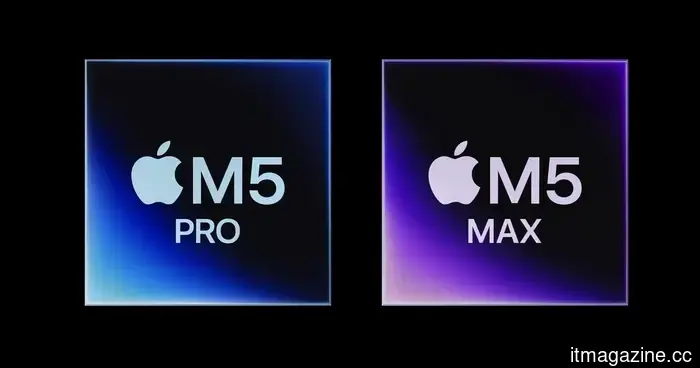 Tests indicate that the Apple M5 Max is outperforming AMD and establishing new performance records.
Apple's M5 Max has established a new performance benchmark, surpassing AMD's top model in single-core evaluations and even exceeding the multi-core performance of Apple's own M3 Ultra chip.
Tests indicate that the Apple M5 Max is outperforming AMD and establishing new performance records.
Apple's M5 Max has established a new performance benchmark, surpassing AMD's top model in single-core evaluations and even exceeding the multi-core performance of Apple's own M3 Ultra chip.
 If you develop Android applications using AI, Google's latest benchmark simplifies the process of selecting the appropriate model.
For Android app developers using AI for coding, selecting the appropriate model can be challenging. Not every model is created equal, and many lack specific training for Android development processes. To resolve this issue, Google has launched a new benchmark aimed at helping developers assess the performance of various AI models in real-world Android scenarios.
If you develop Android applications using AI, Google's latest benchmark simplifies the process of selecting the appropriate model.
For Android app developers using AI for coding, selecting the appropriate model can be challenging. Not every model is created equal, and many lack specific training for Android development processes. To resolve this issue, Google has launched a new benchmark aimed at helping developers assess the performance of various AI models in real-world Android scenarios.
 Apple's budget MacBook Neo is already surpassing the M1 MacBook Air in initial performance tests.
Initial benchmarks of the MacBook Neo indicate that Apple’s most affordable laptop performs comparably to the M1 MacBook Air in various tests.
Apple's budget MacBook Neo is already surpassing the M1 MacBook Air in initial performance tests.
Initial benchmarks of the MacBook Neo indicate that Apple’s most affordable laptop performs comparably to the M1 MacBook Air in various tests.
 Microsoft has discontinued the "Real Talk" mode for its Copilot AI chats, which featured a more personalized touch.
Real Talk was the most relatable Copilot has ever been. It pushed back, remembered details about you, and didn’t merely agree — which is likely why Microsoft shut it down just weeks after its worldwide launch.
Microsoft has discontinued the "Real Talk" mode for its Copilot AI chats, which featured a more personalized touch.
Real Talk was the most relatable Copilot has ever been. It pushed back, remembered details about you, and didn’t merely agree — which is likely why Microsoft shut it down just weeks after its worldwide launch.
 Roku has created an enjoyable interactive experience for finding your next favorite show.
Roku's latest game, Roklue, transforms channel browsing into an entertaining pop culture quiz, allowing you to assess your knowledge while discovering movies and shows to watch.
Roku has created an enjoyable interactive experience for finding your next favorite show.
Roku's latest game, Roklue, transforms channel browsing into an entertaining pop culture quiz, allowing you to assess your knowledge while discovering movies and shows to watch.
 If you develop Android apps using AI, Google's new benchmark simplifies the process of selecting the appropriate model.
For Android app developers who depend on AI for coding, selecting the appropriate model can be challenging. Not every model is created equal, and many lack specific training for Android development processes. To help with this issue, Google has launched a new benchmark aimed at assisting developers in assessing the performance of various AI models in real-world Android scenarios.
If you develop Android apps using AI, Google's new benchmark simplifies the process of selecting the appropriate model.
For Android app developers who depend on AI for coding, selecting the appropriate model can be challenging. Not every model is created equal, and many lack specific training for Android development processes. To help with this issue, Google has launched a new benchmark aimed at assisting developers in assessing the performance of various AI models in real-world Android scenarios.
Microsoft's latest browser feature will enhance the keyboard accessibility of websites.
Fifty percent of all websites struggle with basic keyboard navigation. A new tool from Microsoft aims to address this issue — and implementing it requires just one HTML attribute.