
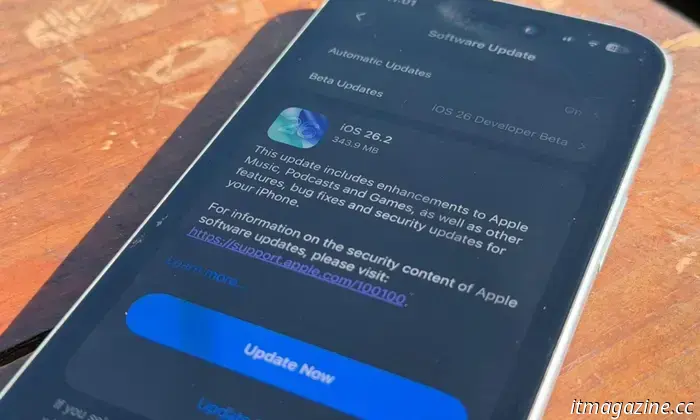
iOS 26.2 introduces a security feature for AirDrop that you should pay attention to on your iPhone.
It’s time for an update. Apple has officially released incremental updates for its hardware lineup. On your Apple device, navigate to the Settings app to download the latest versions: iOS 26.2, iPadOS 26.2, macOS 26.2, watchOS 26.2, and visionOS 26.2.
These updates introduce several new features, fix some bugs, and enhance security. Notably, they address over 20 vulnerabilities, with two potentially linked to a highly sophisticated attack, as noted by Apple.
In terms of security, the update strengthens the file-sharing process via AirDrop. At the same time, it improves convenience for those who frequently share content with other iPhone users.
What’s new for AirDrop?
iOS 26.2 Moinak Pal / Digital Trends
AirDrop is Apple's prevalent file-sharing system for mobile and computing devices. Currently, it offers only three sharing modes: receiving off, contacts only, and everyone for ten minutes. These options can be too rigid, leaving room for unwanted file drops.
For instance, keeping it open for ten minutes can feel risky, whereas restricting it to contacts might be too limiting. The latest iPhone update aims to resolve this issue.
Nadeem Sarwar / Digital Trends
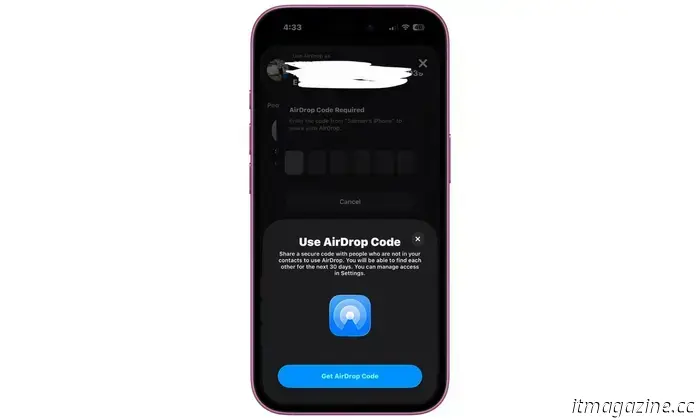
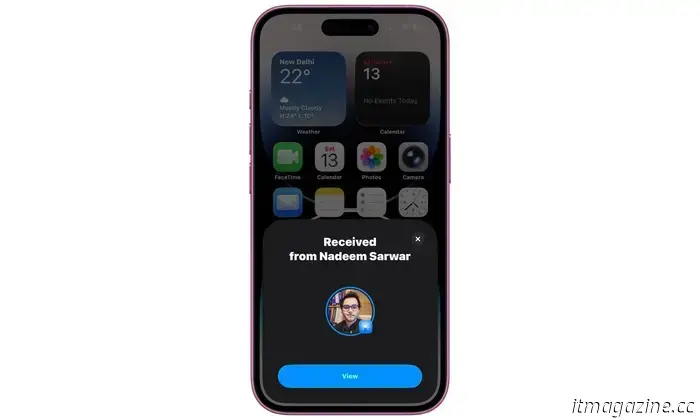
With iOS 26.2, Apple introduces a new feature that utilizes temporary one-time transfer codes. Essentially, if an iPhone user nearby is not in your contacts and wishes to share files, you can temporarily approve them using a one-time code.
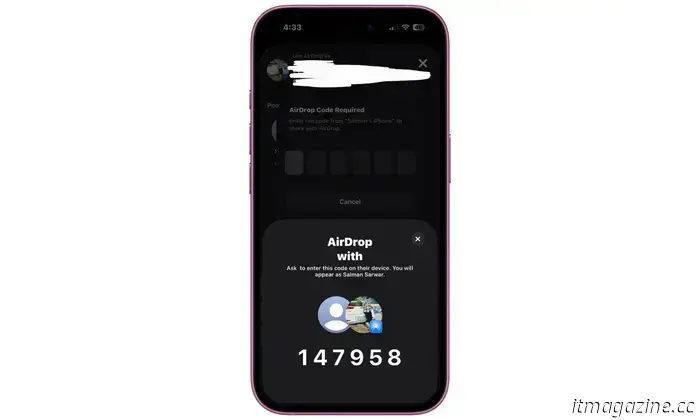
Here’s how it works: If a nearby iPhone user whose contact is not saved on your device attempts to send you files, you will require an AirDrop code. When you receive a file request from that device and agree to accept it, a code will display on your iPhone screen.
Nadeem Sarwar / Digital Trends
You must share this code with the sender, and only after they input it on their iPhone will the transfer proceed. This code acts as a digital handshake, generated once you select the "Get AirDrop Code" option.
This AirDrop code remains valid for 30 days, allowing that specific device to be whitelisted for a month. Thus, even if your AirDrop is set to “Contacts only,” you can still send and receive files from devices with a valid one-time code.
Nadeem Sarwar / Digital Trends
This system temporarily approves a device for easy AirDrop transfers, particularly useful for journalists, field workers, or travelers who share spaces briefly without saving the sender's contact.
Why use codes for AirDrop transfers? “AirDrop codes provide an additional verification layer when using AirDrop with unknown contacts by displaying a code on the receiver’s device that the sender must enter to finalize the transfer,” Apple explains.
Nadeem Sarwar / Digital Trends
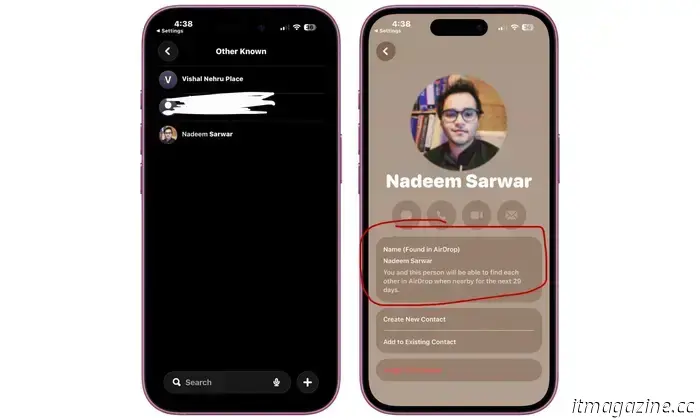
“You will automatically appear to people you've shared a one-time code with for 30 days,” according to the feature description on iPhones running iOS 26.2. To manage whitelisted contacts for this new code-based AirDrop system, go to the Settings app and follow this path:
Settings > General > AirDrop > Manage Known AirDrop Contacts.
In essence, the code serves as a means to create a temporary contact and classify them as “known.” If you wish to revoke the AirDrop access for a whitelisted device, follow this path: Contacts > Other Known > Forget this person.
What other changes does the iOS 26.2 update bring?
The iOS 26.2 update also delivers numerous system-level modifications and tweaks in native apps. Initially focusing on aesthetics, particularly the Liquid Glass redesign.
Since Apple rolled out its new design language, it has received mixed feedback concerning readability issues. Throughout the beta updates, Apple has reduced the liquid transparency effects and added a control feature.
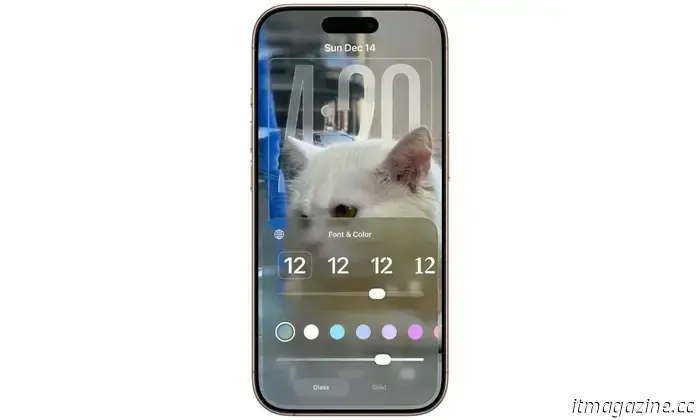
“You can control the glass-iness”
With the widespread release of iOS 26.2 for all compatible iPhones, users can finally choose between glass and solid appearances. Crucially, when you opt for a glass theme, there’s a new slider that allows you to adjust the intensity of the liquid glass effect — in simpler terms, making it more transparent or opaque.
Additionally, if you explore the Settings app, you can select from clear and tinted glass options. In the Games app, users can now filter titles by genre, size, and other aspects. The app also now accommodates various controller types, including models from Backbone and Razer.
Nadeem Sarwar / Digital Trends
On the streaming front, Apple Music now retains lyrics for downloaded tracks, allowing you to view them during offline listening. The Podcasts app, meanwhile, will automatically create chapters for episodes.
The disaster alert system has been extended with the iOS 26.2 update, although this feature is limited to the US market. “Enhanced Safety Alerts can notify you of imminent threats such as floods, natural disasters, and other emergencies, with detailed
Other articles
 Disregard the Galaxy S26; some of Samsung's most exciting technology for 2026 might be showcased at CES.
Here’s what you can anticipate from Samsung's products at CES 2026.
Disregard the Galaxy S26; some of Samsung's most exciting technology for 2026 might be showcased at CES.
Here’s what you can anticipate from Samsung's products at CES 2026.
 Kindle's latest "ask this book" feature enables readers to find answers without having to navigate away from the page.
Ask this Book provides contextual, spoiler-free questions and answers in the Kindle iOS app, assisting readers in comprehending plots and characters without losing their immersion.
Kindle's latest "ask this book" feature enables readers to find answers without having to navigate away from the page.
Ask this Book provides contextual, spoiler-free questions and answers in the Kindle iOS app, assisting readers in comprehending plots and characters without losing their immersion.
 Google Lens is being integrated into the native AI interface of Chrome.
Google Lens now activates Chrome’s AI panel in Canary builds, indicating a future in which Chrome will provide contextual, chat-based support directly alongside web content.
Google Lens is being integrated into the native AI interface of Chrome.
Google Lens now activates Chrome’s AI panel in Canary builds, indicating a future in which Chrome will provide contextual, chat-based support directly alongside web content.
 Observe this humanoid robot as it efficiently sorts packages for an entire hour.
If you find yourself with some free time as Christmas approaches, consider watching a captivating hour-long video featuring a humanoid robot sorting packages. This video was shared by the founder and CEO of Figure AI, the California company that developed the Figure humanoid robot. Brett Adcock was replying to a post on […]
Observe this humanoid robot as it efficiently sorts packages for an entire hour.
If you find yourself with some free time as Christmas approaches, consider watching a captivating hour-long video featuring a humanoid robot sorting packages. This video was shared by the founder and CEO of Figure AI, the California company that developed the Figure humanoid robot. Brett Adcock was replying to a post on […]
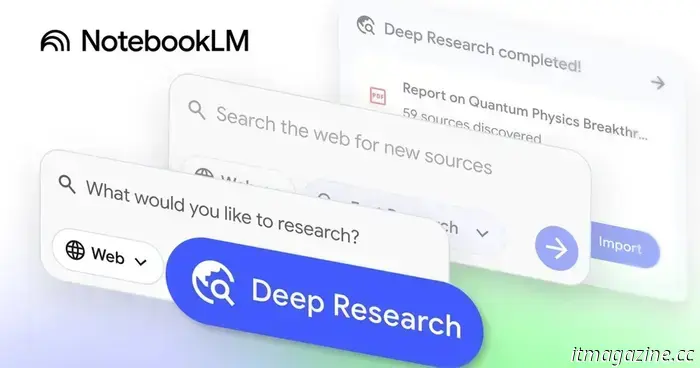 You can now pose questions to Gemini regarding your NotebookLM notebooks.
Google has begun to introduce a new integration for NotebookLM that allows you to pose questions about your notebooks to Gemini.
You can now pose questions to Gemini regarding your NotebookLM notebooks.
Google has begun to introduce a new integration for NotebookLM that allows you to pose questions about your notebooks to Gemini.
 You inquired about budget TVs that we overlooked and the top Roku-powered TV.
You inquired about budget TVs that we overlooked and the top Roku-powered TV.
You inquired about budget TVs that we overlooked and the top Roku-powered TV.
iOS 26.2 introduces a security feature for AirDrop that you should pay attention to on your iPhone.
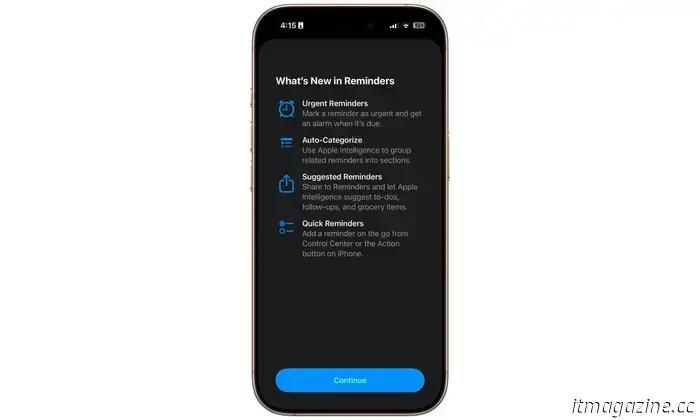
With the release of iOS 26.2, iPhone users are gaining enhanced control over the Liquid Glass functionality, an additional category for Reminders, and a new code-based method for transferring files via AirDrop.