
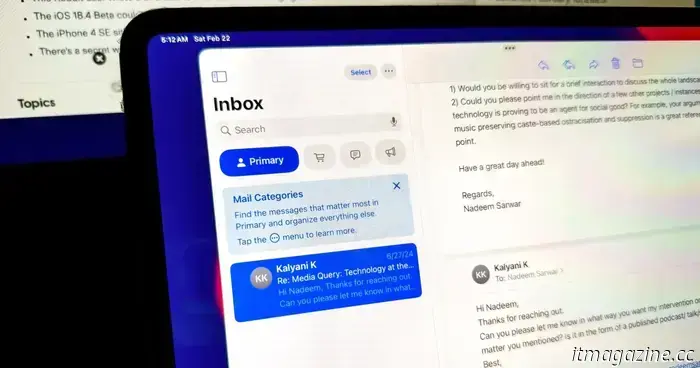
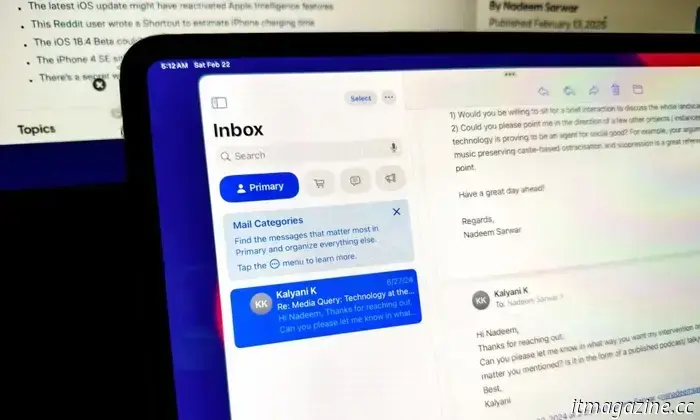
Macs are finally experiencing a revamped version of the Mail app.
Nadeem Sarwar / Digital Trends
Apple revamped the Mail app for iPhones with the introduction of the iOS 18.2 update in December. However, it was odd that iPads and Macs did not receive the same update. The company has now rectified this oversight with the release of the macOS 15.4 and iPadOS 18.4 developer beta updates, which are available for testing.
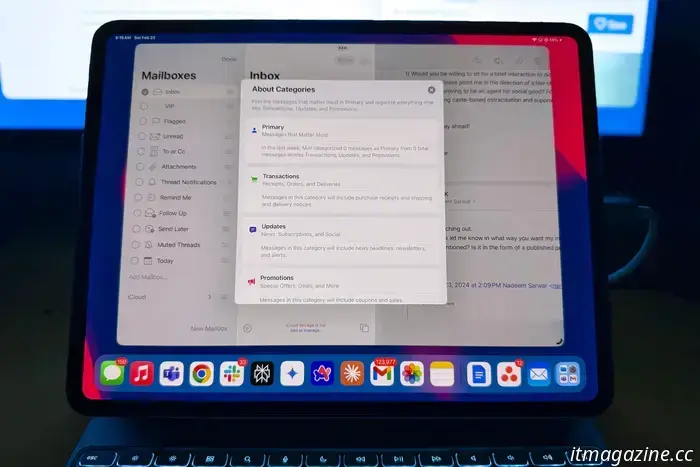
The most significant update to the Mail app is the introduction of categories. Your emails are now organized into four distinct categories. Here's a quick overview of how it functions:
- Primary: This category is for personal messages and urgent content.
- Transactions: This section helps you keep track of confirmation emails, receipts, and shipping notifications.
- Updates: Includes content you have subscribed to via email, such as news, newsletters, and social media notifications.
- Promotions: This section offers marketing and shopping information, including coupons and sale alerts.
Apple emphasizes that if any of your emails in the last three categories contain time-sensitive information, they will be displayed in the Primary category. Additionally, the experience mimics social media profiles, allowing users to view messages from a specific sender more easily within these three categories.
“As you tap on a Transactions, Updates, or Promotions message, a summary view of messages from that sender appears,” the company states. This feature is particularly useful for staying updated on activities like alerts from banking services, as it presents your payments in a user-friendly, vertically-scrolling card format.
Of course, you have the option to disable categories and revert to the traditional list view, which displays all your emails in the order they arrived in your inbox. This organization is beneficial for filtering out less relevant information from essential communications, though it isn’t flawless.
The debut of the updated Mail interface on iPads and Macs addresses a significant need, offering more flexibility, such as the ability for users to create personalized categories. Since iPhones have had this new interface for some time, the inconsistency across devices was somewhat frustrating.
With the launch of the first developer beta updates for macOS 15.4 and iPadOS 18.4, consistency has finally arrived. It’s just a matter of time before developer and public beta testing concludes, leading to the enhanced Mail experience becoming available across the entire mobile and desktop platforms.
Regarding other AI features in the Mail app, Mac users can enjoy email summaries, smart replies, and priority messages.
Nadeem Sarwar / Digital Trends
You can now experience Apple Intelligence on your Mac. Here’s how.
The second developer beta of macOS Sequoia has been released, featuring Apple Intelligence capabilities. It appears that anyone outside of China can participate, including individuals in the EU—even though the AI features may not be immediately available there. Testing features include Writing Tools, Siri, Safari and Mail summaries, Smart Replies, Memory Movies, transcription options, Reduce Interruptions Focus Mode, and more. If you are interested in exploring, here’s how to download the beta and activate Apple Intelligence.
Before you begin, ensure that you back up your Mac using Time Machine in case you need to revert to the previous version if issues arise. Alternatively, having a secondary device, like another Apple Silicon Mac, is wise since beta versions can have glitches, and downloading them is at your own risk.
Read more
The best Mac apps for 2025: top software for your Mac
macOS is widely known for its robust selection of unique, high-quality applications. Whether you need tools to enhance productivity, bolster security, edit photos and videos, or explore AI chatbots, you’re likely to find excellent options in the App Store or elsewhere online.
Best Mac apps to change your interface
Alfred
Consider Alfred as an enhanced version of Spotlight with elements of Siri. It's an application launcher that offers much more than just that. With Alfred, you can quickly perform calculations, conduct web searches, and find word definitions, among various other tasks.
Read more
I’m a Mac power user, and these are the apps I can’t live without
The best Macs are known for their user-friendliness, and as someone who frequently switches between Windows and macOS, I can vouch for that reputation. However, macOS is not merely an uncomplicated system devoid of depth; it's also an excellent platform for power users.
Much of this stems from the extensive range of applications available on macOS. By equipping your Apple computer with a carefully chosen selection of apps, you can significantly enhance its capabilities, from automating mundane tasks to utilizing AI intelligently, and everything in between.
Read more




Other articles
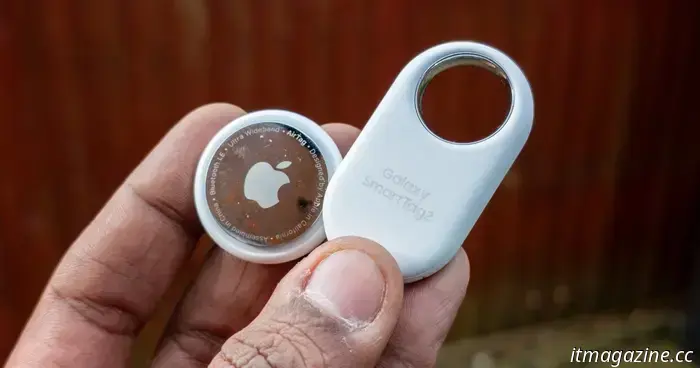 I monitored my luggage with both the AirTag and the Galaxy Tag 2, and this one comes out on top.
One of the primary advantages of using an iPhone or any Apple product is the Find My network. Introduced more than ten years ago with iPhone OS 3, it has evolved into the most effective method for tracking the location of your Apple devices. The expansion of the iPhone and the Apple ecosystem has […]
I monitored my luggage with both the AirTag and the Galaxy Tag 2, and this one comes out on top.
One of the primary advantages of using an iPhone or any Apple product is the Find My network. Introduced more than ten years ago with iPhone OS 3, it has evolved into the most effective method for tracking the location of your Apple devices. The expansion of the iPhone and the Apple ecosystem has […]
 The creator of 'Peaky Blinders' has expressed his anticipation that certain sections of the Rey 'Star Wars' script will be included in the final version.
The author contributed to the second version of the screenplay for the film and departed from the project in October 2024.
The creator of 'Peaky Blinders' has expressed his anticipation that certain sections of the Rey 'Star Wars' script will be included in the final version.
The author contributed to the second version of the screenplay for the film and departed from the project in October 2024.
 Get these Shokz bone conduction headphones now that they are $70 discounted.
The Shokz OpenRun Pro Mini bone conduction headphones are discounted by $70 at Until Gone. Act quickly, as this deal could end at any time.
Get these Shokz bone conduction headphones now that they are $70 discounted.
The Shokz OpenRun Pro Mini bone conduction headphones are discounted by $70 at Until Gone. Act quickly, as this deal could end at any time.
 NYT Connections: clues and solutions for Saturday, February 22
Connections is the latest puzzle game from the New York Times, and it can be pretty challenging. If you require assistance in solving today's puzzle, we're here to support you.
NYT Connections: clues and solutions for Saturday, February 22
Connections is the latest puzzle game from the New York Times, and it can be pretty challenging. If you require assistance in solving today's puzzle, we're here to support you.
 NYT Crossword: solutions for Saturday, February 22.
The crossword puzzle in The New York Times can be challenging, even if it's not the Sunday edition! If you're facing difficulties, we're available to assist you with today’s clues and solutions.
NYT Crossword: solutions for Saturday, February 22.
The crossword puzzle in The New York Times can be challenging, even if it's not the Sunday edition! If you're facing difficulties, we're available to assist you with today’s clues and solutions.
 Omar Sy from Lupin will feature in Netflix's Extraction series.
The Extraction franchise from Netflix is expanding into a TV series spinoff that will star Omar Sy, who is already known for his role in the streaming platform's original series, Lupin.
Omar Sy from Lupin will feature in Netflix's Extraction series.
The Extraction franchise from Netflix is expanding into a TV series spinoff that will star Omar Sy, who is already known for his role in the streaming platform's original series, Lupin.
Macs are finally experiencing a revamped version of the Mail app.
The updated Mail app automatically organizes your emails into four categories: primary, transactions, updates, and promotions. You also have the option to turn this feature off.