
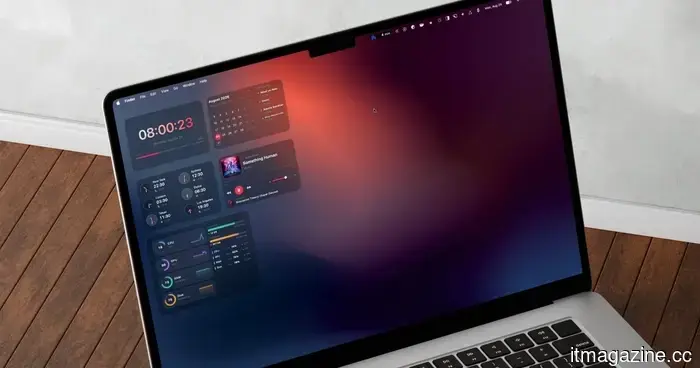
I never had any interest in Mac desktop widgets until I discovered this app.
Apple introduced desktop widgets for the Mac with the release of macOS Sonoma in 2023. I recall adding a few to my desktop on the first day, only to remove them shortly after. The built-in widgets didn't suit my usage of the Mac; their appearance felt out of place, and there simply weren't enough options to make them worthwhile.
Since then, I have been on the lookout for a solution that would provide the same functionality for Mac that apps like Widgetsmith offered for iPhone. I wanted more variety and, crucially, widgets that genuinely felt integrated into the Mac desktop rather than just attached.
After experimenting with several apps that claimed to fulfill this need, I finally discovered one that does. It's called BetterMacWidgets, and in this article, I’ll explain how it has encouraged me to start using widgets on my Mac’s desktop.
Widgets that reside directly on your desktop
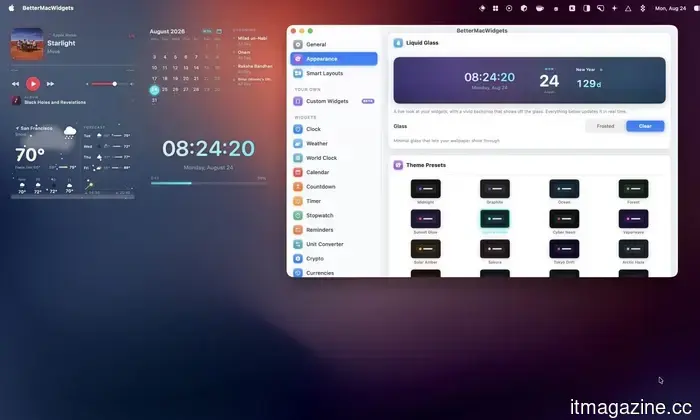
Apple's desktop widgets are linked to system apps that offer support, and options from third-party developers remain limited. BetterMacWidgets changes that dynamic by providing access to over 20 widgets, which can be dragged anywhere on your desktop, snapping onto an invisible grid for a tidy layout.
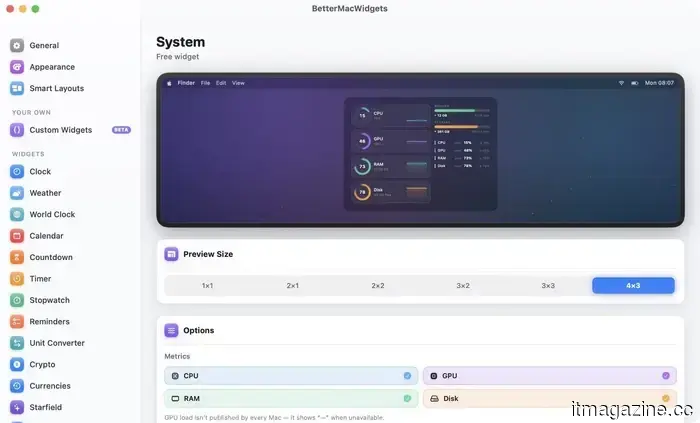
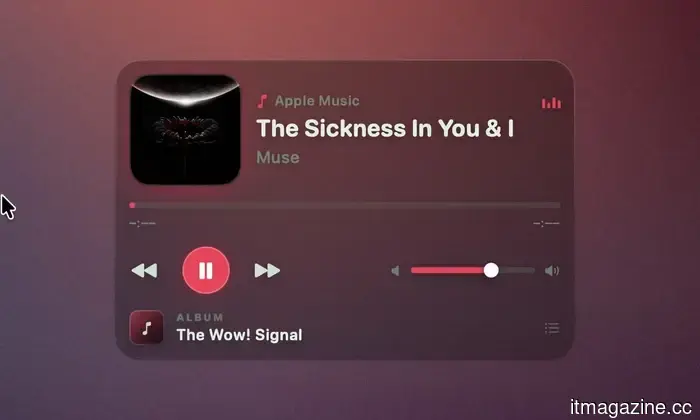
The app allows you to choose from up to six sizes depending on the widget, ranging from a small 1×1 square to a larger 4×3 tile. I particularly enjoy the Now Playing widget, which displays artwork and track titles, enabling me to play, pause, and skip songs directly from the tile, eliminating the need to search for music controls.
For those who monitor their Mac's performance, the System Stats widget offers animated gauges for CPU, GPU, memory, and disk usage, along with a battery gauge that visibly fluctuates while charging. Rest assured, your Mac won't experience slowdowns because of the animations.
The widgets animate only when they are visible; if they are obscured by another app's window, the animation ceases. If you still notice a battery impact, you can completely disable the animations.
Weather, Reminders, and more
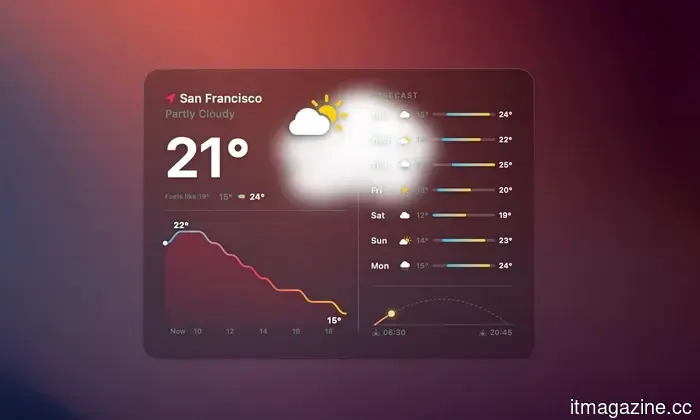
While weather widgets are common, I appreciate the way BetterMacWidgets presents it. It sources real forecast data from Open-Meteo, based on your exact location, approximate location, or any city you choose to enter manually. The standout feature of this widget is the live animation that reflects the current weather conditions, whether it's sunny, rainy, or snowy.
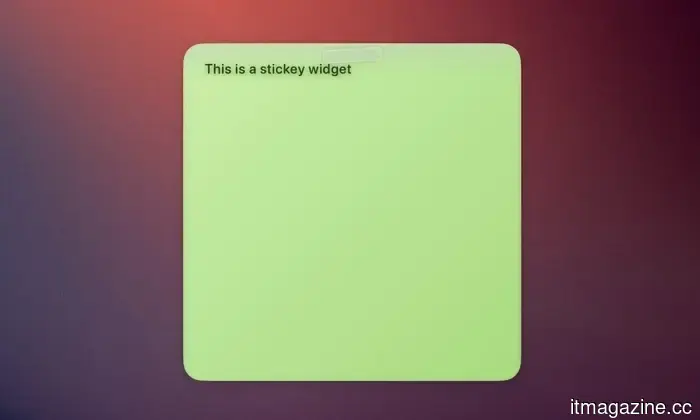
There is also a Reminders widget that syncs directly with Apple Reminders. You can check off tasks directly from the widget, which updates in the Reminders app. Pairing it with the Sticky Note widget creates a convenient productivity corner right on your desktop.
For a more laid-back experience, there’s a Photos widget that runs a slow Ken Burns-style slideshow using images from any folder you select. Additionally, there’s a Starfield widget that adds a starry sky backdrop to your desktop.
Stack widgets to save space
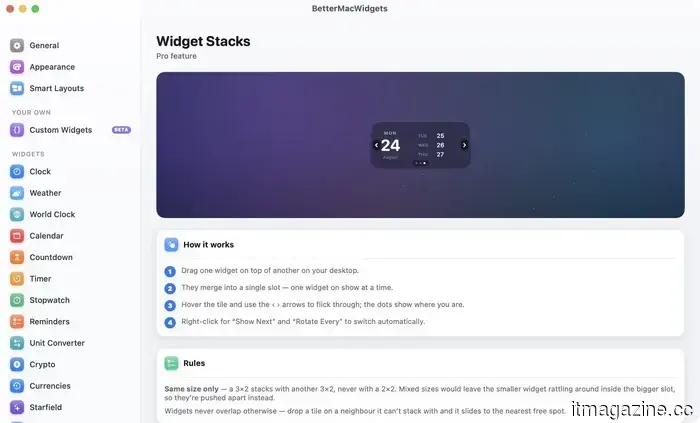
If you find yourself using too many widgets, the Widget Stacks feature helps manage this. You can drag one widget on top of another of the same size, and they will combine into a single slot. You can then swipe through them using arrows when hovering over the tile, or set them to rotate automatically. Note that stacking only works with widgets of the same size; a 3×2 widget cannot stack with a 2×2 one, as one will simply be pushed to the nearest available space.
Make it look like your Mac
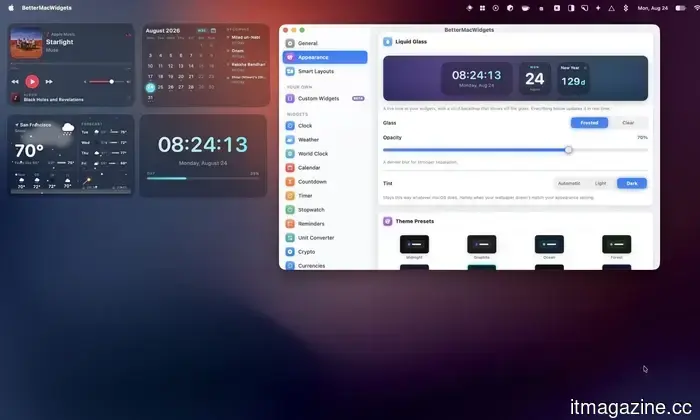
As I previously mentioned, the most impressive aspect of BetterMacWidgets is the appearance of the widgets. It offers 20 built-in themes that alter the accent color, glass tint, and font color. Three of these, Midnight, Graphite, and Ocean, are free, while the others require the Pro version.
I can also personalize how widgets appear. The free Frosted option provides a translucent glass card with an adjustable opacity slider, allowing me to change it from a subtle tint to a thicker glass look.
For Pro users, the Clear option eliminates the tile background completely, so only the widget's content appears against your wallpaper with a soft shadow for better visibility. This is the closest representation to a native Apple look I've encountered in a third-party Mac widget.
Set up profiles for your day
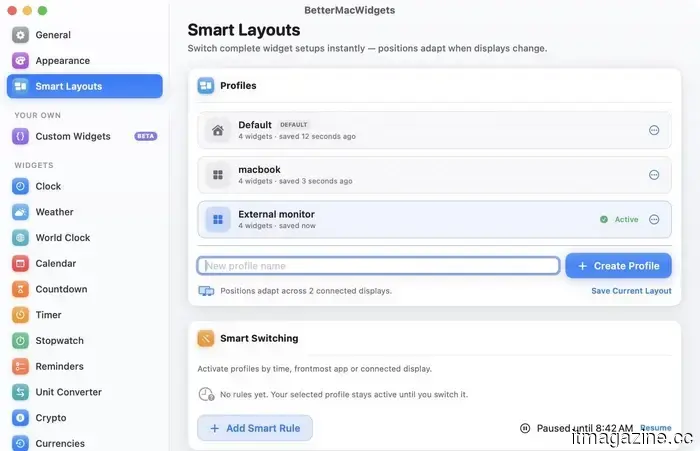
If you have different desktop arrangements, BetterMacWidgets allows you to save named widget profiles that remember your widgets and their locations. I can create various widget configurations, save them as profiles, and switch between them with a simple click. Additionally, a Smart Switching feature can automatically activate a profile based on the time of day, the active application, or the display you’re connected to.
Final thoughts
I've tried many widget apps on my Mac, and BetterMacWidgets is the first one that genuinely motivated me to keep widgets on my desktop instead of hiding them away. With the Now Playing widget, the System Stats gauges, and the Clear glass appearance, my desktop finally resembles what I envisioned when widgets were first introduced in Sonoma two years ago.
Other articles
 Employer of Record or entity: make your choice before someone else makes it for you.
Contractor, official contractor, employer of record, or your own organization? A cost and risk framework for recruitment in Europe, featuring actual pricing for 2026.
Employer of Record or entity: make your choice before someone else makes it for you.
Contractor, official contractor, employer of record, or your own organization? A cost and risk framework for recruitment in Europe, featuring actual pricing for 2026.
 Twitch and Amazon are being subjected to a class action lawsuit regarding the training of AI using livestream content.
A class action alleges that Twitch revised its Terms of Service on August 12, the same day it revealed an option to opt-out of AI. Amazon is identified as the affiliated company.
Twitch and Amazon are being subjected to a class action lawsuit regarding the training of AI using livestream content.
A class action alleges that Twitch revised its Terms of Service on August 12, the same day it revealed an option to opt-out of AI. Amazon is identified as the affiliated company.
 Velocity was awarded AdTech Platform of the Year as artificial intelligence transforms digital advertising.
TVC Analyst has recognized the Velocity AdTech Platform of the Year, as the $27 million-funded startup develops intent-focused advertising infrastructure for AI applications. In 2025, U.S. digital ad revenue reached $294.6 billion.
Velocity was awarded AdTech Platform of the Year as artificial intelligence transforms digital advertising.
TVC Analyst has recognized the Velocity AdTech Platform of the Year, as the $27 million-funded startup develops intent-focused advertising infrastructure for AI applications. In 2025, U.S. digital ad revenue reached $294.6 billion.
 Xiaomi's latest Xring O3 is manufactured by TSMC and is targeted at several hundred thousand smartphones.
Xiaomi's Xring O3 will be produced by TSMC using a 3nm process for a premium folding smartphone, aiming for a production of 200,000 to 300,000 units.
Xiaomi's latest Xring O3 is manufactured by TSMC and is targeted at several hundred thousand smartphones.
Xiaomi's Xring O3 will be produced by TSMC using a 3nm process for a premium folding smartphone, aiming for a production of 200,000 to 300,000 units.
 Velocity recognized as the AdTech Platform of the Year as AI transforms digital advertising.
TVC Analyst has recognized the Velocity AdTech Platform of the Year as the startup, which has secured $27 million in funding, develops intent-driven advertising infrastructure for AI applications. In 2025, U.S. digital advertising revenue reached $294.6 billion.
Velocity recognized as the AdTech Platform of the Year as AI transforms digital advertising.
TVC Analyst has recognized the Velocity AdTech Platform of the Year as the startup, which has secured $27 million in funding, develops intent-driven advertising infrastructure for AI applications. In 2025, U.S. digital advertising revenue reached $294.6 billion.
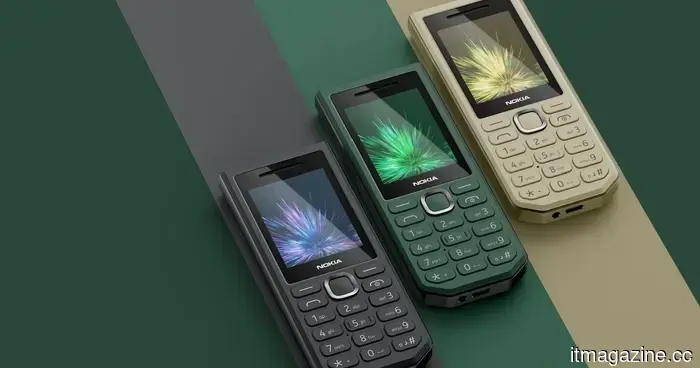 Nokia has just released a simple phone that I would gladly use as my backup device.
The Nokia 300 Charge offers over 40 days of standby time, featuring a removable 3,700mAh battery, reverse charging capabilities, USB-C connectivity, and a robust built-in flashlight.
Nokia has just released a simple phone that I would gladly use as my backup device.
The Nokia 300 Charge offers over 40 days of standby time, featuring a removable 3,700mAh battery, reverse charging capabilities, USB-C connectivity, and a robust built-in flashlight.
I never had any interest in Mac desktop widgets until I discovered this app.
I never appreciated macOS widgets until I discovered an application that offers more visually appealing and customizable options than those provided by Apple. Here’s the complete overview.