
I used this music app for Mac, and now I hope macOS comes with it pre-installed.
I routinely spend my free time searching for interesting Mac apps on Reddit, and I continually stumble upon new ones that are worth checking out. Some apps make certain aspects of macOS easier, while others quickly turn into essential tools I can't imagine living without. Recently, I found one that integrates almost seamlessly into my work routine. When I am focused on tasks requiring my full concentration, I play my work playlist in the background. Music has basically become a part of my concentration process. This is precisely why Gramola piqued my interest. It's a straightforward Mac app that significantly enhances my music experience while working.
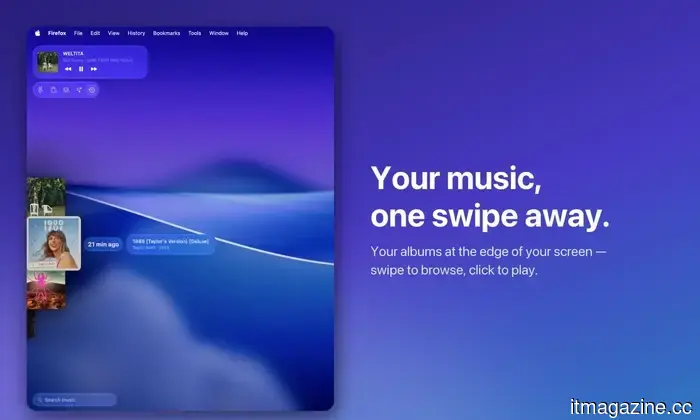
Accessing my music is now just a swipe away
Changing the music you’re listening to on a Mac is relatively simple. If an undesired song plays, you can open Apple Music or Spotify, select something else, hit play, and return to your task in less than a minute. The issue, at least for me, is the timing of those interruptions. If I'm in the midst of drafting an article, conducting research, or racing against a deadline, I really don't want to navigate away from my current screen. As soon as I open a different app, scroll through albums, and search for the right song, I disrupt my thought process. Choosing a song can quickly escalate into browsing an entire playlist.
Gramola
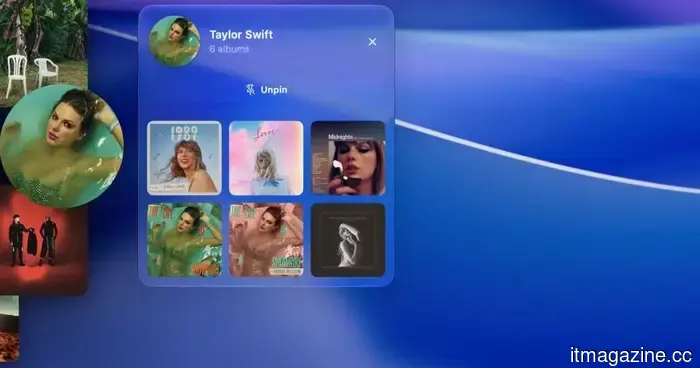
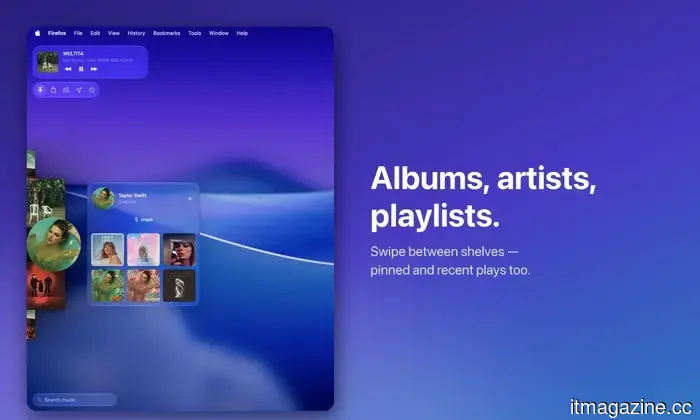
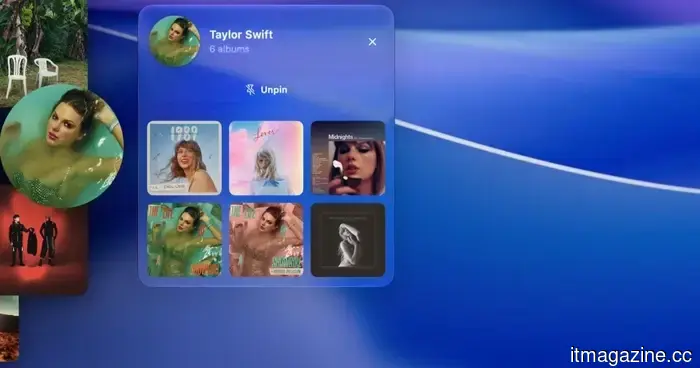
Gramola circumvents this problem in a way that feels intuitive on a Mac. Instead of forcing me to open my music app, I can slide my cursor to the edge of the screen, and a shelf with my music appears over my work. I can select an album or song, move my cursor away, and Gramola disappears again. The best analogy is the macOS Dock, which I keep hidden and only shows up when I hover my cursor at the bottom of the screen. Gramola applies that same concept to music, remaining unobtrusive until I need it. After using it for a while, it feels as if this is an inherent feature of macOS.
Gramola
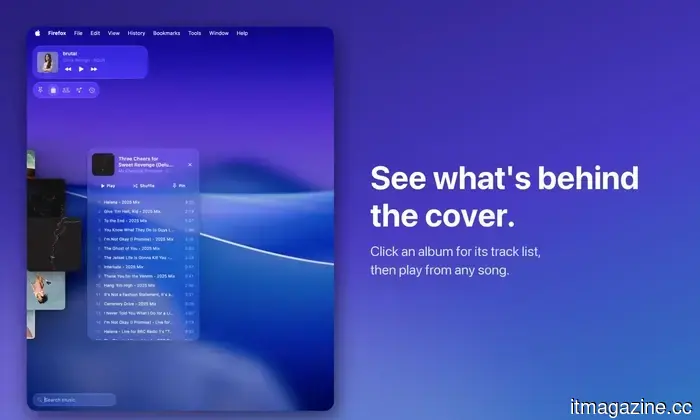
There's a lot included in that small shelf as well. A two-finger swipe lets me navigate through five sections: albums, artists, playlists, pinned favorites, and recently played music. If I'm interested in an album, I can click its artwork to see the complete track list and play any song. There's even a mini player within the shelf, ensuring that basic playback controls are always readily accessible.
Gramola
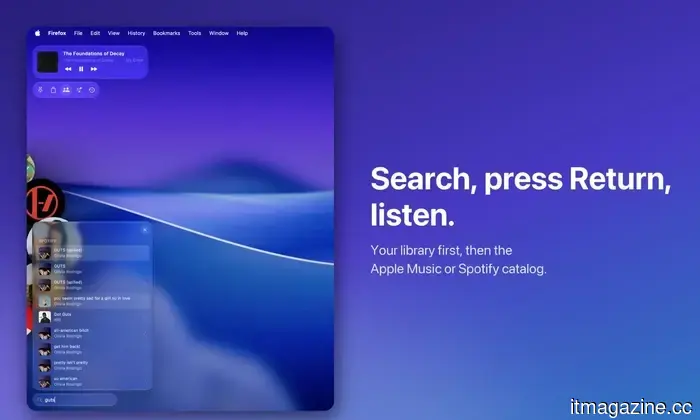
What I appreciate most is search functionality. I can start typing while Gramola is open or use a keyboard shortcut to bring it up with the search box already selected. As I type, results from my music library appear followed by songs from Apple Music. So, if a random song pops into my head while I'm writing, I can quickly search for it, hit Return, and have it playing in seconds—without significantly leaving my ongoing work. Gramola also feels surprisingly integrated on the Mac. It’s developed natively with SwiftUI and employs the Liquid Glass design language introduced with macOS 26, ensuring it doesn't appear as a clunky third-party utility hovering over other apps. There’s ample opportunity to customize its functionality, allowing me to tailor it to suit my workflow.
Seven days to convince me
I looked for other Mac apps that perform the same functions as Gramola, but I surprisingly found very few. There are numerous music utilities out there—mini players, menu bar controllers, and apps that provide quicker playback options—but none quite function like Gramola. Additionally, it’s essential to note that Gramola is not attempting to replace Apple Music, Spotify, or YouTube Music. I still utilize my standard music service just as I had before. Gramola enhances that experience, offering a much quicker method to browse and select my desired music. Think of it as a shortcut to my music rather than another streaming service. I can dive into an album, access a playlist, or locate one of my locally stored tracks, and Gramola directs the music app I already use to begin playback.
Gramola
Gabriel Lopez Santana developed Gramola as a solo project in Spain, and it was released this week. I am currently on the seven-day free trial, which provides enough time to determine whether it truly deserves a permanent place on my Mac or if it will end up being just another app I install, use a couple of times, and forget. So far, I’m enjoying it. If my feelings remain the same at the end of the trial, Gramola is priced at $9.99 for a one-time purchase instead of adding yet another subscription to my monthly expenses. Available through the App Store, for an app that resolves a small but remarkably common annoyance in my workday, I might gladly spend $9.99 on it.
Other articles
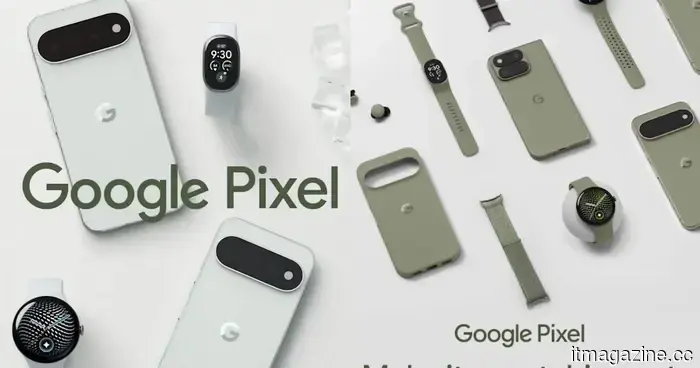 Google might have unintentionally revealed a new fitness tracker that features a display.
Google's Pixel 11 ads seem to reveal a yet-to-be-announced fitness tracker that falls in between the Fitbit Air and Pixel Watch.
Google might have unintentionally revealed a new fitness tracker that features a display.
Google's Pixel 11 ads seem to reveal a yet-to-be-announced fitness tracker that falls in between the Fitbit Air and Pixel Watch.
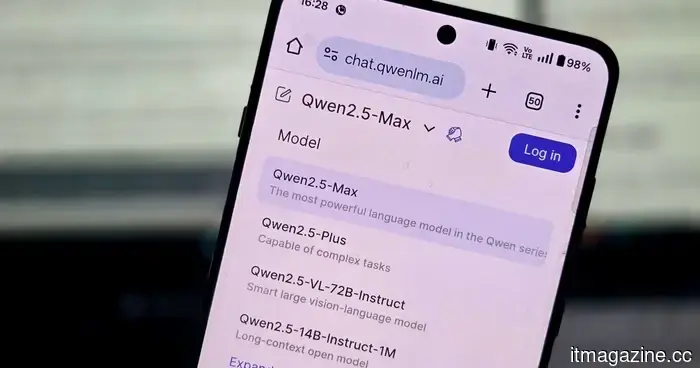 Meta and Google have just been outperformed by an AI giant that may surprise you.
Alibaba's Qwen has emerged as a significant player in open AI, surpassing 3 billion downloads in a mere six months and outpacing several of Silicon Valley's top contenders.
Meta and Google have just been outperformed by an AI giant that may surprise you.
Alibaba's Qwen has emerged as a significant player in open AI, surpassing 3 billion downloads in a mere six months and outpacing several of Silicon Valley's top contenders.
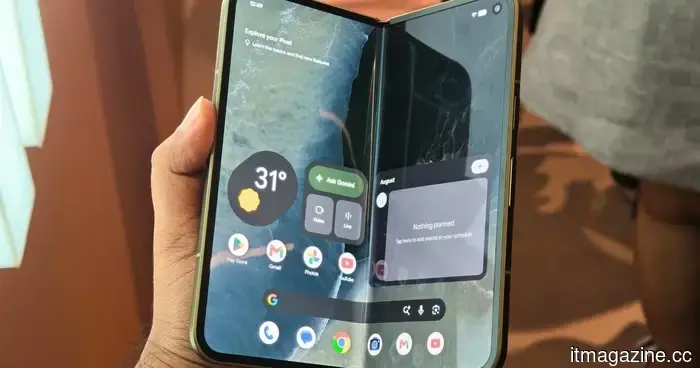 I experimented with the Pixel 11 Pro Fold. It seems that Google has finally identified the correct focal points.
The Pixel 11 Pro Fold is lighter, sturdier, and more user-friendly, and my initial experience indicates that Google has finally grasped what its foldable really required.
I experimented with the Pixel 11 Pro Fold. It seems that Google has finally identified the correct focal points.
The Pixel 11 Pro Fold is lighter, sturdier, and more user-friendly, and my initial experience indicates that Google has finally grasped what its foldable really required.
 AI companies might be acquiring old books, and I sincerely hope they are not ruining them.
Booksellers in various nations are noticing an unusual influx of large orders for rare and out-of-print books, and some believe that AI companies may be driving this surge.
AI companies might be acquiring old books, and I sincerely hope they are not ruining them.
Booksellers in various nations are noticing an unusual influx of large orders for rare and out-of-print books, and some believe that AI companies may be driving this surge.
 Claude is becoming ambitious with watermarking, and I can sense the issues from far away.
Anthropic is working on the challenge of detecting AI-generated text, but a constant watermark might lead to a new issue if AI support is confused with AI authorship.
Claude is becoming ambitious with watermarking, and I can sense the issues from far away.
Anthropic is working on the challenge of detecting AI-generated text, but a constant watermark might lead to a new issue if AI support is confused with AI authorship.
 I used this music app for Mac, and I now hope that macOS would have it integrated by default.
Gramola allows me to access my music easily while still staying focused on my work. This Mac app has noticeably improved my daily listening experience.
I used this music app for Mac, and I now hope that macOS would have it integrated by default.
Gramola allows me to access my music easily while still staying focused on my work. This Mac app has noticeably improved my daily listening experience.
I used this music app for Mac, and now I hope macOS comes with it pre-installed.
Gramola allows me to access my music easily without distracting me from my work. This Mac app has significantly improved my daily listening experience.