

Thinking of purchasing a monitor? This Mac application can uncover issues before the return period ends.
Your new monitor may seem flawless, but it’s always wise to conduct a follow-up check.
Purchasing a new tech item doesn't guarantee that it will work flawlessly. However, a small Mac application named Screen Test can assist you in identifying defects before it's too late. Screen Test (version 1.1) is a native macOS tool that offers over 25 patterns and diagnostic tools to evaluate both built-in and external displays. It can help detect dead or stuck pixels, backlight bleed, and various other problems. The app functions entirely offline, so there's no need to depend on web browsers or an internet connection.
Every pixel is examined
Screen Test fills the display with meticulously chosen colors, grids, grayscale transitions, and other patterns that make it easier to notice minor panel defects. A solid-color cycle can reveal pixels that are permanently off or stuck in one color, while consistent gray and black screens can uncover backlight bleeding and uneven brightness across the panel.
Version 1.1 comes with seven additional tools:
- An automated dead-pixel cycle
- A text-resolution chart
- A motion-blur and ghosting test
- Customizable solid-color fills
- Checkerboard contrast patterns
- Grayscale transitions
- Editable text for sharpness evaluation.
The motion test is particularly beneficial for assessing a gaming monitor, where slow pixel transitions can leave trails behind moving objects. Text patterns can also highlight subpixel rendering or sharpness issues that may become apparent during regular work, even when games and videos seem satisfactory.
Four dollars could safeguard a much larger investment
Most core features are available for free. A one-time purchase of $3.99 unlocks the remaining advanced functionalities, without a recurring subscription. The Mac App Store lists the download at just 1.5MB and requires macOS 14 or later. According to Apple’s privacy label, the developer does not collect any data from the app.
Screen Test cannot automatically certify a display or provide the numerical accuracy measurements generated by a colorimeter. The developer refers to the results as visual guidance and cautions that the app does not replace professional testing devices. Nonetheless, it can be useful when purchasing an external monitor, a new MacBook, or a pre-owned display.
Vikhyaat Vivek is a tech journalist and reviewer with seven years of experience in covering consumer hardware, with a focus on...
Dell XPS 14 (2026) Review: Dell’s classic Windows laptop makes a comeback and is hard to resist
The iconic model returns, demonstrating its ongoing relevance
Quick overview
Dell’s XPS series has always been notable. It is one of those Windows laptop lines that people recognize, even if they don’t closely follow laptops. With its clean design, premium materials, sharp displays, and high-end hardware, the Dell XPS 14 DA14260 upholds this tradition.
Samsung’s secret AI chip might finally help regulate Exynos phones
While Samsung's GAIA AI chip is debuting in laptops, its shared DNA with Exynos suggests a genuine fix for phones in the future.
If you've owned an Exynos-powered Galaxy phone, you know the situation: demanding tasks like taking multiple photos consecutively, heavy gaming, or video rendering turn your device into a thermal emitter. In these cases, the battery depletes more rapidly. It seems that Samsung may be working on a solution that no one anticipated.
The old internet has created a museum for fading tech sounds, and it surprisingly remains active
This delightfully outdated site has outlived many of the noisy gadgets it was designed to commemorate
Before our devices became silent glass rectangles, they were a cacophony of sounds. Dial-up modems screeched with every connection, while dot-matrix printers gave the impression of slowly devouring the desk they sat on. The Museum of Endangered Sounds keeps that maddening soundtrack alive. Initially launched in 2012, the site is still operational 14 years later, inviting visitors to revisit the technology that has largely vanished from daily life.


Other articles
 Adobe's Project Indigo camera application now has the capability to edit and evaluate your photos using AI.
Adobe is currently testing AI Playground, a new functionality in its Project Indigo camera application that offers AI editing tools and a photo critic. Access is currently free, but it is restricted to a small group of users for the next few weeks.
Adobe's Project Indigo camera application now has the capability to edit and evaluate your photos using AI.
Adobe is currently testing AI Playground, a new functionality in its Project Indigo camera application that offers AI editing tools and a photo critic. Access is currently free, but it is restricted to a small group of users for the next few weeks.
 The early internet created a museum for fading tech sounds, and it surprisingly remains active.
This charmingly retro online museum keeps alive the sounds of dial-up modems, floppy drives, Windows startup chimes, and other auditory memories that faded away as our devices became sleeker, quicker, and significantly less vocal.
The early internet created a museum for fading tech sounds, and it surprisingly remains active.
This charmingly retro online museum keeps alive the sounds of dial-up modems, floppy drives, Windows startup chimes, and other auditory memories that faded away as our devices became sleeker, quicker, and significantly less vocal.
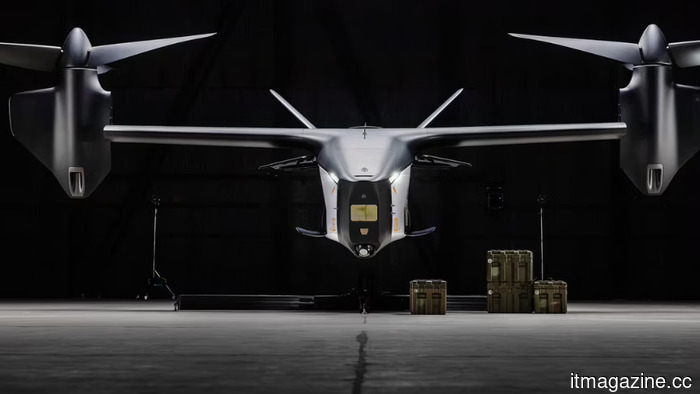 Anduril and Archer revealed an autonomous attack rotorcraft developed using air taxi technology. The inaugural flight is scheduled for 2027.
Anduril and Archer unveiled Thunder at Farnborough, a Group 5 autonomous attack VTOL constructed on a dual-use platform. It features hybrid-electric propulsion and tiltrotors.
Anduril and Archer revealed an autonomous attack rotorcraft developed using air taxi technology. The inaugural flight is scheduled for 2027.
Anduril and Archer unveiled Thunder at Farnborough, a Group 5 autonomous attack VTOL constructed on a dual-use platform. It features hybrid-electric propulsion and tiltrotors.
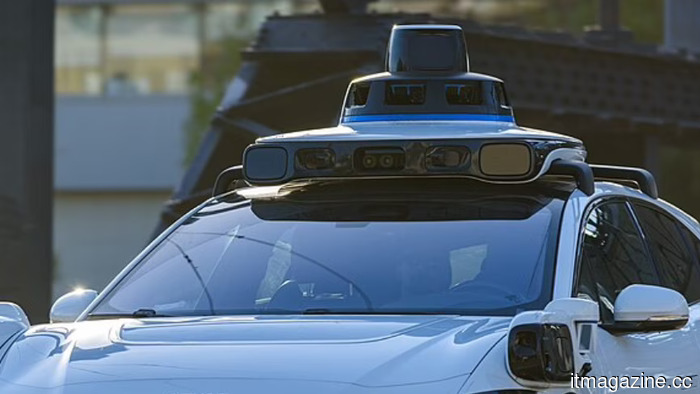 A Korean AI system evaluates the safety of every possible driving route before the vehicle begins to move. CVPR has highlighted this innovation.
Seoul National University's SafeDrive produces numerous trajectories and assesses each for safety prior to selection. It is the first paper from Korea to achieve a highlight at CVPR.
A Korean AI system evaluates the safety of every possible driving route before the vehicle begins to move. CVPR has highlighted this innovation.
Seoul National University's SafeDrive produces numerous trajectories and assesses each for safety prior to selection. It is the first paper from Korea to achieve a highlight at CVPR.
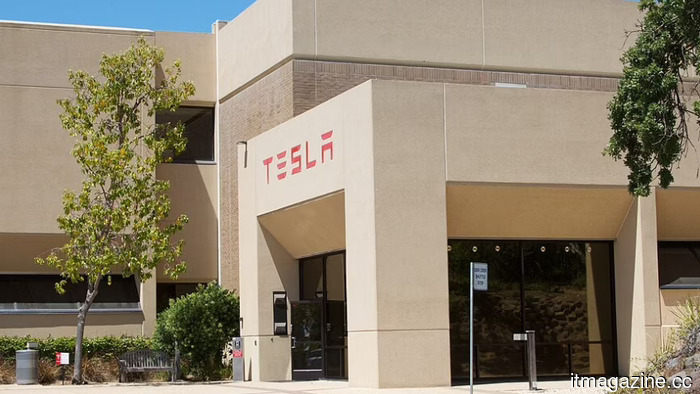 Tesla exceeded delivery expectations for Q2, yet the stock declined. The earnings report on Wednesday is likely to encounter the same issue.
In Q2, Tesla delivered 480,126 vehicles, surpassing expectations. However, the stock saw a decline. Rivian's R2 aims at Tesla's main price range. Options traders are taking a bearish stance.
Tesla exceeded delivery expectations for Q2, yet the stock declined. The earnings report on Wednesday is likely to encounter the same issue.
In Q2, Tesla delivered 480,126 vehicles, surpassing expectations. However, the stock saw a decline. Rivian's R2 aims at Tesla's main price range. Options traders are taking a bearish stance.
Thinking of purchasing a monitor? This Mac application can uncover issues before the return period ends.
Screen Test performs over 25 display assessments completely offline, assisting Mac users in identifying dead pixels, inconsistent lighting, ghosting, and other issues before they turn into costly regrets.