
I've tested almost all the features of iOS 27, and these three are the reasons I'm still enthusiastic about the update.
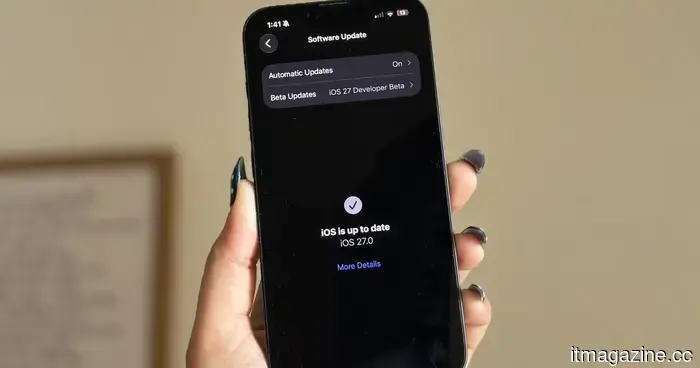
It has been just over a week since Apple’s WWDC keynote, and the iOS 27 beta has already been released. While Apple dedicated significant time to discussing its Gemini-powered Siri, what I was most eager about was installing the update on my iPhone 16e and experiencing its functionality.
I’ve been using the beta daily since then, and it’s become clear that not all new features lived up to the expectations I had. Some appeared more appealing during the announcement than in practical use, while others simply didn’t fit into my habits. However, a few features stood out as remarkably useful. These are the functions I keep returning to effortlessly, and after a week with iOS 27, they are the main reasons I remain enthusiastic about this update.
The fitness app finally resembles a genuine fitness application
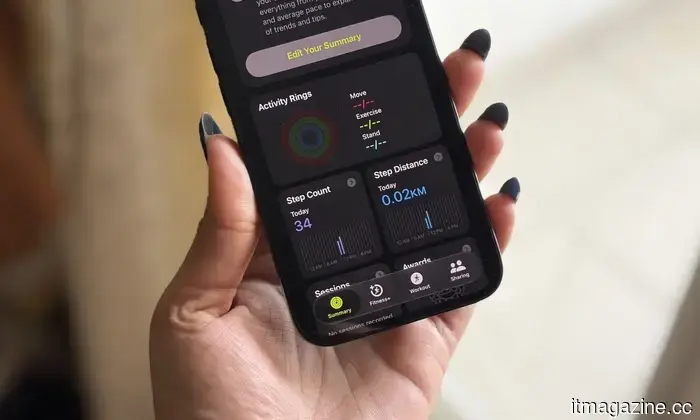
I have a keen interest in fitness. Whether I’m fitting in a workout after a long day or making sure I complete my Activity rings, I consistently monitor my progress. Therefore, the Fitness app is one of my most frequently used applications on my iPhone, and I’ve believed for some time that it needed a revamp. The previous design wasn’t bad—it was clean, familiar, and easy to navigate. However, it felt a bit outdated, especially in comparison to modern fitness apps that more effectively engage users with their workout data. While there was ample information, it wasn’t always showcased in the most dynamic way.
The revamped workout experience in iOS 27 addresses this issue. Everything feels better organized, and the information I find important is much easier to locate at a glance. More crucially, the app now feels centered on the workout itself instead of merely functioning as a data repository. For instance, after completing a 10km run this morning, one of the first things I noticed was how prominently my route map was displayed. Rather than sifting through menus to access it, the map was right there, front and center, reminiscent of what one would expect from specialized fitness apps like Strava. While this may not be the most significant change in iOS 27, it certainly enhances the rewarding experience of reviewing a workout. This is what I appreciate about the redesign—the Fitness app now feels much more vibrant. Instead of just presenting numbers and graphs, it more effectively highlights the moments and milestones that make exercising satisfying.
The cleanup tool has significantly improved
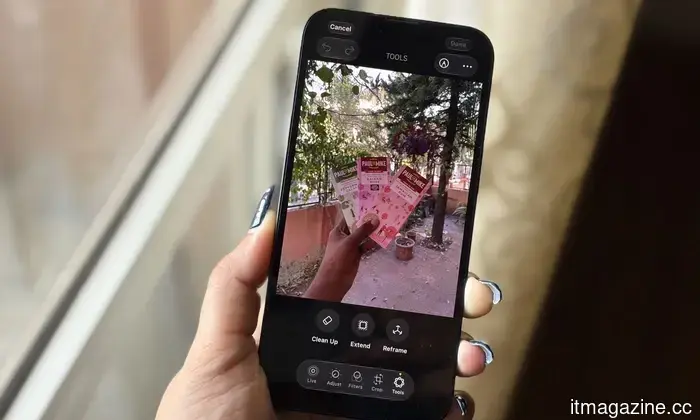
I never anticipated that I would refer to photo editing tools as one of my favorite features of iOS 27, but here we are. The revamped Cleanup tool and the new Reframe feature have genuinely encouraged me to edit photos directly on my iPhone 16e. And honestly, that’s saying a lot. Prior to this update, Apple's Cleanup tool was something I wanted to like but seldom used. Compared to the object-removal functions on Pixel and Samsung devices, it often struggled with anything beyond simple background distractions. The outcomes were inconsistent, and I typically preferred leaving the photo untouched rather than risking deterioration. Thankfully, that has changed.
In the past week, I’ve utilized Cleanup for everything from random background objects to people accidentally entering a shot, and the results have been surprisingly impressive. One instance that truly amazed me was when I attempted to eliminate a book that was partially obscuring my face in a photo. I anticipated that the tool would either leave a blurry mess or distort my face. Instead, it seamlessly removed the book and reconstructed the missing area so well that it appeared as though the book had never existed.
For the first time, Apple’s Cleanup tool feels consistent enough that I genuinely want to use it. The new Reframe feature offers something different. Utilizing generative AI, it allows virtual adjustments to the framing of a photo after it has been taken, providing a bit more flexibility if the shot wasn’t perfect initially. I don’t foresee using it every day, but that’s acceptable. It feels more like a feature you appreciate when necessary rather than one you utilize constantly. This is what I appreciate about both features—one addresses a common issue I encounter, while the other provides a safety net for instances when a photo isn’t framed quite as I desire.
Every “what is that?” now has an answer
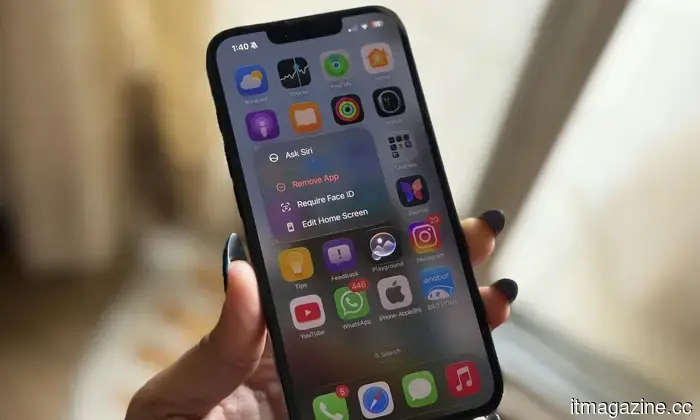
Among all the new AI-driven features in iOS 27, on-screen awareness is probably the one I have used the most. And yes, upon hearing about it, you might think, “Isn’t this just Circle to Search?” Honestly, it’s not a bad comparison. Circle to Search is easily one of my favorite features on my Google Pixel 10a, and I use it frequently. If I’m browsing Pinterest and come across a chair I want to buy, I can immediately search for it. If I’m watching a YouTube video and notice a pair of sneakers someone is wearing, I can quickly identify them. Sometimes I encounter a landmark in a travel video, a gadget in a review, or even an unfamiliar dish in a food post, and Circle to Search

Other articles
 How Beatbot's AI-Driven Pool Robots Are Transforming Pool Maintenance This Prime Day
Prime Day offers substantial discounts throughout Beatbot's AI-driven pool-care system, including the main AquaSense X and AquaSense 2 Ultra models, as well as the Sora Series and iSkim range.
How Beatbot's AI-Driven Pool Robots Are Transforming Pool Maintenance This Prime Day
Prime Day offers substantial discounts throughout Beatbot's AI-driven pool-care system, including the main AquaSense X and AquaSense 2 Ultra models, as well as the Sora Series and iSkim range.
 OpenAI aims to create a comprehensive personal AI assistant for everyone around the globe.
OpenAI is positioning personal AGI as the ultimate goal in its AI competition, but it still needs to clarify details regarding pricing, accessibility, safety measures, and how a knowledgeable assistant would benefit everyone.
OpenAI aims to create a comprehensive personal AI assistant for everyone around the globe.
OpenAI is positioning personal AGI as the ultimate goal in its AI competition, but it still needs to clarify details regarding pricing, accessibility, safety measures, and how a knowledgeable assistant would benefit everyone.
 Instacart is experimenting with AI shopping carts equipped with camera capabilities that may seem convenient, yet also quite unsettling.
Instacart's Caper Carts offer quick checkout, discounts, and loyalty benefits at Weis stores, yet their cameras, location tracking, and in-aisle advertisements give the grocery cart an impression of being a data collection device.
Instacart is experimenting with AI shopping carts equipped with camera capabilities that may seem convenient, yet also quite unsettling.
Instacart's Caper Carts offer quick checkout, discounts, and loyalty benefits at Weis stores, yet their cameras, location tracking, and in-aisle advertisements give the grocery cart an impression of being a data collection device.
 Sony's innovative PSN login patent may transform the DualSense into a security gatekeeper.
Sony's patent for PSN login might integrate the DualSense controller into the account access process, but the more significant security challenge could still be the account recovery procedure for PlayStation.
Sony's innovative PSN login patent may transform the DualSense into a security gatekeeper.
Sony's patent for PSN login might integrate the DualSense controller into the account access process, but the more significant security challenge could still be the account recovery procedure for PlayStation.
 These new Alogic displays effectively serve as a touchscreen solution for Mac users.
Mac users anticipating a touchscreen Mac now have additional third-party alternatives. Alogic's latest display series incorporates touch controls for desktop, portable, and wall-mounted screens.
These new Alogic displays effectively serve as a touchscreen solution for Mac users.
Mac users anticipating a touchscreen Mac now have additional third-party alternatives. Alogic's latest display series incorporates touch controls for desktop, portable, and wall-mounted screens.
 VocabOwl is the trending vocabulary test that has word enthusiasts rethinking everything.
VocabOwl’s popular vocabulary assessment transforms 100 multiple-choice questions into a shareable approximation of your English language proficiency; however, the smart scoring method still allows for some guessing and ambiguity.
VocabOwl is the trending vocabulary test that has word enthusiasts rethinking everything.
VocabOwl’s popular vocabulary assessment transforms 100 multiple-choice questions into a shareable approximation of your English language proficiency; however, the smart scoring method still allows for some guessing and ambiguity.
I've tested almost all the features of iOS 27, and these three are the reasons I'm still enthusiastic about the update.
I've dedicated a week to testing iOS 27, and here are the three features that significantly improved my daily iPhone experience.