

Are you aware that your iPhone displays on-screen fireworks when you make a call to someone on their birthday?
Not every gem in iOS 27 was highlighted during the keynote. This one is definitely worth discovering.
Apple included numerous small features in iOS 27 that were not mentioned at WWDC 2026, but this one might be the most enjoyable find yet.
If you make a call to someone on their birthday while using iOS 27 on your iPhone, a fireworks animation will subtly appear on the call screen. I tested this feature by setting my sister's birthday to today, June 20, 2026, on a beta version of iOS 27, and it functioned perfectly.
So how does the birthday call feature in iOS 27 actually operate?
When you call a saved contact on their birthday, a banner reading “Birthday · Found in Contacts” appears at the top of your call screen alongside the date, while a gentle fireworks animation plays in the background.
This activates before they answer, allowing you a moment to prepare a birthday greeting. For it to work, you need to have the individual’s precise birth date saved in their contact card in your Contacts app.
It’s also worth noting that the banner only appears on their birthday, so it won’t disturb you on the other 364 days of the year.
Is this feature exclusive to iOS devices?
Since the animation is displayed on your iPhone rather than on the recipient's device, it works no matter what type of phone they are using, whether it's another iPhone or an Android device.
This neat little feature wasn’t mentioned during Apple’s WWDC keynote, and it hasn’t received much attention in the major coverage of iOS 27 since. I must admit that it won't dramatically change your life and won't help you if you forgot to store their birthday in the first place.
However, charming little surprises like this, especially those uncovered by the community and iPhone users, are some of the highlights of a new iOS release. Not every feature needs to be functional to bring you joy.
For over five years, Shikhar has focused on simplifying advancements in consumer technology and sharing them...
Apple users are being targeted by a familiar tech support scam
Apple users are facing a fresh wave of fake iPhone and iCloud security alerts.
AI technology has made online scams more difficult to identify, with deepfakes, voice cloning, and counterfeit messages appearing more realistic. Nonetheless, traditional tech support scams continue to ensnare victims. For years, fraudsters often pretended to be from Microsoft support, but reports indicate many are now focusing their efforts on Apple users. Customers are reporting an increase in fake “Apple High Alert” notifications that claim an iPhone, iCloud account, or Apple ID has been breached. These alerts are designed to induce panic and prompt quick reactions before individuals can verify their authenticity.
Read more
iOS 27 offers a significantly improved dictation experience on your iPhone, but you have to enable it.
There is a better dictation system available on your iPhone already. Apple simply hasn’t activated it by default, and most users are unaware of its existence.
Read more
I’ve tested nearly every feature in iOS 27, and these three are why I’m still enthusiastic about the update.
It’s been just over a week since Apple’s WWDC keynote, and the iOS 27 beta is already out there. While Apple focused considerably on its Gemini-powered Siri, the feature I was most eager to try was the update on my iPhone 16e to see what it would really be like to use it.
I’ve been using the beta daily since then, and one thing has become apparent: not all new features have met my expectations. Some appeared more interesting during the announcement than in practical use, and others simply haven’t found a home in my daily routine. However, a few features have had the opposite effect. These are the ones I keep coming back to without even thinking about it. After more than a week with iOS 27, here are the three features that have stood out the most — and the primary reason I’m still excited about this update.
Read more


Other articles
 VocabOwl is the trending vocabulary test that has word enthusiasts rethinking everything.
VocabOwl’s popular vocabulary assessment transforms 100 multiple-choice questions into a shareable approximation of your English language proficiency; however, the smart scoring method still allows for some guessing and ambiguity.
VocabOwl is the trending vocabulary test that has word enthusiasts rethinking everything.
VocabOwl’s popular vocabulary assessment transforms 100 multiple-choice questions into a shareable approximation of your English language proficiency; however, the smart scoring method still allows for some guessing and ambiguity.
 Sony's innovative PSN login patent might transform the DualSense into a security guardian.
Sony's patent for PSN login might incorporate the DualSense controller into the account access procedure, but a more significant security challenge could still be the account recovery system for PlayStation.
Sony's innovative PSN login patent might transform the DualSense into a security guardian.
Sony's patent for PSN login might incorporate the DualSense controller into the account access procedure, but a more significant security challenge could still be the account recovery system for PlayStation.
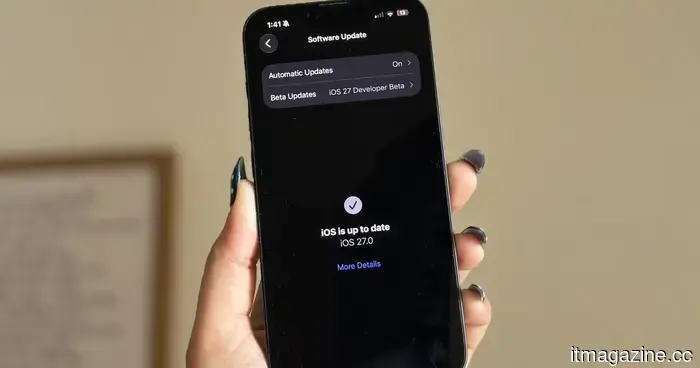 I've tested almost all the features of iOS 27, and these three are the reasons I'm still enthusiastic about the update.
I've dedicated a week to testing iOS 27, and here are the three features that significantly improved my daily iPhone experience.
I've tested almost all the features of iOS 27, and these three are the reasons I'm still enthusiastic about the update.
I've dedicated a week to testing iOS 27, and here are the three features that significantly improved my daily iPhone experience.
 Instacart is experimenting with AI shopping carts equipped with camera capabilities that may seem convenient, yet also quite unsettling.
Instacart's Caper Carts offer quick checkout, discounts, and loyalty benefits at Weis stores, yet their cameras, location tracking, and in-aisle advertisements give the grocery cart an impression of being a data collection device.
Instacart is experimenting with AI shopping carts equipped with camera capabilities that may seem convenient, yet also quite unsettling.
Instacart's Caper Carts offer quick checkout, discounts, and loyalty benefits at Weis stores, yet their cameras, location tracking, and in-aisle advertisements give the grocery cart an impression of being a data collection device.
 Sony's innovative PSN login patent may transform the DualSense into a security gatekeeper.
Sony's patent for PSN login might integrate the DualSense controller into the account access process, but the more significant security challenge could still be the account recovery procedure for PlayStation.
Sony's innovative PSN login patent may transform the DualSense into a security gatekeeper.
Sony's patent for PSN login might integrate the DualSense controller into the account access process, but the more significant security challenge could still be the account recovery procedure for PlayStation.
 Ubisoft co-founder Claude Guillemot has passed away at the age of 69 in a plane crash near La Baule.
Claude Guillemot, a co-founder of Ubisoft in 1986 and former leader of Guillemot Corp, has passed away in a crash involving a Cessna 421 in western France.
Ubisoft co-founder Claude Guillemot has passed away at the age of 69 in a plane crash near La Baule.
Claude Guillemot, a co-founder of Ubisoft in 1986 and former leader of Guillemot Corp, has passed away in a crash involving a Cessna 421 in western France.
Are you aware that your iPhone displays on-screen fireworks when you make a call to someone on their birthday?
Your iPhone now marks birthdays with on-screen fireworks during phone calls, making it one of the top hidden features of iOS 27.