
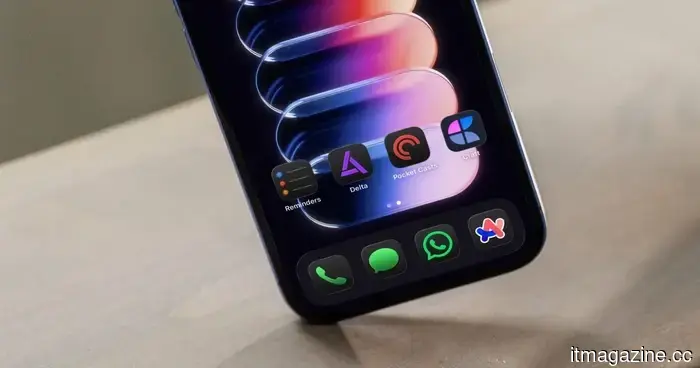
5 iPhone applications I can't do without in 2026
I enjoy trying out new applications on my iPhone. Each year, I install and uninstall various apps, with only a few remaining long-term. Despite my tendency to frequently test and change apps, some have lasted, proving their worth.
These are also the apps I use the most on my iPhone and the first ones I reinstall whenever I set up a new device from scratch. Here are five iPhone apps I can’t live without in 2026.
**Arc Search: search smarter, not harder**
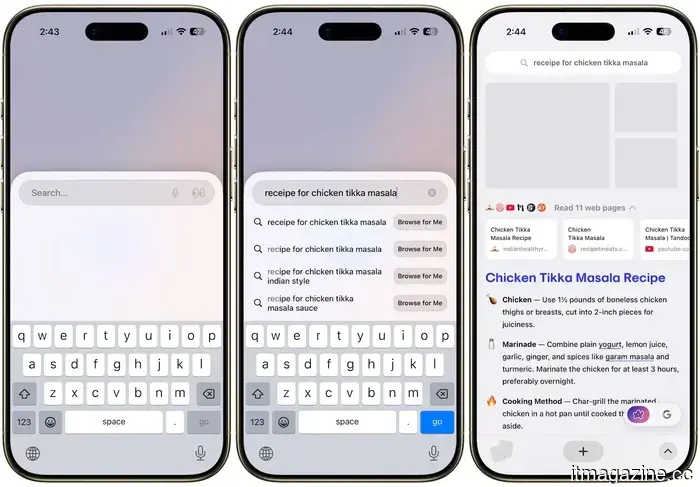
Arc Search is a mobile browser that has completely transformed how I search using my iPhone. Upon launching the app, you are welcomed with a search bar and keyboard, ready for action. I primarily use this browser for quick searches, making it ideal for that purpose.
The most notable feature is its built-in ad blocker, which automatically obstructs trackers on all websites, providing me with a clean browsing experience.
Another feature I appreciate is Browse for Me. When I enter a query and select Browse for Me, Arc retrieves the top web results and delivers a concise, summarized answer. It’s like skipping through countless tabs of reading in one go. It's particularly effective for sports statistics, quick recipes, and travel suggestions.
The tab switcher is also a pleasure to use, displaying tabs in a card format similar to the iOS app switcher, and you can easily swipe to close them. If you want a fast, intuitive browser that gets out of your way, Arc Search is the best option.
**Get Arc Search**
**Craft: the note-taking app that keeps up with you**
I rely on three note-taking applications. Apple Notes is for quick jotting, Obsidian for my knowledge work, and Craft handles everything else. On my iPhone, I primarily use Apple Notes and Craft.
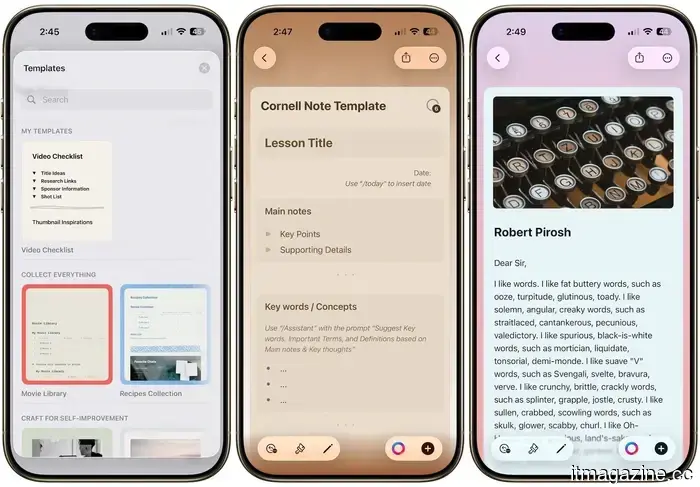
What sets Craft apart from other note-taking apps is its user-friendly interface. The writing experience is seamless, the documents are visually appealing, and the app is versatile enough to manage anything from quick notes to full project outlines.
Craft allows you to organize your notes using folders, spaces, and tags, enabling you to create whatever structure you prefer. You can embed tasks within your documents, making it easier to keep your ideas and to-do list together.
Recently, the app introduced a Kanban feature, making it excellent for monitoring tasks within a project. I also enjoy the app’s design; its colors, templates, and smooth animations enhance the experience.
**Get Craft**
**Apple Reminders: the task manager hiding in plain sight**
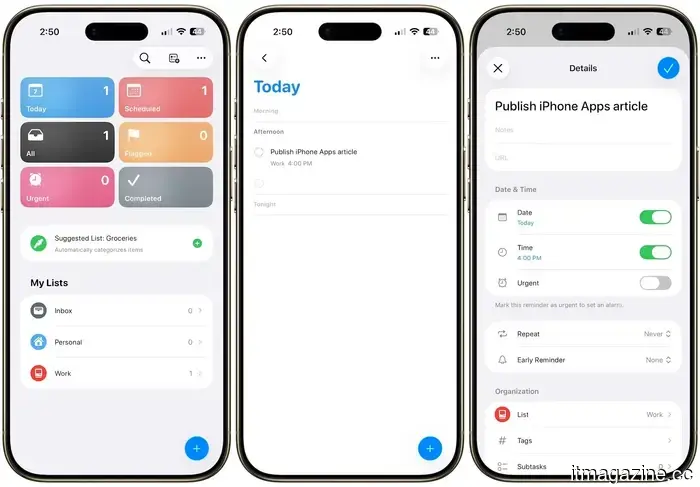
Many people overlook Apple Reminders in favor of more elaborate apps, and I completely understand why. I was once in the same boat. However, Apple has quietly improved Reminders into one of the most efficient task managers on the iPhone, and I’ve been using it daily for some time now.
You can set time-based, location-based, and even message-based reminders that alert you when texting a specific contact. Smart lists allow you to create customized views of your tasks using filters like tags, priority, and due dates.
You can also share reminder lists, add sub-tasks, attach images, and even use Siri to add tasks by voice. And all this is available for free. If you’re within the Apple ecosystem, you should definitely try it before opting for a third-party task manager.
**Pocket Casts: the best podcast app, hands down**
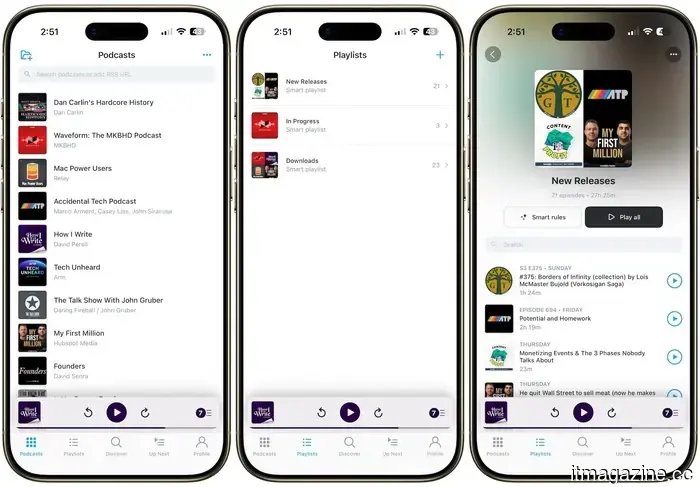
I’ve experimented with most podcast applications available, including Apple’s, and Pocket Casts is the only one I consistently return to. It features a clean interface, excellent playback controls, and it synchronizes your listening progress and queue across all devices.
The filters tab allows you to create playlists tailored to your preferences, and you can also use Siri shortcuts with them. Additionally, the discover section does a great job of helping you find new shows.
It also provides a generous free version. If you listen to podcasts regularly, Pocket Casts is worth every cent.
**Get Pocket Casts**
**Delta: your childhood gaming console, on your iPhone**
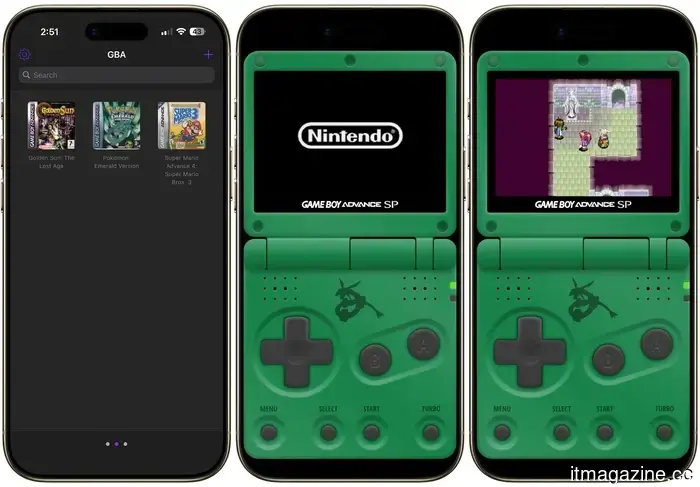
If you grew up enjoying Nintendo games, you’re going to love this. Delta is a free game emulator available on the App Store that supports games from NES, SNES, Nintendo 64, Game Boy, Game Boy Advance, and Nintendo DS. It’s well-designed, frequently updated, and incredibly user-friendly.
You can access save states, fast forward, cheat codes, and connect a game controller for an authentic gaming experience. Delta is ideal for people like me who enjoy squeezing in a quick gaming session while waiting for coffee or standing in line. For those fleeting moments, it offers more entertainment than any other gaming app on the iPhone.
**Get Delta**
I appreciate all these apps on my iPhone, and if you haven’t tried them yet, you should definitely consider it. Also, if you haven't seen it, check out my article on my favorite Mac utilities to discover some fantastic applications for your Mac.
Other articles
 Nvidia and SK Hynix finalize a multi-year agreement for HBM4 AI memory.
Nvidia and SK Hynix have entered into a multi-year agreement to collaboratively develop AI memory for Vera Rubin and future projects, as memory challenges emerge as the most significant obstacle in the AI sector.
Nvidia and SK Hynix finalize a multi-year agreement for HBM4 AI memory.
Nvidia and SK Hynix have entered into a multi-year agreement to collaboratively develop AI memory for Vera Rubin and future projects, as memory challenges emerge as the most significant obstacle in the AI sector.
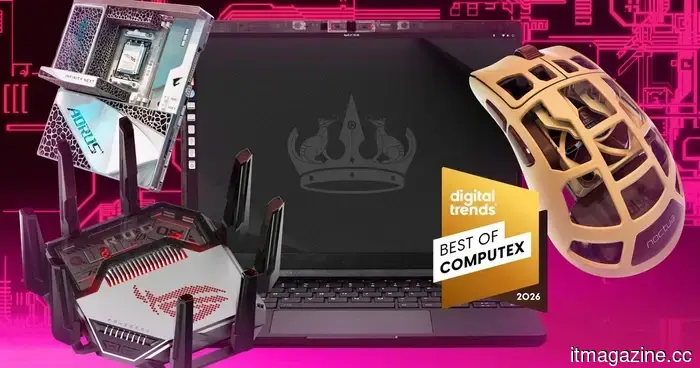 The most exciting items we encountered at Computex 2026, ranging from motherboards designed for space to mice equipped with cooling fans.
Computex 2026 showcased numerous high-performance laptops and gaming setups, but the standout products for us were the unusual items, such as a palm-cooled mouse, a spider-shaped Wi-Fi 8 router, and a gaming motherboard designed to operate in space.
The most exciting items we encountered at Computex 2026, ranging from motherboards designed for space to mice equipped with cooling fans.
Computex 2026 showcased numerous high-performance laptops and gaming setups, but the standout products for us were the unusual items, such as a palm-cooled mouse, a spider-shaped Wi-Fi 8 router, and a gaming motherboard designed to operate in space.
 Mexico introduces Olinia Uno, an $8,600 electric vehicle supported by the government.
President Sheinbaum showcased the six-seat Olinia Uno prototype by driving it onto a stage in Mexico City. This government-supported electric vehicle is priced at 150,000 pesos, roughly equivalent to $8,600.
Mexico introduces Olinia Uno, an $8,600 electric vehicle supported by the government.
President Sheinbaum showcased the six-seat Olinia Uno prototype by driving it onto a stage in Mexico City. This government-supported electric vehicle is priced at 150,000 pesos, roughly equivalent to $8,600.
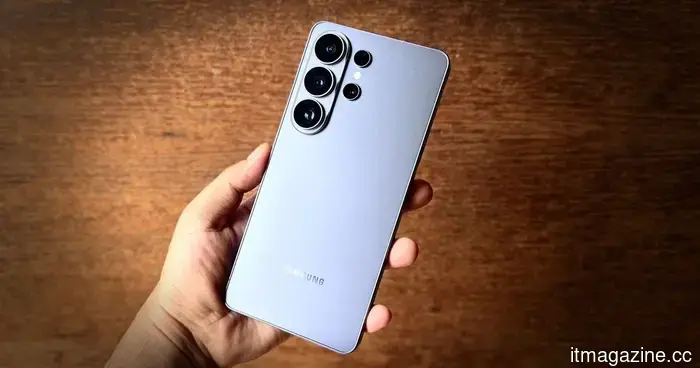 Samsung Galaxy S26 Ultra review: After four months of evaluation, I can't bear to be without it.
The Samsung Galaxy S26 Ultra exemplifies consistent quality and marks a strong return to innovation, even if it isn't the most powerful contender in the Android landscape.
Samsung Galaxy S26 Ultra review: After four months of evaluation, I can't bear to be without it.
The Samsung Galaxy S26 Ultra exemplifies consistent quality and marks a strong return to innovation, even if it isn't the most powerful contender in the Android landscape.
 Spotify is obtaining licenses for live concert videos and setting aside tickets for passionate fans.
Spotify is negotiating with concert promoters to broadcast live festival footage and has formed a multi-year agreement with Live Nation to secure tickets for its most dedicated fans.
Spotify is obtaining licenses for live concert videos and setting aside tickets for passionate fans.
Spotify is negotiating with concert promoters to broadcast live festival footage and has formed a multi-year agreement with Live Nation to secure tickets for its most dedicated fans.
 Mexico introduces Olinia Uno, a government-supported electric vehicle priced at $8,600.
President Sheinbaum showcased the six-seat Olinia Uno prototype on a stage in Mexico City. This government-supported electric vehicle is priced at 150,000 pesos, which is approximately $8,600.
Mexico introduces Olinia Uno, a government-supported electric vehicle priced at $8,600.
President Sheinbaum showcased the six-seat Olinia Uno prototype on a stage in Mexico City. This government-supported electric vehicle is priced at 150,000 pesos, which is approximately $8,600.
5 iPhone applications I can't do without in 2026
From swift searches to classic gaming, these five apps have secured a lasting place on my iPhone. Some may be familiar to you, while others might be new, but each is definitely worth downloading today.