
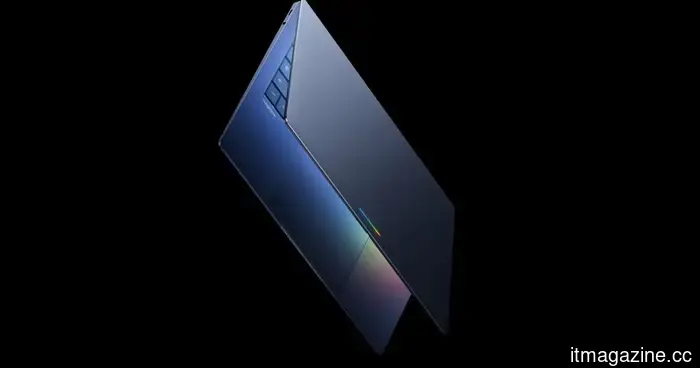
While I'm not convinced about the future of Googlebook, there are definitely two significant successes that I can't overlook.
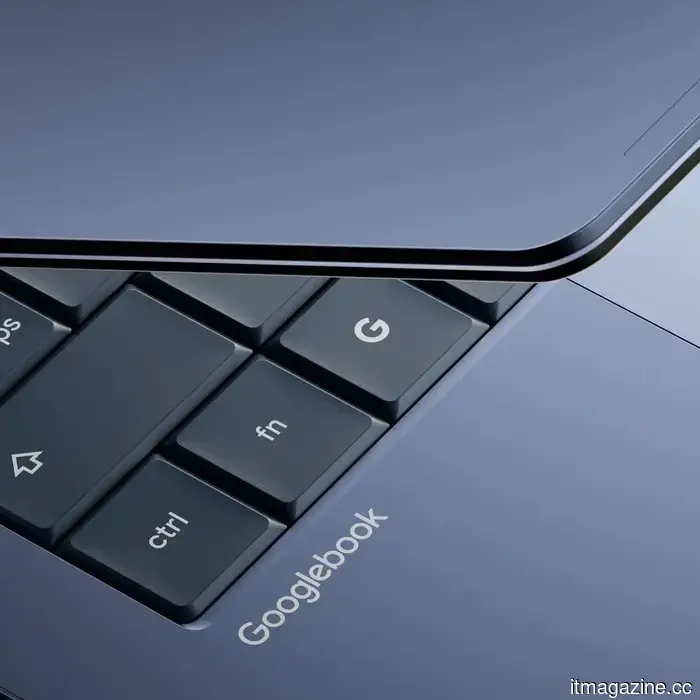
Shortly after being announced, the conversation around Googlebook quickly dominated forums, subreddits, X, and various social media platforms. Google has just unveiled a new line of laptops centered around Gemini Intelligence, Android integration, ChromeOS, phone continuity, premium hardware, and partnerships with OEMs.
However, I remain somewhat skeptical about the broader vision Google is portraying. The company has been involved in the laptop market for over 15 years through Chromebooks, and it positions Googlebook as a shift from an operating system to an “intelligence system.” While this notion suggests a new era for laptops, it also reflects the typical "Google problem," where intriguing concepts are introduced before the surrounding ecosystem has fully matured.
Apple exemplifies this well, having invested decades into developing a robust desktop platform. Likewise, Windows boasts its own substantial legacy and a comprehensive professional software ecosystem. Googlebook approaches the laptop market from a unique angle, integrating Android, ChromeOS, web applications, Google services, and Gemini into a single device.
Google
There's a reasonable possibility that Googlebook could become a lasting success. I find two specific features from the announcement particularly noteworthy: the Magic Pointer and the ability to access native Android apps.
How Magic Pointer redefines the most mundane aspect of your PC
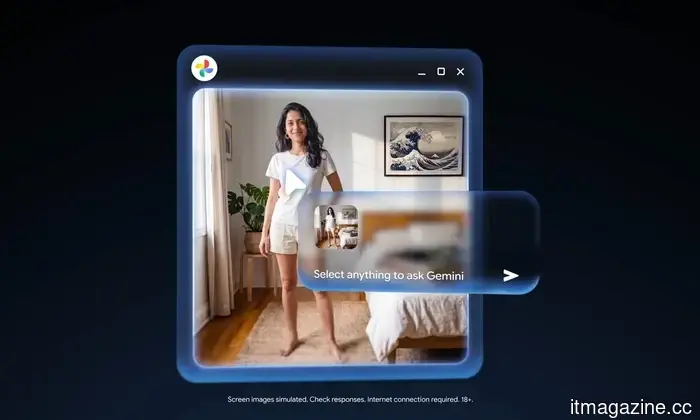
While watching the teaser for Googlebook, a particular segment took me by surprise. No one would have considered altering the most basic and essential component of a PC, the cursor. Google has named this feature Magic Pointer, and it was developed alongside the Google DeepMind team to directly enhance the pointer with Gemini's assistance.
Using this feature is simple. You merely need to wiggle the cursor and point at something on the screen, and Googlebook can provide contextual actions. For example, you can point at a date in an email to set up a meeting, or select two images to view them together.
Google
While this isn’t groundbreaking, its potential is evident. Although AI is often a helpful tool, it typically appears as a sidebar, a chatbot, or a dedicated button. With Magic Pointer, it feels more integrated, aligning with the user's focus. Google is introducing both an instinctive gesture and a seamless function.
If it can recognize what you are pointing at and suggest the next useful step, the possibilities are vast. Of course, there’s a chance it could overwhelm users with suggestions, animations, and clever interruptions, or fall short in terms of creative applications. Finding a balanced approach will be critical; nonetheless, I sense this feature might influence how we engage with AI.
After years, we finally have native Android apps
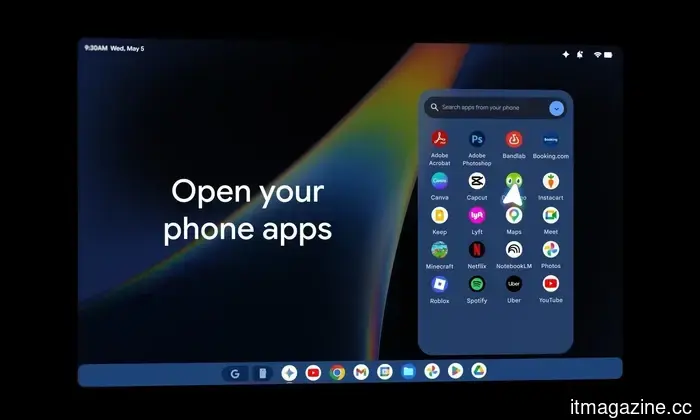
I have long waited for Android users to experience seamless integration akin to Apple’s ecosystem. Googlebook combines the strengths of Android with Google Play apps and ChromeOS, while also connecting seamlessly with Android phones. Users can access phone applications on the laptop and manage files through Quick Access in the file browser without needing to transfer files.
Google
What’s impressive is that this isn’t a clunky casting workaround or a third-party solution. Google is presenting it as an integral part of the Googlebook experience. The continuity between phone and laptop has been a key everyday advantage for Apple, making this feature feel like something that should have been available long ago. The ability to switch between devices effortlessly lends a sense of maturity to the ecosystem. It also gives Googlebook a more defined identity than simply being “a Chromebook with AI.”
The real challenge lies in execution. Although Android apps on larger displays have significantly improved, laptop users will expect proper resizing, keyboard shortcuts, trackpad support, file management, and other desktop-like functionalities. Mobile devices designed for touch input operate differently than those relying on a mouse and keyboard, so Google has a considerable task ahead.
While I'm not yet prepared to declare Googlebook as the next great laptop revolution, I can discern the contours of a smart device. Magic Pointer offers Googlebook a novel interface, while native Android app support effectively taps into the expansive Android ecosystem advantages that Chromebooks never fully realized.
Other articles
 With a price tag of $4,499, the Sony A7R VI is $2,000 less than the A1 II while still offering the same 30fps performance.
The Sony A7R VI achieves a unique feat for a camera in this price range by combining 66.8 megapixels with a burst speed of 30 frames per second, thanks to its newly developed stacked sensor and BIONZ XR2 processor.
With a price tag of $4,499, the Sony A7R VI is $2,000 less than the A1 II while still offering the same 30fps performance.
The Sony A7R VI achieves a unique feat for a camera in this price range by combining 66.8 megapixels with a burst speed of 30 frames per second, thanks to its newly developed stacked sensor and BIONZ XR2 processor.
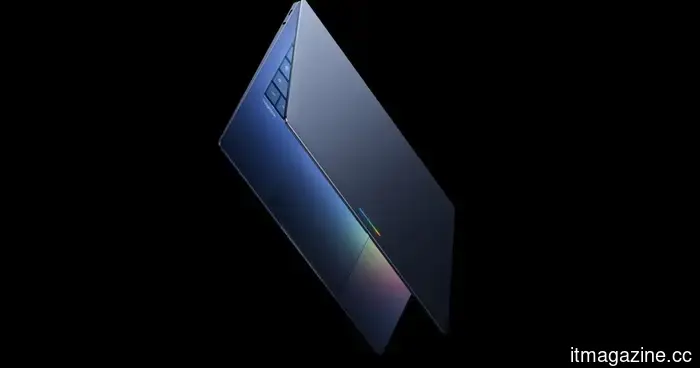 I'm not completely convinced about Googlebook's future, but it definitely has two significant successes that I can't overlook.
Googlebook appears to be an ambitious new category of laptops focused on Gemini Intelligence, with its most compelling features likely being the Magic Pointer and the ability to access native Android apps.
I'm not completely convinced about Googlebook's future, but it definitely has two significant successes that I can't overlook.
Googlebook appears to be an ambitious new category of laptops focused on Gemini Intelligence, with its most compelling features likely being the Magic Pointer and the ability to access native Android apps.
 I played like a scavenger in Arc Raiders, and the loot was incredibly impressive.
Following a particularly enduring run by Stella Montis that transformed a free loadout into several weapon blueprints, I finally grasped why players of Arc Raiders are debating about rats, free kits, and risk.
I played like a scavenger in Arc Raiders, and the loot was incredibly impressive.
Following a particularly enduring run by Stella Montis that transformed a free loadout into several weapon blueprints, I finally grasped why players of Arc Raiders are debating about rats, free kits, and risk.
 Baidu Create 2026: The CEO indicates that the emphasis in AI is shifting from models to AI agents and anticipates the emergence of super individuals.
On Wednesday, the Create 2026 Baidu AI Developer Conference, with the theme "Agents at Scale," commenced in Beijing. At the opening ceremony, Robin Li, the founder of
Baidu Create 2026: The CEO indicates that the emphasis in AI is shifting from models to AI agents and anticipates the emergence of super individuals.
On Wednesday, the Create 2026 Baidu AI Developer Conference, with the theme "Agents at Scale," commenced in Beijing. At the opening ceremony, Robin Li, the founder of
 A leak about Assassin’s Creed Hexe suggests the comeback of a legendary hero, and I’m really looking forward to it.
Recent leaks about Assassin’s Creed Hexe indicate that Ezio Auditore may return as a mentor related to the protagonist Anika and the Auditore lineage.
A leak about Assassin’s Creed Hexe suggests the comeback of a legendary hero, and I’m really looking forward to it.
Recent leaks about Assassin’s Creed Hexe indicate that Ezio Auditore may return as a mentor related to the protagonist Anika and the Auditore lineage.
 I played like a rat in Arc Raiders, and the loot was incredibly good.
After one infuriatingly patient run by Stella Montis transformed a free loadout into various weapon blueprints, I finally grasped why Arc Raiders players are debating about rats, free kits, and risk.
I played like a rat in Arc Raiders, and the loot was incredibly good.
After one infuriatingly patient run by Stella Montis transformed a free loadout into various weapon blueprints, I finally grasped why Arc Raiders players are debating about rats, free kits, and risk.
While I'm not convinced about the future of Googlebook, there are definitely two significant successes that I can't overlook.
Googlebook appears to be an ambitious new category of laptops centered around Gemini Intelligence, but its most compelling features might be the Magic Pointer and direct access to Android apps.