
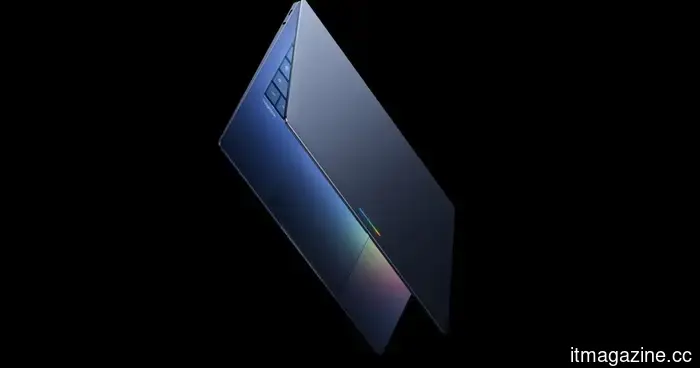
I'm not completely convinced about Googlebook's future, but it definitely has two significant successes that I can't overlook.
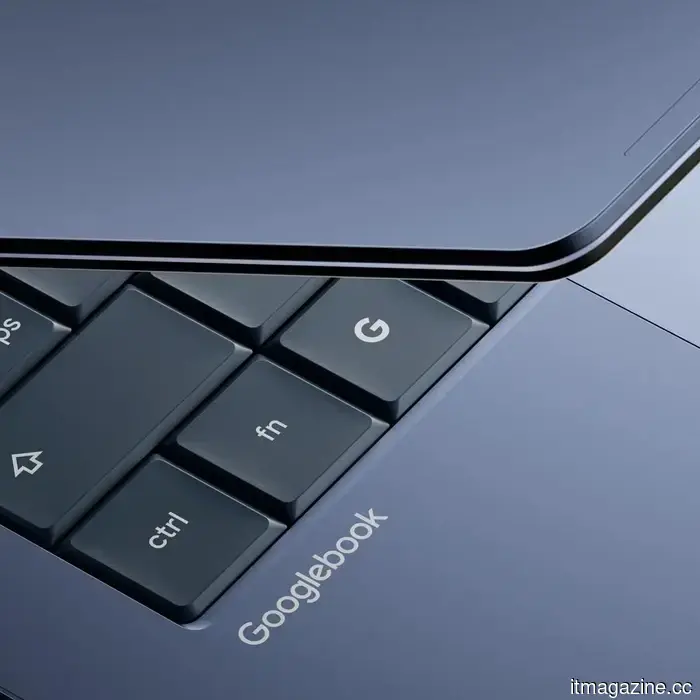
Shortly after its announcement, the discussion around Googlebook quickly dominated forums, subreddits, X, and other social media channels. Google has unveiled a new line of laptops centered on Gemini Intelligence, Android integration, ChromeOS, phone continuity, premium hardware, and collaborations with OEM partners.
However, I remain somewhat skeptical about the broader future Google is proposing. Google has been involved in the laptop market for over 15 years with its Chromebooks, and the company positions Googlebook as a shift from an operating system to an “intelligence system.” This notion suggests a promising "future" for laptops, but it also carries the inherent challenge for Google, which often introduces appealing concepts before the corresponding ecosystem has gained traction.
Apple serves as a strong example here, having dedicated decades to establishing a robust desktop platform. Even Windows boasts a significant legacy and extensive professional software support. In contrast, Googlebook aims to approach the laptop space from a fresh perspective, merging Android, ChromeOS, web apps, Google services, and Gemini within a single device.
Google
Google stands a good chance of establishing a lasting presence. My focus is on two specific features of the Googlebook highlighted during the announcement. The concepts that truly stand out are the Magic Pointer and the native access to Android apps.
How Magic Pointer transforms the dullest aspect of your PC
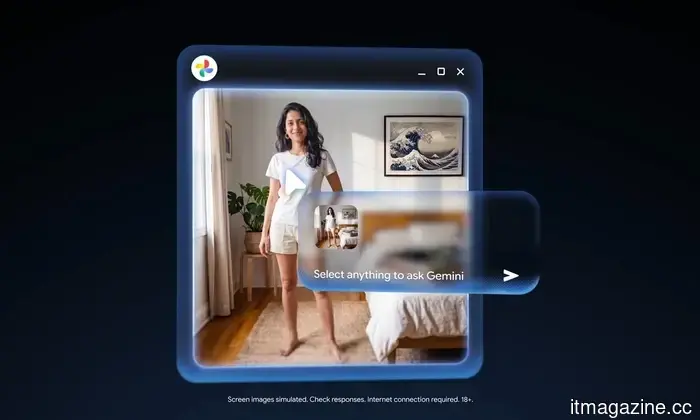
While watching the Googlebook teaser, one brief segment unexpectedly caught my attention. Few would have thought to alter the most basic and fundamental aspect of a PC—the cursor. Google refers to it as Magic Pointer, a feature developed in collaboration with the Google DeepMind team to integrate Gemini’s capabilities directly into the pointer.
Using this feature is straightforward. Just move the cursor and point at something on the screen, and Googlebook can provide contextual actions. Google offers examples such as pointing to a date in an email to schedule a meeting or selecting two images to view them together.
Google
This isn’t a groundbreaking feature, yet I recognize its potential. While AI is still a valuable tool, it usually exists alongside your work as a sidebar, chatbot, or dedicated button. With Magic Pointer, the experience feels more organic, as it aligns with the user’s focus. Google combines an intuitive gesture with a seamless function.
If it can detect what you’re pointing at and suggest the next useful action, the possibilities could be vast. Of course, there’s a risk that Google might overwhelm users with too many suggestions, animations, nudges, or lack innovative applications. Striking the right balance will be crucial, but I can’t shake the feeling that this implementation could influence how we interact with AI.
At last, we have native Android apps
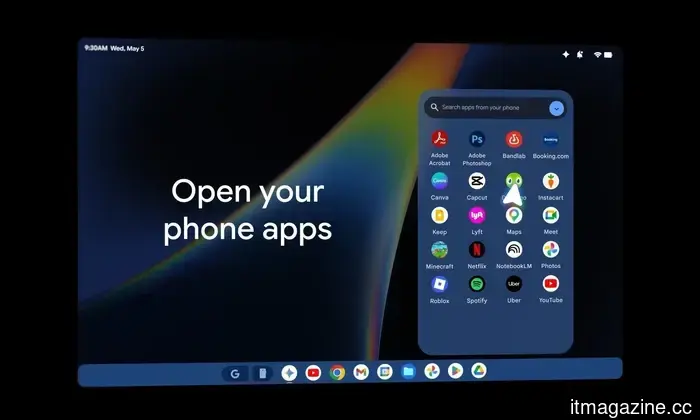
For years, I’ve been hoping for seamless integration akin to Apple’s ecosystem for Android users. Googlebook merges the strengths of Android, featuring Google Play apps alongside ChromeOS. It also interacts closely with Android phones, allowing users to access phone apps on the laptop and view, search, or incorporate phone files through Quick Access in the file browser without needing to transfer files.
Google
What’s particularly impressive is that it’s not a clunky casting workaround or reliant on a third-party tool. Google is promoting this feature as integral to the Googlebook experience. This continuity between phone and laptop has been one of Apple’s strongest everyday advantages, making this feel like a feature that should have been available long ago. The ability to switch effortlessly between devices is what adds maturity to an ecosystem. It also provides Googlebook with a distinct identity beyond “a Chromebook with AI.”
The key challenge will be execution. While Android apps on larger screens have made significant strides, laptop users will expect proper resizing, shortcuts, keyboard and trackpad support, file management, and other desktop-like functionalities. Mobile devices designed for touch inputs operate differently than those reliant on a mouse and keyboard, so Google has its work cut out for it.
I’m not yet ready to declare Googlebook as the next major laptop breakthrough, but I see the framework of something promising. Magic Pointer introduces a fresh interface, while the native Android app functionality finally capitalizes on the substantial advantages of the Android ecosystem that Chromebooks never fully leveraged.
Other articles
 Baidu Create 2026: The CEO indicates that the emphasis in AI is shifting from models to AI agents and anticipates the emergence of super individuals.
On Wednesday, the Create 2026 Baidu AI Developer Conference, with the theme "Agents at Scale," commenced in Beijing. At the opening ceremony, Robin Li, the founder of
Baidu Create 2026: The CEO indicates that the emphasis in AI is shifting from models to AI agents and anticipates the emergence of super individuals.
On Wednesday, the Create 2026 Baidu AI Developer Conference, with the theme "Agents at Scale," commenced in Beijing. At the opening ceremony, Robin Li, the founder of
 A leak about Assassin’s Creed Hexe suggests the comeback of a legendary hero, and I’m eagerly anticipating it.
Recent leaks regarding Assassin’s Creed Hexe indicate that Ezio Auditore may make a comeback as a mentor associated with the protagonist Anika and the Auditore lineage.
A leak about Assassin’s Creed Hexe suggests the comeback of a legendary hero, and I’m eagerly anticipating it.
Recent leaks regarding Assassin’s Creed Hexe indicate that Ezio Auditore may make a comeback as a mentor associated with the protagonist Anika and the Auditore lineage.
 A leak about Assassin’s Creed Hexe suggests the comeback of a legendary hero, and I’m really looking forward to it.
Recent leaks about Assassin’s Creed Hexe indicate that Ezio Auditore may return as a mentor related to the protagonist Anika and the Auditore lineage.
A leak about Assassin’s Creed Hexe suggests the comeback of a legendary hero, and I’m really looking forward to it.
Recent leaks about Assassin’s Creed Hexe indicate that Ezio Auditore may return as a mentor related to the protagonist Anika and the Auditore lineage.
 With a price tag of $4,499, the Sony A7R VI is $2,000 less than the A1 II while still offering the same 30fps performance.
The Sony A7R VI achieves a unique feat for a camera in this price range by combining 66.8 megapixels with a burst speed of 30 frames per second, thanks to its newly developed stacked sensor and BIONZ XR2 processor.
With a price tag of $4,499, the Sony A7R VI is $2,000 less than the A1 II while still offering the same 30fps performance.
The Sony A7R VI achieves a unique feat for a camera in this price range by combining 66.8 megapixels with a burst speed of 30 frames per second, thanks to its newly developed stacked sensor and BIONZ XR2 processor.
 I played like a scavenger in Arc Raiders, and the loot was incredibly impressive.
Following a particularly enduring run by Stella Montis that transformed a free loadout into several weapon blueprints, I finally grasped why players of Arc Raiders are debating about rats, free kits, and risk.
I played like a scavenger in Arc Raiders, and the loot was incredibly impressive.
Following a particularly enduring run by Stella Montis that transformed a free loadout into several weapon blueprints, I finally grasped why players of Arc Raiders are debating about rats, free kits, and risk.
 I played like a rat in Arc Raiders, and the loot was incredibly good.
After one infuriatingly patient run by Stella Montis transformed a free loadout into various weapon blueprints, I finally grasped why Arc Raiders players are debating about rats, free kits, and risk.
I played like a rat in Arc Raiders, and the loot was incredibly good.
After one infuriatingly patient run by Stella Montis transformed a free loadout into various weapon blueprints, I finally grasped why Arc Raiders players are debating about rats, free kits, and risk.
I'm not completely convinced about Googlebook's future, but it definitely has two significant successes that I can't overlook.
Googlebook appears to be an ambitious new category of laptops focused on Gemini Intelligence, with its most compelling features likely being the Magic Pointer and the ability to access native Android apps.