
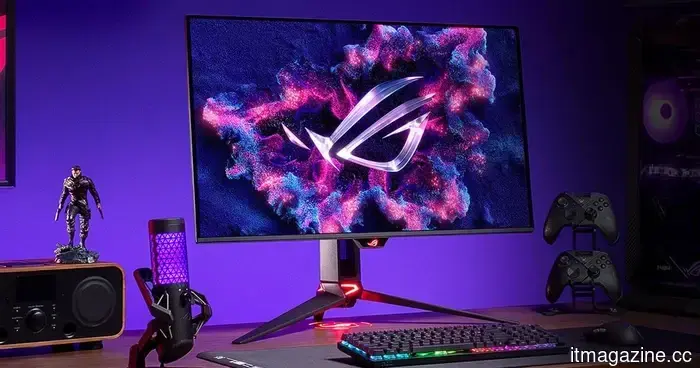
The Desktop Paradox: I've come to realize why gamers are reluctant to switch to OLED.
The year is 2026, and the OLED revolution has officially arrived at our desks. Not just through flashy advertisements or YouTube thumbnails, but right in your shopping cart. You’ve likely hovered over that “Buy Now” button at least once, contemplated the price, envisioned your setup shining like a dream… and then quietly closed the tab.
LG
Here’s the reality: everyone agrees that OLED is the best display technology available. It’s the holy grail. It’s what makes TVs appear surreal and smartphones feel high-end. With its deep blacks, incredible contrast, and instant response times, it’s the tech that gamers boast about. Yet, despite its perfection, it’s surprisingly absent from many workspaces.
Welcome to the Desktop Paradox. The phenomenon where the very attributes that make OLED fantastic for your living room render it… somewhat uncomfortable for your desk.
The Phantom Elements
The primary concern with OLED in monitors isn’t color, brightness, or even cost. It’s something much duller and more tangible: static elements.
Alena Darmel / Pexels
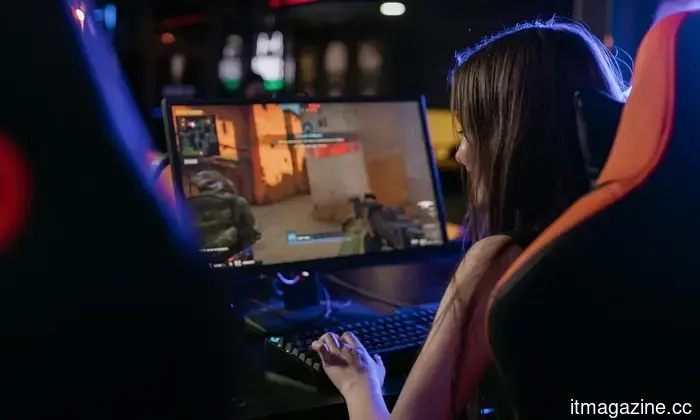
A TV is in constant motion. Movies, shows, sports—all are dynamic. But a monitor? That’s an entirely different tale. It's essentially a gallery of still images. The Windows taskbar remains in place all day. The Discord sidebar stays put. Your favorite game’s HUD, the minimap, ammunition counter, health bar… all fixed in position. And that’s when the anxiety sets in.
Is burn-in guaranteed? No. Is it still a possibility? Yes. For many, that lingering “what if” is enough to deter them.
While modern OLED panels are significantly improved, incorporating pixel shifting, panel refresh cycles, and various behind-the-scenes techniques to minimize burn-in, the apprehension persists. This is especially true for those who use the same screen for work during the day and gaming at night. In that scenario, the display isn’t just showcasing content. It’s repeating patterns. Over and over.
MiniLED: The safe option that never captivated
This is where MiniLED was meant to intervene and provide a solution. On paper, it appears ideal. It boasts brightness—real brightness. It doesn’t experience burn-in. You could leave an Excel spreadsheet open for years without issue. It offers reliability in a way that OLED doesn’t. In bright environments, particularly setups with ample natural light, MiniLED truly shines. While most OLEDs dim to a lackluster 250 nits in full display to avoid overheating, MiniLED panels can sustain over 1,300 nits even in a sun-soaked room.
Asus
So, it’s expected that MiniLED would dominate the gaming monitor market. But it hasn’t.
The 24-Inch issue that’s seldom addressed
The real problem with MiniLED isn’t in its faults. It’s in its application. MiniLED performs beautifully on TVs due to the distance involved. When you’re seated eight to ten feet away from a large screen, your eyes overlook the imperfections. The light appears uniform. The contrast feels robust. Everything just clicks.
Sony
Now compress that experience into a 27-inch monitor and move yourself just two feet away. Suddenly, the situation changes.
The functioning of MiniLED involves segmenting the screen into zones that illuminate independently. The greater the number of zones, the finer the control. However, even top-tier monitors often still manage thousands of pixels with just one zone. So, when something bright appears on a dark backdrop—whether it’s a cursor or a small UI element—that entire zone lights up, not just the individual pixel.
KTC
To genuinely eliminate blooming at a desk-viewing distance, a display would need a zone-to-pixel ratio that current manufacturing capabilities cannot feasibly provide. A typical 4K monitor contains about 8.3 million pixels. Even a high-end MiniLED with 2,304 zones still has one zone controlling around 3,600 pixels.
At a two-foot distance, that doesn't seem subtle at all. It presents as a faint glow or a soft halo around objects. Once you notice it, it's hard to ignore. On a TV, it’s acceptable. On a desk, it’s distracting.
Where Gamers draw the line
Then there’s the performance aspect, which adds another layer of complexity.
OLED is straightforward in the best possible way. Each pixel regulates its own light. No guessing, no processing delays. That’s why response times are exceptionally low, and motion appears incredibly crisp. MiniLED, in contrast, involves computation. It relies on algorithms to determine which zones to illuminate and how bright they should be. This entails additional work behind the scenes.
ASUS
This doesn’t inherently cause lag. However, it means the system lacks the instantaneous response of OLED. While this may not be evident on specification sheets, it’s perceivable during gameplay. In a fast-paced shooter, a MiniLED backlight can actually “
Other articles
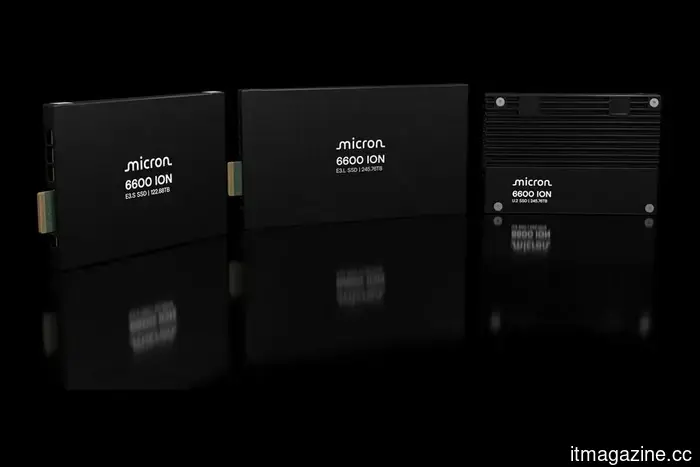 Micron has released a 245-terabyte SSD for data centers.
American Micron has begun shipping the 6600 ION solid-state drive with a capacity of 245 terabytes. The company calls it the most spacious serial SSD for data centers on the market. The device was designed for artificial intelligence tasks, cloud platforms, and enterprise storage.
Micron has released a 245-terabyte SSD for data centers.
American Micron has begun shipping the 6600 ION solid-state drive with a capacity of 245 terabytes. The company calls it the most spacious serial SSD for data centers on the market. The device was designed for artificial intelligence tasks, cloud platforms, and enterprise storage.
 In just four months, Corgi has reached unicorn status, growing from $630 million to $1.3 billion.
Corgi, the AI-native insurance carrier supported by Y Combinator, has secured $160 million in a Series B round, reaching a valuation of $1.3 billion, just four months after its Series A round, which was closed at $630 million.
In just four months, Corgi has reached unicorn status, growing from $630 million to $1.3 billion.
Corgi, the AI-native insurance carrier supported by Y Combinator, has secured $160 million in a Series B round, reaching a valuation of $1.3 billion, just four months after its Series A round, which was closed at $630 million.
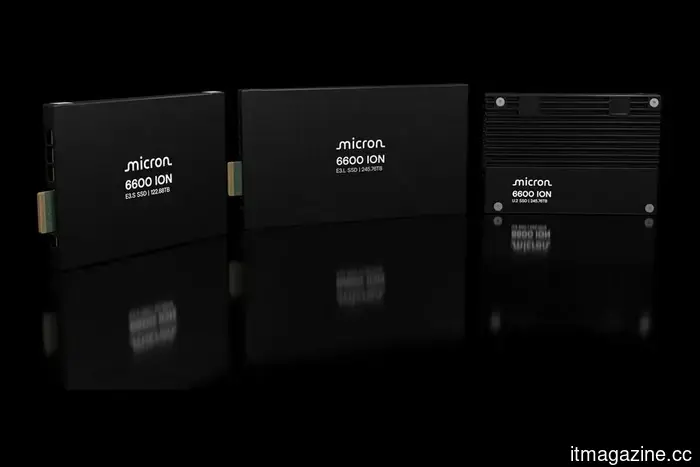 Micron has released a 245-terabyte SSD for data centers.
American Micron has begun shipping the 6600 ION solid-state drive with a capacity of 245 terabytes. The company calls it the most spacious serial SSD for data centers on the market. The device was designed for artificial intelligence tasks, cloud platforms, and enterprise storage.
Micron has released a 245-terabyte SSD for data centers.
American Micron has begun shipping the 6600 ION solid-state drive with a capacity of 245 terabytes. The company calls it the most spacious serial SSD for data centers on the market. The device was designed for artificial intelligence tasks, cloud platforms, and enterprise storage.
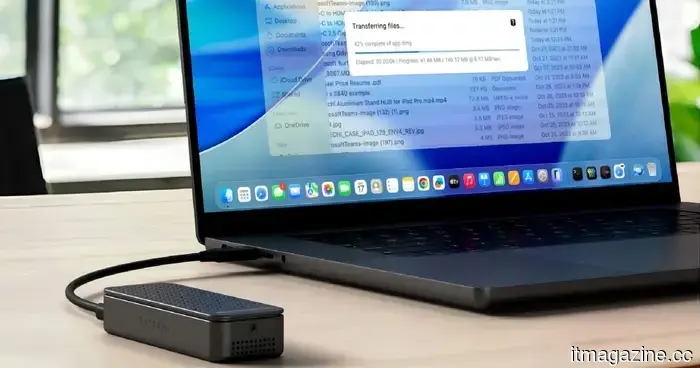 This slim SSD enclosure features active cooling to maintain 80Gbps speeds for as long as necessary.
Satechi's DotDisk 80Gbps SSD enclosure features an integrated microfan and thermal pad designed to avoid thermal throttling during prolonged transfers, maintaining consistent speeds where many smaller enclosures tend to decrease performance.
This slim SSD enclosure features active cooling to maintain 80Gbps speeds for as long as necessary.
Satechi's DotDisk 80Gbps SSD enclosure features an integrated microfan and thermal pad designed to avoid thermal throttling during prolonged transfers, maintaining consistent speeds where many smaller enclosures tend to decrease performance.
 A Samsung patent reveals a laptop featuring an innovative touch-sensitive palm rest designed for shortcuts.
Samsung's concept might allow a single key to perform two functions, based on whether your hand is placed on the laptop or floating above it.
Moonshot AI's valuation of $20 billion confirms one of the most rapid funding journeys in China's AI sector.
Moonshot AI, the Beijing-based creator of the Kimi chatbot, is wrapping up a $2 billion funding round with a post-money valuation exceeding $20 billion.
A Samsung patent reveals a laptop featuring an innovative touch-sensitive palm rest designed for shortcuts.
Samsung's concept might allow a single key to perform two functions, based on whether your hand is placed on the laptop or floating above it.
Moonshot AI's valuation of $20 billion confirms one of the most rapid funding journeys in China's AI sector.
Moonshot AI, the Beijing-based creator of the Kimi chatbot, is wrapping up a $2 billion funding round with a post-money valuation exceeding $20 billion.
The Desktop Paradox: I've come to realize why gamers are reluctant to switch to OLED.
OLED displays appear flawless, so why isn't it on your desk? Investigating concerns about burn-in, the compromises of MiniLED, and the divided opinions among gamers.