
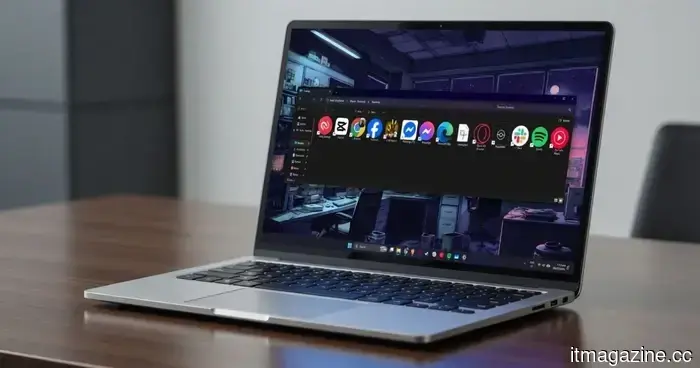
Windows 11 File Explorer is receiving the update it should have received long ago.
Microsoft is finally recognizing what many Windows 11 users have sensed for some time: File Explorer can exhibit slowness that a quicker launch won't resolve.
The latest clarification from Microsoft highlights a comprehensive performance initiative targeting Windows 11 File Explorer, which encompasses modifications designed to enhance startup behavior, disk activity, visual lag, and application freezes.
This is significant because these issues manifest during everyday tasks. Navigating folders, generating thumbnails, opening context menus, and experiencing brief pauses can all contribute to making Windows’ file manager feel more cumbersome than necessary.
Why quicker launches are insufficient
Microsoft's somewhat controversial solution up to this point has been File Explorer preloading, which keeps essential components of the application ready before the icon is clicked. The benefit is clear: the window can appear more quickly since Windows has completed some of the necessary background tasks ahead of time.
However, this solution has its limitations. A test from Windows Latest indicates that preloading typically increases RAM usage by about 35MB. While this amount isn't significant for a modern PC, it reinforces the critique that Microsoft is utilizing memory as a workaround for inefficient code.
This inadequacy becomes apparent after the application is launched. Large folders may still take a while to load, and right-click menus can still experience delays. Microsoft’s latest approach is more significant because it addresses launch sequence, unnecessary visual processes, disk activity, and freezing.
What changes are happening within File Explorer
Tali Roth, Microsoft's Head of Product for Windows Shell, described the strategy for File Explorer as a collaborative effort, with enhancements to startup processes and engineering fixes developing simultaneously.
When discussing the work aimed at increasing Windows' reliability, performance, and overall design, Roth noted a category of feedback that she would “politely” summarize as a demand for proof. While she acknowledges that there is still more work ahead, she expressed enthusiasm about what has been accomplished up to now.
The Windows Shell team is focusing on the areas most noticeable to users, enhancing load order, eliminating extra animations and unnecessary tasks, reducing disk reads, and minimizing application freezes.
These adjustments will address areas of File Explorer that preloading alone cannot improve. The ultimate goal is a file manager that opens swiftly, loads folders without annoying delays, and maintains fluidity in thumbnail displays and menus.
What to look out for next
Microsoft indicates that the optimizations for File Explorer will be gradually implemented over the next several months, making it essential to observe whether average Windows 11 users detect any changes outside of Insider builds.
There are early indications of progress. Recent builds have reportedly enhanced navigation, eliminated the glaring flash that appeared in dark mode, and begun the process of updating older elements of File Explorer with a more contemporary Windows UI.
The timeline for broad public availability has not been specified. Following the updates, pay attention to everyday experiences—folder loading, thumbnail generation, right-click menu responsiveness, and overall application reaction. This is where Microsoft needs to demonstrate that Windows 11's file manager is indeed becoming more efficient.
Other articles
 Supreme Court refuses to postpone the contempt order regarding Apple's App Store.
On Wednesday, Justice Elena Kagan rejected Apple's emergency stay request on behalf of the US Supreme Court, maintaining the Ninth Circuit's contempt order.
Supreme Court refuses to postpone the contempt order regarding Apple's App Store.
On Wednesday, Justice Elena Kagan rejected Apple's emergency stay request on behalf of the US Supreme Court, maintaining the Ninth Circuit's contempt order.
 Anthropic integrates SpaceX computing resources and increases the rate limits for the Opus API.
Anthropic has increased Claude Code's five-hour rate limits to double their previous amounts and has also raised the Opus API rate limits, attributing these changes to a new compute agreement with SpaceX for Colossus 1.
Anthropic integrates SpaceX computing resources and increases the rate limits for the Opus API.
Anthropic has increased Claude Code's five-hour rate limits to double their previous amounts and has also raised the Opus API rate limits, attributing these changes to a new compute agreement with SpaceX for Colossus 1.
 The Edge browser has a significant issue regarding password security, but Microsoft claims it is intentional.
A security researcher discovered that Microsoft Edge loads all stored passwords into unencrypted memory upon startup, leaving them vulnerable for the duration of the session, even if they are not actively in use.
The Edge browser has a significant issue regarding password security, but Microsoft claims it is intentional.
A security researcher discovered that Microsoft Edge loads all stored passwords into unencrypted memory upon startup, leaving them vulnerable for the duration of the session, even if they are not actively in use.
 Google has proposed concessions in the EU regarding the ranking of news in search results.
Google has submitted proposals to the European Commission to modify the way its search engine ranks news content, as part of efforts to resolve the DMA investigation.
Google has proposed concessions in the EU regarding the ranking of news in search results.
Google has submitted proposals to the European Commission to modify the way its search engine ranks news content, as part of efforts to resolve the DMA investigation.
 Anthropic has incorporated SpaceX's computing resources and increased the rate limits for the Opus API.
Anthropic has increased Claude Code's five-hour rate limits twofold and elevated Opus API rate limits, referring to a new computing agreement with SpaceX for Colossus 1.
Anthropic has incorporated SpaceX's computing resources and increased the rate limits for the Opus API.
Anthropic has increased Claude Code's five-hour rate limits twofold and elevated Opus API rate limits, referring to a new computing agreement with SpaceX for Colossus 1.
 Google has proposed concessions regarding the ranking of news in search results for the EU.
Google has submitted proposals to the European Commission aimed at altering the way its search engine ranks news content, as part of an effort to resolve the DMA investigation.
Google has proposed concessions regarding the ranking of news in search results for the EU.
Google has submitted proposals to the European Commission aimed at altering the way its search engine ranks news content, as part of an effort to resolve the DMA investigation.
Windows 11 File Explorer is receiving the update it should have received long ago.
Microsoft indicates that improvements to Windows 11 File Explorer extend beyond just preloading, focusing also on launch sequence, disk accesses, freezes, and visual lags that have contributed to a perception of sluggishness in the application.