
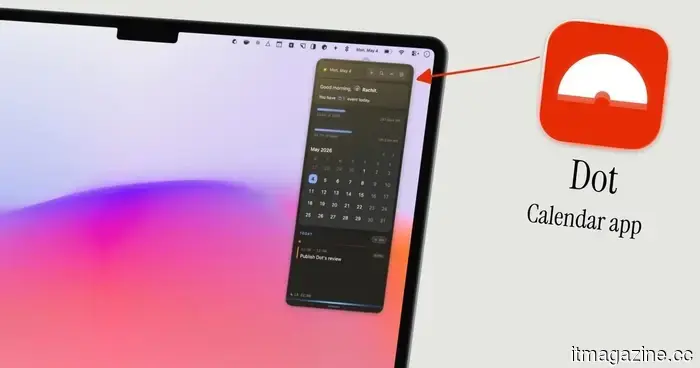
Dot is the calendar application for Mac that I regret not discovering earlier in 2026.
I've always had a fondness for menu bar calendar applications. They allow me to view upcoming events, quickly add new ones, and access my calendar without having to switch apps. It's one of those minor enhancements to daily life that, once experienced, makes returning to the old way impossible.
My experience with menu bar calendars began with Fantastical, which is undeniably one of the top calendar applications for Mac. However, when Flexibits adopted a subscription model, I found it hard to justify the expense for features I wasn't using. So, I moved on.
Next, I tried Dato, a reliable app that served me well for quite some time. However, it was missing some features, and the price didn’t seem right. I wanted something more modern, sleeker, and budget-friendly. That’s when I discovered Dot.
Is Dot truly worth the switch?
Dot is a Mac calendar app that only resides in the menu bar, delivering exactly what it promises without unnecessary extras. It connects with iCloud, Google, Outlook, and Exchange by integrating directly with your Mac’s built-in Calendar app, so you don't have to create or log into a separate account.
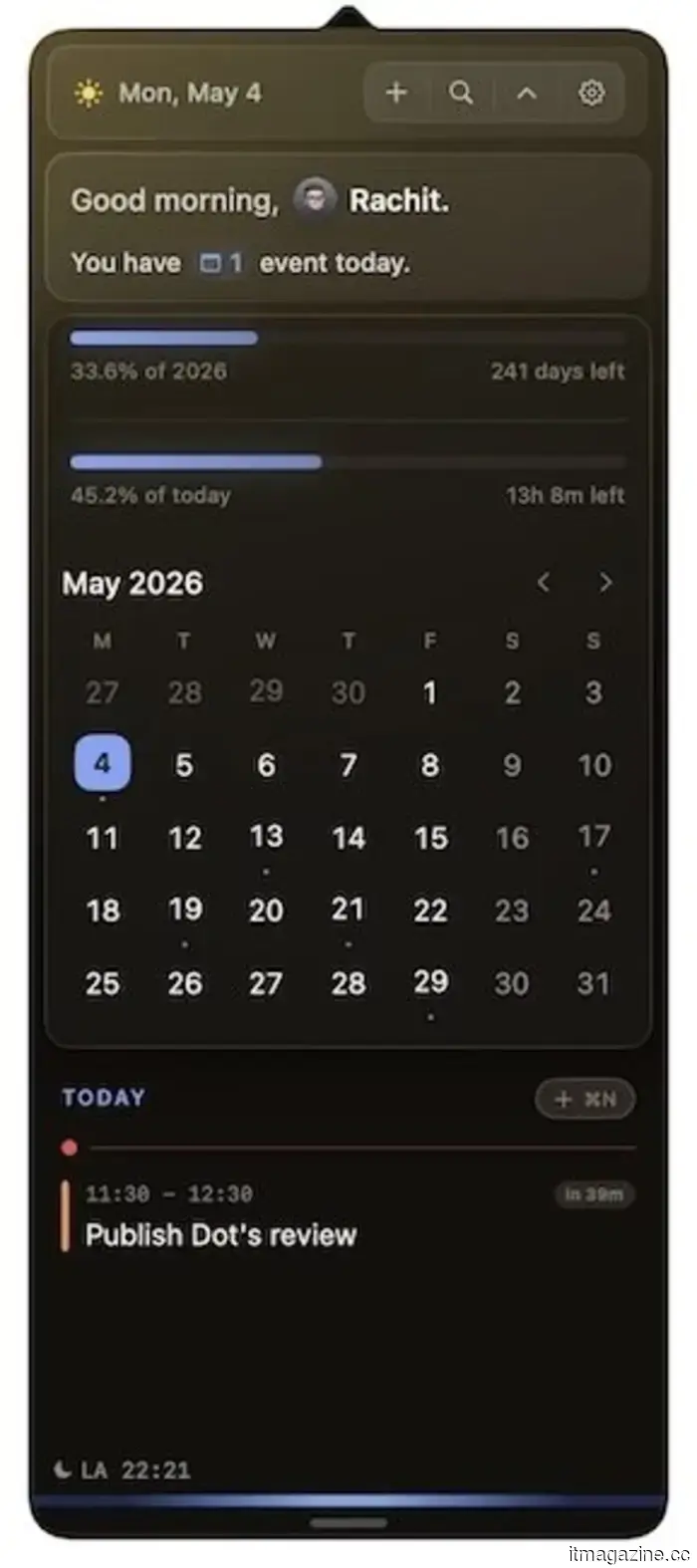
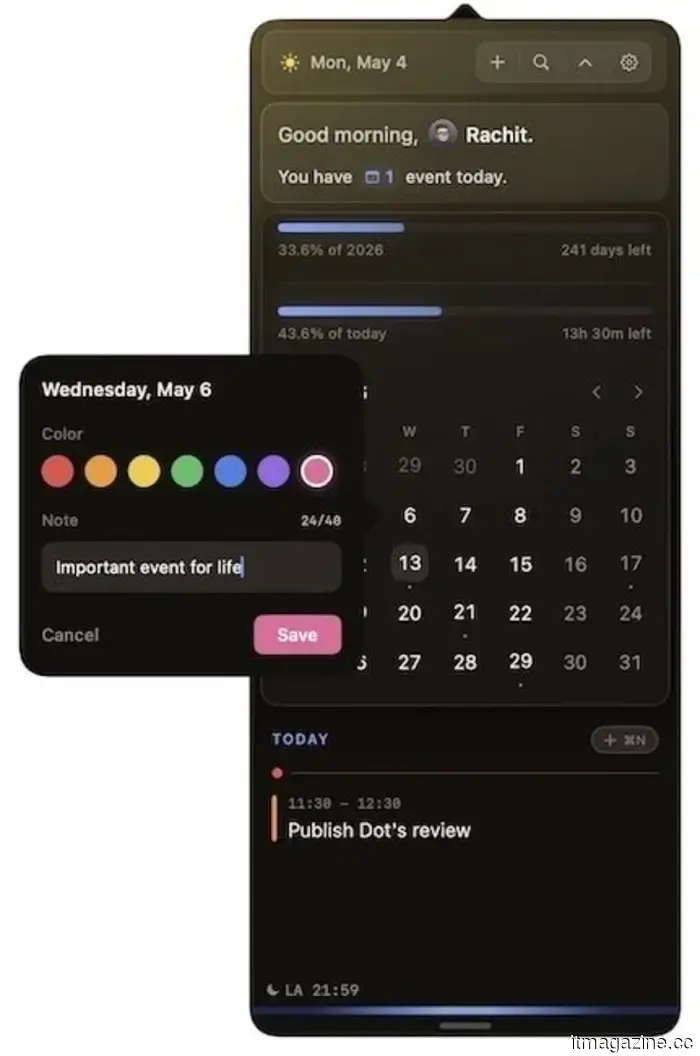
The interface is streamlined and visually appealing. At the top, you can quickly see the number of today's events, the day and date, along with a settings icon. There’s also an option to include a Day and Year progress bar, which indicates how much time remains until the day's or year's end.
Below that is a month view featuring small dots for days with scheduled events, making it easy to quickly identify busy times. If you scroll down further, you’ll find a complete list of upcoming events.
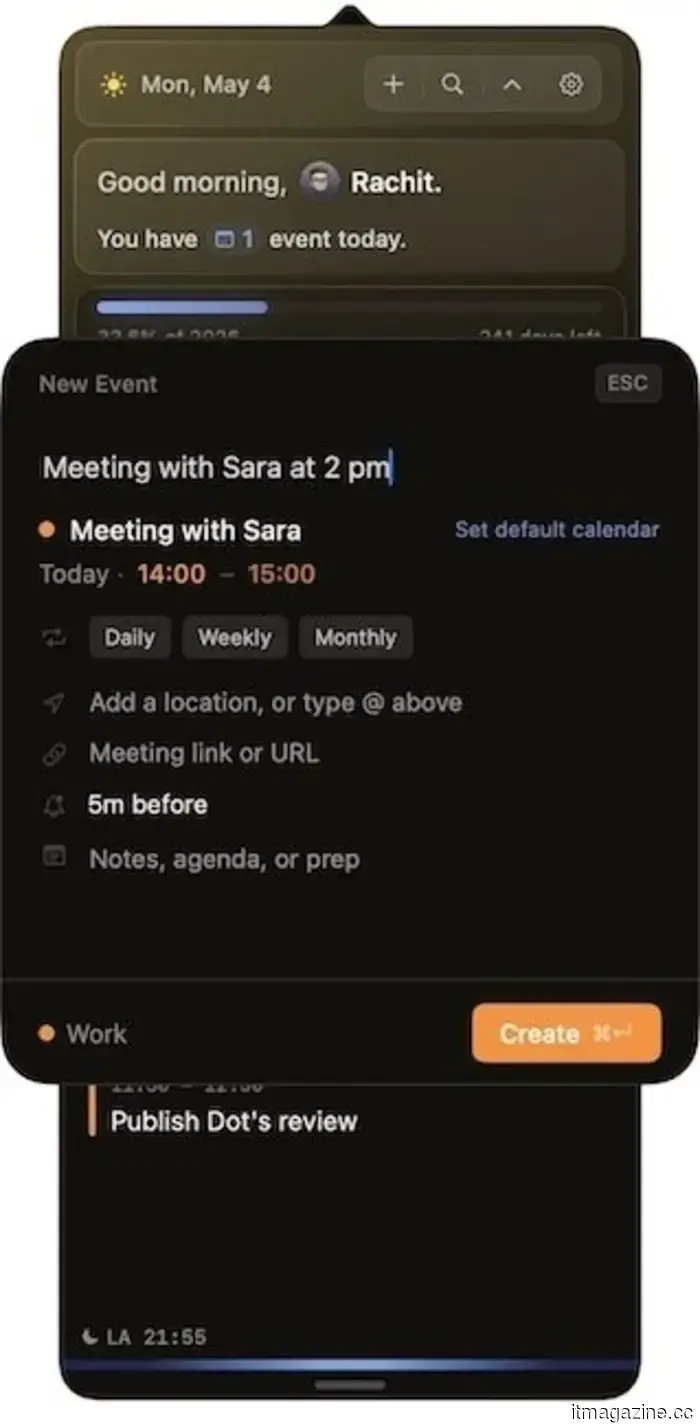
Adding events is efficient and supports natural language input. You can type something like “publish Dot’s review at 11:30 am” or “meeting with Sara at 2 PM,” and Dot will handle the rest. You can also jump to any date by pressing F and typing it in, a small yet genuinely helpful feature.
What sets Dot apart?
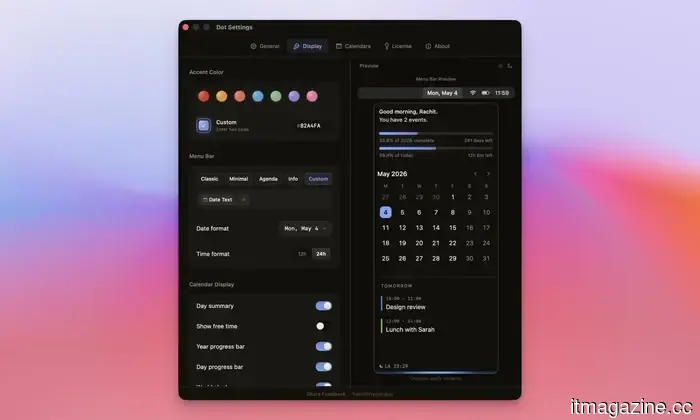
Several features give Dot a more thoughtful design compared to its rivals. The first is its customizability. You can alter the accent color, select which information displays on the calendar, and adjust how the calendar shows up in the Menu Bar.
Meeting preparation is another feature I appreciate. When a video call is scheduled, Dot automatically pulls up links from your invitation, saving you from sifting through your email just minutes before the call. It also supports one-click joining for Zoom, Google Meet, Teams, and Webex, and provides a camera and mic preview so you can check your setup prior to joining.
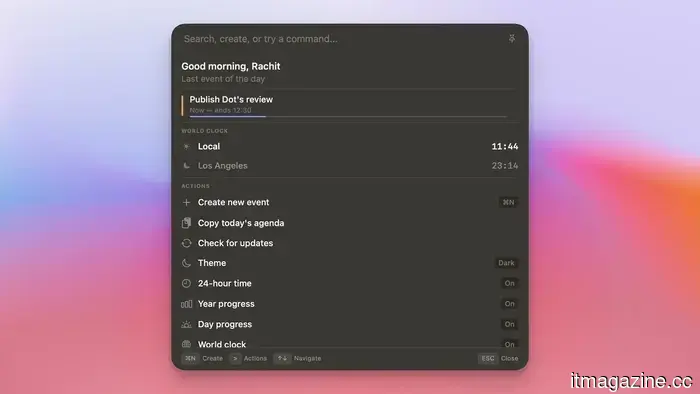
The Command Bar is another standout feature, unique to this calendar app. With a single shortcut, I can create events, search my schedule, view world clocks, or copy my agenda for the day without interrupting what I'm currently doing.
Dot also allows you to highlight special dates on your calendar by right-clicking any date, giving it a title and a color, which then appears highlighted with the label when hovered over. It’s a simple feature, but it proves surprisingly useful for marking deadlines, paydays, or trips.
And there are many more features. Dot has become one of my favorite Mac apps since I discovered it in 2026, and I highly recommend trying its 14-day trial to see for yourself at trydot.app.
If you find it satisfying, you can purchase it for a one-time fee of $14.99 (currently $9.99 with the launch code). There are no ongoing subscriptions or accounts needed, and your data remains on your Mac. For anyone weary of monthly calendar app fees, Dot is the solution.

Other articles
 I used the iPhone Air for six months, and there's just one thing I miss.
The iPhone Air has impressed me in ways I never anticipated. Half a year later, it remains my top choice among iPhones, but there's one feature that I'm continually thinking about that it lacks.
I used the iPhone Air for six months, and there's just one thing I miss.
The iPhone Air has impressed me in ways I never anticipated. Half a year later, it remains my top choice among iPhones, but there's one feature that I'm continually thinking about that it lacks.
 I utilize AI on a daily basis — here are three reasons I chose to pay for Claude instead of ChatGPT.
I set out to find a superior AI and ultimately transformed the way I approach my tasks. What began as a simple interest has evolved into something I depend on daily.
I utilize AI on a daily basis — here are three reasons I chose to pay for Claude instead of ChatGPT.
I set out to find a superior AI and ultimately transformed the way I approach my tasks. What began as a simple interest has evolved into something I depend on daily.
 Won-Jin Lee assumes control of Samsung's TV division following a decline in profits.
Samsung has appointed Won-Jin Lee to lead its Visual Display division as the profit for Q1 from TVs decreased and TCL narrowed the gap to just one percentage point.
Won-Jin Lee assumes control of Samsung's TV division following a decline in profits.
Samsung has appointed Won-Jin Lee to lead its Visual Display division as the profit for Q1 from TVs decreased and TCL narrowed the gap to just one percentage point.
 ASUS introduces the ProArt PZ14 featuring a 144Hz OLED display and Snapdragon X2 Elite.
The ASUS ProArt PZ14 has been unveiled, featuring the Snapdragon X2 Elite, a 144Hz OLED display, and a 2-in-1 design, with worldwide availability anticipated shortly.
ASUS introduces the ProArt PZ14 featuring a 144Hz OLED display and Snapdragon X2 Elite.
The ASUS ProArt PZ14 has been unveiled, featuring the Snapdragon X2 Elite, a 144Hz OLED display, and a 2-in-1 design, with worldwide availability anticipated shortly.
 OpenAI's Codex now includes a small AI pet that keeps you informed as you program.
OpenAI has launched Codex Pets, which are optional animated companions for its Codex desktop application. These pets appear on your screen and monitor the actions of the coding agent as they happen in real-time.
OpenAI's Codex now includes a small AI pet that keeps you informed as you program.
OpenAI has launched Codex Pets, which are optional animated companions for its Codex desktop application. These pets appear on your screen and monitor the actions of the coding agent as they happen in real-time.
 OpenAI's Codex now features a small AI companion that provides updates as you code.
OpenAI has launched Codex Pets, which are optional animated companions for its Codex desktop application. These pets will be displayed on your screen and monitor the activities of the coding agent in real-time.
OpenAI's Codex now features a small AI companion that provides updates as you code.
OpenAI has launched Codex Pets, which are optional animated companions for its Codex desktop application. These pets will be displayed on your screen and monitor the activities of the coding agent in real-time.
Dot is the calendar application for Mac that I regret not discovering earlier in 2026.
I have always been a fan of calendar apps that reside in the menu bar. They allow me to view upcoming events, add them swiftly, and access my calendar from any location. Dot is the best option I've come across.