
Google transforms Chrome into an autonomous AI workplace instrument featuring Auto Browse, Skills, and enterprise DLP for $6 per month.
Summary: At Cloud Next 2026, Google revealed that Chrome is evolving into an agentic workplace platform featuring Auto Browse (an autonomous multi-step task completion tool), Chrome Skills (AI workflows that can be saved), a continuous Gemini side panel integrated with Workspace, and on-device AI APIs through Gemini Nano. The Chrome Enterprise Premium plan, priced at $6 per user per month, offers real-time data loss prevention (DLP), data masking, and AI governance controls, reportedly achieving a 50% reduction in unauthorized AI data transfers. This development places Chrome in competition with enterprise browser startups like Island (valued at $4.85B) and Palo Alto's Prisma Access Browser.
During Cloud Next 2026 on Tuesday, Google redefined Chrome from being just a browser to what it refers to as an intelligent workplace platform. This transformation includes agentic functionalities that enable the browser to autonomously complete multi-step tasks, a Gemini side panel that integrates with Gmail, Calendar, and Drive, saveable AI workflows known as Chrome Skills, and security measures aimed at regulating employee interaction with AI tools. Parisa Tabriz, Vice President and General Manager of Google Chrome, articulated this change as a transition of Chrome from a simple web browsing tool to a collaborative partner capable of performing tasks on behalf of users. This shift is intentional; Google contends that the browser should be considered the AI platform itself, leveraging its vast user base of 3.8 billion Chrome users and hundreds of millions of enterprise seats to better facilitate AI in the workplace than any independent agent or chatbot.
This announcement coincides with Google's broader agentic enterprise strategy, which includes the rebranded Gemini Enterprise Agent Platform, Workspace Studio, and the Agent2Agent protocol. Chrome is integral to this strategy, as it is the application that knowledge workers frequently have open, providing access to SaaS tools, internal dashboards, email, and the web. Google argues that integrating AI within the browser mitigates the hassle of switching to separate AI tools while offering enterprise-level security to address data leakage concerns that have hindered AI adoption among IT departments.
Capabilities of the browser
The standout new feature is Auto Browse, powered by Gemini 3, which autonomously handles multi-step tasks such as scheduling appointments, completing forms, gathering documents, submitting expense reports, and managing subscriptions on various websites, all without user navigation through each step. Google has implemented a safety system that independently verifies the AI's actions prior to execution, enforcing strict limits on the websites the agent can access and requiring user permission for sensitive tasks like purchases or social media updates. Auto Browse is currently available to Google AI Pro and Ultra subscribers in the U.S.
Chrome Skills, introduced on April 14, allows users to create and save AI prompts as one-click workflows that span across web pages. Users can develop a Skill to summarize any article into three bullet points or one that collects pricing information from a competitor’s site in a structured manner, invoking it through a forward slash in the address bar. Additionally, Google is launching a pre-built Skills library. This feature is accessible on Mac, Windows, and ChromeOS for English-speaking users.
The Gemini side panel offers a persistent AI assistant within each browser tab, with context specifically isolated to prevent conversations in one tab from influencing drafts in another. This panel directly integrates with Gmail, Google Calendar, Docs, Drive, and Google Photos, enabling users to compose and send emails, schedule meetings, and retrieve information without navigating away from the current page. The integration of Gemini across Google Workspace has been rolling out gradually, but this connection positions the browser as the primary interface for these tools, negating the need to open each application individually.
On the development front, Chrome now includes built-in AI APIs powered by Gemini Nano, Google's on-device model: Prompt, Summariser, Writer, Rewriter, Translator, and Proofreader. All operations occur client-side, meaning user data remains on the device. These APIs function in Chrome extensions, allowing developers to design AI-powered tools that work within the browser without transmitting data to external servers. English, Spanish, and Japanese language support is available starting from Chrome 140.
The security aspect
Chrome Enterprise Premium, available at $6 per user per month, addresses the challenge faced by regulated industries regarding how to permit employees to use AI while protecting sensitive data. This offering encompasses real-time data loss prevention that limits actions such as copying, pasting, uploading, downloading, and printing based on content sensitivity, along with data masking and dynamic watermarking features. Google reports that organizations implementing DLP restrictions have seen a 50% decrease in unauthorized content transfers to AI platforms. IT administrators can manage which AI features are accessible to different user groups and ensure that customer data does not contribute to Google’s model training.
The security framework also encompasses the agentic functionalities. The double-check mechanism of Auto Browse and restrictions on website access are devised to avert the unintended actions that have raised concerns about granting AI agents access to live systems. Zero
Other articles
 Pichai kicks off Cloud Next 2026 with a $240 billion backlog, 750 million Gemini users, and a strategy to transform Search into an agent manager.
Google Cloud surpassed $70 billion in revenue, showing a 48% growth, with a backlog of $240 billion. Pichai mentioned that Search will evolve into an agent manager. Capital expenditures have doubled to $185 billion.
Pichai kicks off Cloud Next 2026 with a $240 billion backlog, 750 million Gemini users, and a strategy to transform Search into an agent manager.
Google Cloud surpassed $70 billion in revenue, showing a 48% growth, with a backlog of $240 billion. Pichai mentioned that Search will evolve into an agent manager. Capital expenditures have doubled to $185 billion.
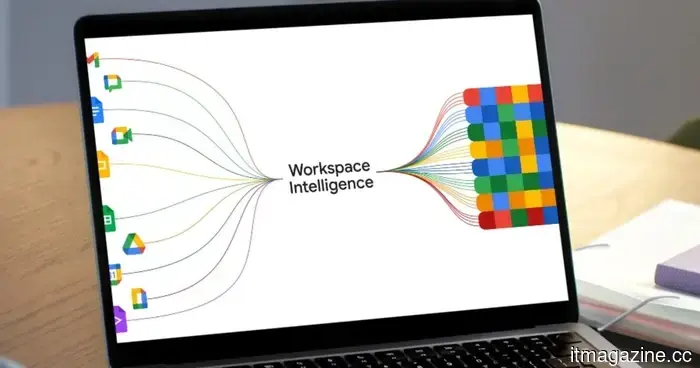 Workspace Intelligence transforms Gemini into a comprehensive, all-capable AI assistant for your tasks.
A couple of weeks back, Google unveiled a new feature known as Personal Intelligence. Essentially, this feature allows Gemini to access the content stored in your Gmail inbox and Photos library. The next time you inquire about travel plans, projects, or anything pertinent, the AI will effortlessly refer to your saved information to provide useful answers, […]
Workspace Intelligence transforms Gemini into a comprehensive, all-capable AI assistant for your tasks.
A couple of weeks back, Google unveiled a new feature known as Personal Intelligence. Essentially, this feature allows Gemini to access the content stored in your Gmail inbox and Photos library. The next time you inquire about travel plans, projects, or anything pertinent, the AI will effortlessly refer to your saved information to provide useful answers, […]
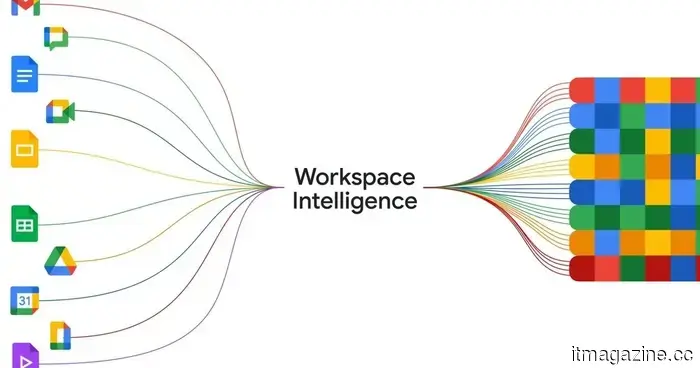 Gemini can now generate documents, slides, meetings, and additional items in chat.
Google has incorporated Gemini into Chat, enabling users to generate documents, slides, and handle tasks directly within their conversations.
Gemini can now generate documents, slides, meetings, and additional items in chat.
Google has incorporated Gemini into Chat, enabling users to generate documents, slides, and handle tasks directly within their conversations.
 SpaceX subtly hints at the potential risks associated with its ambitious AI data centers in space.
SpaceX's IPO filing subtly cautions that its space AI data centers and settlements on Mars depend on untested technology and may never achieve commercial viability, which directly counteracts Elon Musk's public statements of optimism.
SpaceX subtly hints at the potential risks associated with its ambitious AI data centers in space.
SpaceX's IPO filing subtly cautions that its space AI data centers and settlements on Mars depend on untested technology and may never achieve commercial viability, which directly counteracts Elon Musk's public statements of optimism.
 Snapchat Place Loyalty introduces a competitive element to Snap Map.
Snapchat has launched Place Loyalty, a new feature on Snap Map that offers tiered badges for frequent visits, transforming regular hangouts into something to proudly display.
Snapchat Place Loyalty introduces a competitive element to Snap Map.
Snapchat has launched Place Loyalty, a new feature on Snap Map that offers tiered badges for frequent visits, transforming regular hangouts into something to proudly display.
 Meta's most recent surveillance proposals are so dystopian that I find myself at a loss for words.
Meta is monitoring each click and keystroke of its employees to develop AI, and I have never encountered a more intrusive decision by a company.
Meta's most recent surveillance proposals are so dystopian that I find myself at a loss for words.
Meta is monitoring each click and keystroke of its employees to develop AI, and I have never encountered a more intrusive decision by a company.
Google transforms Chrome into an autonomous AI workplace instrument featuring Auto Browse, Skills, and enterprise DLP for $6 per month.
Chrome introduces Auto Browse, AI Skills, a Gemini side panel, and a $6/month enterprise DLP. Google states that the browser has evolved from being merely a window to becoming a workplace AI platform.