

Adobe Firefly AI will allow you to edit in creative software simply by speaking your instructions.
Adobe's new AI Assistant is now capable of managing your entire creative workflow. Indeed, all of it.
Adobe has been secretly developing something significant within Firefly, its comprehensive creative AI studio. Today, the company is set to reveal it.
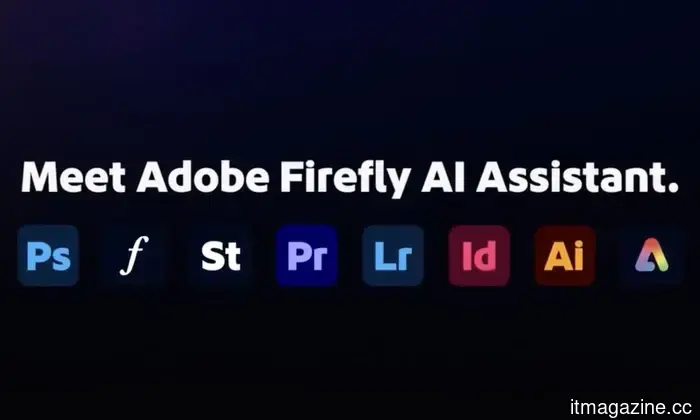
Introducing Firefly AI Assistant, a conversational tool that enables you to articulate your creative ideas and then manages the execution across Adobe’s full app ecosystem, which includes Photoshop, Premiere, Lightroom, Express, and Illustrator.
Now, there's no need to switch between different applications as you can carry out all edits with straightforward text commands. The concept is simple: you provide your vision and creative insights, give Firefly a prompt, and the assistant will handle the rest.
So, what can it actually accomplish for you?
The assistant operates through what Adobe refers to as Creative Skills, which are pre-defined workflows for common tasks such as consistently editing portrait photos using presets or producing content for various social media platforms simultaneously. You can utilize Adobe's preset skills or create your own AI skills.
It also retains your preferences over time, including your favorite tools, aesthetic choices, and preferred types of outputs. The more you engage with it, the better it understands your style.
A significant challenge of AI creation tools is their tendency to produce inconsistent results across larger projects. Adobe claims to have resolved this issue, and if it lives up to the company’s assertions, it could revolutionize the experience for modern creators.
What other updates are present in Firefly?
In addition to the assistant, Adobe has introduced numerous enhancements. The Firefly Video Editor now includes features like automatic dialogue cleanup, color adjustment tools, and access to over 800 million licensed Adobe Stock assets directly from the editor.
Two new image editing tools are also on the way. Precision Flow allows you to explore a variety of variations from a single prompt by using a slider, while AI Markup enables you to draw directly on images to position objects, modify lighting, or add elements with a brush.
Firefly has also integrated Kling 3.0 and Kling 3.0 Omni into its expanding collection of AI video models, joining more than 30 other models already available on the platform.
Adobe is making significant promises with this new update, but whether the company can fulfill its claims remains to be seen. I have learned to be cautious about AI features announced by companies until I can test them myself.
Rachit is an experienced tech journalist with more than seven years of experience in covering the consumer technology sector.
MSI has launched a range of laptops equipped with up to RTX 5090 graphics and Intel Arrow Lake processors.
MSI's largest laptop launch this year showcases five product families, featuring Intel's latest mobile processors and Nvidia's most powerful gaming GPUs to date.
MSI has showcased an extensive refresh, unveiling over a dozen new gaming laptops across its Cyborg, Crosshair, Raider, Stealth, and Titan series. These models are available in 15-inch, 16-inch, and 18-inch sizes, ensuring options for every gamer or professional user, making it difficult for buyers to find excuses to avoid upgrading this year.
Read more
Google's Gemini has made its entrance to Apple's Mac scene, beating Siri to the punch.
The launch of Gemini's Mac app signifies Google’s move to catch up with ChatGPT and Claude, presenting a direct challenge to Apple’s own hardware, and arriving ahead of Siri's anticipated upgrade.
Google has launched a native Gemini app on Macs, which is an interesting twist considering its release coincided with Apple’s long-awaited Siri upgrade (along with rumored standalone app for the voice assistant). The app is available for macOS 15 or later. Although it is not yet listed on the App Store, you can download it from Google’s official website.
Read more
Nothing's Warp app aimed to resolve cross-platform file sharing before disappearing just hours later.
Nothing introduced a genuinely useful app named Warp earlier today, designed to enable Android users to transfer files, links, and text directly to their Mac, Windows, or Linux devices without any cables or complicated procedures.
The app was announced for Chrome and Edge (Chromium-based web browsers) as well as for Android smartphones, and it was made available on both the Chrome Web Store and Google Play Store (via 9To5Google). However, a few hours later, it vanished entirely, with official listings generating errors.
Read more






Other articles
 Apple discreetly warned that it might remove Grok from the App Store due to deepfake nude content.
In January, Apple warned that it would take Grok off the App Store due to issues with non-consensual deepfakes. The company rejected the initial solution proposed by xAI.
Apple discreetly warned that it might remove Grok from the App Store due to deepfake nude content.
In January, Apple warned that it would take Grok off the App Store due to issues with non-consensual deepfakes. The company rejected the initial solution proposed by xAI.
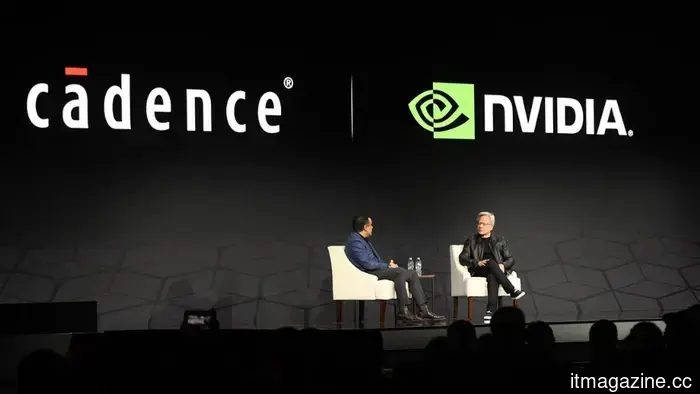 The partnership between Cadence and Nvidia in the field of robotics.
Cadence and Nvidia are strengthening their AI collaboration to bridge the sim-to-real gap in robotics by integrating physics engines with Nvidia's Isaac and Cosmos models.
The partnership between Cadence and Nvidia in the field of robotics.
Cadence and Nvidia are strengthening their AI collaboration to bridge the sim-to-real gap in robotics by integrating physics engines with Nvidia's Isaac and Cosmos models.
 You can now purchase physical books through the Spotify app.
Spotify is now allowing users in the U.S. and U.K. to purchase physical books through its app, moving beyond audiobooks with features such as Page Match, Recaps, and Charts to enhance the reading experience.
You can now purchase physical books through the Spotify app.
Spotify is now allowing users in the U.S. and U.K. to purchase physical books through its app, moving beyond audiobooks with features such as Page Match, Recaps, and Charts to enhance the reading experience.
 Nuclear startup X-energy, supported by Amazon, has submitted its application for an IPO.
X-energy, supported by a $500 million investment from Amazon and a commitment to purchase 5GW of power, has submitted a filing for an IPO with a goal of raising up to $814 million.
Nuclear startup X-energy, supported by Amazon, has submitted its application for an IPO.
X-energy, supported by a $500 million investment from Amazon and a commitment to purchase 5GW of power, has submitted a filing for an IPO with a goal of raising up to $814 million.
 Sygaldry Technologies has secured $105 million in a Series A funding round.
Sygaldry, under the leadership of Chad Rigetti, the founder of Rigetti Computing, has secured $139 million to develop AI servers powered by quantum acceleration. The funding round was led by Breakthrough Energy Ventures.
Sygaldry Technologies has secured $105 million in a Series A funding round.
Sygaldry, under the leadership of Chad Rigetti, the founder of Rigetti Computing, has secured $139 million to develop AI servers powered by quantum acceleration. The funding round was led by Breakthrough Energy Ventures.
 Musk is urging chip suppliers to operate at 'light speed' for his Terafab AI.
Reports indicate that Musk's teams reached out to Applied Materials, Tokyo Electron, and Lam Research regarding his Terafab AI chip facility.
Musk is urging chip suppliers to operate at 'light speed' for his Terafab AI.
Reports indicate that Musk's teams reached out to Applied Materials, Tokyo Electron, and Lam Research regarding his Terafab AI chip facility.
Adobe Firefly AI will allow you to edit in creative software simply by speaking your instructions.
Adobe's latest Firefly AI Assistant allows you to express your needs, taking care of everything else across Photoshop, Premiere, Lightroom, Illustrator, and more, all through a single chat interface.