
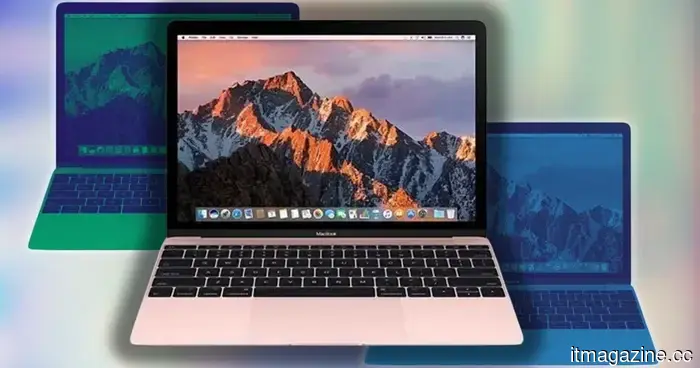
Experts have discovered a 49-day time bomb that may be hindering your Mac's performance.
The 49-day macOS bug is a genuine issue affecting any Mac that goes without a reboot.
If your Mac has been operating for weeks without restarting and is feeling sluggish, there is a specific reason for this. Researchers at Photon have identified a bug in macOS that acts like a ticking time bomb.
After 49 days, 17 hours, 2 minutes, and 47 seconds of continuous uptime, your Mac silently loses the ability to initiate new internet connections. Applications malfunction, websites fail to load, and your CPU starts to overexert itself.
So, what is happening internally in your Mac?
The bug resides in the manner in which macOS tracks time to manage network connections. The operating system employs a 32-bit counter, which can register values up to 4,294,967,295 milliseconds, equating precisely to 49.7 days of continuous operation.
When this limit is reached, the counter overflows and resets, much like a car's odometer reverting from its maximum to zero. At this point, macOS is no longer able to properly close completed network connections. Consequently, these inactive connections accumulate instead of being cleared.
Your Mac has approximately 16,384 connection ports available. Once these ports are filled with connections that should have been closed, new ones cannot be established. As a result, the CPU increasingly struggles to manage numerous unnecessary connections, leading to the noticeable slowdown.
But why hasn’t your Mac already crashed?
Interestingly, not everything ceases to function. Pings still work, and any connections established prior to the overflow remain operational. It is the new connections that fail, which makes the bug feel erratic and difficult to identify without specific knowledge.
This type of bug is not unprecedented. Windows 95 and Windows 98 famously crashed after 49.7 days for the same reason. Some Linux systems could experience a similar problem on January 19, 2038, when their own 32-bit time counter reaches its limit. Now, it’s been confirmed that macOS has a similar issue.
How can you stop your Mac from slowing down?
The current solution is simple: restart your Mac before reaching the 49-day threshold. A reboot resets the counter to zero, allowing you another 49.7 days before the problem recurs.
Photon is reportedly working on a software-level fix that won’t necessitate a full system restart, but until that becomes available, regularly rebooting your Mac is your best bet.
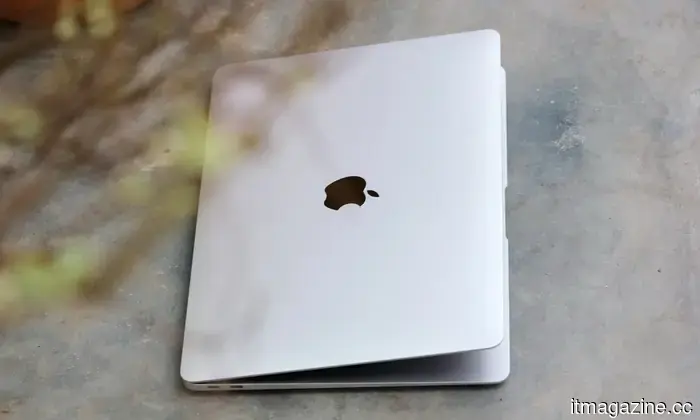
Apple is now offering repair kits for the MacBook Neo and iPhone 17e for those who prefer DIY fixes.
If you've ever considered fixing your Apple devices on your own, Apple is now giving you the go-ahead—without any judgment from Genius Bar staff. Launched in 2022, Apple’s Self Service Repair Store allows users in selected areas to purchase or rent the necessary parts and tools to repair their devices. Importantly, these are official Apple-approved components, complete with manuals guiding you through every step. Today's update brings significant additions, including parts for the latest devices like the MacBook Neo, iPhone 17e, Studio Display XDR, and other recent products such as the iPad Air M4 and MacBook Air M5.
Gen Z was initially expected to embrace AI enthusiastically, but recent trends show increasing dissatisfaction among them.
Gen Z was anticipated to be the strongest supporters of AI, but statistics suggest otherwise. Over half of Gen Z individuals in the US engage regularly with generative AI, yet they do not seem to be ardent advocates. A recent New York Times report highlights a survey by Gallup, the Walton Family Foundation, and GSV Ventures, which interviewed over 1,500 people aged 14 to 29. It found that Gen Z is becoming more skeptical of the technology they utilize daily.
Microsoft is optimizing the right-click action and Quick Settings, which is long overdue.
Windows 11 users may soon experience relief from one of the most frustrating slowdowns. According to reports from Windows Latest, Microsoft is enhancing Quick Settings and the right-click menu to ensure they respond instantly—features that are likely accessed numerous times every day. Currently, both can lag noticeably, creating an unreliable user experience, where tapping Wi-Fi or sound may take several moments to respond, with some toggles being updated later.




Other articles
 The powerful stylus may make a comeback in the upcoming Samsung Galaxy foldable.
Following the discreet removal of the S Pen from last year's Galaxy Z Fold 7, Samsung seems poised to reintroduce it in a more prominent and striking design, coinciding with Apple’s entry into the foldable market with its first foldable iPhone.
The powerful stylus may make a comeback in the upcoming Samsung Galaxy foldable.
Following the discreet removal of the S Pen from last year's Galaxy Z Fold 7, Samsung seems poised to reintroduce it in a more prominent and striking design, coinciding with Apple’s entry into the foldable market with its first foldable iPhone.
 According to Jassy, Amazon's chip division could be valued at $50 billion, and he suggests that there is a possibility of selling them to external clients.
Andy Jassy's shareholder letter for 2026 highlights that Amazon's Graviton, Trainium, and Nitro chips generate over $20 billion annually and have the potential to be sold directly to third-party clients.
According to Jassy, Amazon's chip division could be valued at $50 billion, and he suggests that there is a possibility of selling them to external clients.
Andy Jassy's shareholder letter for 2026 highlights that Amazon's Graviton, Trainium, and Nitro chips generate over $20 billion annually and have the potential to be sold directly to third-party clients.
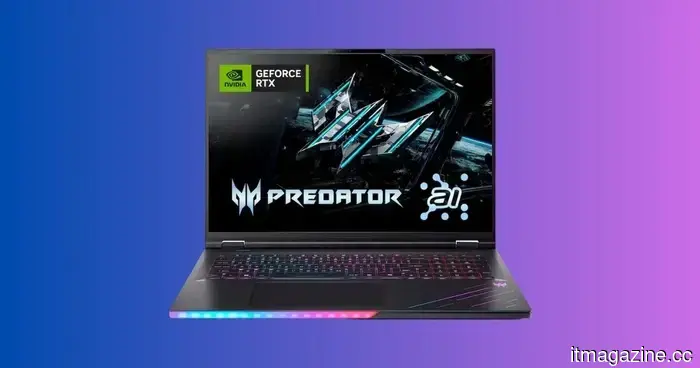 Get $560 off the Acer Predator Helios 18 AI, featuring an RTX 5080, a 24-core Ultra 9 processor, and a 250Hz Mini-LED display for less than $2,600.
The Acer Predator Helios 18 AI is now available for $2,539.99, offering a savings of $560 from its comparable price of $3,099.99. It features an impressive specification sheet that includes an RTX 5080 with GDDR7, a 24-core Intel Core Ultra 9, and a 250Hz Mini-LED display with 1000 nits that come together to [...]
Get $560 off the Acer Predator Helios 18 AI, featuring an RTX 5080, a 24-core Ultra 9 processor, and a 250Hz Mini-LED display for less than $2,600.
The Acer Predator Helios 18 AI is now available for $2,539.99, offering a savings of $560 from its comparable price of $3,099.99. It features an impressive specification sheet that includes an RTX 5080 with GDDR7, a 24-core Intel Core Ultra 9, and a 250Hz Mini-LED display with 1000 nits that come together to [...]
 Google Cloud strengthens its AI infrastructure collaboration with Intel, focusing on Xeon processors and custom chips.
Google Cloud is broadening its multi-year AI infrastructure collaboration with Intel, pledging to use Xeon 6 CPUs and jointly creating custom Infrastructure Processing Units.
Google Cloud strengthens its AI infrastructure collaboration with Intel, focusing on Xeon processors and custom chips.
Google Cloud is broadening its multi-year AI infrastructure collaboration with Intel, pledging to use Xeon 6 CPUs and jointly creating custom Infrastructure Processing Units.
 Jassy indicates that Amazon's chip division could have a value of $50 billion and suggests that there might be plans to sell them externally.
In Andy Jassy's 2026 letter to shareholders, it is disclosed that Amazon's Graviton, Trainium, and Nitro chips produce over $20 billion annually, with the potential for direct sales to third parties.
Jassy indicates that Amazon's chip division could have a value of $50 billion and suggests that there might be plans to sell them externally.
In Andy Jassy's 2026 letter to shareholders, it is disclosed that Amazon's Graviton, Trainium, and Nitro chips produce over $20 billion annually, with the potential for direct sales to third parties.
 Google Cloud strengthens its partnership with Intel on AI infrastructure, focusing on Xeon processors and custom chips.
Google Cloud is enhancing its multi-year AI infrastructure collaboration with Intel by committing to Xeon 6 CPUs and jointly creating custom Infrastructure Processing Units.
Google Cloud strengthens its partnership with Intel on AI infrastructure, focusing on Xeon processors and custom chips.
Google Cloud is enhancing its multi-year AI infrastructure collaboration with Intel by committing to Xeon 6 CPUs and jointly creating custom Infrastructure Processing Units.
Experts have discovered a 49-day time bomb that may be hindering your Mac's performance.
A recently discovered macOS bug functions like a time bomb, halting the internal network clock after 49.7 days and leading to failures in apps and websites.