

Evernote has reintroduced the tabbed view, but are its increasing prices driving away loyal customers?
If you're an Evernote power user, there’s good news! Evernote has officially reintroduced tabbed notes, a feature that Mac users cherished but lost in October 2020. When Evernote redesigned its app from the ground up to create a unified cross-platform version for Windows, Mac, and desktop, tabs were completely removed.
Previously, tabs were exclusive to Mac users and never available on Windows, leading to their removal for consistency across platforms. Now, five years later, they're back and available on both Mac and Windows.
So, how do tabs function in Evernote now?
Opening a note in a new tab is simple. You can right-click any note from the note list, sidebar, or the three-dot menu and choose “Open in New Tab.” There’s also a plus button on the right side of your open tabs for quickly adding a new one.
You can customize what a new tab defaults to opening, whether it’s your home page, all notes, or all notebooks, by navigating to Settings, then Preferences, and then Application. Additionally, you can drag and rearrange tabs to suit your needs, which is useful for managing notes during a busy day.
But there's more to this update.
Tabs extend beyond just notes. You can also open Tasks, Calendar, Home, Notebooks, and Templates in separate tabs. Keyboard shortcuts are also available, such as Ctrl/Cmd + O to open the current note in a new tab, and Cmd + W to close one.
A particularly helpful feature is the red pulsing dot on a tab when a recording is active, so you can easily identify which note is capturing audio.
While this is great, Evernote’s increasing pricing is hard to overlook.
The reintroduction of Tabs and the new AI features in version 11 clearly reflect Evernote’s attempts to regain users. For those who rely heavily on Evernote, the latest update offers valuable features that are exciting.
However, Evernote’s pricing has significantly increased over the years. In 2026, there was a steep price hike that nearly doubled subscription costs to $250 annually.
What was once valued for its affordable pricing has transformed into a premium productivity suite, incorporating AI tools, calendar sync, and task management into all tiers, regardless of user interest in those features.
For users who exceed the 20-notebook limit or utilize more than three synced devices, the less expensive Starter plan at $99 is no longer an option. To make matters worse, the new pricing implemented a 1GB total storage cap on the Starter tier, a stark contrast to the previous unlimited storage model. For comparison, $100 a year gets you 2TB on Google.
Long-time subscribers who have remained loyal to Evernote through numerous changes are now actively seeking alternatives like Notion and Notesnook, attracted by better value, unlimited storage on free tiers, and more streamlined interfaces without mandatory AI integration. Are you continuing with Evernote, or have the price increases finally driven you to explore other options?
Other articles
 Enkei secures a pre-seed funding round with a valuation of €3 million.
Enkei has secured a pre-seed funding round at a €3M valuation to bring ReCeramix™ to market, a circular architectural surface material composed of over 90% construction waste.
Enkei secures a pre-seed funding round with a valuation of €3 million.
Enkei has secured a pre-seed funding round at a €3M valuation to bring ReCeramix™ to market, a circular architectural surface material composed of over 90% construction waste.
 The Beats Solo 4 is available at a 40% discount, and it's difficult to contest the appeal of 50 hours of battery life at this price.
The Beats Solo 4 is currently priced at $119.99 on Amazon as part of the Big Spring Sale, reflecting an $80 discount from its original price of $199.95. This represents a 40% reduction on a pair of on-ear Bluetooth headphones that provide 50 hours of battery life, a lightweight design, and a more balanced tuning than previous Beats models.
The Beats Solo 4 is available at a 40% discount, and it's difficult to contest the appeal of 50 hours of battery life at this price.
The Beats Solo 4 is currently priced at $119.99 on Amazon as part of the Big Spring Sale, reflecting an $80 discount from its original price of $199.95. This represents a 40% reduction on a pair of on-ear Bluetooth headphones that provide 50 hours of battery life, a lightweight design, and a more balanced tuning than previous Beats models.
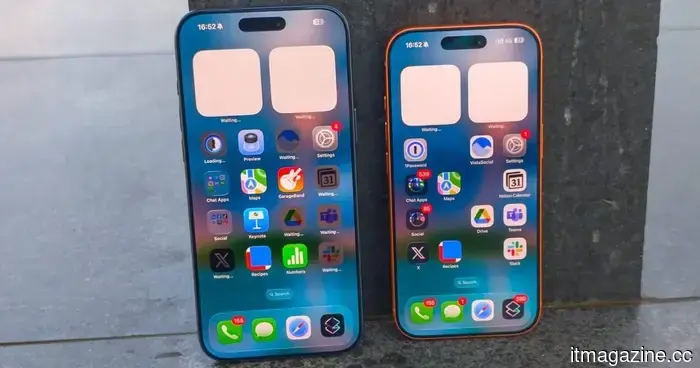 Recent leaks lend credibility to speculations about a more streamlined Dynamic Island on the iPhone 18.
Prototype leaks and accessory images point to one conclusion: Apple is reducing the size of the iPhone 18 Pro's Dynamic Island by approximately one third.
Recent leaks lend credibility to speculations about a more streamlined Dynamic Island on the iPhone 18.
Prototype leaks and accessory images point to one conclusion: Apple is reducing the size of the iPhone 18 Pro's Dynamic Island by approximately one third.
 Airbnb introduces private car transfers in over 125 cities.
Airbnb has introduced private car transfers to its in-app offerings by teaming up with the UK-based Welcome Pickups in over 125 cities.
Airbnb introduces private car transfers in over 125 cities.
Airbnb has introduced private car transfers to its in-app offerings by teaming up with the UK-based Welcome Pickups in over 125 cities.
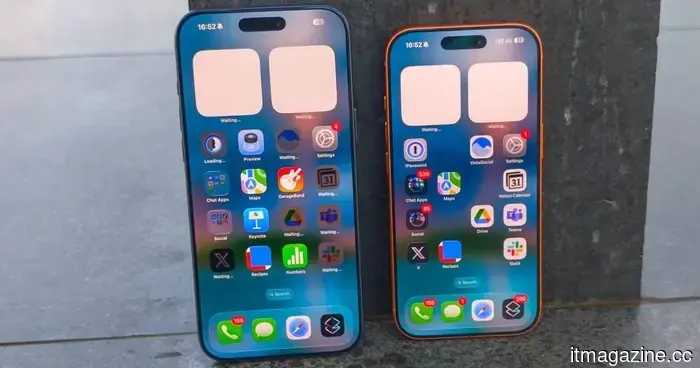 Recent leaks lend credence to speculations regarding a more streamlined Dynamic Island on the iPhone 18.
Leaks of prototypes and accessory images suggest a singular conclusion: Apple is reducing the size of the iPhone 18 Pro's Dynamic Island by approximately one-third.
Recent leaks lend credence to speculations regarding a more streamlined Dynamic Island on the iPhone 18.
Leaks of prototypes and accessory images suggest a singular conclusion: Apple is reducing the size of the iPhone 18 Pro's Dynamic Island by approximately one-third.
 Samsung's latest motion sickness app may have been more effective as a feature for Galaxy Buds.
Samsung's Hearapy app addresses travel sickness through a scientifically supported 60-second audio session that requires no medication and has no side effects, utilizing only a specific bass tone.
Samsung's latest motion sickness app may have been more effective as a feature for Galaxy Buds.
Samsung's Hearapy app addresses travel sickness through a scientifically supported 60-second audio session that requires no medication and has no side effects, utilizing only a specific bass tone.
Evernote has reintroduced the tabbed view, but are its increasing prices driving away loyal customers?
Evernote has officially reintroduced tabbed notes after a five-year hiatus, and this time the feature is accessible on both Mac and Windows, rather than being exclusive to Mac users who had it prior to 2020.