
.jpg)
Apple TV Not Functioning? 12 Frequent Issues and Expert-Approved Solutions (2026)
**Expert Note:** Before proceeding with the detailed guide below, it’s advisable to perform a “System Restart” (Settings > System > Restart) or to disconnect the power cord for at least 30 seconds. If the problem persists, refer to the specific issues and resolutions listed below. In my experience, restarting the system has resolved 90% of the problems I encountered with my Apple TV. These solutions were tested on my Apple TV using tvOS 17.4.
**Quick Troubleshooting Menu**
- Remote Unresponsive or Laggy
- Wi-Fi Connectivity & Buffering
- Video Flickering or Black Screen
- Audio Out of Sync
- App Crashing or Freezing
### 1. Siri Remote is Unresponsive or Jumping
Regardless of whether you have the silver USB-C remote or the older black touchpad version, connectivity issues are quite common, especially if your Apple TV is placed behind furniture or walls.
**Solutions:**
- **The “Secret” Reboot:** Simultaneously hold down the TV/Control Center button and the Volume Down button for 5 seconds until the Apple TV status light flashes. The remote will restart and automatically re-pair.
- **Charge Check:** Unlike older remotes, the Siri Remote does not notify you with a “Low Battery” warning until it is almost dead. Charge it for about 30 minutes using USB-C/Lightning.
- **Distance & Obstructions:** Ensure there is an unobstructed line of sight. Although it operates via Bluetooth, interference from soundbars using a 2.4GHz interface can lead to “ghost touches.” I personally haven't experienced this issue, but my brother has faced it in his family room due to a soundbar.
### Frequent Buffering or “Network Unavailable”
Even with high-speed internet, the internal Wi-Fi antenna of the Apple TV can have difficulty when positioned near other electronic devices.
**Solutions:**
- **The 5GHz Rule:** If your router supports dual bands, ensure the Apple TV is on the 5GHz band, provided it is close enough to receive a strong signal. The 2.4GHz band can be congested at times, causing the “Apple Spinning Wheel of Death.”
- **Forget and Rejoin:** Navigate to Settings > Network > Wi-Fi, forget the current network, and re-add it. This clears outdated IP assignments and assigns a new IP address.
- **Check Signal Strength:** Go to Settings > General > About. If your signal strength is 2 bars or fewer, you may need a mesh extender or an Ethernet connection.
### Video Flickering, Tinted Screen, or No Image
This typically results from an "HDMI Handshake" error where the Apple TV and the TV fail to communicate effectively.
**Solutions:**
- **Check the Cable:** Use a “Certified Premium High Speed” HDMI cable.
- **Match Content Settings:** Go to Settings > Video and Audio > Match Content. Enable Match Dynamic Range and Match Frame Rate. This avoids “black flashes” when an app transitions from HDR to SDR, and most receivers or video switches should be able to manage the handshake.
- **HDMI Reset:** Disconnect both ends of the HDMI cable and reconnect them firmly. You might also try swapping the ends. Here’s a list of our recommended HDMI cables.
### Audio is Out of Sync (Lip-Sync Issue)
Wireless audio devices (like AirPods or HomePods) often experience a delay compared to the video, especially when screencasting from an iPhone.
**Fix:** – Wireless Audio Sync: This hidden setting can be found in Apple’s menu. Go to Settings > Video and Audio > Wireless Audio Sync. Your iPhone will use its microphone to listen to your TV and adjust the audio timing accordingly.
### Specific Apps like Netflix, YouTube Keep Crashing
If only one app is failing while others operate normally, it probably indicates a corrupted cache for that app.
**Solutions:**
- **Force Close:** Double-tap the TV/Control Center button to access the App Switcher. Swipe up on the troublesome app to close it fully.
- **Reinstall:** Select the app on the Home Screen, hold down the center clickpad until it jiggles, press Play/Pause, and choose Delete. Then, download the app again from the App Store.
### When to Contact Apple Support
If you notice a flashing status light that does not stop after a restart, or see the “Restore” screen (depicting an iPhone next to an Apple TV), the firmware may be compromised.
- **Apple TV 4K:** You must get in touch with Apple Support since there’s no USB port for manual restoration.
- **Older HD Models:** You can connect it to a Mac via USB-C and restore it using Finder.
### Frequently Asked Questions (FAQ):
**Q:** Why is my Apple TV status light blinking rapidly?
**A:** This usually
.jpg)
.jpg)
.jpg)
.jpg)
Other articles
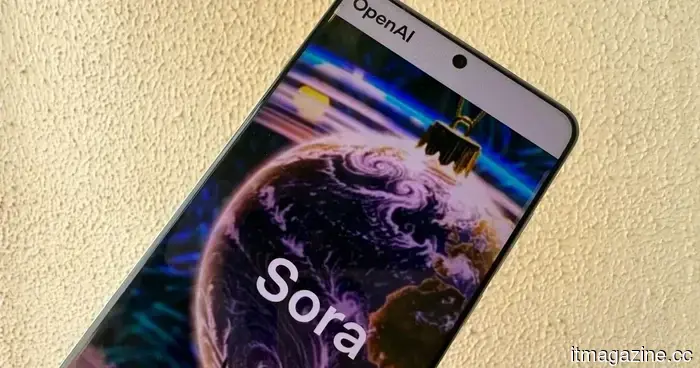 OpenAI has shut down the Sora AI video application, and it is unlikely to be reintroduced.
Just six months after its debut as an independent app, the Sora AI video generator app is coming to an end. This decision is quite unexpected, especially since Google has intensified its AI video initiatives with Veo, while Chinese AI companies persist in producing remarkable outcomes with offerings like the viral Seedance AI video.
OpenAI has shut down the Sora AI video application, and it is unlikely to be reintroduced.
Just six months after its debut as an independent app, the Sora AI video generator app is coming to an end. This decision is quite unexpected, especially since Google has intensified its AI video initiatives with Veo, while Chinese AI companies persist in producing remarkable outcomes with offerings like the viral Seedance AI video.
 Amazon introduces an adorable humanoid to its collection of robots.
Amazon has purchased Fauna Robotics, a company located in New York City, just a few months following the introduction of Sprout, an adorable humanoid robot. Specific details regarding the acquisition have not been disclosed, but Fauna's CEO Rob Cochran expressed his "incredibly excited" feelings about the news in a LinkedIn post on Tuesday. "When we launched in [...]
Amazon introduces an adorable humanoid to its collection of robots.
Amazon has purchased Fauna Robotics, a company located in New York City, just a few months following the introduction of Sprout, an adorable humanoid robot. Specific details regarding the acquisition have not been disclosed, but Fauna's CEO Rob Cochran expressed his "incredibly excited" feelings about the news in a LinkedIn post on Tuesday. "When we launched in [...]
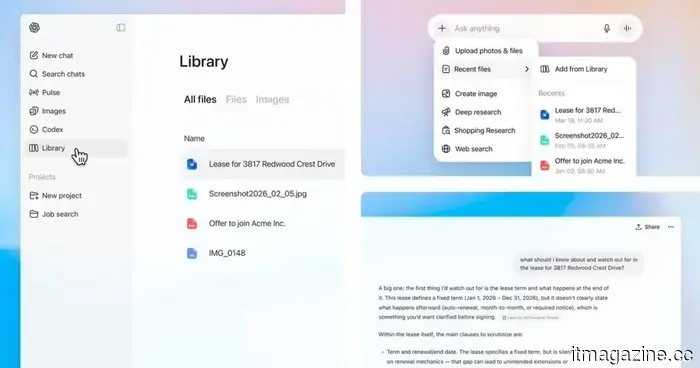 ChatGPT is receiving a significant update to enhance file management capabilities.
OpenAI is introducing a new Library tab and Recent files menu in ChatGPT, which simplifies the process of locating, reusing, and managing files throughout conversations.
ChatGPT is receiving a significant update to enhance file management capabilities.
OpenAI is introducing a new Library tab and Recent files menu in ChatGPT, which simplifies the process of locating, reusing, and managing files throughout conversations.
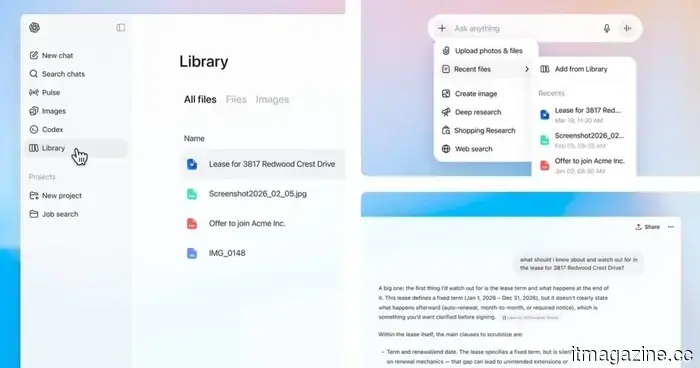 ChatGPT is receiving an important update to enhance file management.
OpenAI is introducing a new Library tab and Recent files menu in ChatGPT, enhancing the ability to locate, reuse, and manage files throughout conversations.
ChatGPT is receiving an important update to enhance file management.
OpenAI is introducing a new Library tab and Recent files menu in ChatGPT, enhancing the ability to locate, reuse, and manage files throughout conversations.
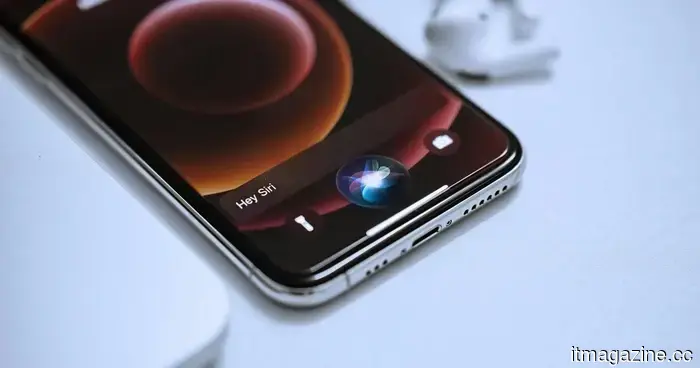 Apple is considering an “Ask Siri” feature that would make the assistant accessible throughout your iPhone.
Apple is experimenting with an "Ask Siri" feature that enables users to engage with the assistant across different applications, transforming it into a more conversational and context-sensitive tool that directly responds to the content displayed on your screen.
Apple is considering an “Ask Siri” feature that would make the assistant accessible throughout your iPhone.
Apple is experimenting with an "Ask Siri" feature that enables users to engage with the assistant across different applications, transforming it into a more conversational and context-sensitive tool that directly responds to the content displayed on your screen.
 WWDC 2026: Our expectations for Apple’s event this June
WWDC 2026 appears to be Apple's most subdued keynote in years, and possibly its most significant. Here’s what we anticipate on June 8.
WWDC 2026: Our expectations for Apple’s event this June
WWDC 2026 appears to be Apple's most subdued keynote in years, and possibly its most significant. Here’s what we anticipate on June 8.
Apple TV Not Functioning? 12 Frequent Issues and Expert-Approved Solutions (2026)
The Apple TV is an excellent streaming device, but it can occasionally experience glitches. Here’s a guide to some of the typical Apple TV problems and how to resolve them.