
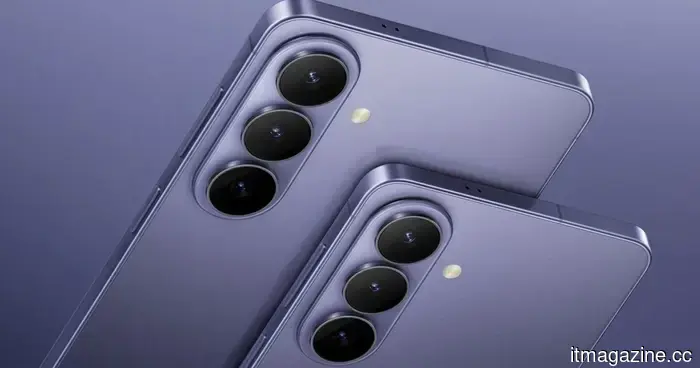
You can use the Galaxy S26 as a webcam, and it’s genuinely helpful.
Samsung is finally catching up with a feature that Pixel users have had for some time.
While Samsung has introduced numerous camera enhancements in the Galaxy S26 series, one key feature that many may not have noticed initially is the native USB webcam mode. This functionality, reported by Android Authority, allows users to connect their Galaxy S26 to a computer and utilize its camera as a webcam.
However, this is not entirely new to the Android ecosystem. Google launched this feature for Pixel devices with Android 14 QPR1, and now Samsung is incorporating it into its flagship series.
How does it function?
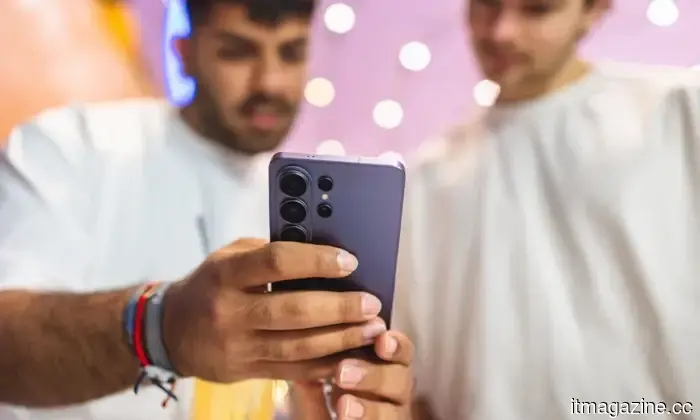
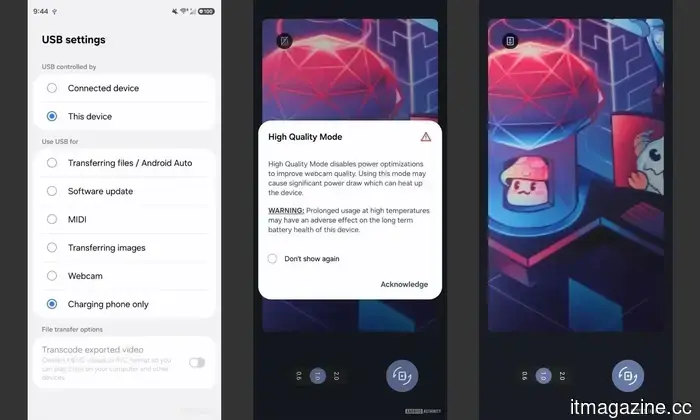
The process is straightforward. Simply connect your Galaxy S26 to a PC using a USB cable, and the phone will prompt you to switch to webcam mode. Once activated, your computer will recognize the phone as a camera, eliminating the need for additional apps, drivers, or hacks.
This marks a significant improvement over previous methods, which often depended on third-party applications that could be unreliable or required extensive setup. Furthermore, it includes an optional High Quality Mode to maximize the potential of your phone's camera.
Is your webcam being replaced?
Let’s be honest—your phone's camera far surpasses the dull, grainy webcam found on most laptops. With the Galaxy S26 serving as a webcam, you're effectively enhancing your video calls instantly, without needing any extra equipment. This reflects a broader trend of smartphones evolving into all-in-one devices that can supplant webcams, scanners, and even compact cameras. At this stage, your phone is essentially capable of everything except brewing coffee (for now).
That said, there are a few limitations. The feature is currently exclusive to the Galaxy S26 series and necessitates a wired connection. However, if it results in sharper video calls without additional costs, it’s a worthwhile trade-off.
Varun is an experienced technology journalist and editor with over eight years in consumer tech media. His work encompasses...
Apple’s ambitions to improve the iPhone camera are caught up in a legal dispute
What began as an effort to introduce professional-level camera features has now turned into a lawsuit against Apple.
Apple’s intentions to significantly enhance the iPhone camera have become complicated. Recent reports indicated that Apple was investigating ways to incorporate Halide-like pro features into the iPhone 18 Pro, even considering acquiring the app’s developer, Lux Optics. However, this situation has taken a legal turn, with a lawsuit now complicating matters.
According to The Information, Ben Sandofsky, co-founder of Lux Optics, has filed a lawsuit against fellow co-founder Sebastiaan de With, who recently joined Apple's design team.
Amazon's rumored AI phone may not succeed, say analysts
This might be the least opportune moment for Amazon to launch a phone.
Recent leaks suggest that Amazon is preparing to re-enter the smartphone market with a device focused on AI. However, analysts question whether the timing is appropriate.
A new report states that industry experts consider this could be "the worst possible time" for Amazon to come back into the smartphone arena, even with the added AI aspect.
Chrome on iPhone emphasizes Gemini in your browsing experience
Google aims for you to browse the web with Gemini, not just Chrome.
Google has been heavily investing in AI, integrating it across its services, and Chrome is no exception. The latest update for Chrome on iPhones makes this AI-centric approach even clearer.
A new "Ask Gemini" shortcut is being tested in Chrome for iOS, providing instant access to an AI assistant directly from the browser. This feature is easily accessible and not hidden in menus; rather, it appears as a persistent bottom bar alongside other options such as the new tab and tab switcher.



Other articles
 The 64-Team Round: AI-ok
After completing the first two days of play, I'm performing better in my pool than I typically do. I requested Chat GPT to generate two brackets: one aimed at predicting the actual winner and another focused on winning my pool. So far, both are doing reasonably well. I am currently tied for fifth out of sixty brackets.
The 64-Team Round: AI-ok
After completing the first two days of play, I'm performing better in my pool than I typically do. I requested Chat GPT to generate two brackets: one aimed at predicting the actual winner and another focused on winning my pool. So far, both are doing reasonably well. I am currently tied for fifth out of sixty brackets.
 The 64-Team Round: AI-approved
Having completed the initial two days of play, I find myself in a better position in my pool than I typically am. I requested Chat GPT to generate two brackets: one to forecast the true champion and another aimed at winning my pool. So far, both are performing reasonably well. I'm currently tied for fifth out of sixty brackets [...]
The 64-Team Round: AI-approved
Having completed the initial two days of play, I find myself in a better position in my pool than I typically am. I requested Chat GPT to generate two brackets: one to forecast the true champion and another aimed at winning my pool. So far, both are performing reasonably well. I'm currently tied for fifth out of sixty brackets [...]
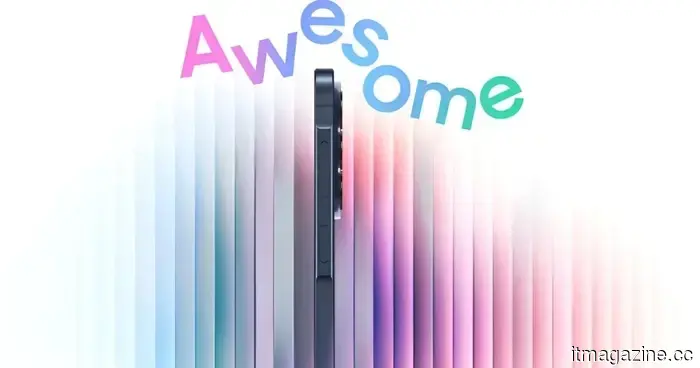 Samsung's upcoming mid-range Galaxy A57 and Galaxy A37 have officially received their launch date.
Samsung has announced that it will release its new Galaxy A57 and Galaxy A37 mid-range smartphones in India on March 25.
Samsung's upcoming mid-range Galaxy A57 and Galaxy A37 have officially received their launch date.
Samsung has announced that it will release its new Galaxy A57 and Galaxy A37 mid-range smartphones in India on March 25.
 An analyst suggests that Amazon's anticipated AI phone may not succeed.
Amazon's speculated AI-powered smartphone could encounter significant challenges, as analysts caution that current market conditions and competition render this an unfavorable time for its release.
An analyst suggests that Amazon's anticipated AI phone may not succeed.
Amazon's speculated AI-powered smartphone could encounter significant challenges, as analysts caution that current market conditions and competition render this an unfavorable time for its release.
 Chrome on iPhone is prominently featuring Gemini in your browsing experience.
Chrome on iOS is experimenting with a new Gemini shortcut that integrates an AI assistant into your browsing experience without needing to navigate away from the page.
Chrome on iPhone is prominently featuring Gemini in your browsing experience.
Chrome on iOS is experimenting with a new Gemini shortcut that integrates an AI assistant into your browsing experience without needing to navigate away from the page.
 An analyst suggests that Amazon's anticipated AI phone could fail to make an impact from the start.
Analysts caution that Amazon's speculated AI-powered smartphone could encounter significant challenges, as current market conditions and competition render this an unfavorable time for a launch.
An analyst suggests that Amazon's anticipated AI phone could fail to make an impact from the start.
Analysts caution that Amazon's speculated AI-powered smartphone could encounter significant challenges, as current market conditions and competition render this an unfavorable time for a launch.
You can use the Galaxy S26 as a webcam, and it’s genuinely helpful.
The Galaxy S26 features a built-in USB webcam mode, allowing users to connect their phone to a PC and utilize its camera without the need for any third-party applications.