
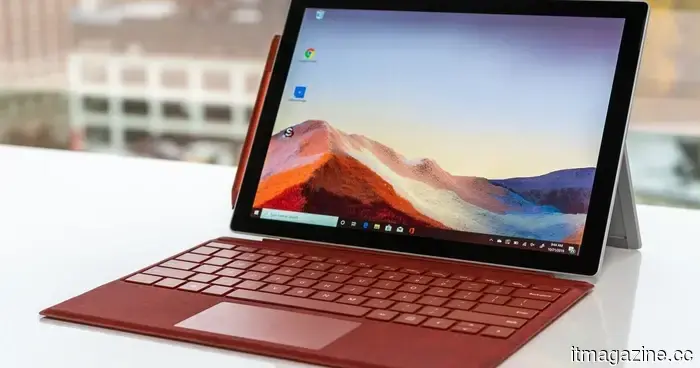
The latest Microsoft PowerToys update introduces three significant enhancements for your Windows PC.
PowerToys 0.98 has been released, featuring an enhanced Keyboard Manager, a pinnable Command Palette Dock, and a more dependable CursorWrap for setups with multiple monitors.
Microsoft has unveiled PowerToys v0.98.0, a substantial update to its popular productivity toolkit for Windows.
This new version includes a revamped Keyboard Manager, a new Command Palette Dock, and a significantly improved CursorWrap experience for users with multiple monitors.
What enhancements does the new Keyboard Manager offer?
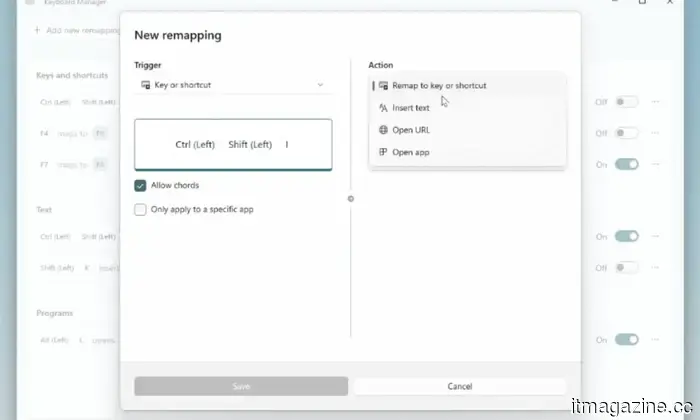
The updated Keyboard Manager (currently in preview) has been completely redesigned using WinUI 3. Users no longer need to switch between two separate windows; instead, they can now manage both key and shortcut remappings within a single, cohesive interface.
Additionally, users can quickly enable or disable specific remappings with individual toggle switches, and a new hotkey (Win + Shift + K) allows users to toggle the Keyboard Manager on or off while on the go.
Besides the revamped Keyboard Manager, the Command Palette (in preview) can now be fixed to any edge of the screen — top, bottom, left, or right — providing quick access to pinned commands, applications, and extensions without having to open the whole palette. Users can easily rearrange or remove items by right-clicking.
How does the enhanced CursorWrap benefit users with multiple monitors?
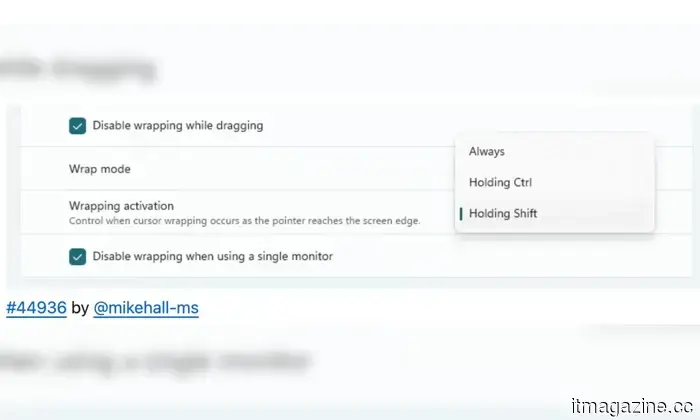
The existing wrapping engine has been rewritten to handle complex monitor configurations more reliably. Users can now restrict wrapping to activate only when holding Ctrl or Shift and can disable it altogether while using a single screen.
Alongside these additions, the Always On Top feature has received an improvement that allows users to pin windows directly from the right-click menu on the title bar, eliminating the need for keyboard shortcuts.
Together, these PowerToys enhancements empower Windows users with greater control over their desktop navigation. Whether it's remapping keys for accessibility, keeping essential tools within easy reach, or managing cursor behavior across multiple screens, this new update continues Microsoft's efforts to make its operating system more adaptable to users' actual working methods.
For over five years, Shikhar has consistently made advancements in consumer tech more accessible…
Google is developing a Gemini AI app for Mac that will incorporate Desktop Intelligence.
Google is enhancing its AI capabilities on desktop platforms with a Gemini app for Mac currently undergoing testing, potentially introducing a significant feature known as Desktop Intelligence. As reported by Bloomberg, Google has begun private testing of an early version of the Gemini Mac app with select users. This effort forms part of a larger strategy to compete more directly with desktop AI applications like ChatGPT and Claude, both of which already offer native experiences on Mac.
The current version is still in early development and lacks some planned features, but testing indicates Google is aiming for a near-term launch. Meanwhile, Mac users mainly access Gemini through a web interface, so a dedicated app could greatly improve the user experience.
This startup will pay you $800 per day to work as an AI bully.
If you've ever expressed frustration at an AI chatbot for its forgetfulness, you may be perfectly suited for this opportunity. A startup named Memvid is offering $800 for a single day of work dedicated solely to interacting with AI in a combative manner.
The job is as unconventional as it seems. You will spend eight hours engaging with chatbots, prompting them to remember inputs, observing their failures, and asking follow-up questions. Your role will involve documenting every frustrating moment and each context that the AI fails to retain.
You might face delays of several months before Intel’s latest chips become available in your preferred brand of laptops.
If you're considering purchasing a gaming laptop featuring Intel's latest processors, the process may not be as straightforward as selecting your favorite brand. According to a report by PCWorld, Intel is releasing its new Core Ultra 200HX Plus processors in stages.
This means that some laptop manufacturers will have early access while others might experience delays, creating a somewhat challenging situation for consumers. As a result, two laptops with similar specifications may have differing launch timelines based on the brand you choose.


Other articles
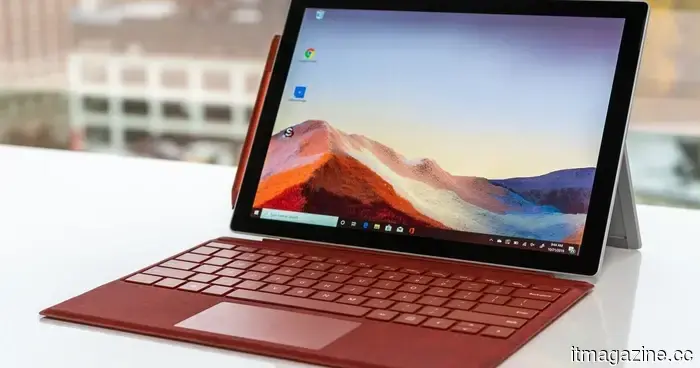 The latest update for Microsoft PowerToys introduces three important enhancements for your Windows PC.
The most recent update to Microsoft's PowerToys offers Windows power users three significant enhancements to their workflows, including a revamped keyboard remapping tool and a command launcher that can be pinned to any edge of the screen for constant visibility.
The latest update for Microsoft PowerToys introduces three important enhancements for your Windows PC.
The most recent update to Microsoft's PowerToys offers Windows power users three significant enhancements to their workflows, including a revamped keyboard remapping tool and a command launcher that can be pinned to any edge of the screen for constant visibility.
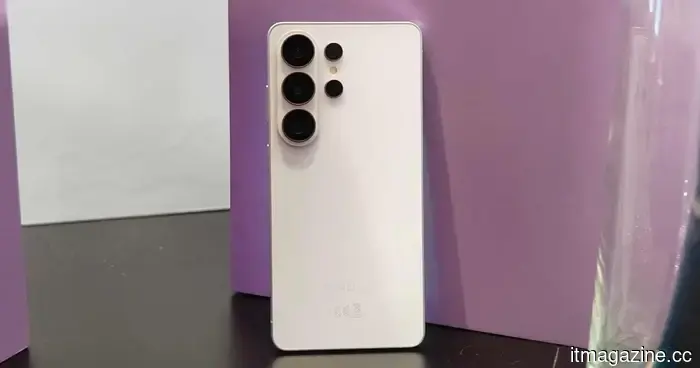 Samsung will lease you a Galaxy S26 Ultra for a year at 50% of its retail price.
Galaxy Forever reshapes flagship ownership in India — pay half now and then, after a year, choose whether to keep, return, or upgrade to the next Galaxy.
Samsung will lease you a Galaxy S26 Ultra for a year at 50% of its retail price.
Galaxy Forever reshapes flagship ownership in India — pay half now and then, after a year, choose whether to keep, return, or upgrade to the next Galaxy.
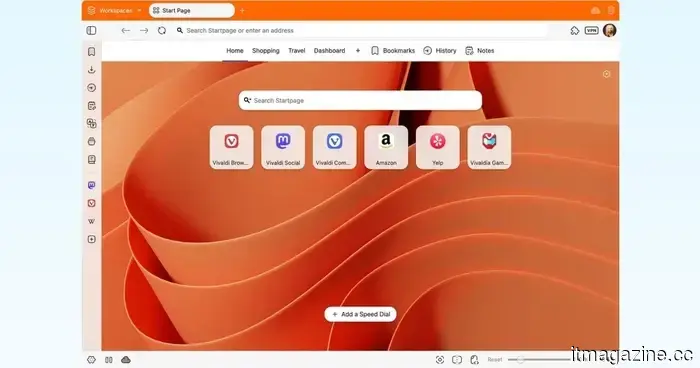 The Vivaldi browser introduces a customizable immersive mode that I wish Safari or Chrome would provide.
Vivaldi 7.9 introduces a more adaptable full-screen mode and improved tab tiling. It surpasses Chrome and Safari, particularly if you're looking for greater control over your browsing experience.
The Vivaldi browser introduces a customizable immersive mode that I wish Safari or Chrome would provide.
Vivaldi 7.9 introduces a more adaptable full-screen mode and improved tab tiling. It surpasses Chrome and Safari, particularly if you're looking for greater control over your browsing experience.
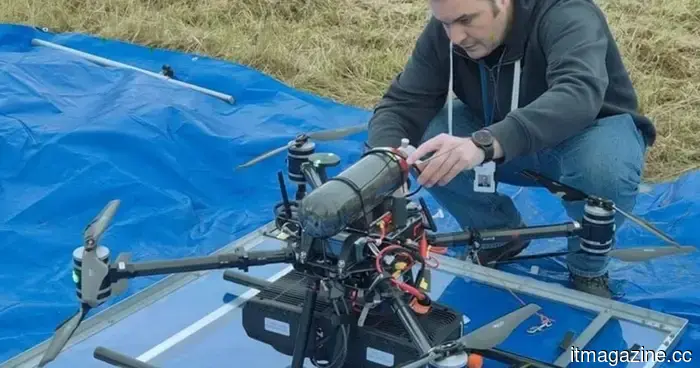 Hydrogen fuel vehicles never gained widespread popularity, but they could potentially lead to the development of next-generation long-range drones.
Hydrogen has not been effective in cars, but researchers in Norway have developed a drone powered by it, replacing batteries with a fuel cell to manage long-distance tasks such as inspecting power lines.
Hydrogen fuel vehicles never gained widespread popularity, but they could potentially lead to the development of next-generation long-range drones.
Hydrogen has not been effective in cars, but researchers in Norway have developed a drone powered by it, replacing batteries with a fuel cell to manage long-distance tasks such as inspecting power lines.
 According to CEO Carl Pei, AI agents are set to take the place of your applications in the near future.
Nothing's CEO Carl Pei believes that apps are on the verge of disappearing. AI agents will soon be able to understand your intentions and respond accordingly, eliminating the need for tapping, swiping, or switching between apps.
According to CEO Carl Pei, AI agents are set to take the place of your applications in the near future.
Nothing's CEO Carl Pei believes that apps are on the verge of disappearing. AI agents will soon be able to understand your intentions and respond accordingly, eliminating the need for tapping, swiping, or switching between apps.
 AI is bringing Val Kilmer back to life in the new film “As Deep as the Grave.”
As Deep as the Grave employs AI to bring Val Kilmer back into a role that was originally created for him, with his family's support for the choice, even amidst ongoing discussions about technology in the film industry.
AI is bringing Val Kilmer back to life in the new film “As Deep as the Grave.”
As Deep as the Grave employs AI to bring Val Kilmer back into a role that was originally created for him, with his family's support for the choice, even amidst ongoing discussions about technology in the film industry.
The latest Microsoft PowerToys update introduces three significant enhancements for your Windows PC.
The newest update of Microsoft's PowerToys offers Windows power users three significant enhancements for their workflows, including a revamped keyboard remapping feature and a command launcher that remains visible and can be pinned to any edge of the screen.