
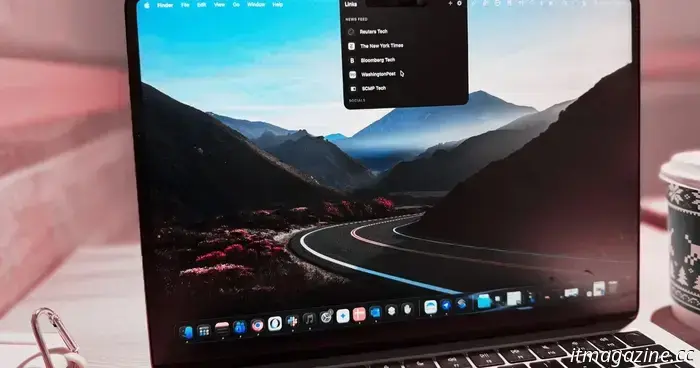
I discovered an app that transforms the most frustrating aspects of MacBook’s design into a more enjoyable browsing experience.
Back in 2021, Apple introduced a notch on its laptops, and five generations later, it remains unchanged. What is particularly surprising is that Apple has not developed any noteworthy features around it, in contrast to the Dynamic Island, which adds functionality to the pill-shaped cutout on the iPhone screen.
Fortunately, the developer community has created several interesting apps that transform the notch into an activity center. Now, it can handle tasks such as music playback, calendar management, and even serve as a mini viewfinder for the webcam.
During my latest visit to the Mac community forums, I came across another impressive app designed for the notch, which addressed an important issue for me. If you frequently work across various websites and browser-based platforms, you will likely find this app to be a delightful discovery.
**A Game of Links and Notches**
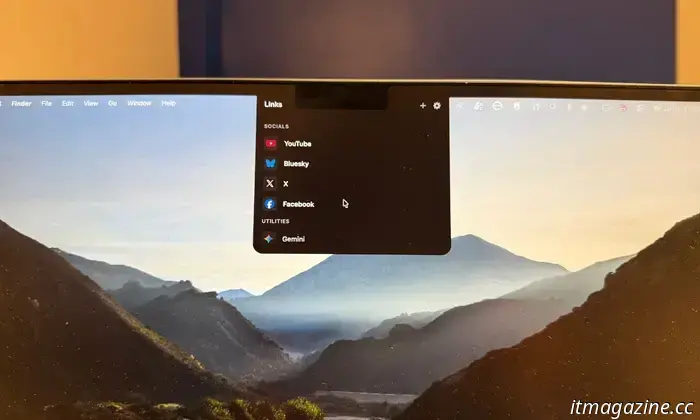
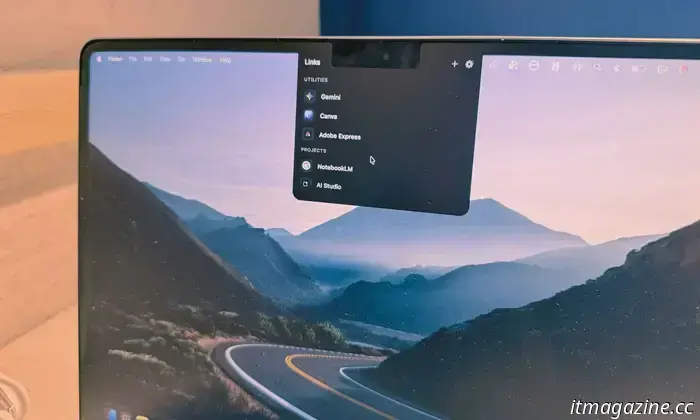
The app in question is called LinkNotch. The name is quite descriptive — the app utilizes the notch as a repository for web links. It functions as a hidden container for frequently visited sites, revealing itself only when the cursor approaches the notch area.
The concept behind LinkNotch is to store all your commonly accessed web pages behind the notch. Instead of opening each tab individually after starting your browser each day, you can navigate through a scrolling list of links that appear at the top of the screen.
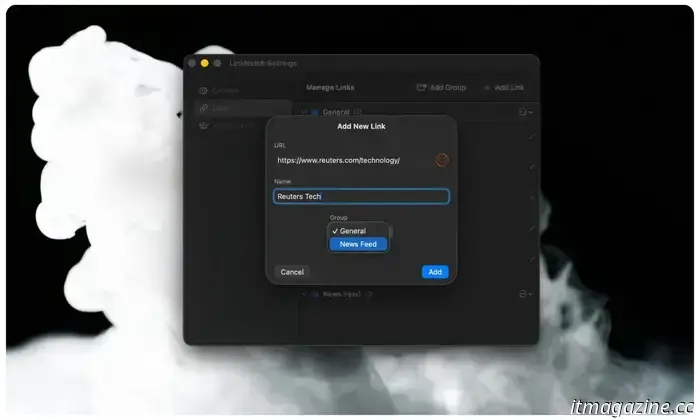
With LinkNotch, you can avoid browser clutter while keeping all your favorite sites just a click away. Simply hover your cursor behind the notch, and it smoothly extends downward, displaying a scrolling list of your saved links.
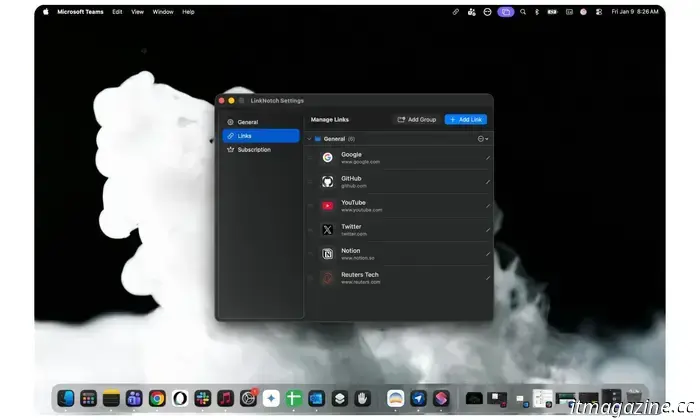
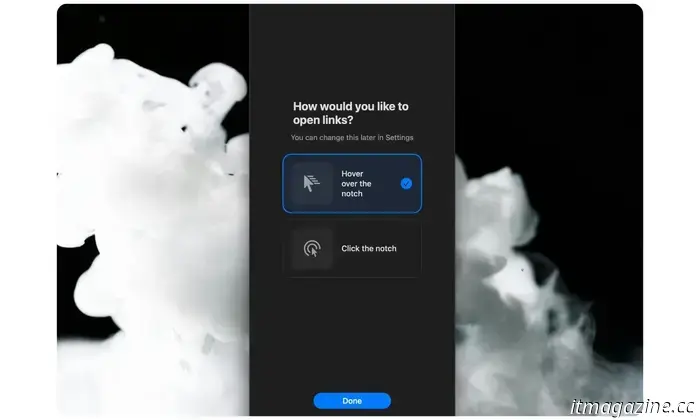
To enhance usability, you can categorize your links for easy access, organizing them into neat clusters. You might worry that the expanded notch could trigger unintentionally, which does occur, sometimes quite often, especially in a multi-screen setup.
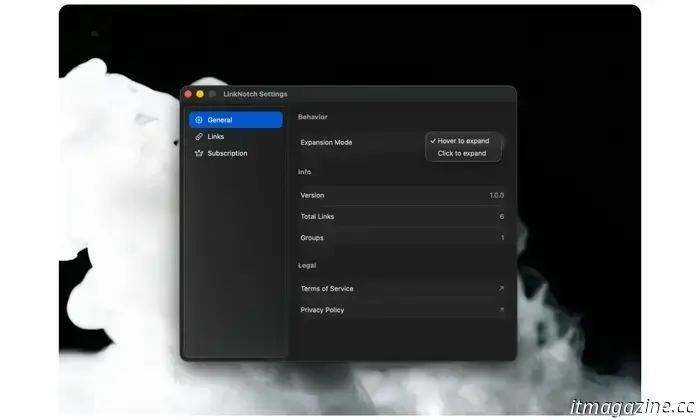
Fortunately, the app offers a solution. Instead of activating the notch with cursor hovering, you can configure it to respond only to a click gesture behind the notch area. This adjustment addresses both issues while maintaining elegance.
**Sparing the Browser Hunt**
As I previously mentioned, manually entering web URLs every time you want to access a site can be tedious. As for bookmarks? I have an overwhelming number of frequently-visited websites, and my bookmarks bar cannot fit them all.
Moreover, I would rather not have the bookmarks bar at all. Working on a 13-inch laptop like the MacBook Air means every pixel matters. Plus, the bookmarks bar, filled with icons and text, is rather unsightly.
Instead of sifting through bookmarks, I could set up an automation to launch a handful of websites simultaneously, or use a third-party tool like RayCast. However, these options aren't user-friendly for non-tech-savvy MacBook users, nor are they free. Even if you can manage it, opening multiple tabs at once creates a chaotic look and can slow down the system.
On an average day, I start by checking select websites for the latest global news. Then, as I enter my work mode, I switch to email and scheduling tasks, followed by social media updates for crucial product information and newsroom updates.
After that, I use core applications such as Docs, Adobe Express, and WordPress, as well as platforms for my passion projects like Google AI Studio, Opal, and GitHub. You understand my workflow, right? And let's not forget the websites for leisure and entertainment.
While I could create a tab group for all these sites, opening one while many others are already active in different browser windows slows everything down and adds to the chaos of tabs.
LinkNotch addresses both the resource management and clutter concerns at once. You only need to hover and click to access a tab. Once you've finished a task, close it, hover the cursor over the notch, and open another desired site. It’s like managing a net-one-tab situation where your work seamlessly transitions from one tab to the next without opening a second one.
**A Parting Gift**
The app's concept is quite simple and could be considered minimalistic, which is a fair criticism. However, for users like journalists, researchers, students, digital marketers, visual designers, and social media managers, whose tasks span multiple websites, LinkNotch creates much-needed simplicity in the workflow.
This makes it worth subscribing to. The annual price ranges from $12 to $15, depending on your location, which is entirely justifiable. As the saying goes, often the simplest tools address problems that many encounter daily, and LinkNotch serves as a solution for a MacBook pain point.
If you like the idea of a notch-based productivity app and have a budget of up to $20, I highly recommend NotchBox. This app brings a whole new level of controls to the notch area, handling music playback, functioning as a clipboard, managing pomodoro timers, setting a stopwatch, displaying network stats, and even launching applications. It also incorporates browser functionality within the notch area.
Additionally, it acts as a central hub
Other articles
 TCL showcased two of the most thrilling flexible screen devices at CES 2026.
At CES 2026, Motorola unveiled a book-style foldable device that includes an 8.1-inch 2K LTPO display, developed in collaboration with TCL CSOT, and it seeks to surpass competitors such as Google and Samsung in pricing.
TCL showcased two of the most thrilling flexible screen devices at CES 2026.
At CES 2026, Motorola unveiled a book-style foldable device that includes an 8.1-inch 2K LTPO display, developed in collaboration with TCL CSOT, and it seeks to surpass competitors such as Google and Samsung in pricing.
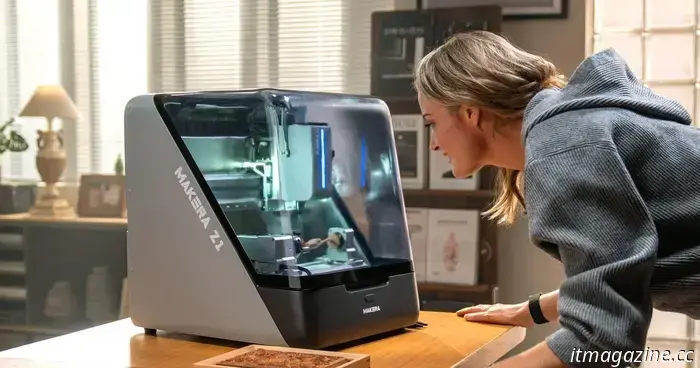 Professional-grade CNC, ready for the kitchen table: Introducing the Makera Z1 at CES 2026.
In the realm of digital fabrication, desktop CNC machines typically divide into two frustrating categories: those that are budget-friendly yet lack power, and those that are robust but excessively complicated. The Makera Z1 changes this narrative by establishing its own distinct category. This intelligent CNC machine avoids oversimplification. Makera will be showcasing their product at Booth No. 54363 in Halls A–D, […]
Professional-grade CNC, ready for the kitchen table: Introducing the Makera Z1 at CES 2026.
In the realm of digital fabrication, desktop CNC machines typically divide into two frustrating categories: those that are budget-friendly yet lack power, and those that are robust but excessively complicated. The Makera Z1 changes this narrative by establishing its own distinct category. This intelligent CNC machine avoids oversimplification. Makera will be showcasing their product at Booth No. 54363 in Halls A–D, […]
 YouTube now allows you to filter search results to display only Shorts.
YouTube is introducing some updates to its search filters, featuring a specific filter for Shorts content.
YouTube now allows you to filter search results to display only Shorts.
YouTube is introducing some updates to its search filters, featuring a specific filter for Shorts content.
 OnePlus’ upcoming compact flagship may be released in April and is expected to feature a revolutionary battery.
A recent leak indicates that the forthcoming OnePlus 15T may feature a substantial 7,500mAh battery.
OnePlus’ upcoming compact flagship may be released in April and is expected to feature a revolutionary battery.
A recent leak indicates that the forthcoming OnePlus 15T may feature a substantial 7,500mAh battery.
 ‘Severe medical issue’ leads NASA to return ISS crew ahead of schedule.
NASA has taken the unusual step of shortening a crewed mission to the ISS. Due to an undisclosed medical concern involving an unnamed crew member, NASA has decided to return SpaceX’s Crew-11 in the upcoming days, as announced at a press conference on Thursday. This decision came after reports on Wednesday that NASA had summoned […]
‘Severe medical issue’ leads NASA to return ISS crew ahead of schedule.
NASA has taken the unusual step of shortening a crewed mission to the ISS. Due to an undisclosed medical concern involving an unnamed crew member, NASA has decided to return SpaceX’s Crew-11 in the upcoming days, as announced at a press conference on Thursday. This decision came after reports on Wednesday that NASA had summoned […]
 The wireless charging pad from Twelve South resembles an elegant leather tabletop accessory.
Twelve South's latest Valet wireless charger conceals contemporary charging technology within a luxurious leather catchall tray, transforming a typical charging pad into a stylish tabletop accessory designed to be showcased.
The wireless charging pad from Twelve South resembles an elegant leather tabletop accessory.
Twelve South's latest Valet wireless charger conceals contemporary charging technology within a luxurious leather catchall tray, transforming a typical charging pad into a stylish tabletop accessory designed to be showcased.
I discovered an app that transforms the most frustrating aspects of MacBook’s design into a more enjoyable browsing experience.
For users whose tasks are spread over six or more websites, LinkNotch addresses both the challenges of system resources and the issue of tab clutter, offering a much-needed sense of calm to the workflow.