

Google is developing an Android feature aimed at minimizing motion sickness when using your phone.
Google's forthcoming Motion Cues feature aims to enhance phone usability while traveling in vehicles.
Google is developing a native solution for one of the most frustrating aspects of phone use: feeling carsick while browsing in the back of an Uber. This feature, tentatively named Motion Cues, is expected to be included in a future update, likely Android 17, and focuses on facilitating reading or video watching without inducing nausea.
What Google Is Developing
What’s in the works: Motion Cues represents Google's effort to address "sensory conflict." This term refers to the phenomenon where your eyes perceive stillness (looking at a screen), while your inner ear detects motion (jostling in a car), which can lead to feelings of nausea. The solution involves adding small animated dots along the edges of the screen that move in sync with the vehicle's motion. By providing a visual reference that corresponds with the physical sensations of movement, it helps to calm the brain.
This isn't a novel concept. Apple introduced a similar feature, “Vehicle Motion Cues,” in iOS 18, and the Android app KineStop has been implementing this since 2018. However, Google aims to integrate it directly into the operating system, eliminating the need for third-party applications.
Developers have discovered Motion Cues within recent Android Canary builds, although it is currently disabled. The test version has a significant flaw: it employs a standard overlay, causing the dots to disappear when notifications are pulled down, Settings are accessed, or the lock screen is viewed. This undermines the purpose if the "cure" vanishes frequently during phone use.
The Importance and Next Steps
Why this matters: Google appears to be addressing the overlay issue by creating a dedicated Motion Cues API directly within SystemUI—the fundamental component of Android that manages the status bar and navigation. This is significant because it avoids the typical security limitations that prevent apps from displaying content over sensitive screens. By implementing it at the system level, the motion dots will remain visible, regardless of the activity on your phone.
They are also exercising strict control over this feature. Only privileged system apps will have access to this API, ensuring that random, spammy apps cannot take over your display. This creates a secure environment for accessibility tools.
Why you should pay attention: If you're someone who immediately needs to stow away your phone when the car starts moving, this development could be transformative. It might allow you to finish a text, read an article, or watch videos on your commute without the anxiety of needing a barf bag. It converts idle time spent in transit into productive time.
What’s next: Since this requires significant alterations to the operating system, it will likely necessitate a comprehensive OS update. We might see it surface in a late Android 16 update, but Android 17 seems like the more prudent expectation. When it launches, it’s possible Google will rename it to something akin to “Motion Assist” and include it with the anticipated Transit mode, designed to adjust your phone's settings upon detecting travel. Until then, you can download KineStop from the Play Store if you need immediate relief.
Moinak Pal has been involved in the technology sector, covering both consumer technology and automotive innovations.
Google transforms Chrome into a native AI browser with Gemini-powered features.
Chrome evolves from a passive web portal into an active, AI-driven productivity center, assisting users in understanding, acting, and staying safer online all within the browser.
Google has introduced the most significant upgrade in Chrome's history, embedding advanced AI features directly into the web browser. These enhancements include an AI Mode available from the address bar (or “omnibox”), multi-tab analysis for content comparison and summarization, Tab History Recall, and deeper integration with Google’s apps like Calendar, Maps, and YouTube.
Additional enhancements comprise a browsing assistant that operates effectively, contextual questions related to pages, improved scam detection, intelligent notification filtering, and one-click password updates. Moreover, Chrome's AI tools are now being promoted as native browser features, indicating they may become core elements of the browsing experience, rather than just add-ons.
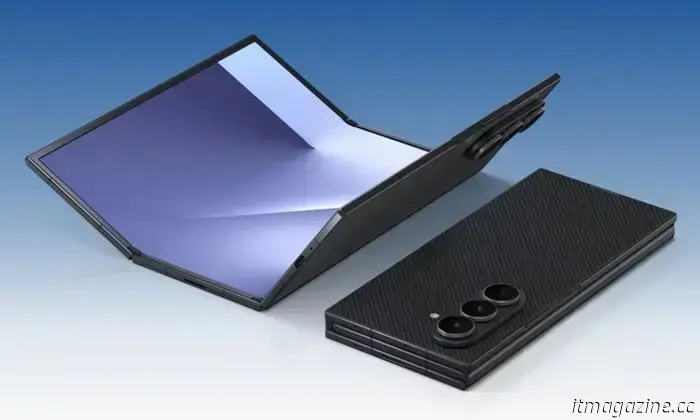
Samsung's upcoming Galaxy Z TriFold conceals a nifty PC productivity feature.
Samsung’s foldable Galaxy Z TriFold is garnering interest for its innovative hinge mechanism and shock-absorbing display, but it also offers an impressive PC capability that Samsung has yet to officially highlight. The TriFold can serve as a second monitor for your PC. During its unveiling, Samsung emphasized that it is the first phone equipped with standalone DeX support, but the secondary display functionality was absent from the official documentation, suggesting it's a hidden upgrade eagerly awaiting discovery.
WhatsApp now enables users to leave messages after missed calls.
You can now send voice or video messages if the call goes unanswered.
WhatsApp has rolled out various new features just in time for the holiday season, with the most significant addition being a functionality intended to render traditional voicemails obsolete. It essentially replicates



Other articles
 Observe this humanoid robot as it efficiently sorts packages for an entire hour.
If you find yourself with some free time as Christmas approaches, consider watching a captivating hour-long video featuring a humanoid robot sorting packages. This video was shared by the founder and CEO of Figure AI, the California company that developed the Figure humanoid robot. Brett Adcock was replying to a post on […]
Observe this humanoid robot as it efficiently sorts packages for an entire hour.
If you find yourself with some free time as Christmas approaches, consider watching a captivating hour-long video featuring a humanoid robot sorting packages. This video was shared by the founder and CEO of Figure AI, the California company that developed the Figure humanoid robot. Brett Adcock was replying to a post on […]
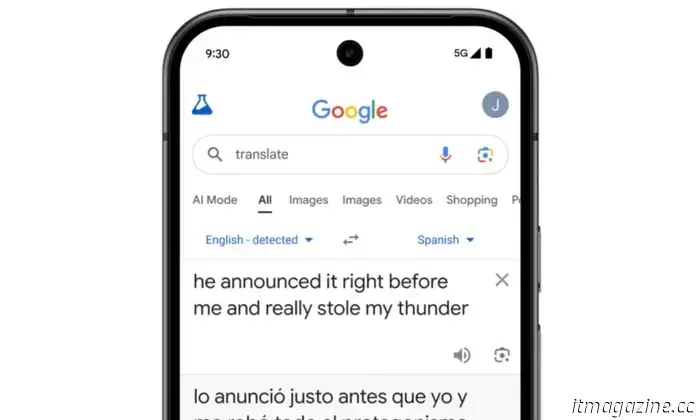 Google Translate now comprehends your intent, rather than just the words you entered.
Google is enhancing Translate with context-aware translations powered by Gemini, live speech translation via headphones, and new language learning functionalities, which will be gradually available worldwide.
Google Translate now comprehends your intent, rather than just the words you entered.
Google is enhancing Translate with context-aware translations powered by Gemini, live speech translation via headphones, and new language learning functionalities, which will be gradually available worldwide.
 Rivian aims for your truck to have a conversation, and it's set to occur in 2026.
In 2026, Rivian will introduce an AI assistant for all its electric vehicles, allowing for voice-controlled vehicle functions, support for third-party applications, and enhanced software integration without the need for additional hardware.
Rivian aims for your truck to have a conversation, and it's set to occur in 2026.
In 2026, Rivian will introduce an AI assistant for all its electric vehicles, allowing for voice-controlled vehicle functions, support for third-party applications, and enhanced software integration without the need for additional hardware.
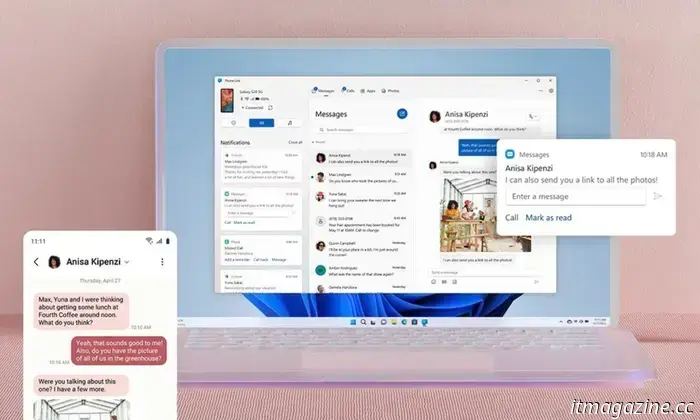 Using Android apps on your Windows 11 PC is soon going to improve a bit.
The Android app streaming on Windows 11 is receiving a slight enhancement. A newly introduced expanded mode in Phone Link allows apps to appear less confined on larger screens, making the experience more akin to something you would prefer to use regularly.
Using Android apps on your Windows 11 PC is soon going to improve a bit.
The Android app streaming on Windows 11 is receiving a slight enhancement. A newly introduced expanded mode in Phone Link allows apps to appear less confined on larger screens, making the experience more akin to something you would prefer to use regularly.
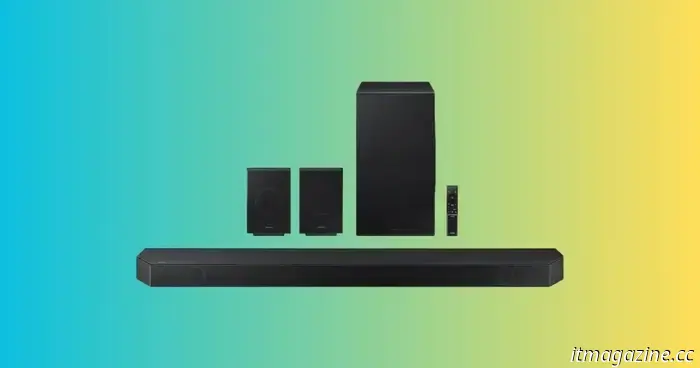 This Samsung soundbar, complete with wireless rear speakers and a subwoofer, is currently available at a discount of $1,000.
If you've been considering a genuine home theater system but wish to avoid the complications of a separate receiver, amplifiers, and a tangled mess of speaker cables, now is your chance. The Samsung HW-Q990D is among the most comprehensive soundbar packages available: it features 11.1.4 channels, a wireless subwoofer, and wireless rear speakers.
This Samsung soundbar, complete with wireless rear speakers and a subwoofer, is currently available at a discount of $1,000.
If you've been considering a genuine home theater system but wish to avoid the complications of a separate receiver, amplifiers, and a tangled mess of speaker cables, now is your chance. The Samsung HW-Q990D is among the most comprehensive soundbar packages available: it features 11.1.4 channels, a wireless subwoofer, and wireless rear speakers.
 Keep cozy this winter while saving money: Boldr’s Kelvin Smart Heater is available at up to 25% off.
When the temperature falls, it becomes obvious that certain rooms heat less efficiently than others. The Kelvin Smart Infrared Heater from Boldr aims to address this issue, and currently, it is also available at a lower price than normal. Until December 22, Boldr is providing discounts of up to 25% on all items available on its website, without the need for a promo code.
Keep cozy this winter while saving money: Boldr’s Kelvin Smart Heater is available at up to 25% off.
When the temperature falls, it becomes obvious that certain rooms heat less efficiently than others. The Kelvin Smart Infrared Heater from Boldr aims to address this issue, and currently, it is also available at a lower price than normal. Until December 22, Boldr is providing discounts of up to 25% on all items available on its website, without the need for a promo code.
Google is developing an Android feature aimed at minimizing motion sickness when using your phone.
Android 17 could launch Motion Cues, a feature at the system level that aligns screen graphics with vehicle motion to assist in reducing nausea during travel.