
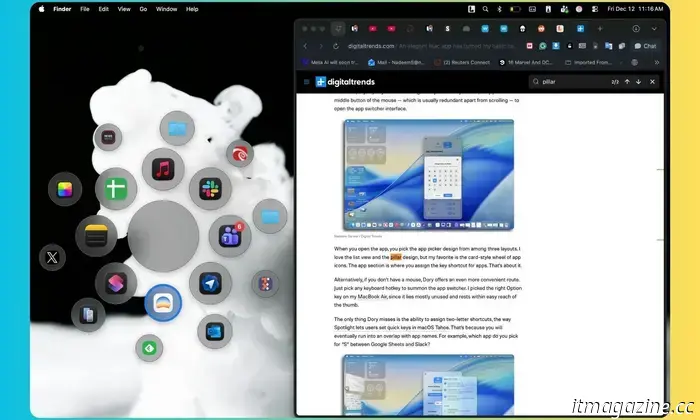
I discovered a Mac tool that you'll appreciate for its streamlined dock and additional features.
The transition to macOS Tahoe brought numerous enhancements to essential Mac functionalities. Notably, Spotlight received significant updates, including the ability to create custom shortcuts and an enhanced AI-driven search feature. However, the removal of LaunchPad sparked considerable debate among users.
Apple has also overlooked deeper integrations between applications, which have made alternatives like RayCast popular among users. The revamped Spotlight aims to be the central hub for your key Mac activities, albeit with some clutter and notable shortcomings.
Additionally, the Dock has remained largely unchanged over recent versions. This is where applications like Loopty become relevant. After trying it out, I found myself questioning why Apple hasn’t developed a similar tool themselves.
What is Loopty?
At its core, Loopty is an app switcher, or more precisely, an app launcher. However, it offers much more than your typical Mac app switcher.
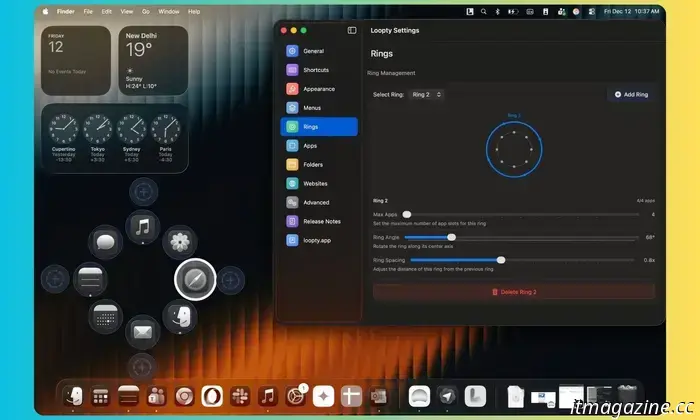
The centerpiece of Loopty consists of loops or rings, akin to the activity rings on the Apple Watch. What distinguishes this app, particularly compared to alternatives like Dory?
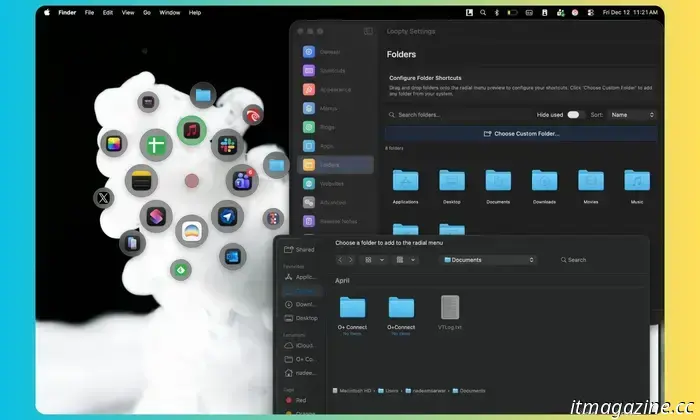
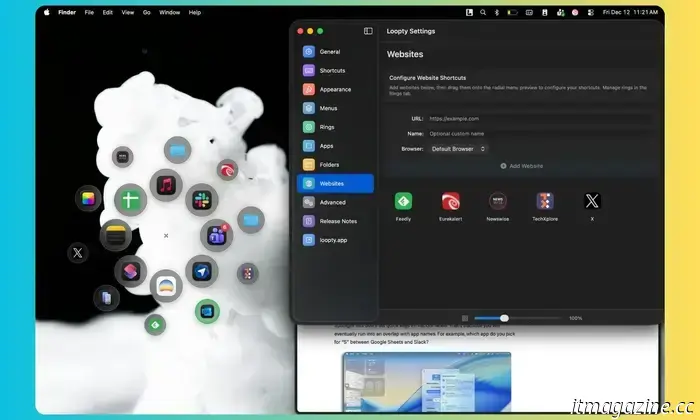
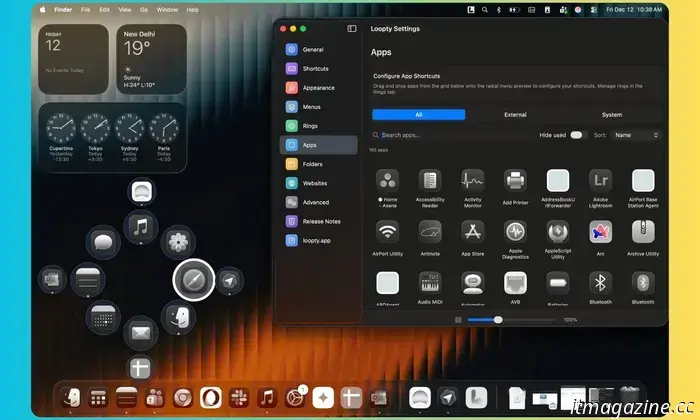
Unlike just being an app hub, Loopty allows you to utilize its launcher for folders, one-tap website shortcuts, and even custom menus.
When it comes to clutter, there’s none. It can function solely as a menu bar utility, and you can bring up the switcher rings with a custom keyboard or mouse shortcut.
What makes it even better? It's entirely free. There are no subscription fees or one-time costs, and it doesn't display any ads, functioning completely offline as well.
My Experience
My workflow spans multiple applications and websites that I need to keep active continuously. Consequently, my dock is cluttered with icons and utilities.
However, it’s not just the disorganized dock that is troubling. Some productivity tools — like Trello — provide a subpar experience as native apps, forcing me to run them as app instances instead.
Using them as native apps adds to system resource demands, so I confine them to the same browser where I conduct most of my online work.
Regardless of how these services are used, they consume valuable dock space, and I can't accommodate all of them. Moreover, I prefer not to have the dock visible as it occupies precious screen space.
While I can hide it, it still appears when I move the cursor to the edge of the screen. Unlike the dock, Loopty’s app wheels don’t require cursor movement.
With a mouse or keyboard shortcut, it appears with all my frequently used apps and utilities right where my cursor is located. If that feels impractical, you can also anchor the wheel to either screen edge or open it in the center.
I like to maintain organizational order for easy access. In Loopty, I arrange my primary apps in the inner ring, system utilities in the second, and web shortcuts in the outer ring, using progressively smaller icons for quick identification.
All applications are compatible with the tinting and theme options available in macOS Tahoe. Moreover, Loopty provides additional customization controls for edge, background, and ring colors.
Attention to Detail
Loopty is one of the best-designed apps I’ve encountered. More importantly, the level of detail is surprisingly impressive. Let’s examine the basics.
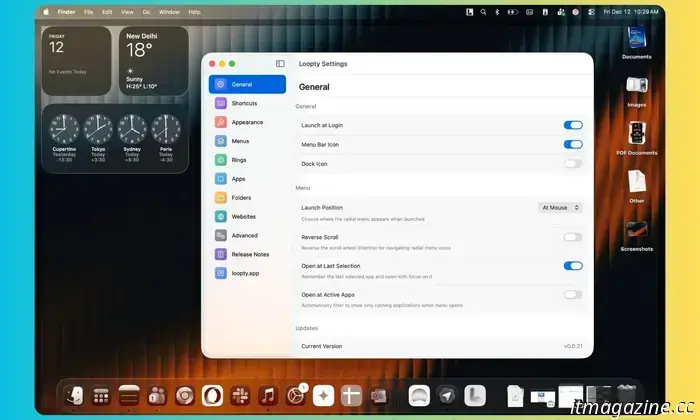
You can set its default on-screen location, adjust the launch protocol, reverse the scroll direction, limit visibility to active apps, and enable it to remember the last active session. Alongside keyboard and mouse triggers, there’s an option for a dedicated scrolling key.
The magic unfolds as you start customizing the rings. Initially, you get a single ring, but you can add multiple concentric circles for more apps. Adjustments can be made for the number of icons per ring, their sizes, the ring background, and even launch animations.
Loopty also lets you determine the spacing of icons, create colorful background circles for better visibility, and add focus rings on each active app icon for easy selection while scrolling.
Adding any system folder, app, or website shortcut to a ring is as simple as a drag-and-drop. Similarly, when setting up a website shortcut, the app automatically retrieves its icon.
In certain cases, the icons might not be high-resolution, but the developer of Loopty has assured users that custom icons can also be uploaded.
A personal favorite feature is the built-in time machine option.
Why I Wish Apple Created Loopty
Designing a multi-ring setup in Loopty can take some time, especially concerning ring scaling and sizing alongside app and shortcut selection. Fortunately, Loopty allows you to save the configuration as a local file easily and export it if needed.
One significant limitation I noticed in Loopty is the lack of custom Shortcuts as a dedicated category, in addition to apps, folders, and websites. While not as popular within the Mac community compared to iPhone users, I still have a few that I rely on daily.
Another minor issue is the absence of app clusters. It would have been beneficial if users could set trigger shortcuts for each ring, particularly if they
Other articles
 This impressive vine-like robot may greatly benefit care workers.
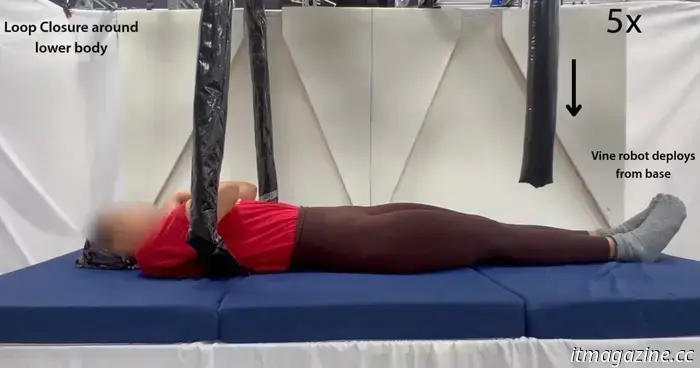
Engineers from MIT and Stanford University have created a robotic gripper resembling a vine that ensnares items before gently elevating them. This cutting-edge robot features a pressurized compartment that deploys inflatable tubes, which expand around objects and then retract to lift them. The engineers have crafted it to delicately manage fragile items such as […]
This impressive vine-like robot may greatly benefit care workers.
Engineers from MIT and Stanford University have created a robotic gripper resembling a vine that ensnares items before gently elevating them. This cutting-edge robot features a pressurized compartment that deploys inflatable tubes, which expand around objects and then retract to lift them. The engineers have crafted it to delicately manage fragile items such as […]
 A new feature in One UI 8.5 will allow you to transfer objects from one image to another using text prompts.
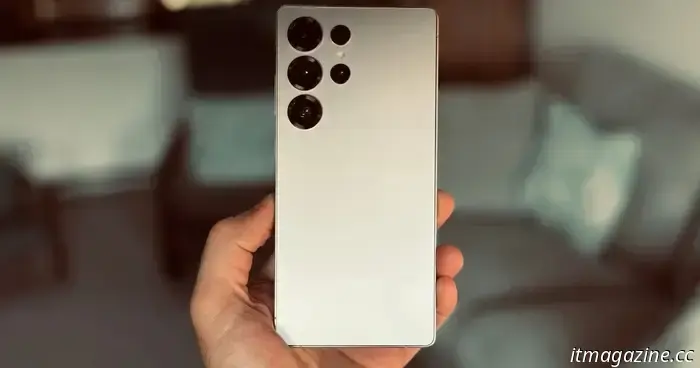
A leaked build of One UI 8.5 has uncovered a forthcoming Galaxy AI editing feature that will enable users to merge elements from various photos through the use of text prompts.
A new feature in One UI 8.5 will allow you to transfer objects from one image to another using text prompts.
A leaked build of One UI 8.5 has uncovered a forthcoming Galaxy AI editing feature that will enable users to merge elements from various photos through the use of text prompts.
 PlayStation Plus is gearing up for December with two major action-adventure titles.
Sony is offering PS Plus subscribers a significant holiday enhancement. This month, Assassin's Creed Mirage and Wo Long Fallen Dynasty are being added to the catalog, providing a blend of narrative-focused stealth and fierce martial-arts action for those in search of a fresh gaming experience.
PlayStation Plus is gearing up for December with two major action-adventure titles.
Sony is offering PS Plus subscribers a significant holiday enhancement. This month, Assassin's Creed Mirage and Wo Long Fallen Dynasty are being added to the catalog, providing a blend of narrative-focused stealth and fierce martial-arts action for those in search of a fresh gaming experience.
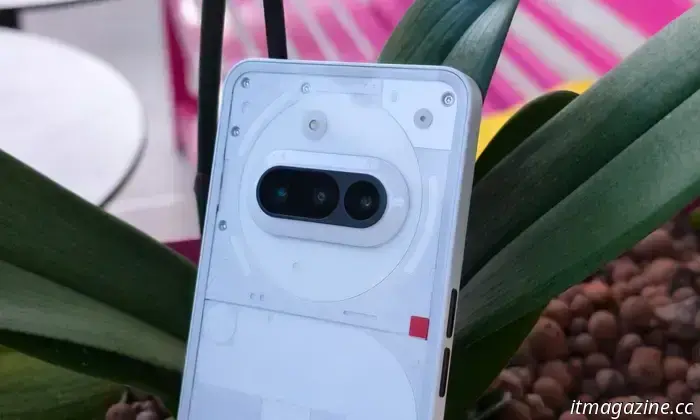 An early leak reveals important enhancements for Nothing's upcoming affordable smartphones.
A recent leak has disclosed important information regarding the Nothing Phone 4a series and a forthcoming affordable headphone.
An early leak reveals important enhancements for Nothing's upcoming affordable smartphones.
A recent leak has disclosed important information regarding the Nothing Phone 4a series and a forthcoming affordable headphone.
 Google Play Books might soon allow you to inquire with Gemini while reading.
Google might soon incorporate an Ask Gemini button into the Google Play Books app, enabling users to easily access the chatbot while reading.
Google Play Books might soon allow you to inquire with Gemini while reading.
Google might soon incorporate an Ask Gemini button into the Google Play Books app, enabling users to easily access the chatbot while reading.
 AMD will take a cautious approach at CES 2026, but it could still be worth your attention.
CES 2026 Read and view our full CES coverage here Updated less than 6 hours ago For many years, the Consumer Electronics Show (CES) has transitioned from a platform for consumer electronics to a prominent global launch site for chip manufacturers, transforming the event into a crucial arena for competition in computing and AI hardware. The forthcoming 2026 edition is […]
AMD will take a cautious approach at CES 2026, but it could still be worth your attention.
CES 2026 Read and view our full CES coverage here Updated less than 6 hours ago For many years, the Consumer Electronics Show (CES) has transitioned from a platform for consumer electronics to a prominent global launch site for chip manufacturers, transforming the event into a crucial arena for competition in computing and AI hardware. The forthcoming 2026 edition is […]
I discovered a Mac tool that you'll appreciate for its streamlined dock and additional features.
If you've ever wanted to swap out the Mac's dock for something more practical and visually appealing, Loopty is the free app that will fulfill your productivity wishes with remarkable flair.