
NymVPN review: a decentralized, anonymous, and private service.
“NymVPN elevates privacy and security significantly; although it may be slightly slower, the added anonymity could be vital for protecting your identity.”
**Pros**
- Decentralized VPN enhances privacy
- Five-hop mode boosts security
- Noise obfuscation for encrypted traffic
- Live chat support available on weekdays
**Cons**
- Fast mode experiences slight sluggishness
- Lacks split-tunneling and advanced features
- Limited server selection
If you are worried about hackers, scammers, and government surveillance infringing on your privacy, a distributed network can help maintain your online anonymity. In contrast, the fastest and most popular VPNs typically rely on server networks managed by private corporations.
NymVPN stands apart by utilizing blockchain technology within a mixed network of independently operated servers, applying strong encryption to uphold security and ensuring privacy through multi-server connections. While it’s not the sole decentralized VPN on the market, it may be one of the most user-friendly.
I was motivated to investigate NymVPN and assess this new service. I compared subscription costs with features, user-friendliness, privacy, security, and support to help you determine if this VPN is suitable for you.
**Specifications**
**NymVPN**
- **Platforms:** Windows, macOS, Linux, iOS, Android
- **Devices:** 10
- **Support:** Email
- **Free version?** No
**Tiers and Pricing**
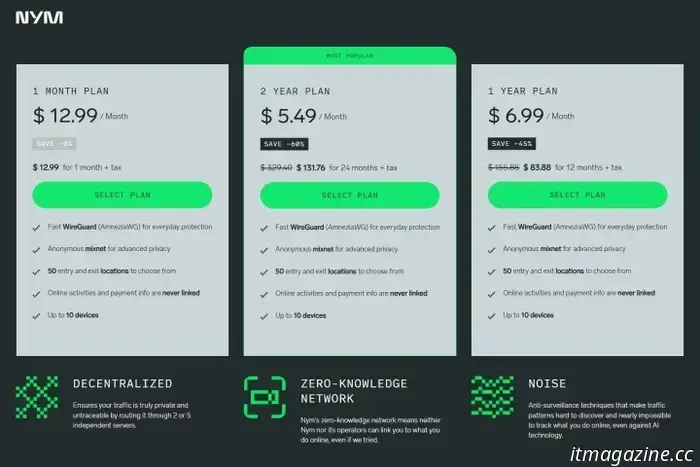
NymVPN provides three subscription plans, where the two-year option offers the highest savings. The service does not prioritize bargain pricing, instead focusing on privacy and security with some trade-offs. While better deals may exist, you can test the service with a $13 monthly subscription since there’s no free version or trial available. Each plan supports up to 10 devices and is compatible across different platforms.
If you are open to a few limitations, you don't necessarily have to pay to secure your privacy. The best free VPNs typically allow unlimited use without advertising.
**Design**
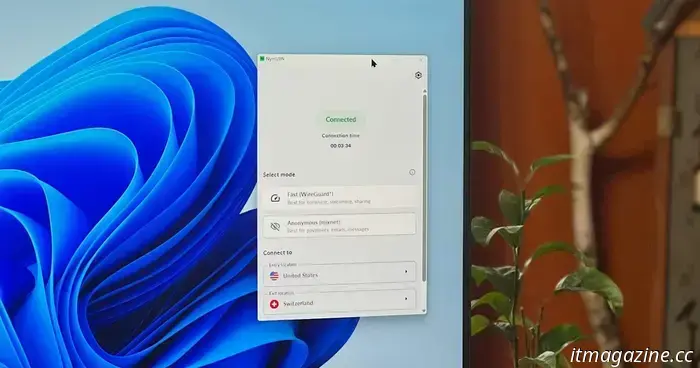
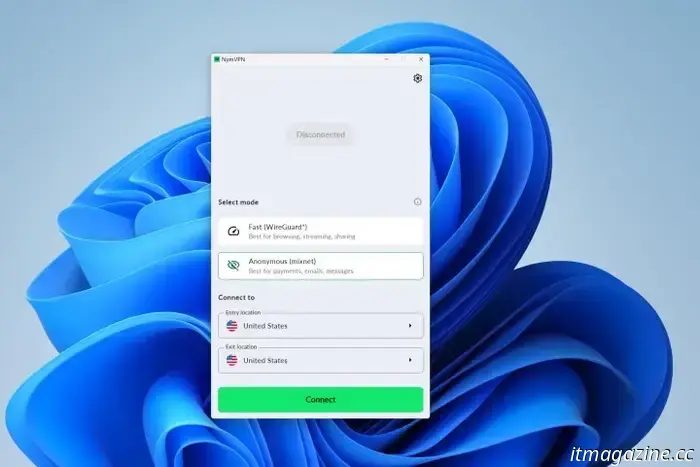
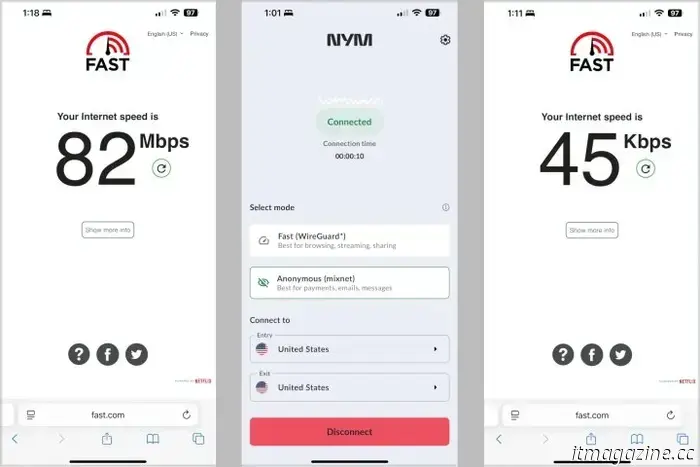
NymVPN features a clean and straightforward user interface. Installation was rapid, with the Windows app ready for use in under a minute. It defaults to Fast mode, which employs WireGuard for efficiency in browsing and streaming, while Anonymous mode warrants the highest level of privacy and is suggested only for emails, messaging, and payments.
For those unfamiliar with a multi-hop VPN, NymVPN presents two location menus: the entry point where you connect to the network, and the exit point, which represents your apparent location to online services.
The prominent green Connect button initiates the service after a few seconds, indicating successful connection with a message at the top. As with most VPNs, the large green button turns red and allows you to Disconnect.
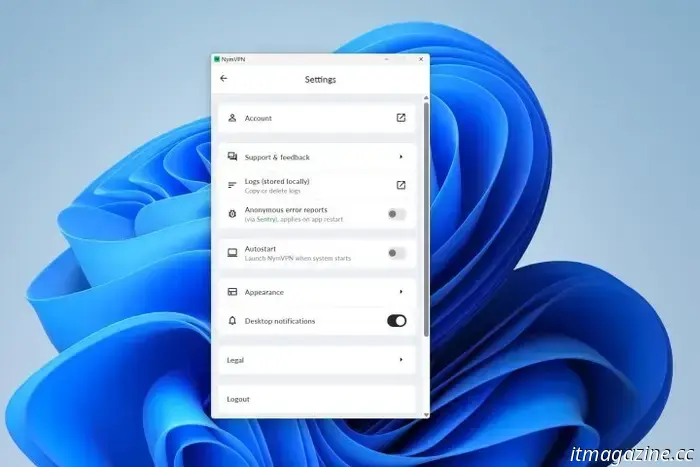
NymVPN settings are limited, accessible via a gear icon that presents options for auto-start, language selection, and a choice between light or dark mode. The app can be resized, although its simplistic design doesn’t require much space.
**Features**
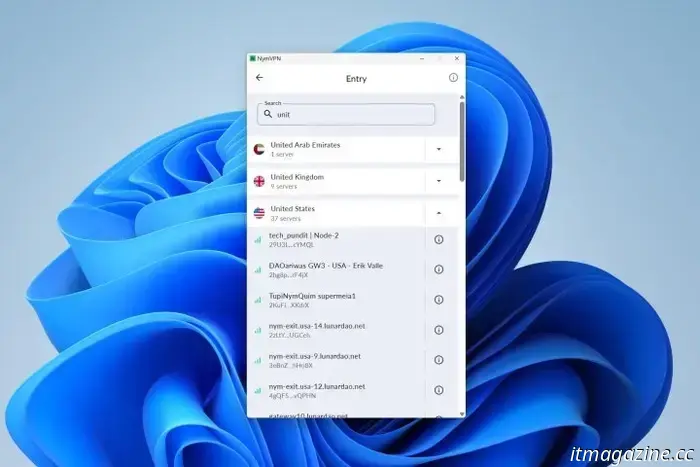
I explored the entry point menu to find a server in the U.S. While NymVPN is not designed to be the fastest streaming VPN, I observed its performance to be slower even in Fast mode. However, if privacy and anonymity are my main priorities, the speed trade-off is justifiable; otherwise, I could opt to operate without a VPN for optimal speed.
Fast mode creates an encrypted tunnel within another tunnel, forming a two-hop VPN connection that complicates tracking. It employs AmneziaWG, a modified version of WireGuard that obfuscates traffic.
Unlike other popular services such as Proton VPN, which offers a single-hop with an optional two-hop mode, NymVPN mandates a minimum of two hops. Consequently, this emphasis on privacy results in a highly secure yet somewhat slower connection.
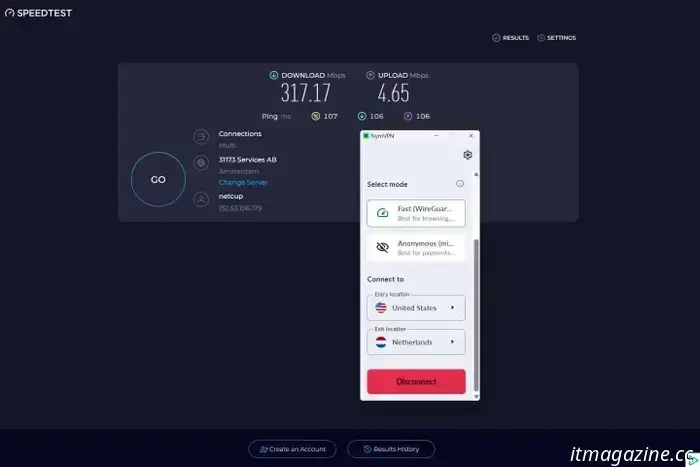
NymVPN achieved its best performance when I selected a U.S. entry point and a Netherlands exit point. My baseline download and upload speeds via Ethernet were 900 Mbps. With NymVPN in Fast mode, the optimal configuration yielded 317 Mbps for downloads and 5 Mbps for uploads, indicating a 65% reduction in download speed.
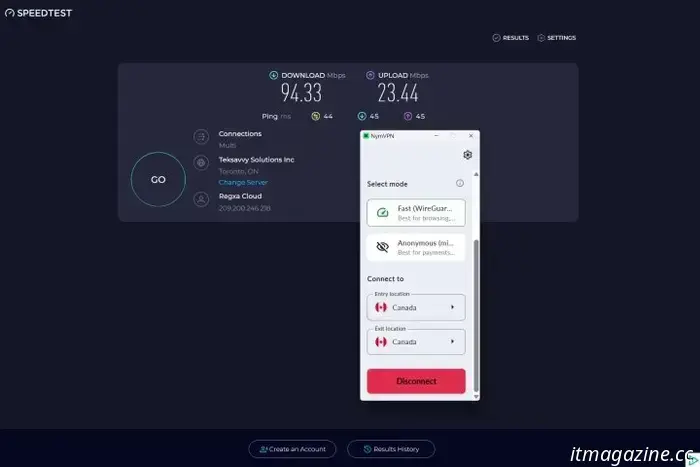
For improved upload speeds, a Canada-to-Canada connection was optimal, with measurements of 94 Mbps down and 23 Mbps up. Nonetheless, this remains relatively slow, revealing that NymVPN is not the best choice for those seeking speed.
Throughout my usage, NymVPN prioritized the concealment of my online identity and activity. As a safeguard, the kill switch is perpetually active, blocking internet access if the connection drops unexpectedly to prevent data leaks over an unsecured network.
While competitors like NordVPN offer advanced features such as split-tunneling, port forwarding, and malware protection, NymVPN currently lacks these functionalities. However, enhancements, including split-tunneling and blockers, are expected by the second quarter of 2025.
NymVPN’s Anonymous mode provides an extreme level of security through a five-hop connection that navigates

Other articles
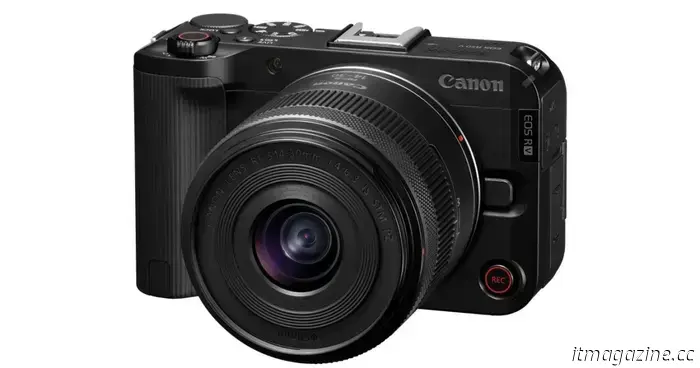 The new Canon EOS R50 V might be the top vlogger camera of the year.
The updated R50 V features a 24.2-megapixel sensor and includes support for 4K at 60 frames per second.
The new Canon EOS R50 V might be the top vlogger camera of the year.
The updated R50 V features a 24.2-megapixel sensor and includes support for 4K at 60 frames per second.
 This Gigabyte Aorus gaming laptop equipped with an RTX 4060 is currently available at a 20% discount.
The Gigabyte Aorus 7 gaming laptop, featuring the Nvidia GeForce RTX 4060 graphics card and 16GB of RAM, is being offered for under $1,000 during Amazon's Big Spring Sale.
This Gigabyte Aorus gaming laptop equipped with an RTX 4060 is currently available at a 20% discount.
The Gigabyte Aorus 7 gaming laptop, featuring the Nvidia GeForce RTX 4060 graphics card and 16GB of RAM, is being offered for under $1,000 during Amazon's Big Spring Sale.
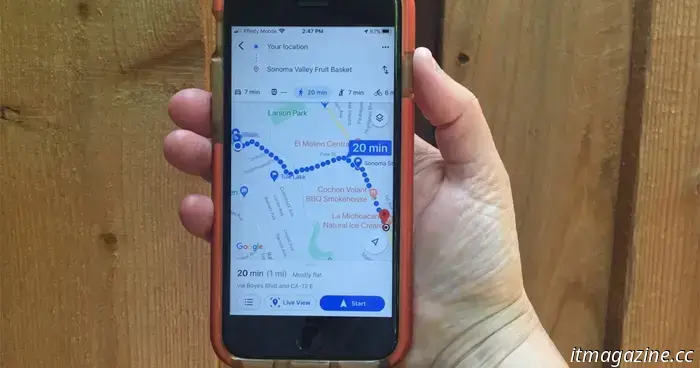 Waze removes Google Assistant from iPhones, but an improved option might be on the way.
Waze is gradually discontinuing Google Assistant in its iOS app after attempting to resolve problems for more than a year.
Waze removes Google Assistant from iPhones, but an improved option might be on the way.
Waze is gradually discontinuing Google Assistant in its iOS app after attempting to resolve problems for more than a year.
 This legendary animated franchise is set to have a Netflix live-action television series.
Zoinks! Mystery Inc. is on the case. Netflix revealed on Tuesday that a live-action Scooby-Doo series is set to debut on the platform.
This legendary animated franchise is set to have a Netflix live-action television series.
Zoinks! Mystery Inc. is on the case. Netflix revealed on Tuesday that a live-action Scooby-Doo series is set to debut on the platform.
 Apple recently revealed the production process behind Severance on Mac, and – spoiler alert – Ben Stiller is a fan.
Initially, Ben Stiller informed us that we wouldn't have to wait another three years for the next season, and now he's sharing insights about its production. However, it's the supervising editor and three-time Emmy Award nominee, Geoffrey Richman, who is revealing all the technical specifics – yet Stiller is clearly enjoying his collaboration with him. [...]
Apple recently revealed the production process behind Severance on Mac, and – spoiler alert – Ben Stiller is a fan.
Initially, Ben Stiller informed us that we wouldn't have to wait another three years for the next season, and now he's sharing insights about its production. However, it's the supervising editor and three-time Emmy Award nominee, Geoffrey Richman, who is revealing all the technical specifics – yet Stiller is clearly enjoying his collaboration with him. [...]
 This 65-inch Hisense QLED TV has recently been reduced in price from $800 to $500.
The Hisense 65-inch U6N Series is available today for $500. This TV is ideal for well-lit spaces, and you will be satisfied with this Hisense model!
This 65-inch Hisense QLED TV has recently been reduced in price from $800 to $500.
The Hisense 65-inch U6N Series is available today for $500. This TV is ideal for well-lit spaces, and you will be satisfied with this Hisense model!
NymVPN review: a decentralized, anonymous, and private service.
I examined NymVPN's latest decentralized service, which includes multi-hop security and encryption along with additional noise to mask traffic.