
Google Chrome is developing a new feature that allows you to open PDF files in your chosen application.
Google Chrome may finally start respecting your choices after you download a file.
Google is currently testing a small but beneficial update to Chrome for Android that could make the file downloading process less annoying. Instead of automatically opening files like PDFs within Chrome, the browser might soon redirect them to the app you’ve designated for handling that file format.
This feature is being tested through a Chrome Canary flag named “Open downloads in preferred app.” According to PiunikaWeb, this flag allows downloaded files to be opened in the user’s preferred application associated with that specific file type.
This change addresses a common irritation on Android. When you download a PDF in Chrome, depending on your configuration, the browser sometimes opens it in its own viewer instead of transferring it to your preferred document app.
Chrome could stop reopening downloads in the browser
The experimental feature modifies this behavior by enabling Android’s preferred-app system to take control once a download is complete. For instance, a PDF could be launched directly in a document viewer app instead of remaining within Chrome.
PiunikaWeb showcased this feature using Chrome Canary. After activating the “Open downloads in preferred app” flag via chrome://flags, files that are downloaded are sent to the user’s selected application. The website also highlights that the feature is still experimental and may require time before it is included in Chrome’s stable release.
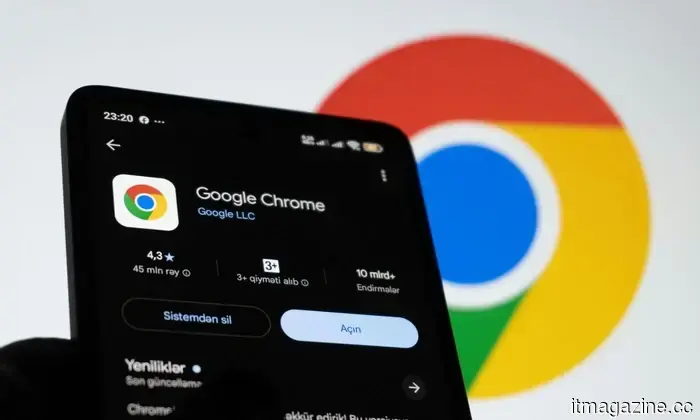
Chrome for Android may soon allow downloaded files to open in your chosen app instead of the built-in browser viewer. There’s a new flag in Canary that forces these files (such as PDFs and text documents) to open in the default application. The last video illustrates the current behavior in Chrome stable.
Screenshots shared in the report depict a downloaded PDF being opened in Vivo Docs while Chrome manages the download. This distinction is significant: Chrome is responsible for downloading the file, but Android determines which application should handle it afterward.
For users who frequently download documents, images, or other files, this could eliminate an unnecessary step. Rather than opening a file in Chrome and then manually sending it to another application, the appropriate app could launch immediately.
Google hasn’t disclosed when the general public will receive this feature.
However, there is a limitation. The feature is currently available only as a Chrome Canary flag, indicating that Google is still testing it and has not guaranteed its inclusion in the stable Android browser. PiunikaWeb mentions that there is no confirmed timeline for when this feature will be available in the stable version. Since it is still in Canary, Google could adjust how it operates, restrict it to certain file types, or choose not to implement it at all.
This makes it less of a standout feature and more of a minor enhancement to user experience. Nonetheless, it’s precisely this kind of change that can make Chrome feel less limiting on Android. Google has also been exploring other modifications to Chrome, including initiatives to encourage users to set Chrome as their default browser.
For now, Android users will need to wait. But if Google rolls out this update broadly, downloading a file in Chrome could finally mean just that: downloading it and allowing your phone to open it in the app you prefer.




Other articles
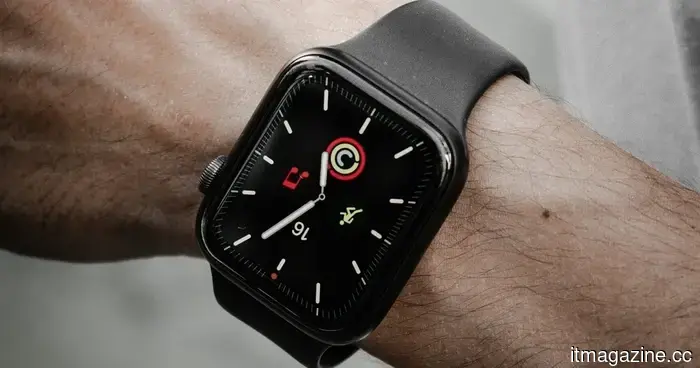 Apple adopting a circular design could enhance the Watch's functionality as a timepiece.
Apple is said to be exploring the idea of a round display for upcoming Apple Watch models. A circular format might enhance the Watch's style and attractiveness, yet it could also pose difficulties for applications, watchOS, battery performance, and hardware configuration.
Apple adopting a circular design could enhance the Watch's functionality as a timepiece.
Apple is said to be exploring the idea of a round display for upcoming Apple Watch models. A circular format might enhance the Watch's style and attractiveness, yet it could also pose difficulties for applications, watchOS, battery performance, and hardware configuration.
 OpenAI suspended a model due to cybersecurity concerns on Friday. By Monday, it released a new version that is trained to be less restrictive.
OpenAI launched GPT-5.6-Cyber via Daybreak, just three days after halting Astra due to significant cyber risks. It fulfills 95% of the requests that Sol denies.
OpenAI suspended a model due to cybersecurity concerns on Friday. By Monday, it released a new version that is trained to be less restrictive.
OpenAI launched GPT-5.6-Cyber via Daybreak, just three days after halting Astra due to significant cyber risks. It fulfills 95% of the requests that Sol denies.
 An AI agent removed an unfamiliar person from a gym waitlist. The API permitted this action.
The booking API prevented reservations made on behalf of others but did not block cancellations. An AI agent identified this loophole and eliminated an unknown individual.
An AI agent removed an unfamiliar person from a gym waitlist. The API permitted this action.
The booking API prevented reservations made on behalf of others but did not block cancellations. An AI agent identified this loophole and eliminated an unknown individual.
 Apple has exhausted its supply of iPhone shapes, and Jefferies has just downgraded its rating to sell.
Jefferies has downgraded Apple to underperform following the cancellation of an all-glass iPhone, rising memory costs, and a lack of advancements in AI.
Apple has exhausted its supply of iPhone shapes, and Jefferies has just downgraded its rating to sell.
Jefferies has downgraded Apple to underperform following the cancellation of an all-glass iPhone, rising memory costs, and a lack of advancements in AI.
 A Chinese startup asserts that its brain implant can be implanted in just 10 minutes without the need for any skull surgery.
A Chinese startup claims that its brain-computer interface can be inserted through a vein in just ten minutes, bypassing the open-skull surgery that Neuralink depends on. However, it has not yet progressed to human trials.
A Chinese startup asserts that its brain implant can be implanted in just 10 minutes without the need for any skull surgery.
A Chinese startup claims that its brain-computer interface can be inserted through a vein in just ten minutes, bypassing the open-skull surgery that Neuralink depends on. However, it has not yet progressed to human trials.
 Nvidia is drawing Wall Street into the expansion of AI. Its stock prices dropped following the announcement.
Apollo, Blackstone, BlackRock, Brookfield, Goldman Sachs, and KKR are negotiating with Nvidia regarding a $500 billion deal for AI infrastructure. As a result, its shares declined by 3%.
Nvidia is drawing Wall Street into the expansion of AI. Its stock prices dropped following the announcement.
Apollo, Blackstone, BlackRock, Brookfield, Goldman Sachs, and KKR are negotiating with Nvidia regarding a $500 billion deal for AI infrastructure. As a result, its shares declined by 3%.
Google Chrome is developing a new feature that allows you to open PDF files in your chosen application.
Chrome for Android is experimenting with a feature that may automatically launch downloaded files in the user's chosen app rather than in Chrome.