

Before you overspend on your student budget, here’s the MacBook that truly aligns with your major.
Apple’s MacBook range has significantly expanded in 2026. The MacBook Neo offers a much lower entry price, the M5 MacBook Air is an evident all-rounder, and the MacBook Pro caters to students whose coursework demands peak laptop performance.
However, with more options, the selection process can be challenging. Investing more can provide better displays, faster storage, additional ports, and considerably enhanced performance. Yet, many students may not fully utilize these upgrades. Therefore, I have narrowed the offerings to three models, each designed for a specific type of user.
**Apple MacBook Neo**
**Pros**
- Outstanding budget-friendly price
- Premium all-aluminum body construction
- Bright 516-nit Liquid Retina display
- Compact and lightweight for easy portability
**Cons**
- Extra cost for Touch ID
- No backlit keyboard
- Slower 20W wired charging speed
The MacBook Neo offers students access to Apple's ecosystem and macOS without a hefty price tag. As an entry-level Mac, it features an aluminum build and seamless integration with iPhones, all at a price point historically associated with budget Windows laptops and high-end Chromebooks. The A18 Pro chip is sufficient for web browsing, writing assignments, participating in video calls, and handling everyday tasks. The 13-inch Liquid Retina display also outshines the dim, low-resolution screens commonly found in this price category.
To achieve this lower price, Apple has made several significant compromises, including 8GB of fixed memory, slower storage speeds, a lack of backlit keyboard, and no Touch ID in the base model. While these factors might limit its effectiveness for heavy multitasking and creative applications, they are unlikely to impact students primarily using browsers, documents, and social media or streaming applications. For those purposes, the Neo is the most affordable and sensible entry into Apple’s laptop lineup and offers a considerably better long-term value than many lower-end laptops.
**Apple MacBook Air 13-inch M5**
**Pros**
- Excellent battery life
- Lightweight and thin design
- Good overall performance
**Cons**
- No OLED display yet
- Display notch is noticeable
The M5 MacBook Air is my top recommendation for most students, as it meets nearly all daily needs without the bulk, weight, or cost of a Pro model. Our review showed that the M5 delivers more performance than most users typically require, while the battery is sufficient to get through a long day of classes, research, writing, and streaming. Its fanless design ensures silence in libraries and lecture halls. Apple’s keyboard and trackpad remain among the best in the laptop market, which is important for assignments that involve extensive typing.
Weighing about 2.7 pounds, carrying the 13-inch model between classes is easy. Its Liquid Retina display is sharp and bright, although an upgrade to OLED is overdue, and the camera notch continues to take up valuable screen area. Nonetheless, the strengths reviewed make the Air Apple’s most well-rounded student laptop, especially with 16GB of memory and 512GB of storage in this configuration.
**Apple MacBook Pro 14-inch M5**
**Pros**
- Significant improvement in GPU performance
- Exceptional multi-day battery life
- Impressive Liquid Retina XDR display
- Ample port selection, including HDMI
**Cons**
- Familiar, unchanged chassis design
- Base model does not include Thunderbolt 5
- Power adapter not provided in all regions
For students who require additional power, I recommend the MacBook Pro with the M5 chip. This notebook, featuring Apple’s latest silicon and an active cooling system, is intended for tasks like video production, 3D design, music projects, software development, and other demanding workloads.
The M5 model pairs robust CPU and graphics performance with extremely fast storage, allowing large applications, project files, and media libraries to load quickly. Its Liquid Retina XDR display is a significant enhancement over the Air for HDR videos and intricate creative tasks, achieving up to 1,600 nits of peak HDR brightness. With HDMI, an SD card slot, MagSafe, and three Thunderbolt ports, there is less reliance on a permanently connected hub.
The outstanding battery life remains one of the key reasons to choose it over equally powerful Windows workstations, especially for students who move between classrooms, studios, and editing suites. Apple has retained the same chassis design, and the premium factory upgrades require careful selection of memory for buyers. However, the discounted 1TB configuration provides significantly more storage than the base Air and sufficient power to remain viable through several years of demanding academic work.



Other articles
 Stop arguing with your roommate about outlets and grab one of these multi-port chargers before returning to school.
Your room has a single outlet, and multiple devices competing for it. I've selected five multi-port chargers that should be included in your back-to-school shopping list, ranging from a compact option to a six-port station capable of charging all your devices simultaneously.
Stop arguing with your roommate about outlets and grab one of these multi-port chargers before returning to school.
Your room has a single outlet, and multiple devices competing for it. I've selected five multi-port chargers that should be included in your back-to-school shopping list, ranging from a compact option to a six-port station capable of charging all your devices simultaneously.
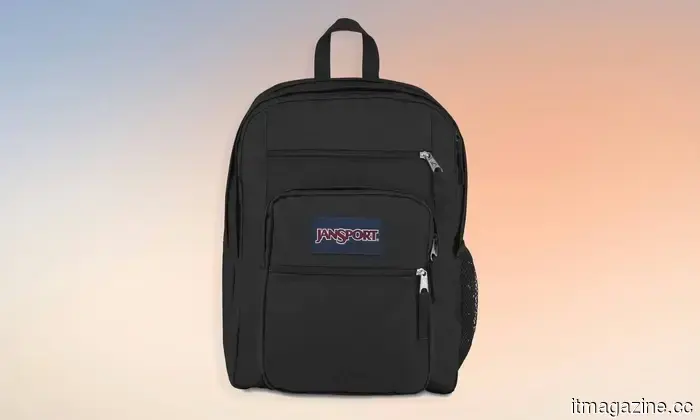 From my first year to graduation, these are the three backpacks I would rely on for carrying a laptop.
Returning to school but your backpack is worn out? Choose one of these three options and you won’t need to buy another until you graduate.
From my first year to graduation, these are the three backpacks I would rely on for carrying a laptop.
Returning to school but your backpack is worn out? Choose one of these three options and you won’t need to buy another until you graduate.
 From my first year to graduation, here are the three backpacks I would feel confident using for carrying a laptop.
Returning to school but your backpack is worn out? Choose one of these three options and you won't need to consider purchasing another until you graduate.
From my first year to graduation, here are the three backpacks I would feel confident using for carrying a laptop.
Returning to school but your backpack is worn out? Choose one of these three options and you won't need to consider purchasing another until you graduate.
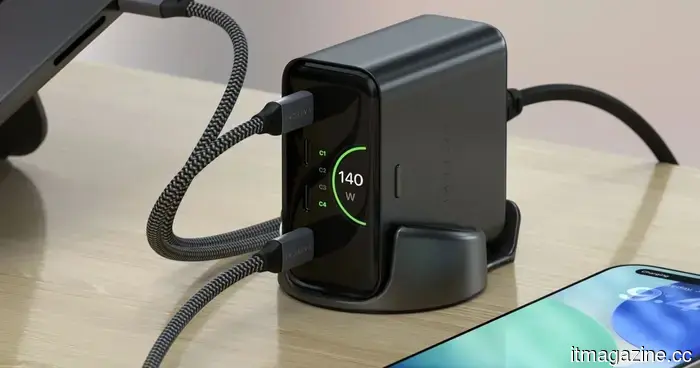 Quit arguing with your roommate over outlets and grab one of these multi-port chargers before returning to school.
Your room features a single outlet with an excess of devices competing for it. I've selected five multi-port chargers that should definitely be included in your back-to-school shopping list, ranging from a compact choice to a six-port station capable of powering all your devices simultaneously.
Quit arguing with your roommate over outlets and grab one of these multi-port chargers before returning to school.
Your room features a single outlet with an excess of devices competing for it. I've selected five multi-port chargers that should definitely be included in your back-to-school shopping list, ranging from a compact choice to a six-port station capable of powering all your devices simultaneously.
 Asus' newest Zenbook features an exceptionally bright OLED display housed in an incredibly slim design.
Asus’ newest thin-and-light laptop features a high-end OLED display, a Ryzen AI chip, 16GB of RAM, and a 1TB SSD.
Asus' newest Zenbook features an exceptionally bright OLED display housed in an incredibly slim design.
Asus’ newest thin-and-light laptop features a high-end OLED display, a Ryzen AI chip, 16GB of RAM, and a 1TB SSD.
 What OpenAI plans to present to the White House this week.
OpenAI CEO Sam Altman is set to update the Trump administration this week about a model that has addressed an 80-year-old mathematical problem and infiltrated Hugging Face.
What OpenAI plans to present to the White House this week.
OpenAI CEO Sam Altman is set to update the Trump administration this week about a model that has addressed an 80-year-old mathematical problem and infiltrated Hugging Face.
Before you overspend on your student budget, here’s the MacBook that truly aligns with your major.
Apple currently provides a MacBook that suits nearly every student budget, and these three models offer the best combination of portability, performance, and lasting value.