
A lesser-known iPhone browser discreetly resolves my greatest issue with Google Search.
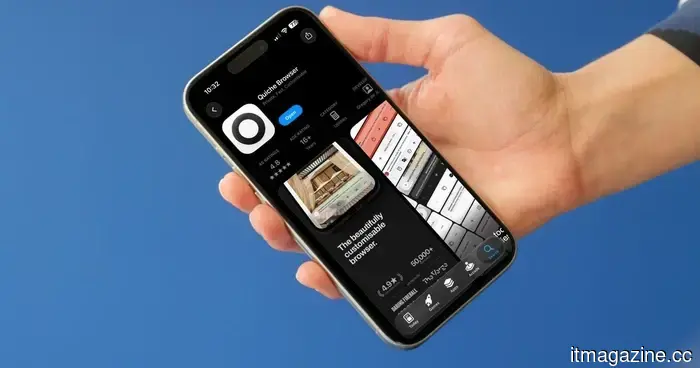
If there’s a new browser, email app, or note-taking application worth trying, I’ve likely already downloaded it. Like many productivity enthusiasts, I’m in constant pursuit of the ideal setup. That’s how I discovered Quiche Browser. It was on the verge of replacing Arc Search for me on the iPhone, but its recent update finally made it my default browser.
What makes Quiche so impressive
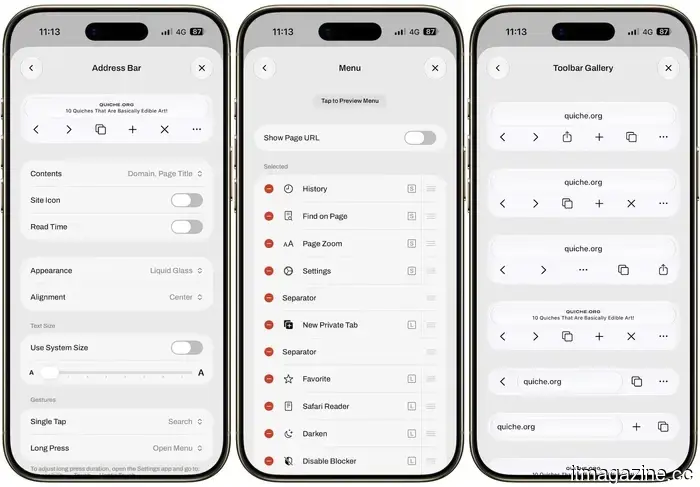
Quiche Browser is created by an independent developer named Greg de J, operating under Quiche Industries. The standout feature of Quiche is its high level of customization. Almost every button in Quiche can be moved, rearranged, or completely removed, whether in the bottom toolbar or the main menu. If that seems overwhelming, the Toolbar Gallery offers pre-made presets to choose from, allowing you to go for a minimalist or a fully equipped setup without having to design it from scratch.
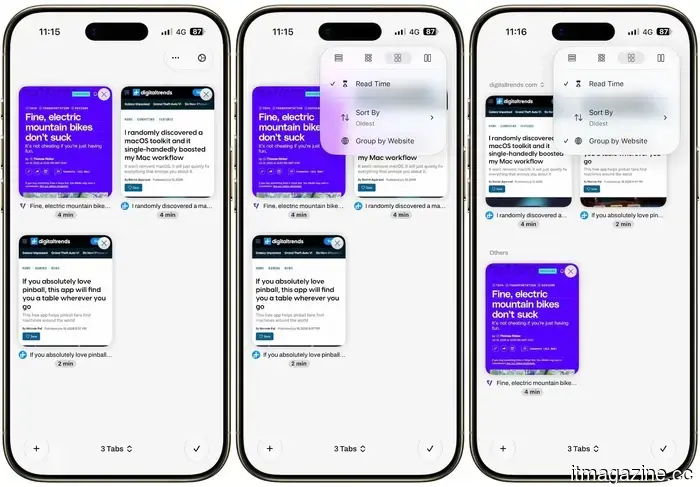
Another strong point of this app is the tab switcher. It allows me to view my tabs either as a grid or a list. I appreciate that Quiche can estimate the reading time for an article, displaying that time right beneath the tab title. Tabs can be grouped by domain or sorted by reading time, which genuinely gives the browser a dual purpose as a read-later app if utilized that way.
One of my favorite aspects of Quiche Browser is the JavaScript toggle conveniently located in the toolbar. With just one tap, I can disable JavaScript on any site I’m visiting, and it’s remarkable how much faster and cleaner most pages become once I do this.
The feature that clinched it for me
All of these aspects alone would be enough to recommend Quiche, but here’s what really excited me. Quiche now disables AI-generated summaries in your search results by default, straight out of the box.
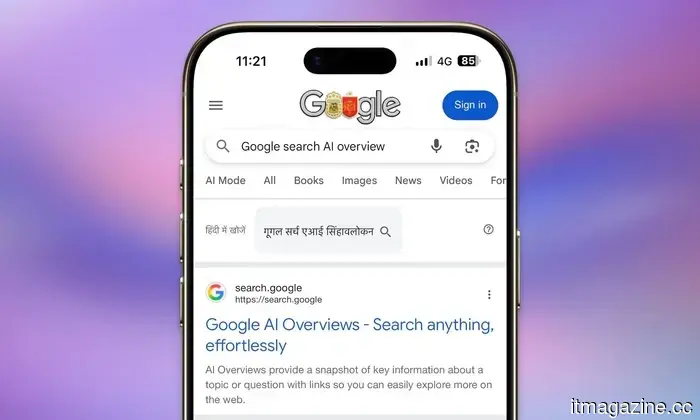
When you search using Google, DuckDuckGo, Bing, or other default search engines, Quiche quietly directs you to the AI-free version of those results. There’s no content-blocking trick involved either. You still receive the genuine, unfiltered list of links, just without a massive AI summary dominating the top of the screen before you even see a single website.
Numerous studies have indicated that AI search overviews can be harmful, sometimes providing completely incorrect information. A recent report from Common Sense Media even pointed out its failure in a critical children's safety assessment. Additionally, these summaries harm website creators and publishers whose content is used without compensation. Thus, this feature alone was sufficient to make Quiche my default browser on the iPhone.
If you do want AI summaries back, you have the option to re-enable them from Settings, then Search. However, I appreciate that the default setting prioritizes real websites created by actual people. Search results have become so cluttered with AI-generated summaries that genuine pages are often pushed lower down the list, and Quiche’s stance on this feels like a small yet significant victory for anyone who values browsing the authentic web.
Other articles
 Zhongji Innolight is targeting an $8 billion initial public offering in Hong Kong.
Zhongji Innolight, a producer of AI data center optics, is assessing interest for an $8 billion listing in Hong Kong, the largest in the city since Alibaba's in 2019.
Zhongji Innolight is targeting an $8 billion initial public offering in Hong Kong.
Zhongji Innolight, a producer of AI data center optics, is assessing interest for an $8 billion listing in Hong Kong, the largest in the city since Alibaba's in 2019.
 Samsung eliminates 739 positions in New Jersey as it moves its US headquarters to Texas.
A WARN filing indicates that Samsung is eliminating 739 positions in New Jersey, which represents approximately 62% of the workforce at that location, as its US consumer division is set to move to Texas by the close of 2026.
Samsung eliminates 739 positions in New Jersey as it moves its US headquarters to Texas.
A WARN filing indicates that Samsung is eliminating 739 positions in New Jersey, which represents approximately 62% of the workforce at that location, as its US consumer division is set to move to Texas by the close of 2026.
 Kenya looks into the hacking of Ruto's official website following a bitcoin ransom request.
Kenya is looking into a cyberattack that altered President Ruto’s website and included a ransom demand of five bitcoins. Officials report that no data was taken.
Kenya looks into the hacking of Ruto's official website following a bitcoin ransom request.
Kenya is looking into a cyberattack that altered President Ruto’s website and included a ransom demand of five bitcoins. Officials report that no data was taken.
 The 'synthetic insider': AI-generated deepfakes posing as fictitious employees.
AI deepfakes enable hackers to impersonate employees, creating a "synthetic insider" threat. However, the majority of insider leaks continue to be unintentional, and AI agents represent the next potential hazard.
The 'synthetic insider': AI-generated deepfakes posing as fictitious employees.
AI deepfakes enable hackers to impersonate employees, creating a "synthetic insider" threat. However, the majority of insider leaks continue to be unintentional, and AI agents represent the next potential hazard.
 This bug in the Android lock screen allows anyone to send texts via Gemini without needing to enter your PIN.
A recently found Gemini vulnerability allows anyone to bypass your Android PIN, enabling them to send SMS and WhatsApp messages from a locked device.
This bug in the Android lock screen allows anyone to send texts via Gemini without needing to enter your PIN.
A recently found Gemini vulnerability allows anyone to bypass your Android PIN, enabling them to send SMS and WhatsApp messages from a locked device.
 The 'synthetic insider': AI-generated deepfakes as fraudulent employees
AI deepfakes enable hackers to impersonate employees, creating a "synthetic insider" threat. However, the majority of insider leaks continue to be unintentional, and AI agents represent the next potential risk.
The 'synthetic insider': AI-generated deepfakes as fraudulent employees
AI deepfakes enable hackers to impersonate employees, creating a "synthetic insider" threat. However, the majority of insider leaks continue to be unintentional, and AI agents represent the next potential risk.
A lesser-known iPhone browser discreetly resolves my greatest issue with Google Search.
Quiche Browser had already captured my attention with its extensive customization options. Now, with the default feature of eliminating AI summaries from search results, it has firmly convinced me.