

How to install the macOS 27 Golden Gate public beta on your Mac?
From an enhanced Siri to a more dependable Spotlight, here’s your complete guide on how to install the public beta of macOS 27 Golden Gate today.
Alongside the public beta of iOS 27, Apple has also launched the public beta build for macOS 27 Golden Gate, allowing early users to explore new features such as Siri AI and contribute feedback to support a smooth iOS debut in September.
If you’re excited about the new features but prefer not to subject your reliable MacBook to developer beta tests, the public beta provides a more polished experience. To install the public beta of macOS 27, follow the instructions below.
So, how do you proceed with the installation?
Visit beta.apple.com and enroll your Mac in the free public beta program—no developer account is required.
After signing up, navigate to System Settings > General > Software Update.
Next to Beta Updates, click the small “i” icon.
A dropdown will pop up in the top-right corner, allowing you to select macOS 27 Golden Gate Public Beta.
Click Done, and your Mac will begin downloading the update.
Keep in mind that while developer betas have been relatively stable, there have been occasional memory issues with Safari and some general reliability concerns with beta builds. It’s advisable to back up your Mac first and reconsider installing it on your main device.
What’s new in Golden Gate?
Like iOS 27, the standout update here is Siri AI. It organizes your Messages, Mail, and other content, enabling it to answer questions and perform actions rather than simply searching the web.
Spotlight search, which had issues in macOS Tahoe, feels significantly more reliable in this version. Apple has also refined the Liquid Glass design and standardized window corner radii to improve consistency across applications.
Writing Tools and Visual Intelligence have been enhanced, and Safari now includes an extension builder that utilizes plain-English commands instead of code. Shortcuts have received similar upgrades. Expect a few more betas before the final Golden Gate release, which will launch alongside iOS 27 and the iPhone 18 Pro this September.
For over five years, Shikhar has consistently clarified advancements in consumer technology and presented them...
Anthropic confirms Claude behaves differently depending on your selected language and model. A new study indicates that Claude's responses are not as consistent as one might think.
If you've sensed that Claude gave off different vibes on different occasions, you weren't mistaken. Anthropic recently released research confirming that the personality of its chatbot varies based on the chosen model and the language used, with patterns clear enough to consider before your next query.
The model you choose influences how Claude reacts.
This website is a treasure trove for enthusiasts of Mac menu bar apps. Here you can discover hundreds of menu bar applications, ranging from simple utilities to powerful productivity tools, all in one location.
The menu bar is one of the most overlooked components of macOS. It quietly resides at the top of your screen, and most users interact with it solely for the time and battery status. However, with the right applications, this slim strip can become the quickest way to accomplish tasks on your Mac.
The challenge lies in locating those apps. The Mac App Store doesn’t excel at highlighting them, and sifting through random blog compilations can be tedious. While I have shared some of my favorite Mac utilities, including menu bar apps like Supercharge and CleanShot X, there is an even better source for the top applications available for your Mac’s menu bar.
Microsoft is finally addressing the most significant flaw in Windows Search, although it's not available for everyone just yet.
Windows Insiders in the Experimental channel are experiencing a Search feature that finally feels less like a promotional billboard and more aligned with user needs.
Windows Search has been chaotic for years, and I do not use that expression lightly. When you open it to locate a file, you encounter trending Bing topics, promotions from the Microsoft Store, and an AI tools tile that merely redirects you to a browser.
This is set to change, but not for all users immediately. Microsoft is introducing a series of improvements to Windows Search for Insiders in the Experimental channel, and this time, it isn’t merely a cosmetic update.


Other articles
 How to install the iOS 27 public beta on your iPhone?
No developer account is required. The public beta of iOS 27 has arrived, and you can install it with just a few taps in Settings, along with a brief account registration.
How to install the iOS 27 public beta on your iPhone?
No developer account is required. The public beta of iOS 27 has arrived, and you can install it with just a few taps in Settings, along with a brief account registration.
-review-Smarter-and-punchier-with-a-subscription-pinch.jpg) Review of the Google Home Speaker (2026): More intelligent and powerful, with a subscription cost.
The newest version of the Google Home Speaker offers an appealing combination of effective voice controls, unexpectedly strong audio performance, and the most sophisticated collection of smart home capabilities available in a speaker priced under $100.
Review of the Google Home Speaker (2026): More intelligent and powerful, with a subscription cost.
The newest version of the Google Home Speaker offers an appealing combination of effective voice controls, unexpectedly strong audio performance, and the most sophisticated collection of smart home capabilities available in a speaker priced under $100.
 Intel pledges $5.7 billion for Xeon manufacturing in Ireland.
Intel is committing €5 billion ($5.7 billion) to enhance its Leixlip campus in Ireland and increase the production of Xeon processors on the Intel 3 node, with the majority of the investment expected to be completed by 2027.
Intel pledges $5.7 billion for Xeon manufacturing in Ireland.
Intel is committing €5 billion ($5.7 billion) to enhance its Leixlip campus in Ireland and increase the production of Xeon processors on the Intel 3 node, with the majority of the investment expected to be completed by 2027.
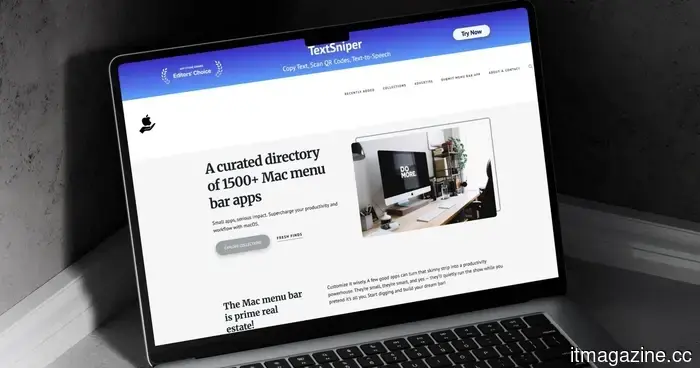 This website is a treasure trove for those who enjoy Mac menu bar applications.
MacMenuBar is a carefully organized directory featuring over 1,500 Mac menu bar applications, categorized into groups such as clipboard managers, timers, and window managers. Here's why you should consider bookmarking it.
This website is a treasure trove for those who enjoy Mac menu bar applications.
MacMenuBar is a carefully organized directory featuring over 1,500 Mac menu bar applications, categorized into groups such as clipboard managers, timers, and window managers. Here's why you should consider bookmarking it.
-review-Smarter-and-punchier-with-a-subscription-pinch.jpg) Google Home Speaker (2026) review: More intelligent and powerful, but with a subscription cost.
The newest version of the Google Home Speaker offers an enticing combination of effective voice controls, unexpectedly robust audio performance, and the most sophisticated set of smart home features available in a speaker priced under $100.
Google Home Speaker (2026) review: More intelligent and powerful, but with a subscription cost.
The newest version of the Google Home Speaker offers an enticing combination of effective voice controls, unexpectedly robust audio performance, and the most sophisticated set of smart home features available in a speaker priced under $100.
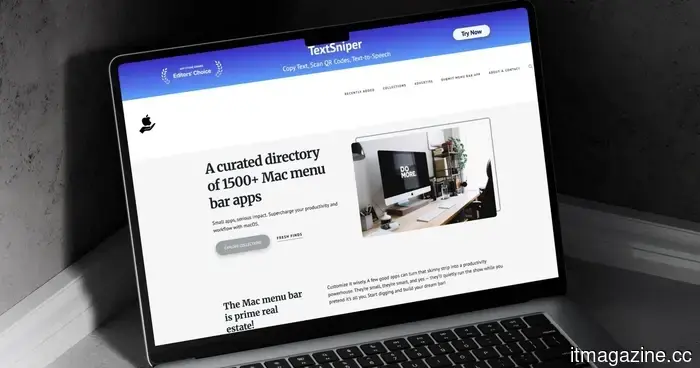 This website is a treasure trove for those who enjoy Mac menu bar applications.
MacMenuBar is a carefully organized collection of over 1,500 Mac menu bar applications, classified into groups such as clipboard managers, timers, and window managers. Here's why you should consider bookmarking it.
This website is a treasure trove for those who enjoy Mac menu bar applications.
MacMenuBar is a carefully organized collection of over 1,500 Mac menu bar applications, classified into groups such as clipboard managers, timers, and window managers. Here's why you should consider bookmarking it.
How to install the macOS 27 Golden Gate public beta on your Mac?
No developer account is needed. The public beta of macOS 27 Golden Gate is now available for installation via System Settings, and it introduces Siri AI directly to your Mac.