
Android is now capable of backing up a larger portion of your device, though Google is also giving you the option to decline.
Users have the option to opt out of the backup for messages, call history, and settings, even as Google broadens Drive backup to include documents stored locally.
Google is simultaneously updating Android backup in two ways. New toggles allow users to prevent various types of phone data from being uploaded, while a new Documents feature facilitates the saving of local files to Google Drive.
These controls include messages, call history, and device settings, each of which can now be disabled individually rather than being automatically backed up. This adds to the recent introduction of per-app switches that are being rolled out through Google Play services.
On the other hand, the Documents backup feature expands cloud storage by incorporating more data. This option was initially mentioned in the February release notes for Google Play services, with 9to5Google later identifying functional controls in the recent update. Once activated, compatible files are stored in a device-specific folder on Drive, providing a secondary location for local documents aside from the phone.
Options for Android users to disable
The messaging toggle includes SMS, MMS, and RCS, even though the label only references the first two. Call history and device settings are managed through separate controls.
Previously, those categories were backed up automatically. The updated menu now gives users a clearer choice regarding what data is uploaded without requiring them to turn off Android backup entirely.
The update has begun rolling out with Google Play services version 26.25, so it may take a while before it appears on all compatible devices.
How Documents backup operates
The Documents feature uploads supported local files according to Android's standard daily schedule. Users also have the option to initiate a backup manually if they wish to save the most current version immediately.
Files will be found in Google Drive within a folder named after the device. Supported formats encompass PDFs and common Office documents, alongside other files stored on the phone.
This feature does not function like live cloud syncing. Any changes made in Drive will not update the file on the phone, and local alterations will not automatically reflect in the saved version.
What users should be aware of
All backup data from Android now counts towards Google Account storage. Google anticipates that the policy change will add approximately 40MB for the average user, although the Documents backup could occupy more space based on locally stored files.
Files are encrypted during the transfer between the device and Google's systems. Disabling the Documents backup will not erase any files already stored in Drive, so users wishing to remove those copies will still need to delete them manually.


Other articles
 Big Tech's debt linked to AI reaches $350 billion and moves towards Europe.
Alphabet, Amazon, Meta, Microsoft, and Oracle have increased their debt to $350 billion in order to develop AI, and they are now entering European bond markets, particularly ahead of France.
Big Tech's debt linked to AI reaches $350 billion and moves towards Europe.
Alphabet, Amazon, Meta, Microsoft, and Oracle have increased their debt to $350 billion in order to develop AI, and they are now entering European bond markets, particularly ahead of France.
 Razer created a Cinnamoroll headset that is incredibly cute.
Razer's last collaboration with Sanrio features a Cinnamoroll-themed Kraken Kitty V2 BT headset that includes Bluetooth 5.2, RGB lighting, and offers up to 40 hours of battery life.
MiniMax secures $2 billion, with its CEO opting to waive their salary until the achievement of AGI.
MiniMax is seeking to raise up to $2 billion following an 80% decline, with founder Yan Junjie committing to forgo his salary until the achievement of AGI and promising 5% of his shares to employees and the open-source community.
Razer created a Cinnamoroll headset that is incredibly cute.
Razer's last collaboration with Sanrio features a Cinnamoroll-themed Kraken Kitty V2 BT headset that includes Bluetooth 5.2, RGB lighting, and offers up to 40 hours of battery life.
MiniMax secures $2 billion, with its CEO opting to waive their salary until the achievement of AGI.
MiniMax is seeking to raise up to $2 billion following an 80% decline, with founder Yan Junjie committing to forgo his salary until the achievement of AGI and promising 5% of his shares to employees and the open-source community.
 Anthropic discovered a concealed 'workspace' within Claude.
Anthropic's latest Jacobian lens captures the unexpressed thoughts within Claude's concealed 'workspace', detecting any plans for blackmail before a word is typed.
Anthropic discovered a concealed 'workspace' within Claude.
Anthropic's latest Jacobian lens captures the unexpressed thoughts within Claude's concealed 'workspace', detecting any plans for blackmail before a word is typed.
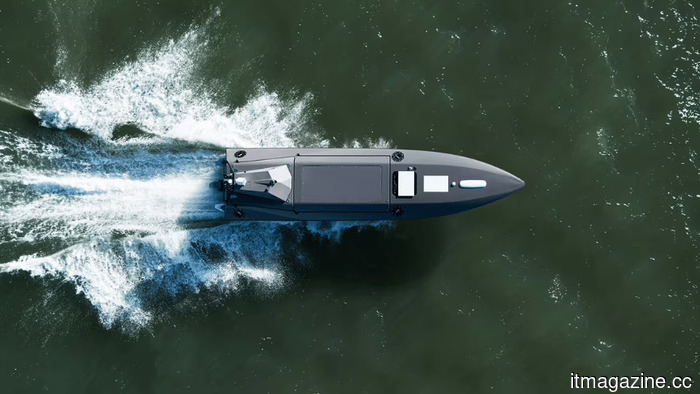 Kraken secures $175 million to achieve unicorn status in maritime defense.
The British company Kraken secured $175 million (€152.9 million), with DTCP at the helm, achieving a valuation of $1 billion to develop unmanned warboats for NATO, the United States, and the United Kingdom.
Kraken secures $175 million to achieve unicorn status in maritime defense.
The British company Kraken secured $175 million (€152.9 million), with DTCP at the helm, achieving a valuation of $1 billion to develop unmanned warboats for NATO, the United States, and the United Kingdom.
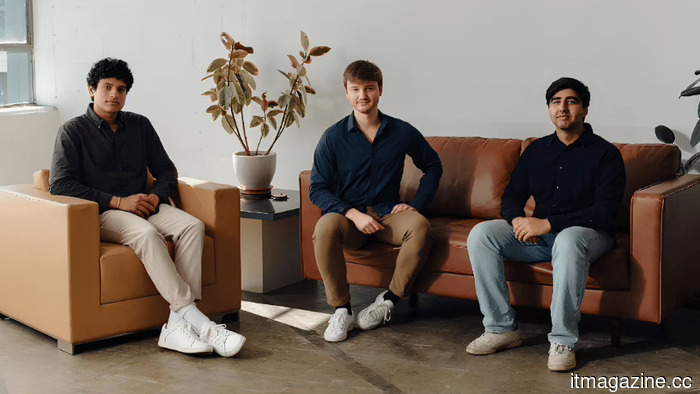 Mercor aims for a $20 billion valuation and acquires Deeptune.
Mercor is negotiating to increase its valuation to $20 billion and has acquired Deeptune, an AI-training startup supported by its own CEO. The details are in the footnotes.
Mercor aims for a $20 billion valuation and acquires Deeptune.
Mercor is negotiating to increase its valuation to $20 billion and has acquired Deeptune, an AI-training startup supported by its own CEO. The details are in the footnotes.
Android is now capable of backing up a larger portion of your device, though Google is also giving you the option to decline.
Android is introducing detailed switches for message and device backups and is experimenting with automatic document uploads to Google Drive, allowing users greater control over what is stored and what takes up space in their cloud storage.