

Gemini in Chrome can now precisely observe what you are viewing on your screen.
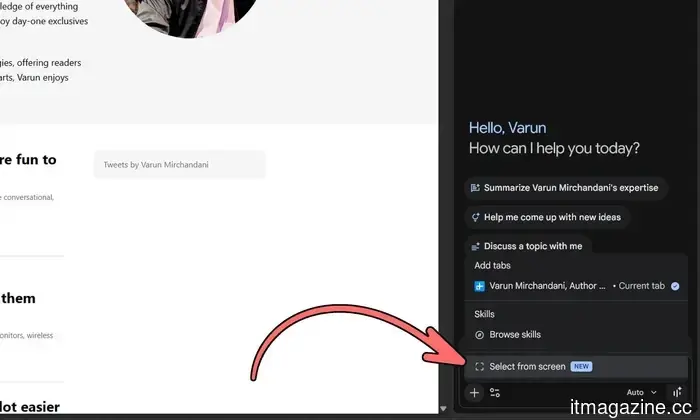
Google has introduced a new "Select from screen" feature, enhancing Gemini's ability to interact with content within Chrome. This tool allows users to highlight text or images on a webpage and send them straight to Gemini, enhancing the contextual nature of conversations with the AI assistant.
With this new feature, Gemini can precisely focus on the elements users want to inquire about. Found in the “+” menu of Gemini in Chrome, it functions similarly to a built-in screenshot tool. By enabling this feature, users can select any visible text or image in their browser tab, which will automatically attach to a Gemini prompt. This eliminates the need to describe content from a webpage manually, allowing users to direct Gemini to the specific material they need assistance with.
Google is rolling out this capability as part of Chrome 149; however, some users may need to restart their browser for it to take effect. This update aligns with Google's efforts to make Gemini feel more integrated with the user's activities rather than just a standalone chatbot.
The timing of this rollout coincides with another significant Gemini upgrade, which grants developers access to computer use capabilities via Gemini 3.5 Flash. This allows AI agents to see, reason, and act across different browsers, mobile applications, and desktop environments without needing a separate model. According to Google, this integration enhances tasks that require multiple steps, like software testing and enterprise workflows.
This update represents Google’s shift toward an AI assistant that understands context, anticipates user intent, and facilitates task completion, rather than merely providing answers.
---
A clever new Mac app named HapticPad aims to make internet browsing more tactile. Recently shared by its developer on Reddit’s r/macapps community, the app utilizes a Mac’s Force Touch trackpad to create subtle vibrations when the cursor hovers over links, buttons, and input fields in the browser. This feature allows users to "feel" parts of a webpage before clicking. Although it’s a small concept, it possesses a level of ingenuity that raises the question of why macOS lacks this functionality.
How does this feature work?
---
An analysis reveals that ChatGPT and Gemini might subtly influence voting behaviors. As AI chatbots have become common tools for assistance with emails, school work, travel, and more, it was only a matter of time before they intersected with politics. A recent examination by The Washington Post indicates that prominent AI chatbots may not be as politically neutral as they seem. The Post assessed models from OpenAI’s ChatGPT, Google’s Gemini, Anthropic’s Claude, DeepSeek, xAI’s Grok, and Gab’s Arya using a set of politically charged questions aimed at evaluating how chatbots respond to contentious topics.
The analysis found that OpenAI’s model provided left-leaning responses in 80% of its replies, while Google’s Gemini primarily offered a more balanced perspective, presenting both left- and right-leaning arguments in over 90% of its responses.
---
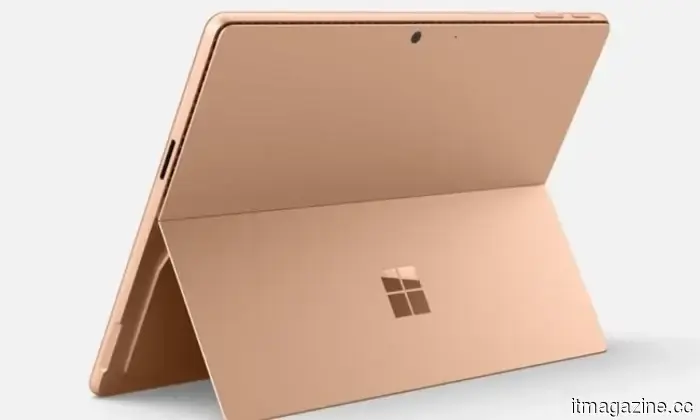
Microsoft has unveiled new budget-friendly Surface PCs, but there’s a catch. The tech industry is facing increasing challenges with rising component prices and memory costs, leading laptop manufacturers to strive to manage consumer pricing. Microsoft’s latest refresh of the Surface line appears to directly address this issue. The company has launched new entry-level versions of its 12-inch Surface Pro and 13-inch Surface laptop at lower entry prices, without altering the processor or storage configurations. While this might initially seem like good news for customers on a budget, a deeper look reveals compromises that may not be immediately apparent.




Other articles
 H.B. Fuller is close to finalizing a $628 million agreement to acquire the UK-based wound-care company AMS, despite opposition from its own investors.
H.B. Fuller has accepted a cash offer of 285p per share for AMS, which values its equity at approximately $628 million, while activist group Ancora is urging the board to reject the offer.
H.B. Fuller is close to finalizing a $628 million agreement to acquire the UK-based wound-care company AMS, despite opposition from its own investors.
H.B. Fuller has accepted a cash offer of 285p per share for AMS, which values its equity at approximately $628 million, while activist group Ancora is urging the board to reject the offer.
 Gemini in Chrome can now accurately detect what you're viewing on your screen.
Google is launching a new "Select from screen" feature for Gemini in Chrome, and Gemini 3.5 Flash is acquiring integrated computer-use functionalities.
Gemini in Chrome can now accurately detect what you're viewing on your screen.
Google is launching a new "Select from screen" feature for Gemini in Chrome, and Gemini 3.5 Flash is acquiring integrated computer-use functionalities.
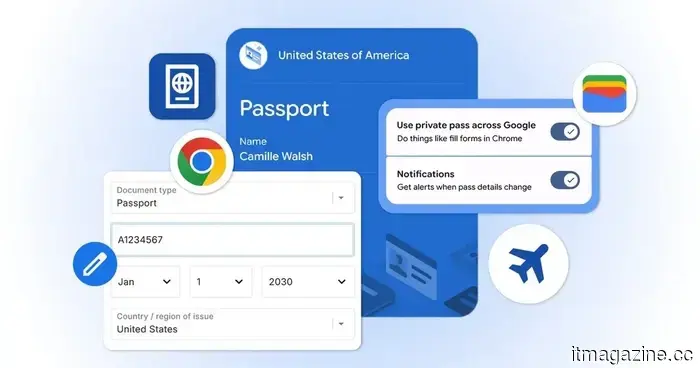 Completing forms on mobile devices has become much simpler with Google Wallet.
Google is introducing enhanced Autofill for Chrome on both Android and iPhone, enabling users to complete forms with details saved in Google Wallet.
Completing forms on mobile devices has become much simpler with Google Wallet.
Google is introducing enhanced Autofill for Chrome on both Android and iPhone, enabling users to complete forms with details saved in Google Wallet.
 Amazon plans to invest an additional $13 billion in cloud and AI in India by 2030.
Amazon plans to invest an additional $13 billion in cloud and AI infrastructure in India, raising its commitment for the 2026-2030 period to $48 billion, as announced during Jassy's meeting with Modi.
Amazon plans to invest an additional $13 billion in cloud and AI in India by 2030.
Amazon plans to invest an additional $13 billion in cloud and AI infrastructure in India, raising its commitment for the 2026-2030 period to $48 billion, as announced during Jassy's meeting with Modi.
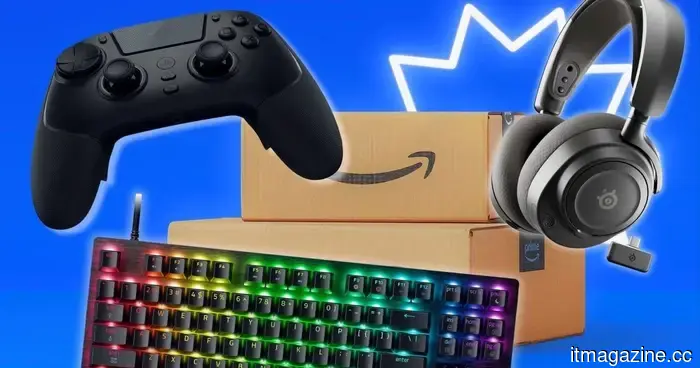 These gaming accessories are marked down significantly for Prime Day, and I would consider purchasing them for myself.
Top Prime Day deals on gaming accessories feature price cuts on gaming monitors, wireless controllers, gaming headsets, keyboards, and gaming mice.
These gaming accessories are marked down significantly for Prime Day, and I would consider purchasing them for myself.
Top Prime Day deals on gaming accessories feature price cuts on gaming monitors, wireless controllers, gaming headsets, keyboards, and gaming mice.
 Microsoft's latest Surface PCs are more affordable — but there’s a drawback.
Microsoft has launched more affordable versions of its newest Surface devices, but the reduced price entails a significant trade-off: reduced memory and no access to Copilot+ AI features.
Microsoft's latest Surface PCs are more affordable — but there’s a drawback.
Microsoft has launched more affordable versions of its newest Surface devices, but the reduced price entails a significant trade-off: reduced memory and no access to Copilot+ AI features.
Gemini in Chrome can now precisely observe what you are viewing on your screen.
Google is launching a new "Select from screen" feature for Gemini in Chrome, while Gemini 3.5 Flash incorporates integrated computer usage functionalities.