
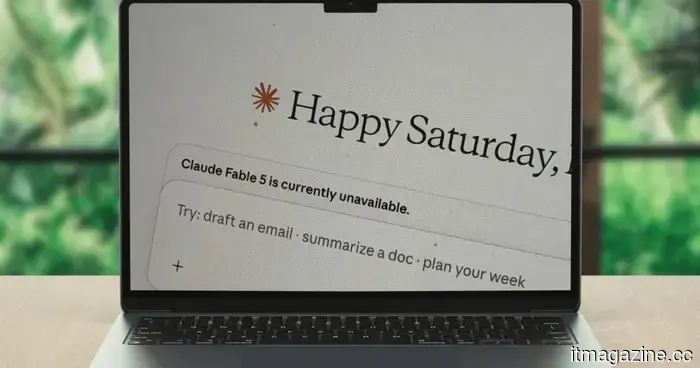
Claude is now able to join your Slack channels and collaborate with your team.
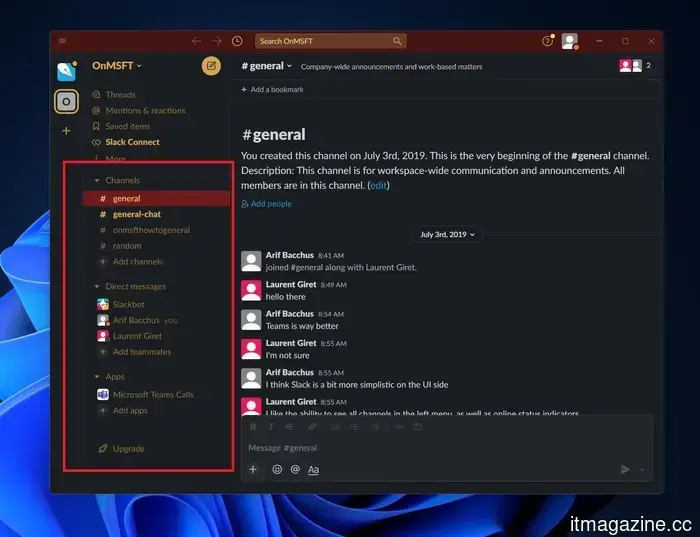
For years, AI assistants have operated in isolation. You open ChatGPT, Claude, Gemini, or Copilot, enter a prompt, receive a response, and move on. However, Anthropic’s new Claude Tag feature takes a novel approach. Instead of requiring employees to enter a separate AI chat each time they seek assistance, it integrates Claude directly into the platform where many teams already work: Slack.
By adding Claude to a channel and granting it access to necessary tools, users can tag @Claude for assistance, whether it's for data analysis, report writing, code reviews, or incident investigations. But Claude Tag is more than just another chatbot integration. Its main distinction lies in Anthropic presenting it as a digital colleague for the team, facilitating smooth collaboration where multiple users can interact with the same AI within their work environment.
One AI to manage the channel (and hopefully the disorder)
What sets Claude Tag apart is not just its ability to answer questions; it can also pose them. While many AI tools can do that, the significant change is Claude's function as a shared, consistent presence within a Slack channel. Unlike other AI tools, Claude allows all team members to engage with one instance, promoting collective visibility and continuity.
This means that teammates can view Claude’s ongoing work, continue tasks initiated by others, and build on past discussions without needing to reiterate context continuously. Anthropic asserts that Claude gradually learns the workflow and relevant projects of the channel when granted access to the appropriate tools and data. This could lead to spending more time simply asking Claude to take action.
Setting up Claude in Slack
If your organization holds a Claude Enterprise or Claude Team subscription, the setup process is relatively simple.
Step 1: Link Claude Tag to your Slack workspace
Administrators must first connect Claude Tag to the company's Slack environment. Once linked, Claude can be added to specific channels where teams require AI assistance.
Step 2: Determine Claude's access permissions
This step is arguably the most crucial. Administrators select which tools, datasets, and systems Claude can utilize. For instance, a sales-oriented Claude might gain access to CRM data and reporting tools, while an engineering-focused Claude may connect to repositories and development platforms. Anthropic indicates that access can be closely managed to maintain information confidentiality between teams.
Step 3: Establish spending limits
Organizations can set monthly usage budgets and specific channel limits to manage costs effectively. This approach allows teams to experiment without the concern of unexpected expenses arising at the month's end.
Step 4: Test Claude in a private channel
Before a company-wide rollout, Anthropic suggests testing Claude in a private Slack channel. This enables administrators to confirm permissions, tool access, and workflow functionality before broader implementation.
Step 5: Begin assigning tasks
Once everything is set up, employees can simply tag @Claude and outline what they need. Claude then breaks the task into smaller steps, employs available tools as necessary, and ultimately shares the results back into the Slack thread.
The most intriguing feature might be what Claude does when it’s not actively addressed
Most AI assistants are reactive, awaiting instructions. Claude Tag can be adjusted to be more proactive. With its optional “ambient” behavior activated, Claude can oversee the channels and tools it has access to, provide potentially valuable updates, highlight unresolved issues, and follow up on tasks that seem to have stalled.
This marks a significant shift from today’s typical chatbot experience. Instead of functioning like a search engine that waits for prompts, Claude adopts the demeanor of a team member, keeping tabs on ongoing projects. Whether this is perceived as helpful or somewhat daunting likely depends on how many Slack notifications you typically receive.
Nevertheless, the broader trend is hard to overlook. While many AI tools emphasize chat interfaces, Claude Tag distinguishes itself by embedding AI into collaborative workplace tools and acting as a facilitator within the team’s workflow. If this vision materializes, workplace AI could soon imply more genuine collaboration—where @Claude becomes your team’s dependable problem-solver, rather than just another application to interact with.
Other articles
 I discovered the ideal TV deals for Prime Day and avoided the unclear offers.
Whether you're in search of a top-tier OLED with deep blacks or an affordable Mini-LED that exceeds expectations, Prime Day offers a TV deal that suits your needs. Here are the five best options, selected to save you from endless scrolling.
I discovered the ideal TV deals for Prime Day and avoided the unclear offers.
Whether you're in search of a top-tier OLED with deep blacks or an affordable Mini-LED that exceeds expectations, Prime Day offers a TV deal that suits your needs. Here are the five best options, selected to save you from endless scrolling.
 The Resources That Simplify Shared Parenting
Whether it's a 3 a.m. feeding or your first outing by yourself, new dads can find feeding routines challenging. With these Momcozy feeding essentials, you can simplify daily caregiving, allowing you to feel more self-assured and savor precious moments with your baby.
The Resources That Simplify Shared Parenting
Whether it's a 3 a.m. feeding or your first outing by yourself, new dads can find feeding routines challenging. With these Momcozy feeding essentials, you can simplify daily caregiving, allowing you to feel more self-assured and savor precious moments with your baby.
 ByteDance has introduced Seedance 2.5, a 30-second native 4K AI video model that accepts 50 reference inputs.
ByteDance unveiled Seedance 2.5 during its conference in Beijing, which creates 30-second native 4K clips using as many as 50 reference inputs, with a public release scheduled for July.
ByteDance has introduced Seedance 2.5, a 30-second native 4K AI video model that accepts 50 reference inputs.
ByteDance unveiled Seedance 2.5 during its conference in Beijing, which creates 30-second native 4K clips using as many as 50 reference inputs, with a public release scheduled for July.
 ByteDance introduces Seedance 2.5, a 30-second native 4K AI video model that takes in 50 reference inputs.
ByteDance unveiled Seedance 2.5 at its conference in Beijing, which creates 30-second native 4K videos using up to 50 reference inputs, with a public release scheduled for July.
ByteDance introduces Seedance 2.5, a 30-second native 4K AI video model that takes in 50 reference inputs.
ByteDance unveiled Seedance 2.5 at its conference in Beijing, which creates 30-second native 4K videos using up to 50 reference inputs, with a public release scheduled for July.
 Roborock's "Your Home. Your Stadium" Connects Football Culture with Smart Living
The most memorable football moments aren't limited to famous stadiums. Through "Your Home. Your Stadium," Roborock combines smart automation, football culture, and a broader goal of enhancing community ties.
Roborock's "Your Home. Your Stadium" Connects Football Culture with Smart Living
The most memorable football moments aren't limited to famous stadiums. Through "Your Home. Your Stadium," Roborock combines smart automation, football culture, and a broader goal of enhancing community ties.
 The Resources That Make Shared Parenting Seem More Manageable
Whether it's a 3 a.m. feeding or your first outing on your own, new dads may find feeding routines challenging. With these Momcozy feeding essentials, simplify your daily caregiving tasks so you can feel more assured and savor precious moments with your baby.
The Resources That Make Shared Parenting Seem More Manageable
Whether it's a 3 a.m. feeding or your first outing on your own, new dads may find feeding routines challenging. With these Momcozy feeding essentials, simplify your daily caregiving tasks so you can feel more assured and savor precious moments with your baby.
Claude is now able to join your Slack channels and collaborate with your team.
Anthropic's latest feature, Claude Tag, integrates Claude into Slack channels, enabling it to assist with coding, research, data analysis, and additional tasks. Here’s an overview of its functionality, setup process, and its potential to transform team collaboration with AI.