
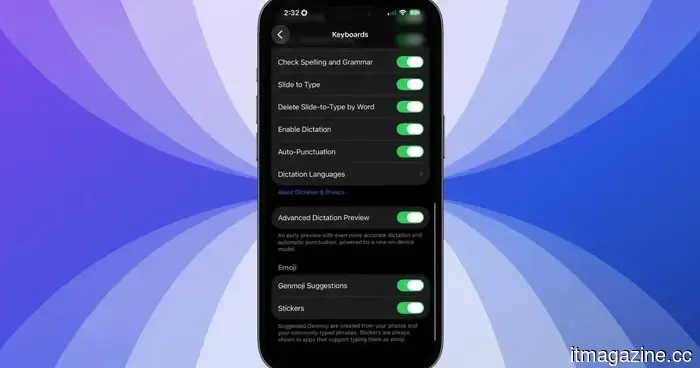
iOS 27 offers an improved dictation experience on your iPhone, and you need to activate it.
A more advanced dictation system is already available on your iPhone; Apple just hasn't activated it.
If you own an iPhone 17 Pro, iPhone 17 Pro Max, or iPhone Air running the iOS 27 beta, your device has a significantly improved dictation system ready to use.
However, Apple has not enabled it by default, and most users are unaware of its existence.
So, what is Advanced Dictation Preview?
iOS 27 comes with two distinct dictation systems.
Which one you receive depends on your device. Although every iPhone sees some upgrades (compared to the standard edition), the owners of the iPhone 17 Pro, 17 Pro Max, and iPhone Air have access to a unique feature known as Advanced Dictation Preview.
This advanced variation utilizes Apple’s AFM Core Advanced model, which also powers the new expressive Siri voices, and operates entirely on the device without needing an internet connection.
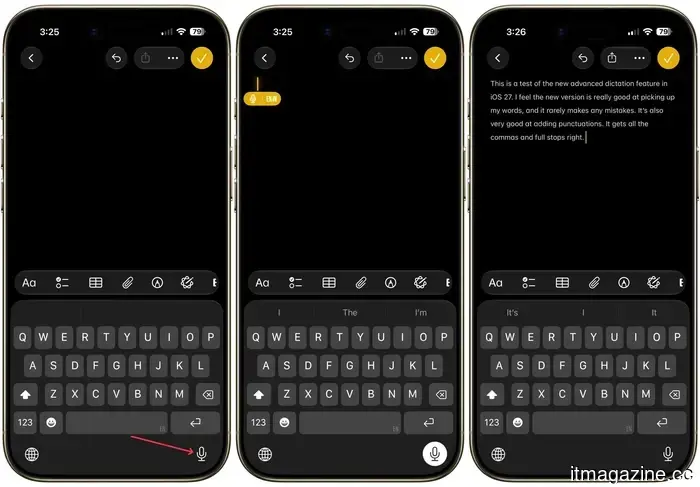
It seamlessly handles punctuation and capitalization as you speak, eliminating the need to verbally say “comma” or “period.”
Why isn’t this available on every iPhone?
The Advanced Dictation feature offers a significant increase in accuracy. However, it is turned off by default as it remains in beta, and Apple is collecting user feedback to enhance it.
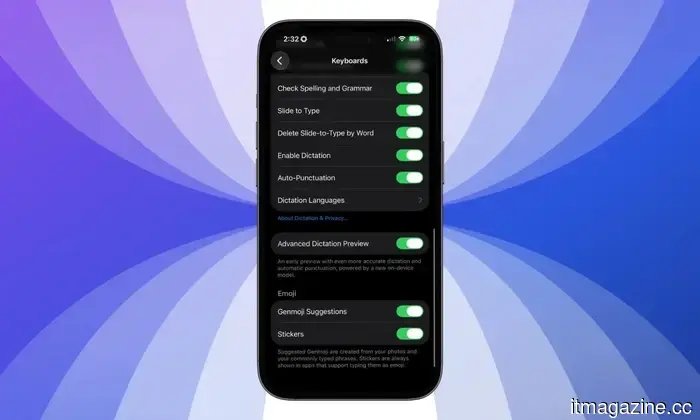
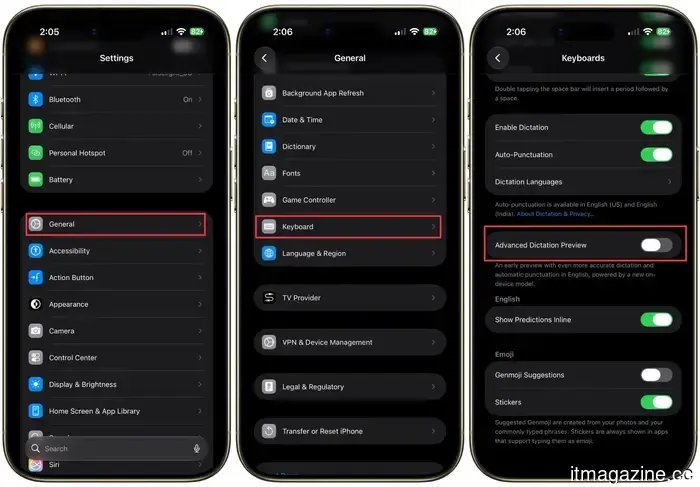
If you are using iOS 27 beta and frequently utilize voice dictation, you can enable it by navigating to Settings > General > Keyboards, and scrolling down to locate Advanced Dictation Preview.
The reason not every iPhone receiving iOS 27 can access this feature is due to RAM limitations. The AFM Core Advanced requires a minimum of 12GB of RAM to operate locally, while the standard iPhone 17 is equipped with only 8GB of RAM. Similarly, even the recent iPhone 16 Pro also has 8GB of RAM, which is why it is excluded.
This is a fixed hardware limitation rather than a phased rollout. If your iPhone meets the requirements, go to Settings and toggle it on for an enhanced dictation experience.
For over five years, Shikhar has effectively demystified advancements in consumer technology.
Apple users are being targeted by a familiar tech support scam.
Currently, Apple users are encountering a new wave of fraudulent iPhone and iCloud security alerts.
AI has made online scams more difficult to detect, enhancing the realism of deepfakes, voice cloning, and fake messages. Nevertheless, the traditional tech support scam continues to ensnare victims. For years, scammers often impersonated Microsoft support representatives; however, recent reports indicate a shift toward targeting Apple users.
Consumers have been noticing a rise in fake “Apple High Alert” notifications, which claim that an iPhone, iCloud account, or Apple ID has been breached. Such messages are crafted to induce panic and prompt a swift reaction before the individual has the chance to verify their authenticity.
I've experimented with nearly all the features of iOS 27, and these three keep me excited about the update.
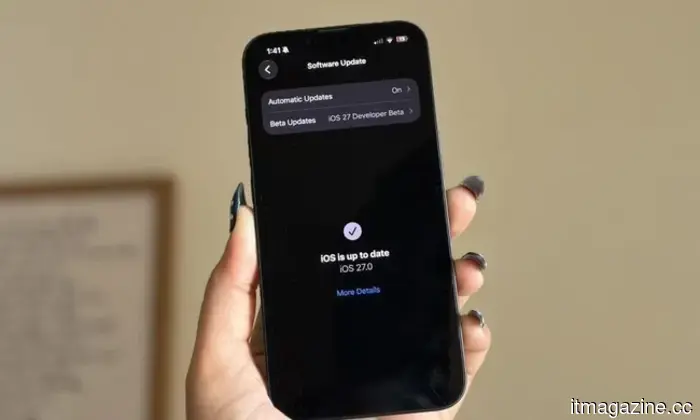
It's been slightly over a week since Apple's WWDC keynote, and the iOS 27 beta is now publicly available. While Apple spent considerable time discussing its Gemini-powered Siri, my main excitement was about updating my iPhone 16e and experiencing the changes firsthand.
Since then, I’ve been using the beta daily, and it’s become clear that not every new feature met my expectations. Some felt more appealing during the announcement than they do in daily use, while others simply haven't integrated into my routine. However, a few features have been quite the opposite — they are ones I keep coming back to instinctively. After more than a week with iOS 27, these are the three standout features and the main reasons I remain enthusiastic about this update.
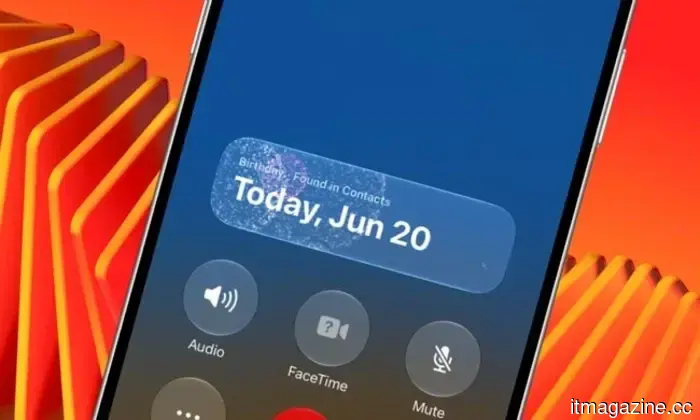
Did you know your iPhone displays fireworks on-screen when you call someone on their birthday?
Not every gem of iOS 27 made it into the keynote, but this one is certainly worth discovering.
Apple has hidden numerous small features within iOS 27 that weren't mentioned during WWDC 2026, and this particular feature might be the most delightful find yet.
If you call someone on their birthday with iOS 27 installed on your iPhone, it subtly shows a fireworks animation on the call screen. I tested this by setting my sister's birthday to today, June 20, 2026, on a beta version of iOS 27, and it functioned perfectly.


Other articles
 New York City has triumphed over Waymo, thanks to the influence of the taxi lobby.
Waymo's robotaxis face political resistance in New York City from the mayor, the taxi lobby, and labor unions, even though they are functioning in 10 other cities across the United States.
New York City has triumphed over Waymo, thanks to the influence of the taxi lobby.
Waymo's robotaxis face political resistance in New York City from the mayor, the taxi lobby, and labor unions, even though they are functioning in 10 other cities across the United States.
 Hackers took control of Brazil's emergency alert system and sent a message of 'misanthropy' to millions of mobile phones.
Brazil's civil defense alert system was compromised overnight, transmitting fraudulent extreme alerts featuring the term "misantropi4" to numerous phones in various states.
Hackers took control of Brazil's emergency alert system and sent a message of 'misanthropy' to millions of mobile phones.
Brazil's civil defense alert system was compromised overnight, transmitting fraudulent extreme alerts featuring the term "misantropi4" to numerous phones in various states.
 Meredith Whittaker from Signal states that AI chatbots 'are not your friends' and describes Copilot agents as a backdoor.
Meredith Whittaker, president of Signal, cautions that AI chatbots lack sentience and that agentic AI systems, such as Copilot, serve as a backdoor to private information.
Meredith Whittaker from Signal states that AI chatbots 'are not your friends' and describes Copilot agents as a backdoor.
Meredith Whittaker, president of Signal, cautions that AI chatbots lack sentience and that agentic AI systems, such as Copilot, serve as a backdoor to private information.
iOS 27 offers an improved dictation experience on your iPhone, and you need to activate it.
iOS 27 discreetly introduces two dictation systems. The superior option is turned off by default, needs 12GB of RAM, and most users are unlikely to realize it needs to be activated.