
The latest iPhone update for WhatsApp simplifies the process of managing two accounts considerably.
Multiple accounts are now being widely introduced, featuring distinct chats, notifications, and settings for each number.
WhatsApp is finally simplifying the process of managing two accounts on the same iPhone, aiming to reduce the reliance on the previous workaround of using WhatsApp Business for one number or utilizing another device.
According to WABetaInfo, the rollout for multiple accounts on iPhone is now broadly accessible through version 26.22.76, following a slower release that didn’t reach all users simultaneously. Users can add a second number within the main app, allowing them to keep their chats, calls, notifications, and settings organized by the appropriate account.
This update enhances the experience for those separating work and personal messages, transforming WhatsApp from a single, cluttered inbox into two manageable environments.
How the new iPhone setup functions
To begin setup, users can navigate to WhatsApp settings and select the “Add account” option. From there, they can input another phone number or scan a QR code to link that account as a connected device.
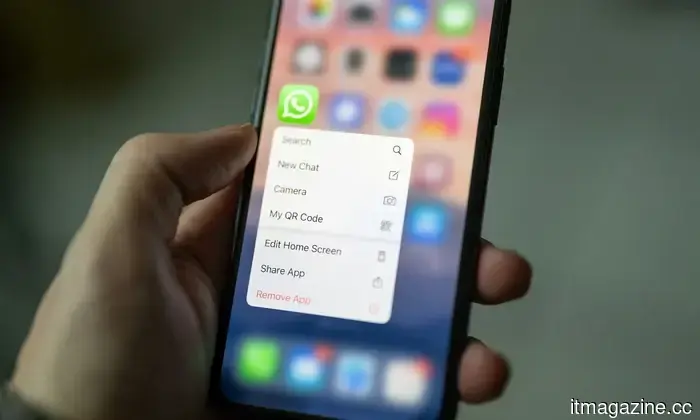
Switching accounts does not necessitate logging out. Users can go to the Account section and tap “Switch account,” press and hold the You tab for quicker access, or tap the You tab once to view already registered logins.
There is still a limitation. WhatsApp currently accommodates a maximum of two accounts on iPhone, addressing the prevalent issue of managing two numbers without transforming the app into a full-scale account manager.
Why the previous workarounds diminished
Prior to this rollout, iPhone users resorted to cumbersome alternatives. They could use WhatsApp Business for a second number, even without business requirements, or keep an additional login on a separate phone.
The new arrangement enables users to maintain the division within a single app. Chat histories, calls, notification preferences, privacy settings, profile information, and other choices remain associated with their respective profiles. A unique alert tone for one number will not transfer to the other.
WhatsApp also monitors the inactive login. When a call or message is received there, the app can send a push notification, allowing users to access that profile directly from the alert before responding.
When will the feature be available to everyone
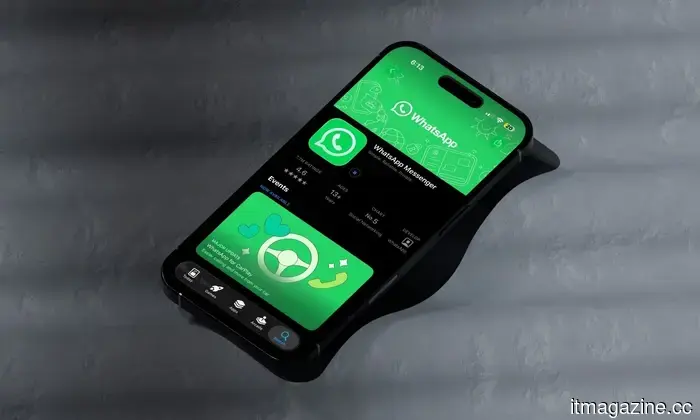
WhatsApp announced that multiple accounts are now accessible to all users via the latest App Store version, with iOS 26.22.76 identified as the compatible update. Beta testers can also utilize this feature with the latest TestFlight build.
Those who have not yet received it should update WhatsApp through the App Store and check the settings for “Add account.” Removing a login from the device will not erase groups or channels, but WhatsApp advises backing up chats beforehand, as unsaved messages and data might be lost.
The practical steps are straightforward. Update the app, add the second number, and allow WhatsApp to manage the division that previously required a workaround.



Other articles
 Waze is updating its traffic light features, but it's not available to everyone just yet.
Waze has begun to display traffic lights during navigation, but the implementation is not consistent for all users. This addition allows the app to keep pace with Google Maps and Apple Maps, although many drivers still do not have access to it.
Waze is updating its traffic light features, but it's not available to everyone just yet.
Waze has begun to display traffic lights during navigation, but the implementation is not consistent for all users. This addition allows the app to keep pace with Google Maps and Apple Maps, although many drivers still do not have access to it.
 The habit of scrolling through social media is more detrimental than you might realize, particularly for adolescents.
A recent study from Australia associates the use of social media for two or more hours each day during early adolescence with worse mental health outcomes a year later.
The habit of scrolling through social media is more detrimental than you might realize, particularly for adolescents.
A recent study from Australia associates the use of social media for two or more hours each day during early adolescence with worse mental health outcomes a year later.
 Google is taking legal action against a Chinese cybercrime group that utilized Gemini to create phishing websites and dispatch 2.5 million fraudulent text messages.
Google has initiated legal action against Outsider Enterprise for utilizing Gemini AI to create phishing code and for dispatching 2.5 million scam messages over a two-week period. The FBI is also engaged in the matter.
Google is taking legal action against a Chinese cybercrime group that utilized Gemini to create phishing websites and dispatch 2.5 million fraudulent text messages.
Google has initiated legal action against Outsider Enterprise for utilizing Gemini AI to create phishing code and for dispatching 2.5 million scam messages over a two-week period. The FBI is also engaged in the matter.
 Google has filed a lawsuit against a Chinese cybercrime group that utilized Gemini to create phishing websites and send out 2.5 million fraudulent messages.
Google has initiated a lawsuit against Outsider Enterprise, which utilized Gemini AI to create phishing code and dispatched 2.5 million fraudulent texts within a two-week period. The FBI is participating in the case.
Google has filed a lawsuit against a Chinese cybercrime group that utilized Gemini to create phishing websites and send out 2.5 million fraudulent messages.
Google has initiated a lawsuit against Outsider Enterprise, which utilized Gemini AI to create phishing code and dispatched 2.5 million fraudulent texts within a two-week period. The FBI is participating in the case.
 Facebook, Instagram, and WhatsApp experienced a disruption due to a Meta outage.
A significant outage at Meta affected Facebook, Instagram, WhatsApp, and Messenger globally. Down Detector recorded over 130,000 reports before the services started to come back online.
Facebook, Instagram, and WhatsApp experienced a disruption due to a Meta outage.
A significant outage at Meta affected Facebook, Instagram, WhatsApp, and Messenger globally. Down Detector recorded over 130,000 reports before the services started to come back online.
 The head of the IMF cautions about advanced AI systems such as Mythos.
IMF chief Georgieva stated that Mythos is "only the start" and cautioned that the surge in AI could lead to a downturn. She emphasized the need for immediate global collaboration on cybersecurity.
The head of the IMF cautions about advanced AI systems such as Mythos.
IMF chief Georgieva stated that Mythos is "only the start" and cautioned that the surge in AI could lead to a downturn. She emphasized the need for immediate global collaboration on cybersecurity.
The latest iPhone update for WhatsApp simplifies the process of managing two accounts considerably.
WhatsApp is introducing the option for multiple accounts on iPhone, allowing users to add a second number within the main app while keeping chats, calls, notifications, and settings distinct.