
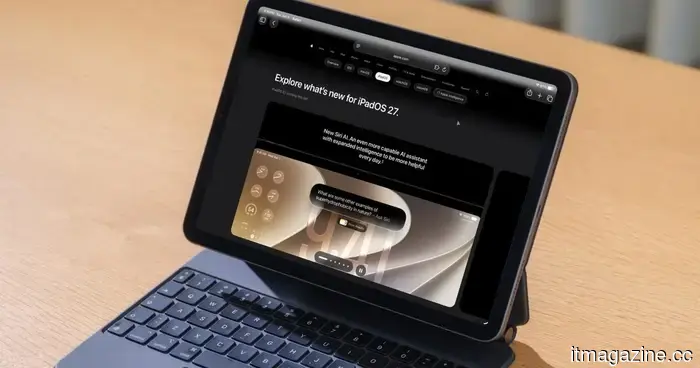
iPadOS 27: All the details about the new features coming to your iPad.
Apple wrapped up its WWDC 2026 event, and I've finally had the chance to install and explore the iPadOS 27 developer beta. After spending some time with this initial developer beta, I can confidently say there’s plenty to be excited about. The standout feature is the completely new Siri AI powered by Apple Intelligence, but that’s merely the beginning. From more advanced photo editing to a Shortcuts app that you can now converse with, here's everything you need to know.
Siri AI has its own app
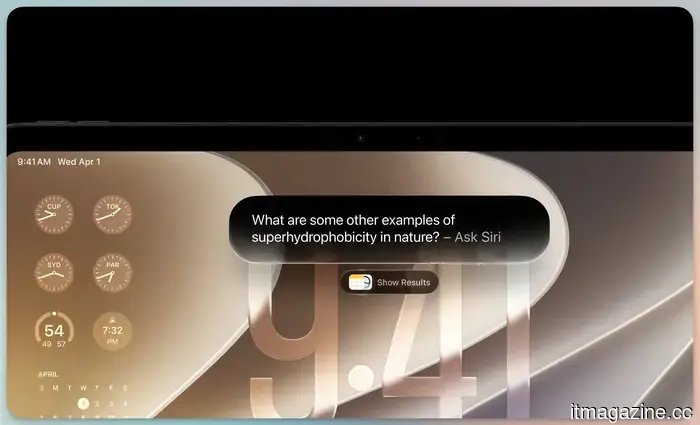
The most significant update this year is a more intelligent, conversational Siri AI, which now has its own dedicated app. You can ask questions, brainstorm ideas for work or creative projects, and engage in natural back-and-forth discussions by either typing or speaking. This marks a substantial advancement from the Siri we've become accustomed to over the years.
What makes it truly useful is that Siri now understands your personal context. You can request it to retrieve a photo from years ago, find an email buried deep in your inbox, or locate a note you saved weeks earlier. It is intricately integrated with Apple’s native apps and can also perform actions in apps like Messages, Music, Reminders, and more based on your current activity.
Apple
The new Siri app also consolidates all your conversations across your Apple devices. This means you can pose a question on your iPhone and continue right where you left off on your iPad. You can pin conversations for easy access or initiate a new one at any time. Apple will also allow you to customize how Siri sounds by modifying the pitch, speed, tone, and accent.
However, there is a downside. Even after applying for access to the new Siri immediately when the beta was released, I still haven’t gained access to the new Siri AI and remain on the waitlist. I just hope Apple doesn’t repeat its previous mistakes and actually delivers on its keynote promises.
Photos receive smart new editing tools
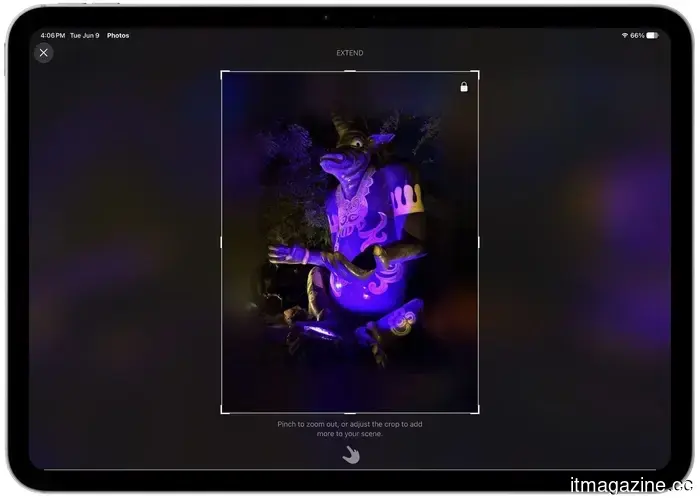
What I can experiment with are the new photo editing features. Apple Intelligence is now integrated into the Photos app. You have new Extend and Reframe tools along with an improved Clean Up tool that can now remove larger objects.
In this beta version, the Extend tool performed well, adding extra context to the image without making anything look out of place. You can tap to compare the original image with the extended one, and overall, it does a commendable job for an early build.
Rachit Agarwal / Digital Trends
The Reframe tool is designed to animate spatial photos from Vision OS, allowing you to adjust an image to reveal more of the background. Unfortunately, it didn’t perform effectively in my tests. But keep in mind, this is the first developer beta, so a few issues are expected.
The new Clean Up tool impressed me. It surpasses previous versions and can erase larger objects and tidy up more intricate images. I believe users will utilize this feature more than the other two.
Shortcuts finally speaks your language
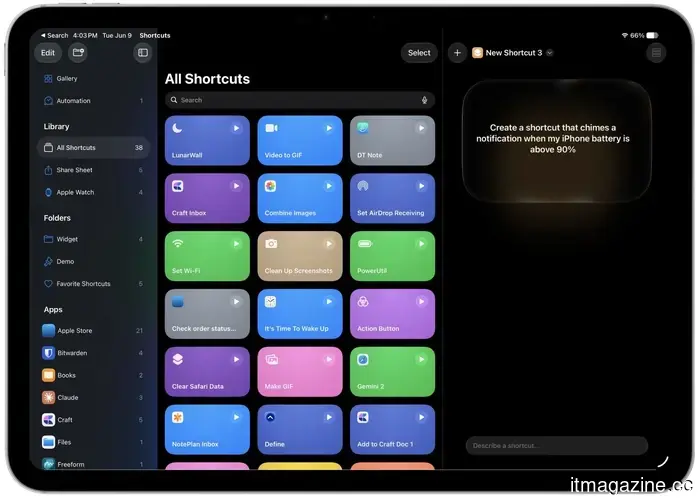
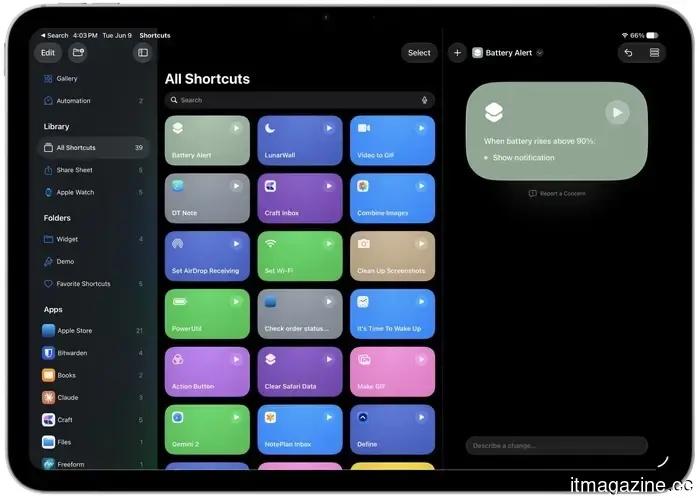
This is one of my favorite updates. If you have ever found the Shortcuts app daunting, iPadOS 27 changes that. You can now express what you want in straightforward language, and Shortcuts will create the automation for you.
Rachit Agarwal / Digital Trends
I am still testing this feature and will provide a detailed analysis in the future. For now, I find that it can easily generate basic shortcuts, but more complex ones like those I included in my favorite shortcuts list seem to be out of its reach.
Rachit Agarwal / Digital Trends
Hopefully, Apple will expand upon this foundation and enhance its functionality for all users. Shortcuts is a highly underrated tool, and the simpler it becomes to use, the more people will embrace and benefit from it.
Safari keeps your tabs organized
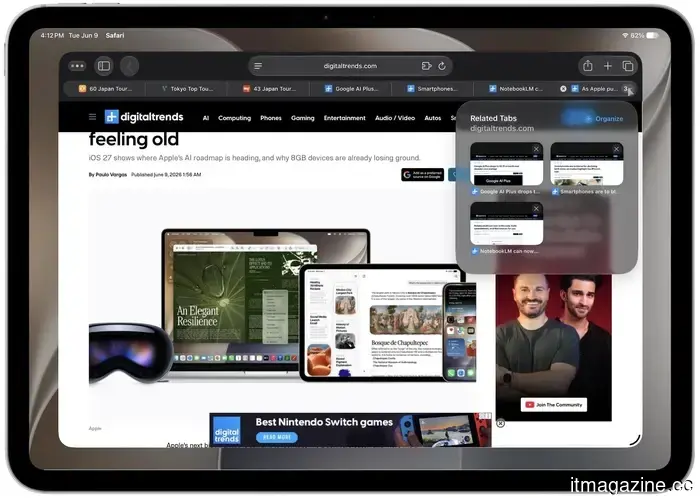
Safari is receiving a welcome enhancement as well. It will now automatically group and organize your tabs by topic or type, making it easier to locate related pages. In the beta, I had several separate tabs open that I could organize with a simple tap on a dropdown menu. If I wish, I can also save these as tab groups.
Rachit Agarwal / Digital Trends
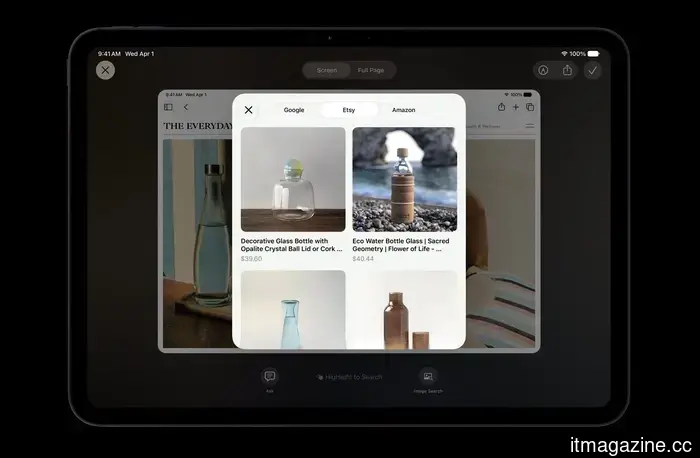
Additionally, there’s a new Notify Me feature that monitors pages for changes, such as a price drop or restock, and alerts you when action is needed. I haven’t been able to test this feature yet, but I remain hopeful that it works as promised.
Separate volume controls at last
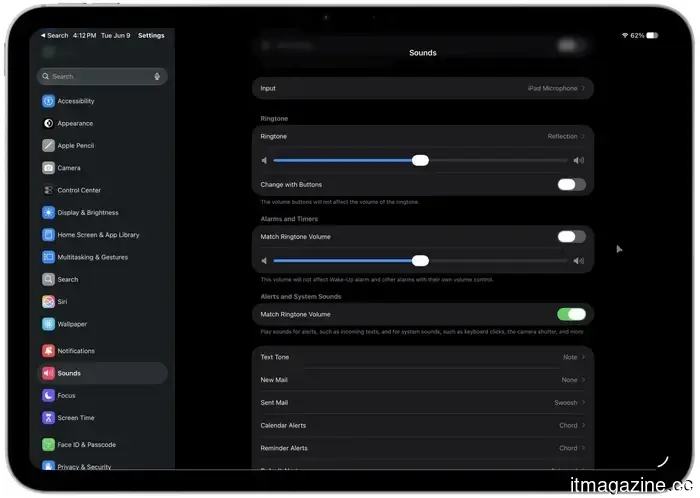
For years, there's been one master slider managing your ringtones, alarms, and alerts together. With iPadOS 27, you can finally adjust individual controls for each sound category. This means you can keep your alarms and timers loud while lowering your ringtone volume. It’s a minor addition, but a fantastic one that provides greater control over sound output on your iPad.
Rachit Agarwal / Digital Trends
A more refined, playful appearance
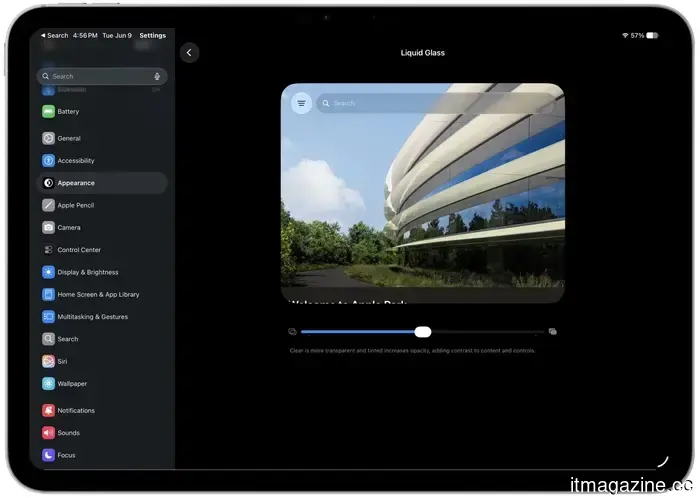
Liquid Glass receives an upgrade this year.

Other articles
 Vinted's CEO states that the US is a
Vinted's CEO Adam Jay states that secondhand shopping is "here to stay," as the Lithuanian marketplace valued at €8 billion expands into the US following a reported revenue of €1.1 billion for 2025.
Vinted's CEO states that the US is a
Vinted's CEO Adam Jay states that secondhand shopping is "here to stay," as the Lithuanian marketplace valued at €8 billion expands into the US following a reported revenue of €1.1 billion for 2025.
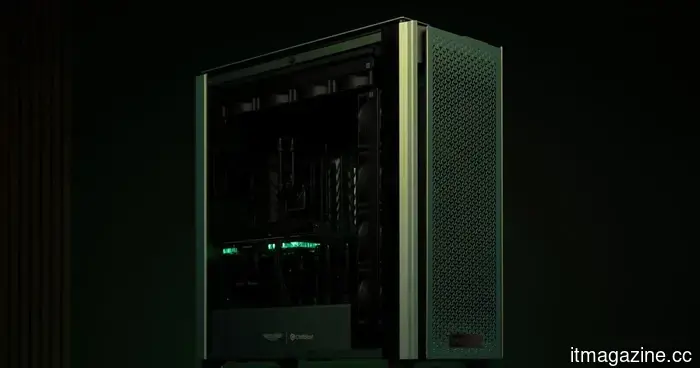 Forget about RGB lighting; Aston Martin’s gaming PC is styled for Monaco.
Chillblast and Aston Martin’s exclusive gaming PCs add a touch of British Racing Green, feature RTX 5090 performance, include leather details, and come at collector-level prices for your workspace.
SpaceX's IPO receives orders several times greater than the available shares.
SpaceX's $75 billion IPO has seen overwhelming demand, with individual orders exceeding $10 billion. Shares are priced at $135 each on Wednesday, leading to a valuation of $1.8 trillion. In contrast, Morningstar estimates its value to be half that amount.
Forget about RGB lighting; Aston Martin’s gaming PC is styled for Monaco.
Chillblast and Aston Martin’s exclusive gaming PCs add a touch of British Racing Green, feature RTX 5090 performance, include leather details, and come at collector-level prices for your workspace.
SpaceX's IPO receives orders several times greater than the available shares.
SpaceX's $75 billion IPO has seen overwhelming demand, with individual orders exceeding $10 billion. Shares are priced at $135 each on Wednesday, leading to a valuation of $1.8 trillion. In contrast, Morningstar estimates its value to be half that amount.
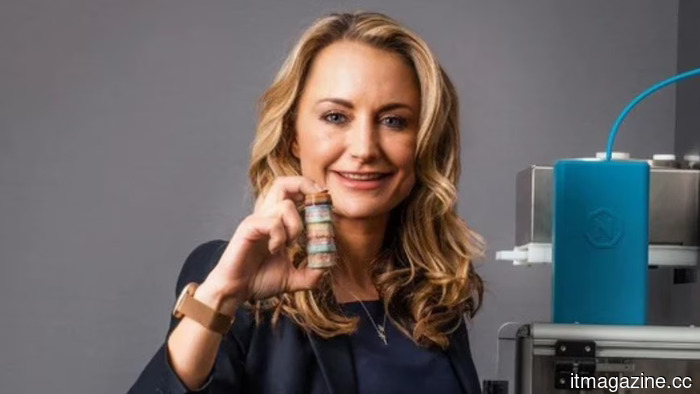 Rem3dy Health secures £14M at an £84M valuation to expand the global reach of its 3D-printed personalized vitamins.
Birmingham's Rem3dy Health secured £14M in funding from Suntory, Apollo Hospitals, and Estrella Galicia to grow its 3D-printed personalized nutrition brand, Nourished.
Rem3dy Health secures £14M at an £84M valuation to expand the global reach of its 3D-printed personalized vitamins.
Birmingham's Rem3dy Health secured £14M in funding from Suntory, Apollo Hospitals, and Estrella Galicia to grow its 3D-printed personalized nutrition brand, Nourished.
 WWDC 2026: iOS 27, Siri AI, enhancements to Apple Intelligence, and more.
Tim Cook's last WWDC showcased the revamped Siri that Apple had promised two years prior, along with much else.
WWDC 2026: iOS 27, Siri AI, enhancements to Apple Intelligence, and more.
Tim Cook's last WWDC showcased the revamped Siri that Apple had promised two years prior, along with much else.
 Anthropic has launched Claude Fable 5, its inaugural Mythos-class model available to the public.
On Tuesday, Anthropic introduced Claude Fable 5, a Mythos-class model equipped with safety measures that restrict cybersecurity and biology inquiries, available at a cost of $10 for every million input tokens.
Anthropic has launched Claude Fable 5, its inaugural Mythos-class model available to the public.
On Tuesday, Anthropic introduced Claude Fable 5, a Mythos-class model equipped with safety measures that restrict cybersecurity and biology inquiries, available at a cost of $10 for every million input tokens.
iPadOS 27: All the details about the new features coming to your iPad.
iPadOS 27 will be released this fall, featuring a brand-new Siri AI, enhanced photo tools, simplified Shortcuts, and a more organized Safari. Here’s all the information we have so far regarding the upcoming updates for your iPad.