
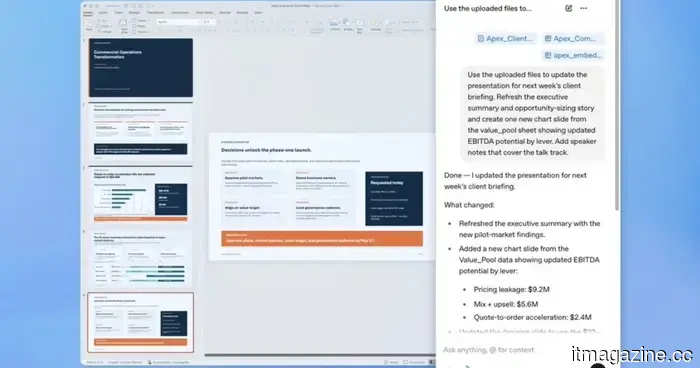
ChatGPT is integrated into PowerPoint, allowing you to discuss your way through the slides.
The most challenging aspect of creating a presentation is not the content itself but the time spent reformatting bullet points and reconsidering the order of slides. OpenAI has recognized this need.
ChatGPT for PowerPoint, currently in beta, integrates the conversational AI assistant directly within PowerPoint, and it's accessible to all ChatGPT users across major tiers.
Have you ever thought, “I really don’t want to create this PowerPoint”? Good news: ChatGPT can now generate and modify presentations right in PowerPoint. You can build, update, understand, and refine presentations while ensuring the slides remain editable.
What exactly can it do within PowerPoint?
It enables you to create a deck from the ground up simply by describing your needs, providing ChatGPT with your notes, documents, spreadsheets, or images as reference, and the AI assistant will generate an initial structure.
If you already have slides in development, you can add to or modify them individually within a deck without needing to start from scratch. If you're preparing for an important meeting, you can also have ChatGPT review your deck.
Utilizing its reasoning skills, ChatGPT can identify gaps in the narrative, highlight logical inconsistencies, and foresee potential questions your audience or client may pose.
Is this just Copilot with a different label?
Not exactly, as the key differentiator is its connectivity.
ChatGPT for PowerPoint has the capability to pull real-time data from Gmail, Outlook, and SharePoint. Therefore, rather than requiring tedious copying and pasting, your QBR deck or customer briefing can utilize information your team has already assembled.
With ChatGPT for PowerPoint, OpenAI is particularly focused on practical business workflows, making it useful for quarterly reviews, board meetings, or strategy presentations.
The beta version is available worldwide, covering Free, Plus, Pro, Business, Enterprise, and educational tiers. You can install it directly from the Microsoft marketplace or from within PowerPoint.
With ChatGPT available in PowerPoint, you now have three options for managing your slides: ChatGPT, Claude, and Copilot.
Other articles
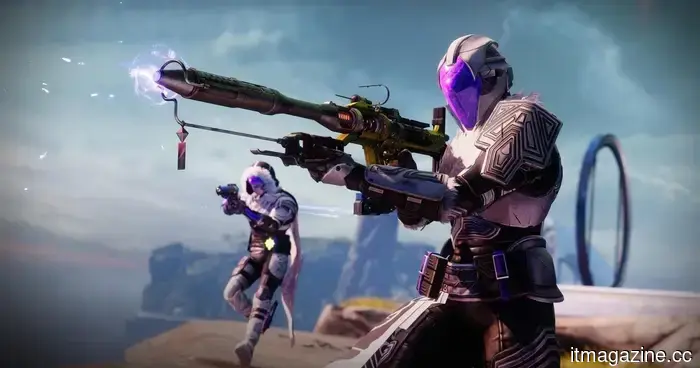 Destiny 2 is gradually coming to an end after almost 12 years.
Bungie will conclude active live-service development for Destiny 2 on June 9, 2026, but will continue to allow returning players to access the game.
Destiny 2 is gradually coming to an end after almost 12 years.
Bungie will conclude active live-service development for Destiny 2 on June 9, 2026, but will continue to allow returning players to access the game.
 Lenovo's Q4 revenue exceeds expectations due to robust PC sales, leading to a 15% surge in shares.
Lenovo announced revenue of $21.6 billion for Q4, exceeding projections by $2.2 billion, driven by a 26% recovery in PC sales and an 84% increase in AI revenue. Shares experienced a 15% rise in Hong Kong.
Lenovo's Q4 revenue exceeds expectations due to robust PC sales, leading to a 15% surge in shares.
Lenovo announced revenue of $21.6 billion for Q4, exceeding projections by $2.2 billion, driven by a 26% recovery in PC sales and an 84% increase in AI revenue. Shares experienced a 15% rise in Hong Kong.
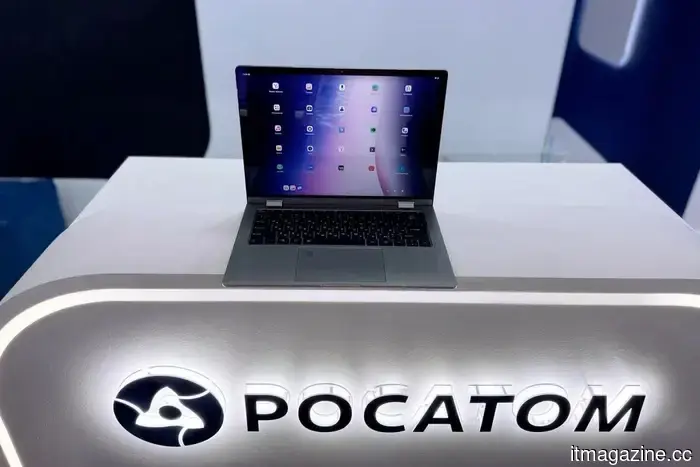 Rosatom has introduced a laptop with ARM architecture featuring a domestic operating system.
At CIPR-2026, "Rosatom" and "Byteerg" presented the OKO BOOK 5 YOGA laptop with the Russian operating system "OKO". The device, based on ARM architecture, is aimed at companies transitioning to import-independent IT solutions.
Rosatom has introduced a laptop with ARM architecture featuring a domestic operating system.
At CIPR-2026, "Rosatom" and "Byteerg" presented the OKO BOOK 5 YOGA laptop with the Russian operating system "OKO". The device, based on ARM architecture, is aimed at companies transitioning to import-independent IT solutions.
 Meta resolves key Kentucky case, concluding the initial school district trial regarding youth mental health.
Meta has reached a settlement in the lawsuit involving the Breathitt County, Kentucky school district, concluding the initial bellwether trial in MDL 3047 just days before it was scheduled to begin.
Meta resolves key Kentucky case, concluding the initial school district trial regarding youth mental health.
Meta has reached a settlement in the lawsuit involving the Breathitt County, Kentucky school district, concluding the initial bellwether trial in MDL 3047 just days before it was scheduled to begin.
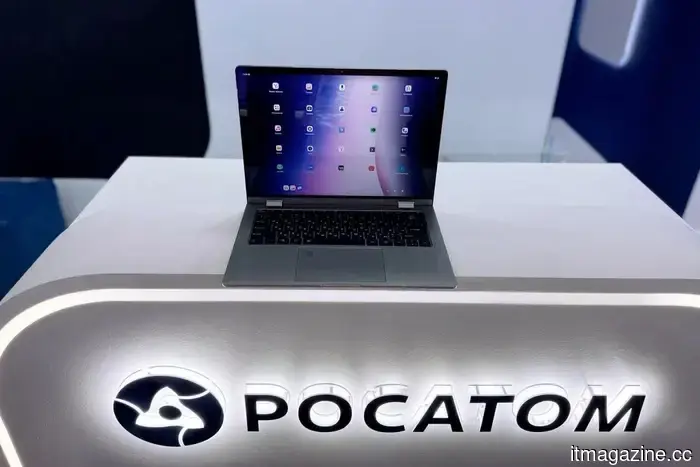 Rosatom has introduced a laptop with ARM architecture featuring a domestic operating system.
At CIPR-2026, "Rosatom" and "Baiterg" presented the OKO BOOK 5 YOGA laptop with the Russian operating system "OKO". The device, based on ARM architecture, is aimed at companies transitioning to import-independent IT solutions.
Rosatom has introduced a laptop with ARM architecture featuring a domestic operating system.
At CIPR-2026, "Rosatom" and "Baiterg" presented the OKO BOOK 5 YOGA laptop with the Russian operating system "OKO". The device, based on ARM architecture, is aimed at companies transitioning to import-independent IT solutions.
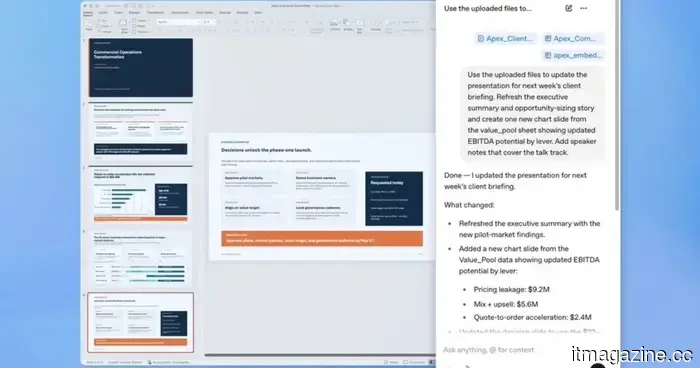 ChatGPT is integrated into PowerPoint, allowing you to narrate your way through the slides.
You can request it to identify inconsistencies in your deck's reasoning, anticipate questions from the audience, and integrate real-time data from the tools your team currently utilizes.
ChatGPT is integrated into PowerPoint, allowing you to narrate your way through the slides.
You can request it to identify inconsistencies in your deck's reasoning, anticipate questions from the audience, and integrate real-time data from the tools your team currently utilizes.
ChatGPT is integrated into PowerPoint, allowing you to discuss your way through the slides.
You can request it to identify flaws in the logic of your deck, anticipate questions from the audience, and retrieve live data from the tools that your team is already utilizing.