
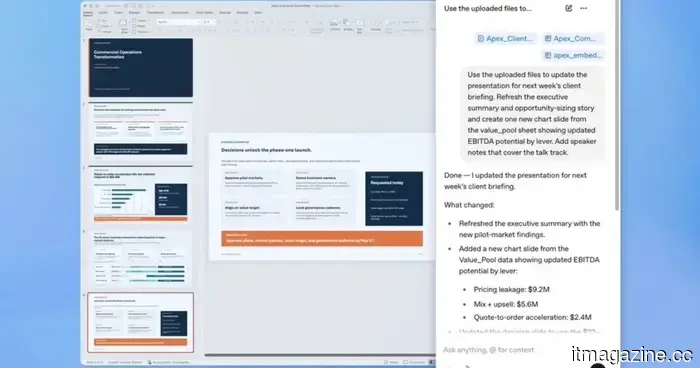
ChatGPT is integrated into PowerPoint, allowing you to narrate your way through the slides.
The most challenging aspect of creating a presentation isn't coming up with ideas; it's the forty-five minutes spent reformatting bullet points and questioning the slide sequence. Good news: OpenAI has listened.
ChatGPT for PowerPoint, now in beta, integrates the conversational AI assistant directly into PowerPoint and is accessible to all ChatGPT users across major subscription tiers.
Have you ever thought, "I really don’t want to create this PowerPoint"? The good news is that ChatGPT can now create and edit presentations right within PowerPoint. You can build, update, understand, and refine presentations while keeping the slides editable.
What can it do within PowerPoint?
You can create a deck from scratch simply by describing your needs, providing ChatGPT with notes, documents, spreadsheets, or images as reference material, and the AI will generate an initial structure.
Even if you have partial slides, you can add or modify them individually within a deck without having to restart. If you’re preparing for an important meeting, you can ask ChatGPT in PowerPoint to evaluate your presentation.
Utilizing its reasoning capabilities, ChatGPT can highlight gaps in the narrative, spot where logic fails, and predict the questions your audience or client might pose.
Is this simply Copilot with a different name?
Not exactly, as the main distinction lies in its connectivity.
ChatGPT for PowerPoint can access live data from Gmail, Outlook, and SharePoint. This means you won’t have to engage in manual copy-pasting; your QBR deck or customer brief can include information your team has already compiled.
With this new integration, OpenAI is specifically focusing on actual business workflows, making it useful for quarterly reviews, board meetings, or strategic presentations.
The beta version is available worldwide, across Free, Plus, Pro, Business, Enterprise, and educational tiers. You can install it directly from the Microsoft marketplace or within PowerPoint.
Now that ChatGPT is available in PowerPoint, you have three options for managing your slides: ChatGPT, Claude, and Copilot.
Other articles
 Meta resolves key Kentucky case, concluding the initial school district trial regarding youth mental health.
Meta has reached a settlement in the lawsuit involving the Breathitt County, Kentucky school district, concluding the initial bellwether trial in MDL 3047 just days before it was scheduled to begin.
Meta resolves key Kentucky case, concluding the initial school district trial regarding youth mental health.
Meta has reached a settlement in the lawsuit involving the Breathitt County, Kentucky school district, concluding the initial bellwether trial in MDL 3047 just days before it was scheduled to begin.
 Lenovo's Q4 revenue exceeds expectations due to robust PC sales, resulting in a 15% increase in shares.
Lenovo announced $21.6 billion in revenue for the fourth quarter, surpassing estimates by $2.2 billion, driven by a 26% recovery in PC sales and an 84% increase in AI revenue. Shares increased by 15% in Hong Kong.
Lenovo's Q4 revenue exceeds expectations due to robust PC sales, resulting in a 15% increase in shares.
Lenovo announced $21.6 billion in revenue for the fourth quarter, surpassing estimates by $2.2 billion, driven by a 26% recovery in PC sales and an 84% increase in AI revenue. Shares increased by 15% in Hong Kong.
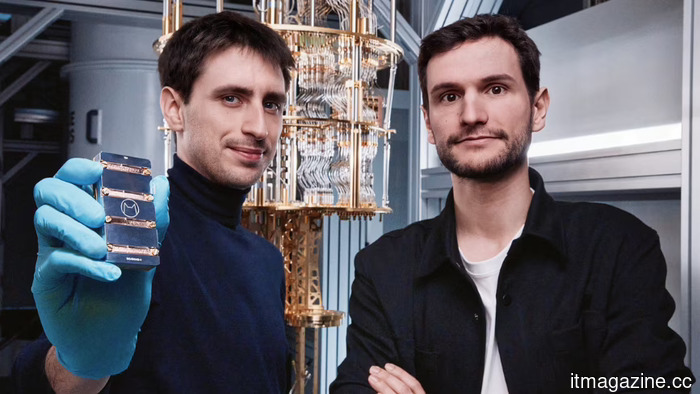 NVIDIA's NVentures has included Alice & Bob in its quantum portfolio.
NVentures, the venture capital branch of Nvidia, has participated in the €100 million Series B extension round for Alice & Bob. The Paris-based quantum company aims to develop a practical machine by 2030.
NVIDIA's NVentures has included Alice & Bob in its quantum portfolio.
NVentures, the venture capital branch of Nvidia, has participated in the €100 million Series B extension round for Alice & Bob. The Paris-based quantum company aims to develop a practical machine by 2030.
 Meta resolves key Kentucky case, concluding the initial school district trial focused on youth mental health.
Meta has resolved the lawsuit involving the Breathitt County, Kentucky school district, bringing an end to the initial bellwether trial in MDL 3047 just days before it was scheduled to commence.
Meta resolves key Kentucky case, concluding the initial school district trial focused on youth mental health.
Meta has resolved the lawsuit involving the Breathitt County, Kentucky school district, bringing an end to the initial bellwether trial in MDL 3047 just days before it was scheduled to commence.
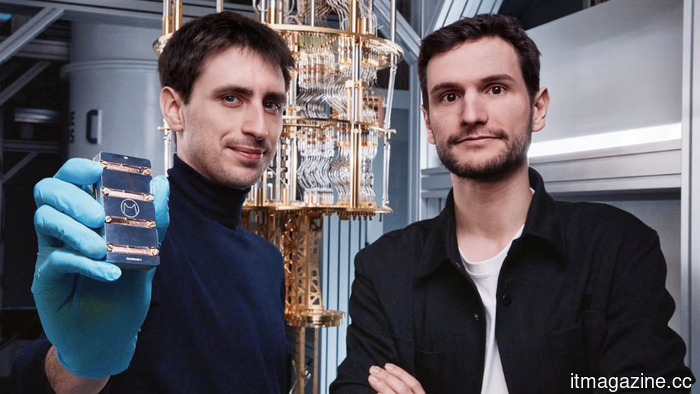 NVIDIA’s NVentures has incorporated Alice & Bob into its quantum portfolio.
NVentures, the investment wing of Nvidia, has participated in an extension round of Alice & Bob's €100m Series B. The Paris-based quantum company aims to develop a practical machine by 2030.
NVIDIA’s NVentures has incorporated Alice & Bob into its quantum portfolio.
NVentures, the investment wing of Nvidia, has participated in an extension round of Alice & Bob's €100m Series B. The Paris-based quantum company aims to develop a practical machine by 2030.
 Lenovo's Q4 revenue exceeds expectations due to robust PC sales, leading to a 15% surge in shares.
Lenovo announced revenue of $21.6 billion for Q4, exceeding projections by $2.2 billion, driven by a 26% recovery in PC sales and an 84% increase in AI revenue. Shares experienced a 15% rise in Hong Kong.
Lenovo's Q4 revenue exceeds expectations due to robust PC sales, leading to a 15% surge in shares.
Lenovo announced revenue of $21.6 billion for Q4, exceeding projections by $2.2 billion, driven by a 26% recovery in PC sales and an 84% increase in AI revenue. Shares experienced a 15% rise in Hong Kong.
ChatGPT is integrated into PowerPoint, allowing you to narrate your way through the slides.
You can request it to identify inconsistencies in your deck's reasoning, anticipate questions from the audience, and integrate real-time data from the tools your team currently utilizes.