
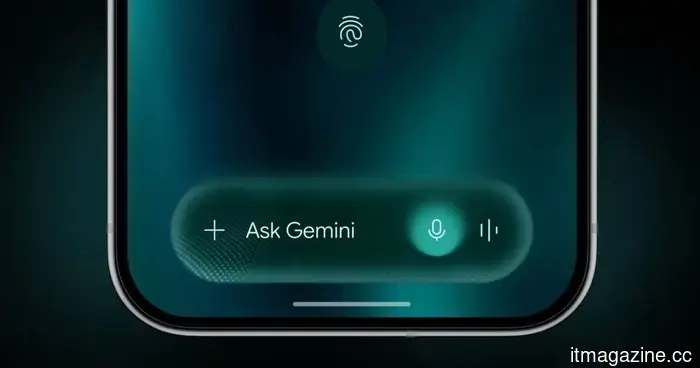
Gemini Intelligence has stringent criteria, and your phone might not meet the requirements.
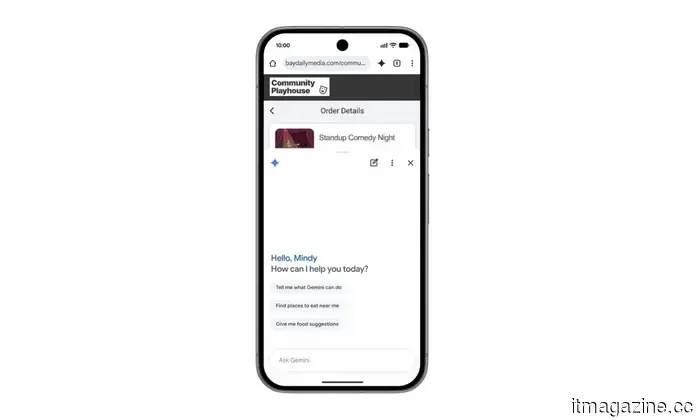
Google's new Gemini Intelligence platform is rapidly becoming a hot topic in the Android community. Featured in this week’s Android Show, this capability is already linked to several upcoming premium foldable devices and flagship smartphones. However, there's a significant drawback: not all high-end Android devices will support it. Surprisingly, some of the latest foldable models from Google and Samsung might miss out as well.
Google's criteria for Gemini Intelligence are stringent; it isn't merely a software update that can be applied to older models. The company seems to be focusing on a much stricter hardware framework and long-term software support. To qualify, a device must have a flagship-level chipset, a minimum of 12GB of RAM, AI Core support, and Gemini Nano version 3 or later. This creates issues for many current-generation devices.
Gemini Intelligence necessitates more than just a high-performance chipset. The devices must also guarantee at least five Android OS updates and six years of security patches, with adherence to standards regarding system stability and crash frequency.
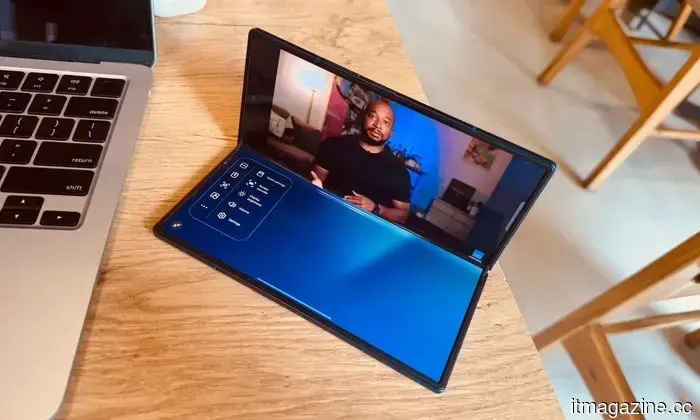
Many flagship phones currently have extended software support, but the requirement for Gemini Nano version appears to be a significant hurdle. Reports indicate that devices like the Pixel 9 series and Samsung’s Galaxy Z Fold 7 are still operating on Gemini Nano version 2, disqualifying them from Gemini Intelligence support at this time.
The feature set is expected to broaden significantly with the Android flagships of 2026, including the Pixel 10 series and Oppo Find X9 lineup, which are likely designed with these AI prerequisites in mind from the beginning.
Nevertheless, the situation remains a bit ambiguous. Google's documentation specifically refers to the support for Gemini Nano’s Prompt API but does not definitively state that older devices will be permanently excluded. There is still a chance that some smartphones may gain compatibility in the future through Android updates or back-end enhancements.
One intriguing aspect is Google’s demand for a minimum of 12GB of RAM for Gemini Intelligence. This is quite an assertive requirement, especially as some leaks suggest that the base Pixel 11 might come with only 8GB of RAM. If these new AI conditions are accurate, previous leaks might not fully capture the situation.
It seems contradictory for Google to heavily promote advanced on-device AI features while potentially reducing memory capacity in its flagship phones. Currently, Google has indicated that Gemini Intelligence will first launch on Pixel and Samsung Galaxy devices later this year.
---
I'm oddly enthusiastic about Android 17's upcoming anti-doomscrolling feature.
Previously, I mentioned how doomscrolling has fundamentally changed my consumption of short-form content. What once felt like a quick break to view a few YouTube Shorts or Instagram Reels has turned into an automatic habit that I barely notice anymore. I pick up my phone for one reason, open a social media app just for a moment, and suddenly find myself lost in an endless vertical stream of videos I hadn't intended to watch. What's frustrating is that I'm fully aware of it while it happens.
I've attempted to alter the habit with various strategies—screen time limits, app timers, disabling notifications, hiding apps from my home screen, and even making an effort to keep my phone away while working. Some of these tactics work temporarily, but the muscle memory eventually returns. Even during work hours, I catch myself unlocking my phone without a second thought, quickly slipping back into the doomscrolling cycle. That's why a particular announcement during the Android Show 2026 genuinely piqued my interest. Among all the updates, an Android 17 feature seemed genuinely useful, and I'm oddly eager for it to make its way to my Google Pixel 10a.
---
There's an iPhone feature I use every single time someone asks to borrow my device.
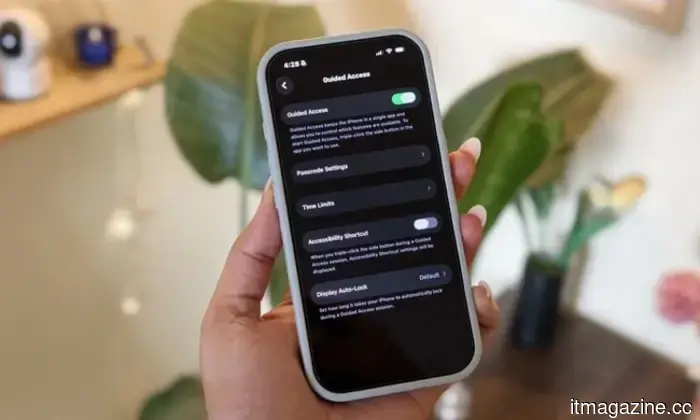
For me, there are essentially two kinds of panic in life: first, sending a risky text to the wrong person, and second, handing my unlocked phone to someone and instantly recalling that my entire digital life is contained within it. Unfortunately, I've faced the second scenario too many times. Most often, the request is harmless—a friend wants to snap a quick photo, a cousin asks to watch a reel, or someone needs to place a food order or check a cricket score. Yet the moment my iPhone leaves my hand, my mind races through everything stored within it—personal messages, banking apps, work emails, private notes, passwords, photos, and those screenshots I always forget to delete.
Smartphones have evolved into tiny, portable vaults filled with years of personal data, habits, conversations, and memories. Allowing someone access to your device feels akin to handing them a small extension of your brain for those few minutes. Honestly, that thought alone is enough to unsettle me. This is precisely why one iPhone feature has become essential for me: Guided Access, which I use almost every time someone requests to borrow my phone.
---
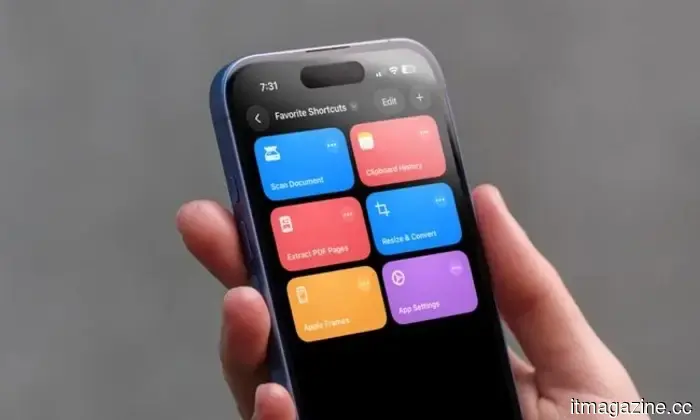
I rely on iPhone shortcuts and have seven favorites that everyone should try too.
I've utilized these seven iPhone shortcuts for
Other articles
 Dr. Jeffrey L. Brown discusses the importance of reevaluating hormone health via advanced testing methods.
Dr. Jeffrey L. Brown utilizes saliva, stool, and food sensitivity tests to identify hormonal imbalances often overlooked by traditional blood tests, offering personalized care in a primarily virtual format.
Dr. Jeffrey L. Brown discusses the importance of reevaluating hormone health via advanced testing methods.
Dr. Jeffrey L. Brown utilizes saliva, stool, and food sensitivity tests to identify hormonal imbalances often overlooked by traditional blood tests, offering personalized care in a primarily virtual format.
 GM, Ford, and Stellantis have reduced their workforce by 20,000 white-collar positions. The trend is set to intensify with the rise of AI.
Since 2022, Detroit's Big Three have reduced their total salaried workforce by 19%. GM recently laid off an additional 500 IT employees while simultaneously recruiting for 250 positions in AI.
GM, Ford, and Stellantis have reduced their workforce by 20,000 white-collar positions. The trend is set to intensify with the rise of AI.
Since 2022, Detroit's Big Three have reduced their total salaried workforce by 19%. GM recently laid off an additional 500 IT employees while simultaneously recruiting for 250 positions in AI.
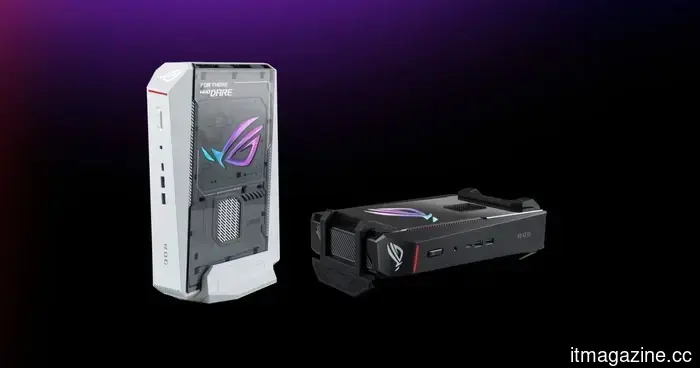 Asus presents a stylish mini PC for gaming, though the price may cause you to double-check.
The ROG NUC 16 packs powerful gaming components into a compact case, putting a tighter squeeze on your budget as well.
Asus presents a stylish mini PC for gaming, though the price may cause you to double-check.
The ROG NUC 16 packs powerful gaming components into a compact case, putting a tighter squeeze on your budget as well.
 Cerebras has just completed the largest tech IPO in the US since Snowflake. Next in line are SpaceX, OpenAI, and Anthropic.
Cerebras secured $5.55 billion and reached a valuation of $95 billion. However, the $3 trillion in total IPOs from SpaceX, OpenAI, and Anthropic makes everything else appear minor in comparison.
Cerebras has just completed the largest tech IPO in the US since Snowflake. Next in line are SpaceX, OpenAI, and Anthropic.
Cerebras secured $5.55 billion and reached a valuation of $95 billion. However, the $3 trillion in total IPOs from SpaceX, OpenAI, and Anthropic makes everything else appear minor in comparison.
 Dr. Jeffrey L. Brown discusses the need to reevaluate hormone health by utilizing advanced testing methods.
Dr. Jeffrey L. Brown utilizes saliva, stool, and food sensitivity testing to identify hormonal imbalances that typical blood tests overlook, providing tailored care through a primarily virtual approach.
Dr. Jeffrey L. Brown discusses the need to reevaluate hormone health by utilizing advanced testing methods.
Dr. Jeffrey L. Brown utilizes saliva, stool, and food sensitivity testing to identify hormonal imbalances that typical blood tests overlook, providing tailored care through a primarily virtual approach.
 A leak regarding the Xbox Elite 3 controller reveals a recognizable design adorned with some intriguing buttons.
A leaked Xbox Elite Controller Series 3 seems to maintain Microsoft's signature pro design, while incorporating Wi-Fi 6, Bluetooth, and two unknown controls at the bottom.
A leak regarding the Xbox Elite 3 controller reveals a recognizable design adorned with some intriguing buttons.
A leaked Xbox Elite Controller Series 3 seems to maintain Microsoft's signature pro design, while incorporating Wi-Fi 6, Bluetooth, and two unknown controls at the bottom.
Gemini Intelligence has stringent criteria, and your phone might not meet the requirements.
Google’s Gemini Intelligence appears to be a significant advancement for Android AI, but there’s an unexpected drawback lurking beneath the excitement. Even certain recent flagship devices might not be compatible.