

iPhone users can now experience live translation on their headphones using Google Translate.
Google Translate introduces hands-free functionality on iOS
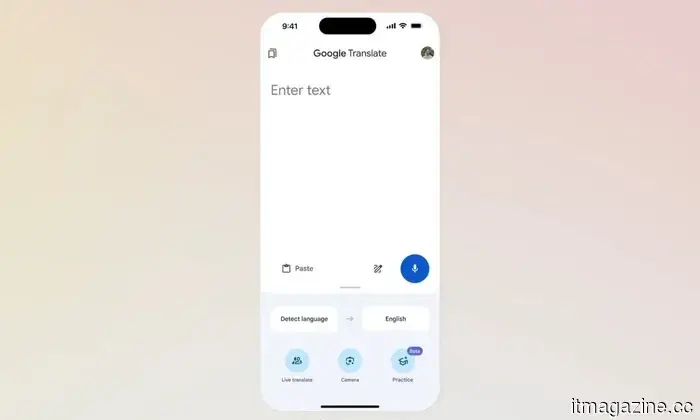
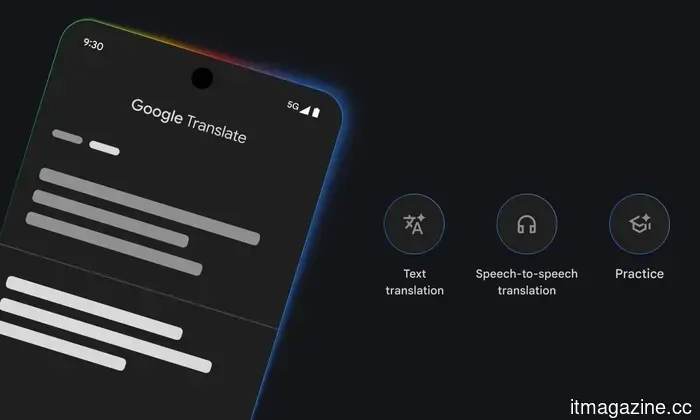
Google is finally bringing one of its top AI-driven Google Translate features to iPhone users. Live Translate with headphones is now being launched on iOS, several months after its initial release on Android in December.
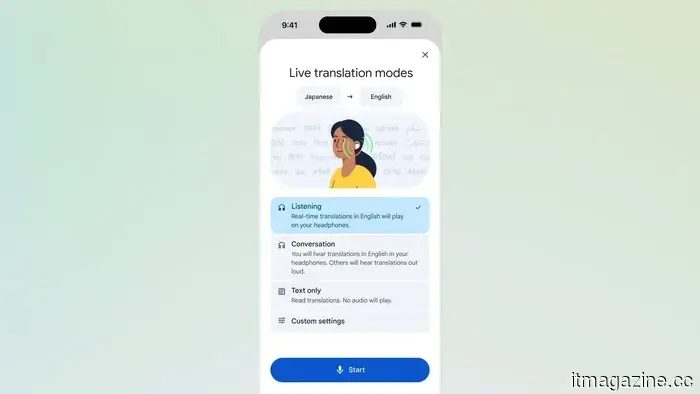
This feature transforms your headphones into a real-time translator, enabling you to understand conversations as they occur without having to look at your phone.
According to Google, the live translation functionality supports over 70 languages and is expanding to additional regions, including France, Germany, Italy, Japan, Spain, Thailand, and the U.K.
How Google turns your headphones into a live translator
Live translation operates directly through the Google Translate app. After connecting your headphones, the app listens to spoken language and provides a translated version directly in your ears.
The experience goes beyond simple word-for-word translation. Google claims it maintains tone and cadence, allowing for a better grasp of the nuances in the conversation.
This feature builds on Google's broader initiative with Gemini-powered translation, which prioritizes understanding meaning and nuance over literal wording. This allows it to more effectively handle slang, idioms, and natural speech patterns.
Integrating real-time translation into daily conversations
The feature is tailored for everyday applications. You can use it to engage in conversations with family or friends who speak different languages. It can also assist you in comprehending announcements while traveling or receiving local recommendations without losing context.
Getting started is easy. Just download and open the Translate app, select Live Translate, and connect your headphones. The app will then take care of the translations in real-time.
Google is also enhancing Translate in various other ways, offering choices between quicker or more precise translations and even testing a pronunciation coach aimed at improving your accent.
Manisha enjoys covering everyday technology, from smartphones and apps to gaming and streaming.
Android 17 improves your internet controls
Google has revamped its Wi-Fi and mobile data settings in Quick Settings, aiming to reduce the number of taps needed for common actions.
Android 17 addresses one of the most frustrating aspects of phone usage—its internet controls. If you've ever attempted to quickly turn off Wi-Fi and ended up navigating through an extra menu, this update is designed to streamline that process.
In Android 17 Beta 3, Google is modifying how these toggles function within Quick Settings. Rather than consolidating everything under one tile, the system will now separate Wi-Fi and mobile data, allowing you to manage them independently without accessing an additional screen.
Motorola leak reveals the forthcoming Razr 70 Ultra, maintaining its classic look
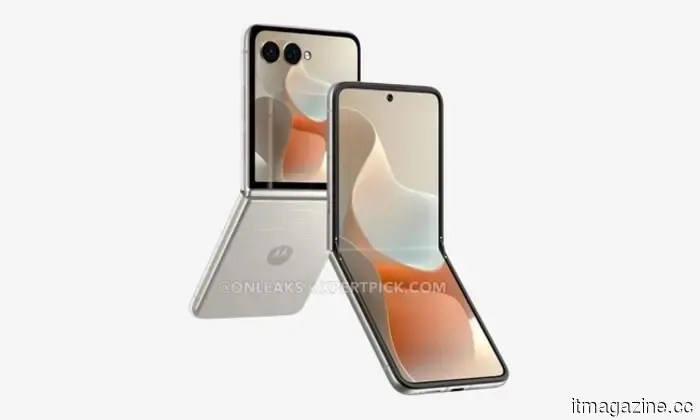
In true Motorola fashion, the Razr series has leaked again, giving us our first clear view of the Razr 70 Ultra. The renderings come from XpertPick, in collaboration with Steve Hemmerstoffer, also known as OnLeaks on X (formerly Twitter).
Is there anything new to see here?
Siri might soon incorporate third-party AI tools in a major iOS update
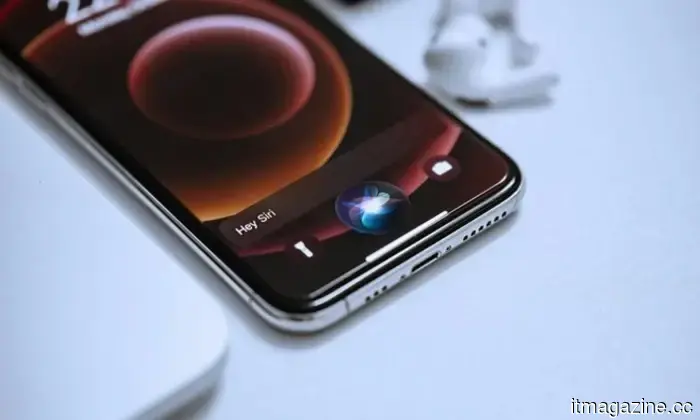
Apple is reportedly preparing to introduce one of the most significant changes to Siri in years, intending to allow the voice assistant to work with third-party AI services in the forthcoming iOS 27 update. This development signals a considerable shift in Apple's approach to artificial intelligence, evolving Siri from a closed system into a more expansive AI platform capable of integrating with competing technologies.
A move towards an open AI ecosystem.


Other articles
 A basic coding error is revealing API keys on numerous websites.
A comprehensive study has uncovered that websites are unintentionally revealing API keys associated with services such as AWS, Stripe, and OpenAI, with a majority of the leaks originating from publicly available JavaScript files.
A basic coding error is revealing API keys on numerous websites.
A comprehensive study has uncovered that websites are unintentionally revealing API keys associated with services such as AWS, Stripe, and OpenAI, with a majority of the leaks originating from publicly available JavaScript files.
 Tozero has inaugurated Europe’s first facility dedicated to industrial battery recycling.
Tozero has inaugurated Europe's inaugural industrial battery recycling facility in Bavaria, marking the first large-scale production of recycled lithium and graphite.
Tozero has inaugurated Europe’s first facility dedicated to industrial battery recycling.
Tozero has inaugurated Europe's inaugural industrial battery recycling facility in Bavaria, marking the first large-scale production of recycled lithium and graphite.
 Dating Apps Are Transitioning from Swiping to AI Assistants
Online dating applications have traditionally been characterized by “the swipe,” but as the digital environment changes, users are seeking more from these platforms. People are no longer content with merely scrolling and swiping through potential matches. This process is increasingly viewed as monotonous and game-like, lacking a sense of significance for users. Due to the minimal stakes involved, some […]
Dating Apps Are Transitioning from Swiping to AI Assistants
Online dating applications have traditionally been characterized by “the swipe,” but as the digital environment changes, users are seeking more from these platforms. People are no longer content with merely scrolling and swiping through potential matches. This process is increasingly viewed as monotonous and game-like, lacking a sense of significance for users. Due to the minimal stakes involved, some […]
 tozero inaugurates the first industrial battery recycling facility in Europe.
tozero has inaugurated Europe's inaugural industrial battery recycling facility in Bavaria, enabling the large-scale production of recycled lithium and graphite for the first time.
tozero inaugurates the first industrial battery recycling facility in Europe.
tozero has inaugurated Europe's inaugural industrial battery recycling facility in Bavaria, enabling the large-scale production of recycled lithium and graphite for the first time.
 MOVA transitions from cleaning devices to a diverse range of robotics applications.
Established in 2024, MOVA is a brand of smart home appliances from China, emphasizing AI-powered intelligent living solutions. The company initially focused on cleaning devices.
MOVA transitions from cleaning devices to a diverse range of robotics applications.
Established in 2024, MOVA is a brand of smart home appliances from China, emphasizing AI-powered intelligent living solutions. The company initially focused on cleaning devices.
 iPhone users can now access live translation on their headphones via Google Translate.
Google is introducing its live translation feature to iOS, transforming your headphones into a real-time translator that enables you to engage in conversations naturally without the need to frequently look at your screen.
iPhone users can now access live translation on their headphones via Google Translate.
Google is introducing its live translation feature to iOS, transforming your headphones into a real-time translator that enables you to engage in conversations naturally without the need to frequently look at your screen.
iPhone users can now experience live translation on their headphones using Google Translate.
Google is introducing its live translation feature for iOS, allowing your headphones to serve as a real-time translator that enables you to engage in conversations naturally without the need to frequently check your screen.