

LibrePCB 1.3.0 has been released: CAD for PCB design
The latest release of the free package for automation of PCB design LibrePCB 1.3.0 is already available for download. This tool is positioned as simple and convenient to use, although it is inferior in capabilities to the more advanced KiCad. It is suitable for both beginners and professionals.
The program runs on Linux (Flatpak, Snap, AppImage), FreeBSD, macOS and Windows. The source code is written in C++ (the interface uses Qt) and is distributed under the GPLv3 license.
What makes LibrePCB convenient?
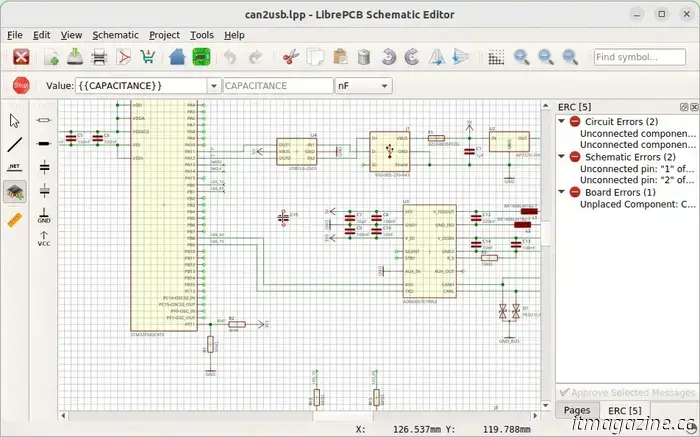
One package contains all the necessary tools: a circuit editor, project management tools, and a multilayer PCB editor. The graphical interface based on Qt is simple and user-friendly. The program uses the concept of a "smart" library of elements, and supports readable formats for projects and libraries.
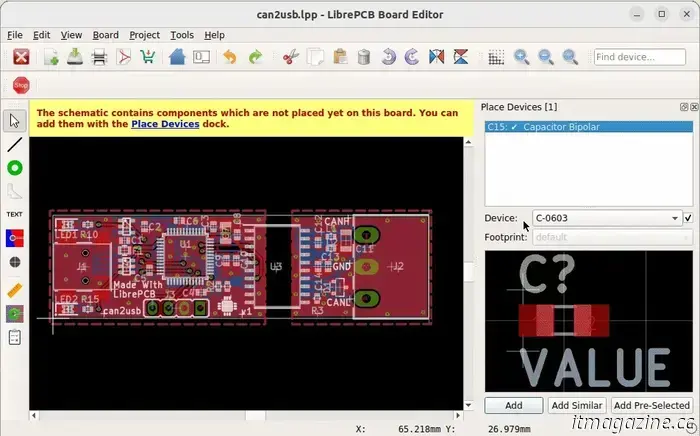
Among the useful features is the Multi-PCB mode, which allows you to develop multiple board options based on a single circuit. The program automatically synchronizes the list of electrical connections (netlist) between the circuit and the board layout. For the convenience of users, a multilingual interface has been implemented, including support for Russian and Ukrainian languages.Image: librepcb_org
What's new in version 1.3.0?
The main innovation is the ability to generate an interactive component list (BOM) and an assembly plan. This tool helps with manual assembly of the board, and the list is saved in HTML format with support for sorting, filtering, and searching for components. It uses the developments of the InteractiveHtmlBom plugin for KiCad.
Compatibility with the new component library format from KiCad 9 has also been added. In addition, LibrePCB now supports the Rust programming language, in which the new BOM generator is written. The developers plan to gradually switch from C++ to Rust, as well as replace the Qt interface library with Slint, created on Rust.
LibrePCB continues to evolve: librepcb_org offers user-friendly solutions for PCB design. You can download the new version now on the official
website of the project.
Read also
How to organize corporate remote training? Tips and pitfalls
of IT-World will tell you how to effectively organize distance learning courses for a team using three global tools for remote corporate learning — online platforms, LMS systems and videoconferencing. And let's figure out how they should be used, and what tasks they will not cope with.

Other articles
 The Kindle Scribe is now available at a rare discount during Amazon's Big Spring Sale.
This eReader could potentially surpass a paper book, even if you're hesitant, because of its excellent note-taking features and affordable price. You can get an Amazon Kindle Scribe for $365.
The Kindle Scribe is now available at a rare discount during Amazon's Big Spring Sale.
This eReader could potentially surpass a paper book, even if you're hesitant, because of its excellent note-taking features and affordable price. You can get an Amazon Kindle Scribe for $365.
 5 must-see movies departing from Hulu in March 2025
Only a limited number of movies are departing from Hulu in March, yet locating a quality film among them is more challenging than it ought to be.
5 must-see movies departing from Hulu in March 2025
Only a limited number of movies are departing from Hulu in March, yet locating a quality film among them is more challenging than it ought to be.
 Netflix eliminated my last doubt about purchasing a Samsung OLED TV.
By adopting HDR10+, Netflix has alleviated my concerns about purchasing a Samsung TV. Here's the reason.
Netflix eliminated my last doubt about purchasing a Samsung OLED TV.
By adopting HDR10+, Netflix has alleviated my concerns about purchasing a Samsung TV. Here's the reason.
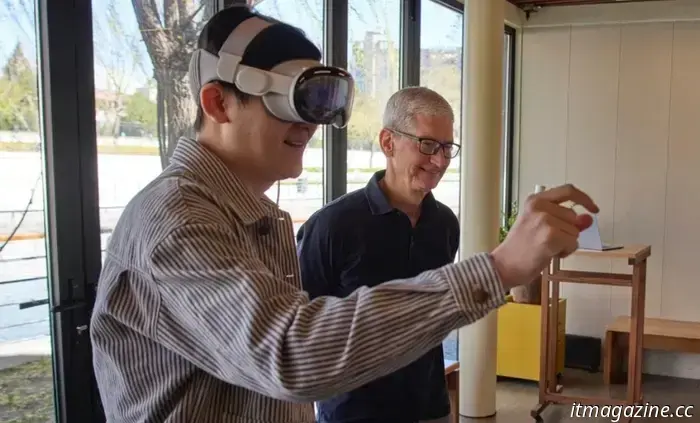 The CEO of Apple unexpectedly visited China and contributed RMB 30 million to Zhejiang University.
On Wednesday, Tim Cook, the CEO of Apple, attended Zhejiang University to celebrate the 10th anniversary of the Mobile Application Innovation program, which was established in collaboration between the American tech company and the Chinese university.
The CEO of Apple unexpectedly visited China and contributed RMB 30 million to Zhejiang University.
On Wednesday, Tim Cook, the CEO of Apple, attended Zhejiang University to celebrate the 10th anniversary of the Mobile Application Innovation program, which was established in collaboration between the American tech company and the Chinese university.
LibrePCB 1.3.0 has been released: CAD for PCB design
The latest release of the free package for automation of PCB design LibrePCB 1.3.0 is already available for download. This tool is positioned as simple and convenient to use, although it is inferior in capabilities to the more advanced KiCad. It is suitable for both beginners and professionals.