
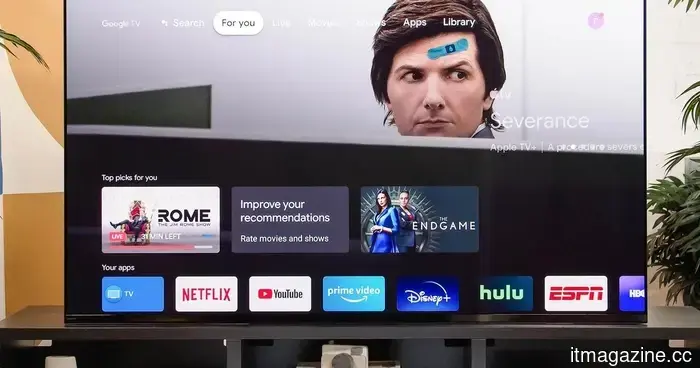
Proton unveils how smart TVs monitor your activities, and the circumstances for escaping are quite bleak.
Modern smart TVs track the content displayed on their screens at the chipset level.
Your smart TV might have more insight into your viewing habits than you think, even if you seldom utilize its smart features. In a recent privacy overview, Proton highlights that many contemporary TVs discreetly collect data on everything shown on the screen and share this information with manufacturers, advertisers, and analytics firms.
The concerning aspect is that avoiding this tracking is becoming more challenging, as numerous privacy options are hidden deep within the settings or are enabled by default. Proton argues that purchasing a smart TV today often entails accepting a level of surveillance that most individuals did not consciously agree to.
How do smart TVs monitor your viewing?
Smart TVs employ a technology known as Automatic Content Recognition (ACR). Rather than only monitoring what you stream through their built-in applications, ACR recognizes nearly everything displayed on your screen. This includes films from streaming services, live television, games played on a console, and even content from external devices connected via HDMI.
The system generates a digital fingerprint of what is being watched and correlates it with large databases to ascertain the content. This information can then be shared with TV manufacturers, advertisers, and data brokers to create detailed profiles of your viewing patterns. ACR operates at the chipset level and is generally activated by default, meaning it functions even if you have never used your TV’s smart features.
Is it possible to prevent your TV from tracking you?
This is where the situation becomes particularly grim. Proton states that the most straightforward solution is to keep your TV offline entirely and connect content through a device you control, such as a media box or home server using HDMI. If you prefer internet access without tracking, tools like Pi-hole can obstruct your TV’s telemetry and ad domains while allowing everything else to function normally.
You can also deactivate ACR and other tracking features within your TV’s settings, but the options vary by brand and may not halt all forms of data collection. Although privacy settings are available on many TVs, they are often difficult to locate, use ambiguous terminology, or are pre-activated by default, making them easy to overlook during setup.
The takeaway is that maintaining privacy has become increasingly challenging with connected devices. Smart TVs are designed to remain online, and data collection has become integrated into the business model. If you desire the convenience of built-in apps, you may need to accept a certain degree of tracking. If privacy is your main concern, consider using your smart TV solely as a display and let another device manage the streaming.
Manisha Priyadarshini is a tech and entertainment writer with over nine years of editorial experience.
LG is taking action against smart TV apps that secretly use your TV as a proxy.
If you have an LG smart TV, there may be an unsuspecting app that has been using your TV to relay internet traffic for others. According to a report from KrebsOnSecurity, LG has announced plans to intervene and put a stop to this issue. This week, the company confirmed it intends to suspend any webOS app that turns a TV into what is known as a residential proxy node. This decision follows a report from the security firm Spur, which indicated that over 42 percent of apps on LG's webOS store include SDKs that quietly reroute internet traffic through your TV indefinitely. Samsung is also affected, with more than a quarter of Tizen apps containing similar code.
The LG C6 OLED performs well right out of the box, but these adjustments enhance its quality.
From Filmmaker Mode to shadow detail and AI Sound Pro, these settings significantly improved the picture after a month of testing the LG C6 OLED. This TV ranks as one of the best mid-range OLEDs available today. After a month of daily use, it became evident that right out of the box, the picture quality could be enhanced.
Fortunately, achieving better performance from the TV doesn’t require professional calibration or extensive menu navigation. A few minor adjustments can make movies appear more cinematic, enhance shadow detail, smooth out motion, and noticeably improve the built-in speakers. Here are the specific settings I've been using after living with the LG C6.
Samsung’s Freestyle+ AI Smart Projector transforms any wall into a movie screen.
This $1,200 Samsung projector utilizes AI to automatically enhance your picture.
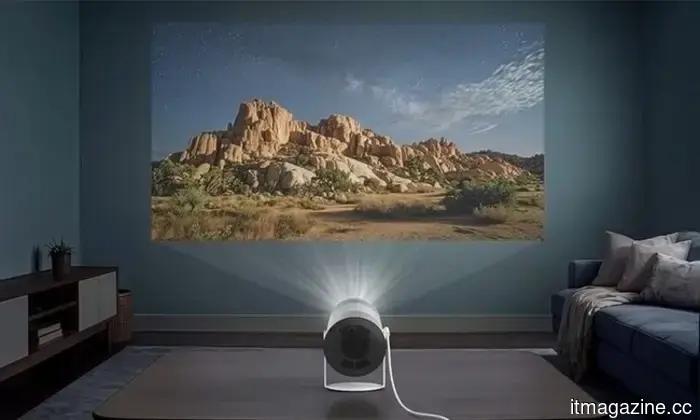
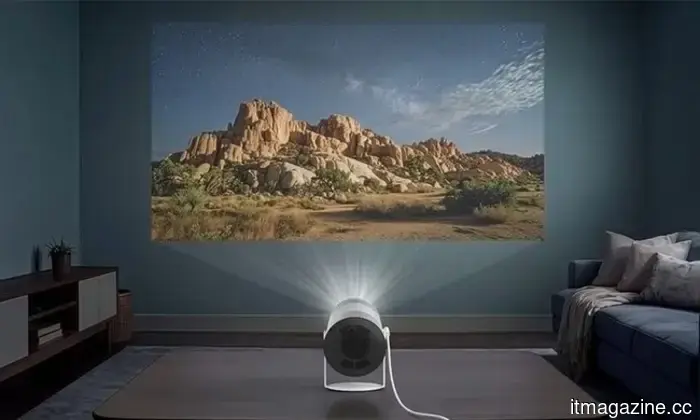
Movie night no longer requires a plain white wall or a complex projector setup. Samsung has introduced the Freestyle+ AI Smart Projector for $1,200 in the US, and its standout feature is its ability to project onto almost any surface.
Whether projecting onto patterned wallpaper, a colored wall, or even within environments containing shelves and picture frames, the projector employs AI to automatically adjust the image, allowing you to start watching with minimal hassle. This portable projector can create a Full HD image up to 100 inches, making it a convenient choice for everything from outdoor movie nights to comfortable viewing sessions in the bedroom.

Other articles
 Australia establishes a national Office of AI.
The Office of AI in Australia, introduced by Prime Minister Anthony Albanese, will oversee AI policy, safeguard the copyright of creators, and establish new mandatory regulations for data centres.
Australia establishes a national Office of AI.
The Office of AI in Australia, introduced by Prime Minister Anthony Albanese, will oversee AI policy, safeguard the copyright of creators, and establish new mandatory regulations for data centres.
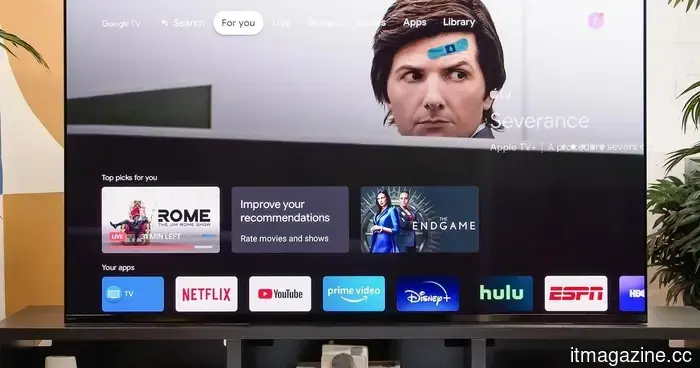 Proton discloses the methods used by smart TVs to monitor you, and the situation regarding escaping is rather bleak.
Proton cautions that smart TVs utilize automatic content recognition to monitor all of your viewing habits, transmitting data to manufacturers and advertisers by default, even if the smart functionalities are not utilized.
Proton discloses the methods used by smart TVs to monitor you, and the situation regarding escaping is rather bleak.
Proton cautions that smart TVs utilize automatic content recognition to monitor all of your viewing habits, transmitting data to manufacturers and advertisers by default, even if the smart functionalities are not utilized.
 LG is taking action against smart TV applications that discreetly transform your TV into an unauthorized proxy.
LG has announced that it will halt webOS apps that covertly convert smart TVs into residential proxy nodes, following a study which revealed that more than 42 percent of its apps concealed this functionality.
LG is taking action against smart TV applications that discreetly transform your TV into an unauthorized proxy.
LG has announced that it will halt webOS apps that covertly convert smart TVs into residential proxy nodes, following a study which revealed that more than 42 percent of its apps concealed this functionality.
 Here are the mice I would suggest for the back-to-school season.
Searching for a new mouse this Back-to-School season? Here are the top choices for gaming, productivity, creative tasks, and general use.
Here are the mice I would suggest for the back-to-school season.
Searching for a new mouse this Back-to-School season? Here are the top choices for gaming, productivity, creative tasks, and general use.
 You can enjoy Xbox games at no cost if you're okay with viewing advertisements.
Microsoft is trialing a free, ad-supported version of Xbox Cloud Gaming for Insiders, allowing them to stream their owned games for one-hour sessions in exchange for watching advertisements.
You can enjoy Xbox games at no cost if you're okay with viewing advertisements.
Microsoft is trialing a free, ad-supported version of Xbox Cloud Gaming for Insiders, allowing them to stream their owned games for one-hour sessions in exchange for watching advertisements.
 Here are the mice I would suggest for back-to-school.
Searching for a new mouse this Back-to-School period? Here are the top choices for gaming, productivity, creative tasks, and daily usage.
Here are the mice I would suggest for back-to-school.
Searching for a new mouse this Back-to-School period? Here are the top choices for gaming, productivity, creative tasks, and daily usage.
Proton unveils how smart TVs monitor your activities, and the circumstances for escaping are quite bleak.
Proton cautions that smart TVs employ automatic content recognition to monitor all your viewing habits, transmitting information to manufacturers and advertisers by default, even when the smart functions are not in use.